ChatGPT Intelligent UI: What It Is and How to Use Interactive Answers
ChatGPT Intelligent UI lets GPT-6 answer with charts, buttons, maps and small tools. Here is who gets it, how to trigger useful interactive answers and how to turn it down.

On this page
- Key takeaways
- What is ChatGPT Intelligent UI?
- Who can use Intelligent UI and which model powers it
- How to use Intelligent UI step by step
- Prompts that work well with interactive answers
- How to turn Intelligent UI off or reduce visuals
- Is Intelligent UI actually useful? Strengths and limits
- Intelligent UI vs other ChatGPT features
- Frequently asked questions
- Verdict: should you use Intelligent UI?
ChatGPT Intelligent UI is a new way for ChatGPT to answer: instead of only writing text, GPT-6 can build charts, tappable buttons, forms, maps and small working tools (like a bill splitter or a savings calculator) right inside the chat. OpenAI launched it with GPT-6 on 7 October 2026 for Plus, Pro, Business and Enterprise, and began rolling it out to Free and Go users the next day. You do not switch it on: you ask a question, and ChatGPT decides whether an interactive answer works better than plain text.
This guide explains what Intelligent UI is, who gets it, how to trigger the most useful interactive answers, how to turn it down if you prefer text, and where it still falls short.
Key takeaways
- Intelligent UI arrived with GPT-6 in the ChatGPT Chat tab on 7 October 2026, starting with paid plans, then Free and Go from 8 October.
- Paid plans use GPT-6 Sol; Free and Go use GPT-6 Luna. Both can produce interactive answers.
- It works from Instant up to Extra High thinking, but not at the Pro thinking level, which runs on GPT-6 Astra.
- There is no separate usage quota for Intelligent UI. It counts like any other message.
- You can reduce visuals by turning off “Layout and visuals” in Settings on the web, though some elements may still appear.
What is ChatGPT Intelligent UI?
Intelligent UI is OpenAI’s name for answers that mix text with interface elements. According to the official GPT-6 launch post, GPT-6 can compose responses with “graphics, tappable buttons, forms, charts, and interactive experiences you can use directly in your conversation.” The format depends on the question. If plain text is the clearest answer, you still get plain text.
Under the hood, OpenAI describes a library of “native, streamable components” and a compiler that shows the interface progressively as the model writes it. In practice, that means you see the answer build up on screen instead of waiting for a finished widget. GPT-6 can also start answering before it finishes thinking, then add more detail without a new prompt.
This is not entirely new. ChatGPT added interactive charts in June 2026 and interactive modules for more than 70 math and science topics in March, according to Search Engine Journal’s launch coverage. What changed on 7 October is that the model now decides the layout of almost any answer, across everyday, learning and tool-style questions.
Examples OpenAI showed
| Type of question | OpenAI’s example | What you can do with it |
|---|---|---|
| Everyday planning | Sunday roast timing plan, road trip map with stops, wardrobe builder | Tap through steps, see stops on a map, adjust choices |
| Learning a concept | Central limit theorem, GDP, Monty Hall problem, drone photography | Change inputs and watch the result update, follow worked steps |
| Tools made by asking | Bill splitter, retirement savings calculator, retro game | Enter your own numbers or play inside the chat |
| Product explainer | 7-speed bicycle breakdown | Select parts such as frame, wheels, drivetrain and brakes |
If you are brand new to ChatGPT, start with our complete beginner guide to ChatGPT, then come back here for the interactive features.
Who can use Intelligent UI and which model powers it
Intelligent UI ships with GPT-6, so access follows the GPT-6 rollout. OpenAI’s help article on GPT-6 and other models in ChatGPT sets out the details.
| Plan | Price (USD) | Chat model | Intelligent UI |
|---|---|---|---|
| Free | $0 | GPT-6 Luna | Yes, rolling out from 8 October |
| Go | $8/month | GPT-6 Luna | Yes, rolling out from 8 October |
| Plus | $20/month | GPT-6 Sol (Instant, Medium, High) | Yes, from 7 October |
| Pro | $100, $200 or $500/month | GPT-6 Sol up to Extra High; GPT-6 Pro on Astra | Yes, except at Pro thinking level |
| Business | $25/user/month ($20 annual) | GPT-6 Sol | Yes, subject to admin settings |
| Enterprise | Custom | GPT-6 Sol | Depends on workspace admin settings |
Two details trip people up. First, the Pro thinking level runs on GPT-6 Astra and does not support Intelligent UI, so heavy Pro users will see plain answers when they pick that level. Second, older ChatGPT desktop apps for macOS and Windows do not support it. OpenAI recommends the web version or an updated app. For a fuller breakdown of the new model names, read our explainer on GPT-6 Astra, Sol and Luna, and for plan prices see our ChatGPT pricing guide.
Note: OpenAI says “Intelligent UI has no separate usage quota.” Interactive answers draw from the same limits as normal messages on your plan. Our guide to ChatGPT limits by plan explains how those limits work.
How to use Intelligent UI step by step
There is no button labeled Intelligent UI. You trigger it through what you ask and how you ask it. These steps get the most reliable interactive answers.
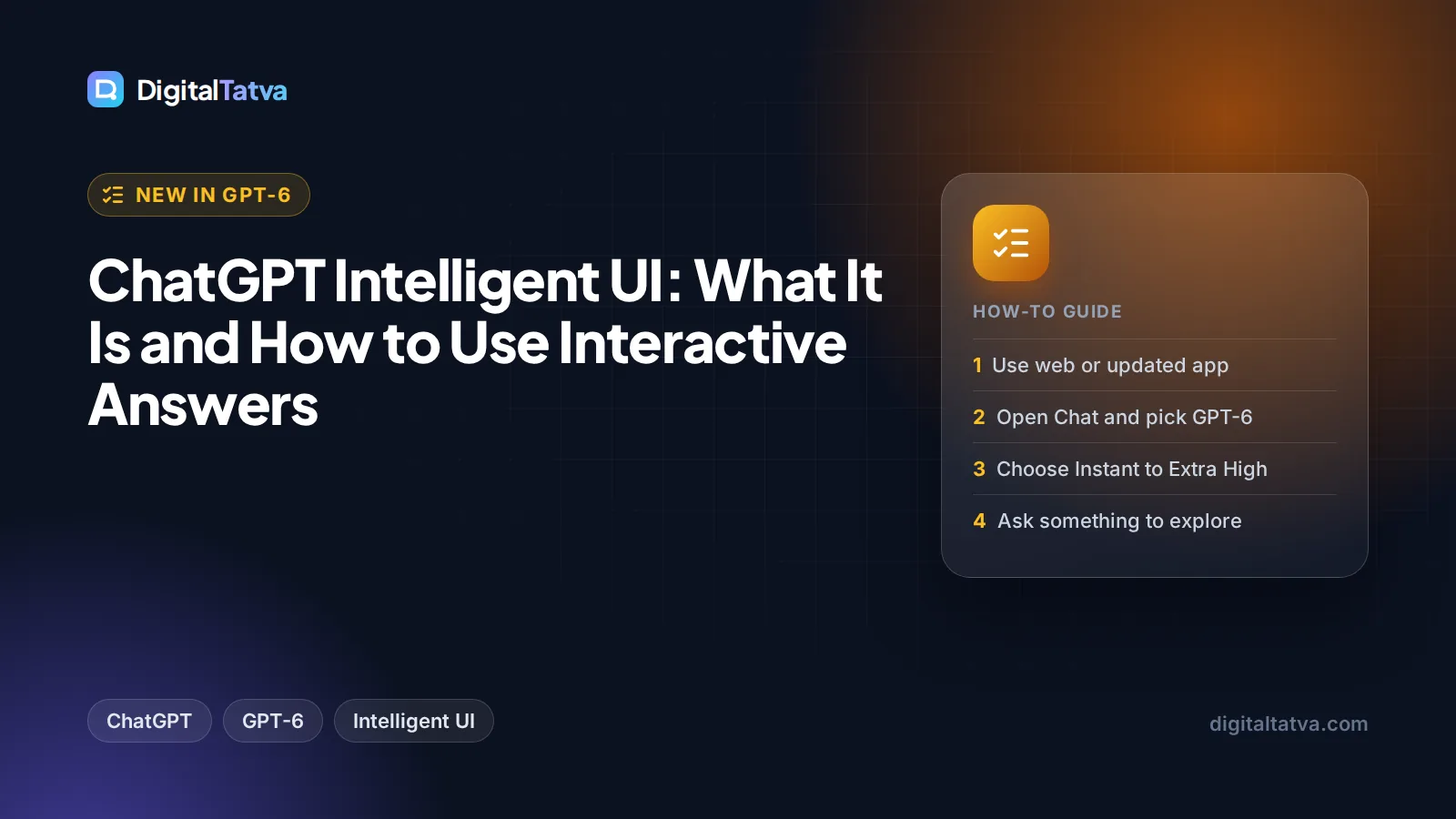
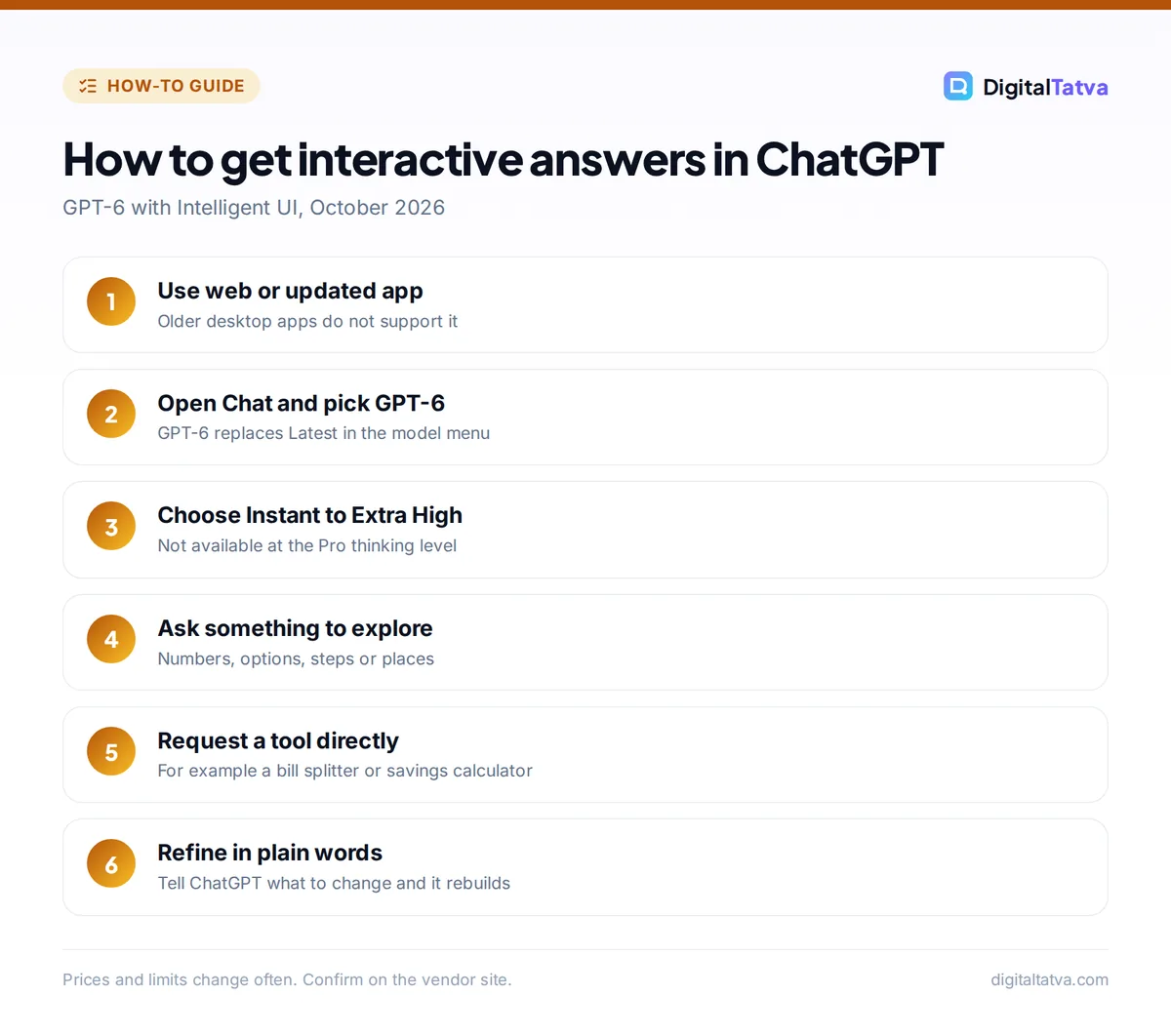
- Update your app or use the web. Open chatgpt.com in a browser or update the ChatGPT app on your phone. If you use an old desktop app, switch to the web, because older macOS and Windows apps do not show Intelligent UI.
- Stay in the Chat tab and pick GPT-6. Intelligent UI lives in Chat, not in Work or Codex. In the model menu, GPT-6 replaces the old “Latest” option. If you previously chose GPT-5.6 Sol explicitly, ChatGPT keeps you on it, so switch back to GPT-6.
- Choose a thinking level from Instant to Extra High. Plus users get Instant, Medium and High. Pro, Business and Enterprise also get Extra High. Avoid the Pro level if you want interactive output. Note that Instant does not automatically move up to a higher level on Plus and Pro, so pick Medium or High yourself for harder questions.
- Ask for something you want to explore, compare or calculate. Questions with numbers, steps, options or locations are the best triggers. “Plan a 3-day road trip from Pune to Goa with stops” is more likely to return a map than “tell me about Goa.”
- Ask for a tool directly when you need one. You can say “Build me a calculator to see how a Rs 5,000 monthly SIP grows over 15 years at different returns” or “Make a bill splitter for 6 people with a 10% tip.” OpenAI’s own examples include a bill splitter and a savings calculator.
- Interact, then refine in words. Change the inputs, tap options and drag sliders. If something is wrong, tell ChatGPT what to change (“add a column for tax” or “show results in rupees”), and it rebuilds the answer.
- Check sources on search answers. For questions that use web search, look for the Sources button where it appears and open the original pages before you rely on a number.
Tip: If you want plain text for one answer, just say so: “Answer in plain text, no charts or widgets.” That is quicker than changing a setting, and it is useful when you plan to copy the answer into an email or document.
Prompts that work well with interactive answers
Interactive answers shine when there is something to adjust. Here are prompt patterns that suit Intelligent UI, grouped by audience. Our prompt engineering guide covers the general techniques behind them.
For learning and study
- “Explain compound interest with a chart where I can change the rate and years.”
- “Walk me through the Monty Hall problem and let me play it a few times.”
- “Show how supply and demand shift when I change the price, step by step.”
Students get the most out of these. Pair them with the tools in our list of the best AI tools for students.
For money and planning
- “Build a monthly budget planner with categories I can edit.”
- “Compare three phone plans side by side and let me filter by data and price.”
- “Make a loan EMI calculator where I can change amount, tenure and interest rate.”
For work
- “Turn these monthly sales figures into a chart and flag the weakest month.” (paste the numbers)
- “Create a simple pricing calculator for my freelance design packages.”
- “Lay out a 4-week content calendar I can click through by week.”
For spreadsheet-heavy work, the dedicated ChatGPT add-in for Excel and Google Sheets is often better than chat widgets. Our guide to using ChatGPT for Excel and data analysis walks through it.
How to turn Intelligent UI off or reduce visuals
Some people want text they can read quickly or paste elsewhere. OpenAI gives you one control: on the web, open Settings and turn off “Layout and visuals”. OpenAI notes that some visual elements may still appear even with the setting off, so treat it as “fewer visuals” rather than a hard switch.
Other ways to get plain answers:
- Ask for plain text in the prompt, as in the tip above.
- Use the Pro thinking level if you are on a Pro, Business or Enterprise plan. It runs on GPT-6 Astra and does not use Intelligent UI.
- Pick GPT-5.6 Sol in the model menu. OpenAI did not retire older selectable models when GPT-6 arrived.
Watch out: Switching to the Pro level or to GPT-5.6 Sol changes more than the layout. It changes the model, the speed and, on Pro plans, how fast you use your weekly Pro allowance. Only do it if you actually want that model.
Is Intelligent UI actually useful? Strengths and limits
In everyday use, interactive answers are a real improvement for anything with numbers or options. A calculator you can poke at teaches you more than a paragraph of formulas, and a road trip map is easier to scan than a numbered list. Speed is better too: OpenAI says GPT-6 Instant starts answering 44% sooner on average than GPT-5.6 Instant for questions that need web search, based on its own internal testing.
Pros
- Charts, calculators and maps without leaving the chat
- No setup and no extra quota
- Available on Free and Go, not only paid plans
- Answers start sooner, then fill in detail
Cons
- Not available at the Pro thinking level
- Older desktop apps do not show it
- The off switch does not remove every visual
- Widgets are harder to copy into documents than text
OpenAI itself admits “there’s still work ahead to improve the model’s design judgment.” Expect occasional charts nobody asked for, and the odd widget where a sentence would do. Calculators also deserve a sanity check: the tool is generated by the model, so test it with numbers you already know before trusting it with a loan or tax decision.
What it means for websites and SEO
If you run a site with simple calculators, converters or comparison tables, take note. Search Engine Journal points out that ChatGPT can now build those tools inside the conversation, so users may not need to click through. Pages that offer original data, expert judgment or a genuinely better tool are safer. We cover how to adapt in our guide to using ChatGPT for SEO and our roundup of the best AI SEO tools for Google and AI search.
Intelligent UI vs other ChatGPT features
ChatGPT now has several surfaces, and it helps to know which one to open.
| Feature | Best for | Where it lives |
|---|---|---|
| Intelligent UI | Quick interactive answers, small tools, charts | Chat tab, GPT-6 |
| ChatGPT Work | Long, multi-step tasks and finished files | Work tab (desktop app, web, mobile) |
| Codex | Software and scripted automation | Codex tab |
| Deep research | Long cited reports | Chat tools menu |
OpenAI says the models powering Work and Codex did not change with this release. If you need ChatGPT to finish a real deliverable, such as a slide deck or a researched report, read our guide on how to use ChatGPT Work (formerly agent mode). If you are deciding whether ChatGPT is still the right assistant, our ChatGPT vs Gemini comparison and ChatGPT vs Claude comparison look at the alternatives.
Frequently asked questions
Is ChatGPT Intelligent UI free?
Yes. OpenAI started rolling out GPT-6 with Intelligent UI to Free and Go users on 8 October 2026, a day after paid plans. Free and Go users get it through GPT-6 Luna. There is no separate quota for interactive answers, so they count against your normal Free limits. Rollouts are gradual, so it may take a few days to appear on your account.
How do I turn on Intelligent UI in ChatGPT?
You do not need to. Once GPT-6 reaches your account, ChatGPT decides when an interactive layout helps. Use the web or an updated app, stay in the Chat tab, select GPT-6 and pick a thinking level from Instant to Extra High. Then ask questions with numbers, options or steps, or ask directly for a calculator or chart.
How do I turn off Intelligent UI?
On the web, open Settings and switch off “Layout and visuals.” OpenAI says some visual elements may still appear afterward. For a single answer, add “plain text only, no charts or widgets” to your prompt. Choosing the Pro thinking level or GPT-5.6 Sol also gives text answers, but changes the model you are using.
Why don’t I see Intelligent UI answers?
The most common reasons are an old desktop app, the Pro thinking level, an explicit GPT-5.6 Sol selection, or a gradual rollout that has not reached you yet. Enterprise users also depend on admin settings. Try chatgpt.com in a browser with GPT-6 selected and ask for something interactive, such as a savings calculator.
Does Intelligent UI use more of my ChatGPT limit?
OpenAI says Intelligent UI has no separate usage quota. An interactive answer counts as a normal message for the model and thinking level you chose. Higher thinking levels and Pro models have their own limits on some plans, so the level you pick matters more than whether the answer includes a chart.
Verdict: should you use Intelligent UI?
Yes, for anything that involves numbers, comparisons, steps or places. Intelligent UI turns ChatGPT from a text box into a quick tool builder, and because it is on every plan with no extra quota, there is no reason not to try it. Keep plain text for answers you need to paste elsewhere, double-check generated calculators before using them for money decisions, and use ChatGPT Work when the job is a finished file rather than a quick answer. OpenAI rolls features out gradually and changes plans often, so confirm current availability and pricing on the official ChatGPT site before you upgrade.
Related reading: our full ChatGPT review and the best AI chatbots compared.
Pricing and features are checked at the time of writing and can change. Some links may be affiliate links, which never affect our verdicts.