10 Best AI Tools for Instagram Reels and Shorts
The 10 best AI tools for Instagram Reels and YouTube Shorts in 2026, from the free Edits app and Meta AI translations to OpusClip, Submagic, Canva and ElevenLabs, with prices and a daily workflow.

On this page
- Key takeaways
- Quick picks: best AI tools for Reels and Shorts
- The 10 best AI tools for Instagram Reels, reviewed
- A simple AI workflow for one Reel a day
- More AI tools for Reels and Shorts worth knowing
- How to choose AI tools for Reels
- AI tools for Reels: pricing compared
- Frequently asked questions
- Our verdict: the best AI stack for Reels
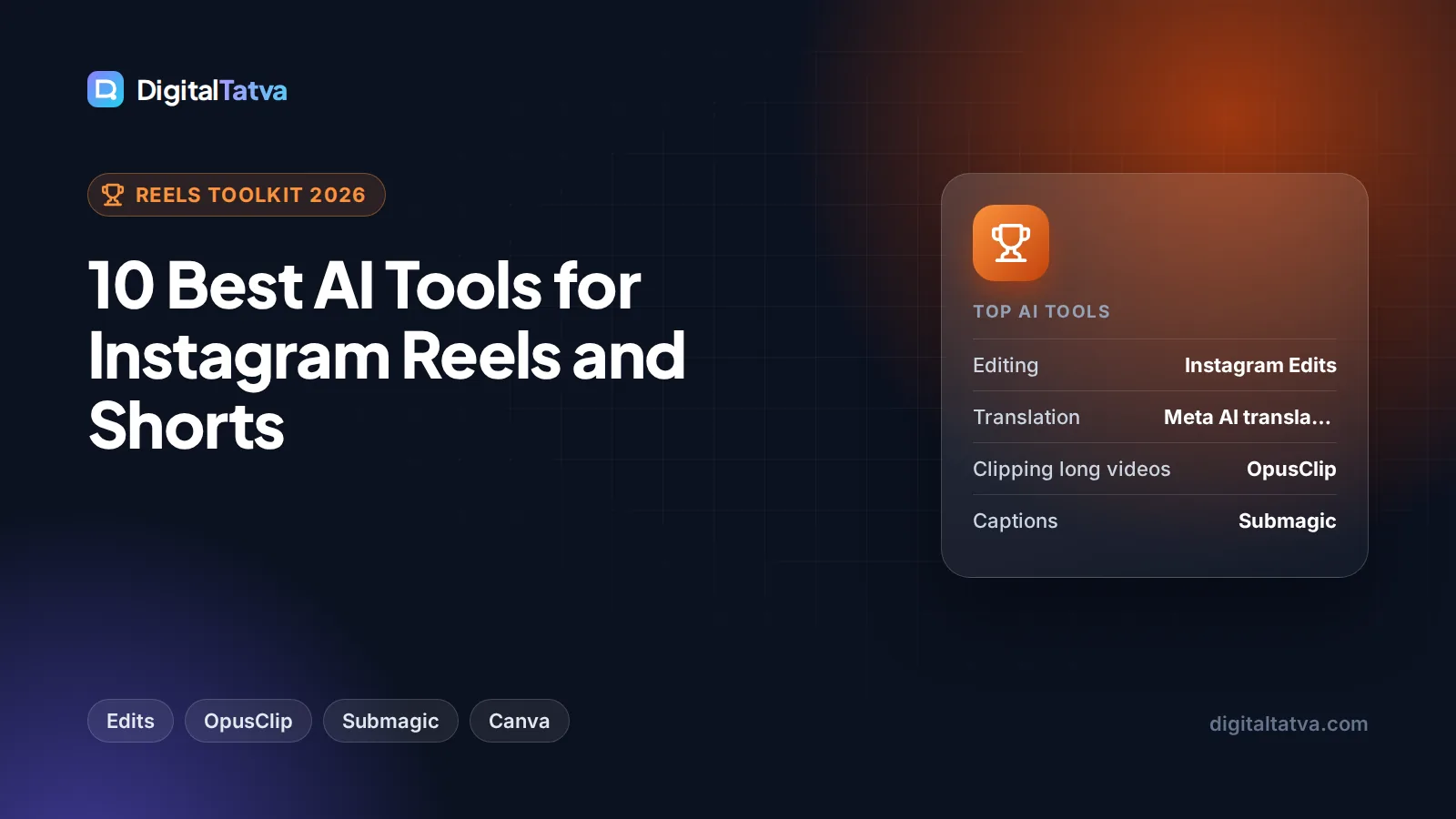
The best AI tools for Reels in 2026 are Instagram’s own Edits app for free, watermark-free editing, OpusClip for turning long videos into short clips, and Submagic or Captions for animated subtitles that keep people watching. Add ChatGPT for hooks and scripts, Canva for branded covers, ElevenLabs for voiceovers and Meta AI translations to dub your Reels into other languages for free.
Below we rank 10 AI tools for Reels and YouTube Shorts by the job they do best, with current prices, free plan limits and a simple workflow that takes one idea from script to posted vertical video. If you mostly edit longer YouTube videos, our list of the best AI video editors covers desktop editors in more depth.
Key takeaways
- Instagram Edits is free with no watermark, according to reports, and is the easiest starting point if you post mainly to Instagram.
- Meta AI translations can dub your Reels into other languages, with optional lip sync, for free on public Instagram accounts where Meta AI is available.
- OpusClip and Submagic save the most time for creators who repurpose podcasts, webinars or long YouTube videos.
- CapCut remains popular worldwide but is still blocked in India, so Indian creators should build their workflow around Edits, Captions or Canva instead.
- Check commercial rights before using AI voices or footage in client or sponsored Reels: free plans on ElevenLabs and some video tools exclude commercial use.
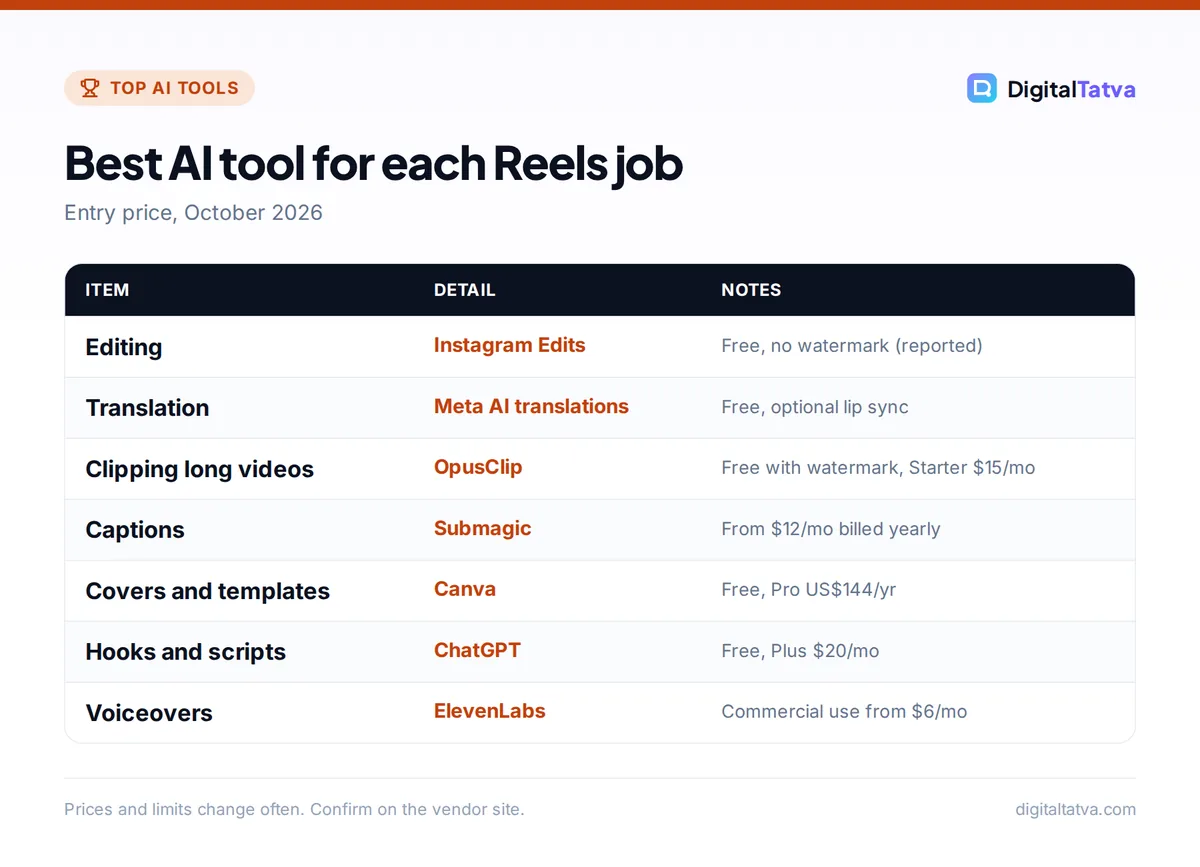
Quick picks: best AI tools for Reels and Shorts
| Tool | Best for | Starting paid price | Free plan |
|---|---|---|---|
| Instagram Edits | Free all-round Reels editing | Free (reported) | Yes, no watermark |
| Meta AI translations | Dubbing Reels into other languages | Free | Yes |
| OpusClip | Clipping long videos into Reels | $15/mo | Yes, with watermark |
| Submagic | Viral-style animated captions | $12/mo billed yearly | No free plan listed |
| Captions (Mirage) | Talking-head Reels on your phone | About $24.99/mo | Check the app |
| CapCut | Templates and effects (outside India) | About $9.99/mo (unverified) | Yes |
| Canva | Branded covers, text Reels, templates | US$144/yr (Rs 4,000/yr) | Yes, 20 AI uses |
| ChatGPT | Hooks, scripts and captions | $20/mo (Plus) | Yes |
| ElevenLabs | AI voiceovers | $6/mo | Yes, no commercial use |
| Runway | AI-generated B-roll | $12/mo billed yearly | 125 one-time credits |
Most creators need only three of these: one editor, one caption tool and one chatbot. Start free, then pay for the tool that saves you the most hours each week.
The 10 best AI tools for Instagram Reels, reviewed
1. Instagram Edits: Best free AI editor for Reels
- Starting price: Free (reported)
- Free plan: Yes, no watermark
- Best for: Creators who post mostly to Instagram
Edits is Instagram’s standalone video editor, launched in April 2025 as a CapCut rival. Third-party reviews describe it as free with no subscription tier and no watermark, with exports up to 4K HDR, up to 10 minutes of recording and editing, AI green screen, auto-captions in several languages and AI Animate, which turns a still image into a short moving clip (results can look soft). In June 2026 Meta announced an AI assistant inside Edits that reviews your performance data and suggests ideas and posting times, plus Project Versions for testing different cuts.
Skip it if: you edit on a computer. Edits is iOS and Android only, and the desktop version Meta mentioned has no release date. We could not confirm these details on an official Instagram page, so check the app store listing in your country.
2. Meta AI translations: Best for reaching new languages
- Starting price: Free
- Free plan: Yes
- Best for: Creators who speak to camera
Meta AI can translate your voice in a Reel into another language and, if you switch it on, sync your lips to the new audio. Meta says “translating reels with Meta AI is free.” It started with English, Spanish, Hindi and Portuguese in October 2025, added Bengali, Tamil, Telugu, Marathi and Kannada in January 2026, and added French, German, Italian, Japanese and Korean on Instagram in July 2026, per Meta’s announcement. It works for public Instagram accounts in countries where Meta AI is available.
For Indian creators this is the standout feature of 2026: one Hindi Reel can reach Tamil, Telugu and Bengali viewers without reshooting. Review the translation before publishing, especially for product claims.
3. OpusClip: Best for turning long videos into Reels
- Starting price: $15/mo (Starter, monthly only)
- Free plan: Yes, 60 credits a month with watermark
- Best for: Podcasters, coaches and YouTubers
Upload a long video and OpusClip finds the moments most likely to work as short clips, reframes them to 9:16 vertical and adds captions. The free plan gives 60 credits a month, adds a watermark and deletes exports after 3 days. Starter ($15 a month) removes the watermark, and Pro ($29 a month, or $14.50 a month billed annually) adds 300 credits, 2 seats and 1:1 and 16:9 reframing for other platforms.
AI picks a decent shortlist, but you still choose the strongest hook. Trim the first second hard; Reels viewers decide fast.
4. Submagic: Best for viral-style captions
- Starting price: $12/mo billed yearly ($19 monthly)
- Free plan: Not listed
- Best for: Faceless, educational and talking-head Reels
Submagic adds the bold, word-by-word animated captions common on Reels, plus emojis and highlights. Starter covers 15 videos a month up to 2 minutes each. Pro ($23 a month billed yearly, $39 monthly) raises that to 40 videos up to 5 minutes and adds AI auto-zooms, silence removal and B-roll. Business ($41 yearly, $69 monthly) adds 4K at 60 fps.
Captions matter because many people scroll with sound off. Pick one caption style and keep it consistent so your Reels look recognizable.
5. Captions (Mirage): Best for talking-head Reels on your phone
- Starting price: About $24.99/mo (Max, per App Store listing)
- Free plan: Check the in-app offer
- Best for: Solo creators filming selfie videos
The Captions app, now from Mirage, is built for people who film themselves talking. It adds captions, removes pauses and can generate AI video. Max includes 500 credits a month and higher Frontier tiers range from about $69.99 to $279.99 a month. AI video from the Mirage model costs 8 credits per second, so credits go quickly if you generate footage rather than edit your own.
It is a good CapCut alternative for Indian creators. Prices come from the App Store via a third-party review, so check the in-app price in your region.
6. CapCut: Best for templates and effects (outside India)
- Starting price: About $9.99/mo (third-party, unverified)
- Free plan: Yes
- Best for: Trend-driven Reels with templates
CapCut’s huge template library, auto-captions and effects made it the default Reels editor for years. Third-party sources list Standard at about $9.99 a month and Pro at $19.99 a month, but CapCut’s own pricing page was not reachable, and prices vary by platform and region. CapCut is still blocked in India under the 2020 app ban, so it is not an option there.
Skip it if: you are in India or your clients worry about data handling. Edits now covers most of what casual creators used CapCut for.
7. Canva: Best for branded covers and template Reels
- Starting price: US$144/yr (Pro); Rs 4,000/yr in India
- Free plan: Yes, up to 20 AI uses
- Best for: Small businesses and brands
Canva is the fastest way to make Reel covers, text-on-screen Reels, product slideshows and on-brand templates your whole team can reuse. Pro gives 10x more AI than Free, Brand Kits and Magic Resize, which turns one design into several formats. In India, Pro Lite costs Rs 1,590 a year but keeps the same 20 AI uses as Free.
Canva is not a full video editor for complex cuts, but for brands posting daily product Reels it is hard to beat. See our Canva pricing guide for plan details.
8. ChatGPT: Best for hooks, scripts and captions
- Starting price: $20/mo (Plus); Go $8/mo
- Free plan: Yes
- Best for: Planning and writing every Reel
The hardest part of a Reel is the first line. ChatGPT is excellent at generating 20 hook options, tightening a 30-second script, writing captions and suggesting a week of ideas from one theme. Since October 2026, GPT-6 answers can include interactive elements, so a content calendar may come back as a table you can adjust. Free users get GPT-6 Luna; Plus gets GPT-6 Sol.
Claude works just as well for scripts if you prefer its writing style. Our ChatGPT prompts for marketing include ready-made Reel and caption prompts.
9. ElevenLabs: Best for AI voiceovers
- Starting price: $6/mo (Starter)
- Free plan: Yes, 10k credits (about 10 minutes), no commercial license
- Best for: Faceless Reels, explainers and dubbing
ElevenLabs produces natural voiceovers in many languages, and Starter adds a commercial license and Instant Voice Cloning so you can create a clone of your own voice for quick fixes. Creator ($22 a month) adds Professional Voice Cloning. Only clone a voice you have permission to use. Compare plans in our ElevenLabs pricing breakdown or browse alternatives in the best AI voice generators list.
10. Runway: Best for AI-generated B-roll
- Starting price: $12/mo billed yearly ($15 monthly)
- Free plan: 125 one-time credits
- Best for: Short cutaway shots you cannot film
Sometimes you need a two-second shot of a city at dawn or a product floating in space. Runway’s Standard plan gives 625 credits a month, enough for about 52 seconds of Gen-4.5 video or 104 seconds of Gen-4 Turbo, which is plenty for B-roll inserts. At 12 credits a second, Gen-4.5 works out to about $0.29 per second on monthly billing.
Use generated clips as short inserts, not as the whole Reel; viewers still respond best to real people. Our Runway pricing guide and Runway vs Kling comparison help you choose a video model.
A simple AI workflow for one Reel a day
- Plan the week in one sitting. Ask ChatGPT or Claude for seven Reel ideas on one theme, each with three hook options and a 25 to 40 second script.
- Film in batches. Record all scripts in one session on your phone, vertical, with good light and a clip-on mic.
- Rough cut with AI. Use Edits or Captions to remove pauses and add auto-captions. For long recordings, let OpusClip find the clips.
- Add style. Apply your caption template in Submagic or Edits, drop in B-roll from your camera roll or Runway, and add licensed music from Instagram’s library when you post.
- Make the cover and caption. Create a branded cover in Canva and ask your chatbot for a caption with one clear call to action.
- Publish and translate. Post the Reel, turn on Meta AI translation if you talk to camera, then reuse the same file for YouTube Shorts.
- Review weekly. Check retention and shares in Instagram insights (or the Edits assistant), and feed the winners back into next week’s plan.
Tip: Remove other apps’ watermarks before cross-posting. A Reel exported with a visible logo from another platform looks recycled. Export clean files from your editor and upload the same master to each app.
More AI tools for Reels and Shorts worth knowing
- YouTube Create and Shorts Remix. Google said at I/O in May 2026 that Gemini Omni features in Shorts Remix and the YouTube Create app come “at no cost”. Good for Shorts-first creators; see our best AI tools for YouTubers.
- Google AI Plus. At $4.99 a month (Rs 399 in India) it includes video generation and 200 Google Flow credits, a cheap way to try AI clips.
- Descript and Kapwing. Desktop editors with transcript editing, subtitles and dubbing, better when you edit on a laptop.
- Suno for original music. Paid plans include commercial rights; the free plan does not. Instagram’s own music library is usually safer for trending Reels. Our AI music generators list covers licensing.
How to choose AI tools for Reels
Start from how you film
If you talk to camera, prioritize captions, pause removal and translation (Edits, Captions, Meta AI). If you repurpose long content, prioritize clipping (OpusClip). If you are a brand with products, prioritize templates and consistency (Canva). Faceless creators need scripts, voices and B-roll (ChatGPT, ElevenLabs, Runway).
Check commercial rights
For client or sponsored Reels, use plans with a commercial license. ElevenLabs Free and Pika’s Free and Starter plans exclude commercial use, while Adobe Firefly says its own model outputs are safe for commercial use. Our best AI video generators guide lists rights for more video models.
Watch credit systems
OpusClip, Runway, Captions and Canva all meter AI features. Generating video burns credits far faster than editing your own footage, so estimate how many seconds of AI video you need each month before choosing a tier.
Mind platform rules on AI content
If you also post to YouTube, its monetization rules exclude mass-produced, repetitive “inauthentic” content, though AI used as a creative tool is fine. Keep a real voice and point of view in every video.
AI tools for Reels: pricing compared
| Tool | Free plan limit | Entry paid plan | Watermark on free |
|---|---|---|---|
| Instagram Edits | Full app (reported) | None needed | No |
| OpusClip | 60 credits/mo, exports expire in 3 days | $15/mo, 150 credits | Yes |
| Submagic | Not listed | $12/mo yearly, 15 videos | n/a |
| Canva | 20 AI uses | US$144/yr Pro | No |
| ElevenLabs | About 10 min of speech | $6/mo, about 30 min | n/a (audio) |
| Runway | 125 one-time credits | $12/mo yearly, 625 credits | Paid plans have no watermark |
| ChatGPT | GPT-6 Luna, unlimited everyday chats | $8/mo Go, $20/mo Plus | n/a |
A realistic starter stack for a solo creator is Edits (free), ChatGPT Free or Go, and Canva Free, then add OpusClip or Submagic once you post daily. For a broader marketing toolkit, see our best AI social media tools.
Frequently asked questions
What is the best free AI tool for Instagram Reels?
Instagram’s Edits app is the best free option for most creators. Reviews describe it as free with no watermark, with auto-captions, AI green screen and AI Animate built in. Pair it with Meta AI translations, which Meta says are free, and ChatGPT Free for scripts and captions, and you can produce polished Reels without paying for any tool.
Is CapCut available in India in 2026?
No. CapCut is still blocked in India under the June 2020 app ban, according to reports from 2026. Indian creators can use Instagram Edits, the Captions app, Canva or desktop editors like Descript and DaVinci Resolve instead. Edits covers most of the templates, captions and effects that casual creators used CapCut for.
Can AI translate my Instagram Reels into other languages?
Yes. Meta AI translations can dub the voice in your Reel into another language and optionally sync your lips. Supported languages include English, Hindi, Spanish, Portuguese, Bengali, Tamil, Telugu, Marathi, Kannada, French, German, Italian, Japanese and Korean. It is free for public Instagram accounts in countries where Meta AI is available.
Which AI tool adds captions to Reels automatically?
Instagram Edits, Captions, CapCut, OpusClip and Submagic all add captions automatically. Submagic is best for bold, animated word-by-word captions and includes 15 videos a month on its $12 yearly-billed Starter plan. Edits is the free option. Always proofread names, brands and numbers, since auto-captions often get them wrong.
Can I use AI-generated videos in sponsored Reels?
Only if your plan grants commercial rights and the content follows Instagram’s rules and your client’s contract. Paid plans on tools like Runway, ElevenLabs Starter and Submagic suit commercial work, while some free plans exclude it. Disclose AI use where Instagram or the brand requires it, and never clone someone’s voice or face without permission.
Our verdict: the best AI stack for Reels
For most creators, the best AI tools for Reels are free to start: Instagram Edits for editing, Meta AI translations for new audiences and ChatGPT for hooks and scripts. Add OpusClip if you repurpose long videos, Submagic or Captions if captions drive your views, Canva if you run a brand, and ElevenLabs or Runway only when you need voices or footage you cannot record. If you want to go further into AI-made footage, our guide on how to make an AI video from text is the next step. App prices and features change often, so confirm current pricing on each vendor’s site before you subscribe.
Pricing and features are checked at the time of writing and can change. Some links may be affiliate links, which never affect our verdicts.