AEO for Shopify: Get Your Products into AI Answers
A practical guide to answer engine optimization for Shopify stores: crawler access, product data, schema, collection pages, reviews, AI shopping channels and measurement, so your products show up when shoppers ask ChatGPT, Gemini and Google AI what to buy.
On this page
- Key takeaways
- Why Shopify stores need AEO now
- How AI assistants find and recommend products
- Step 1: Check AI crawler access on Shopify
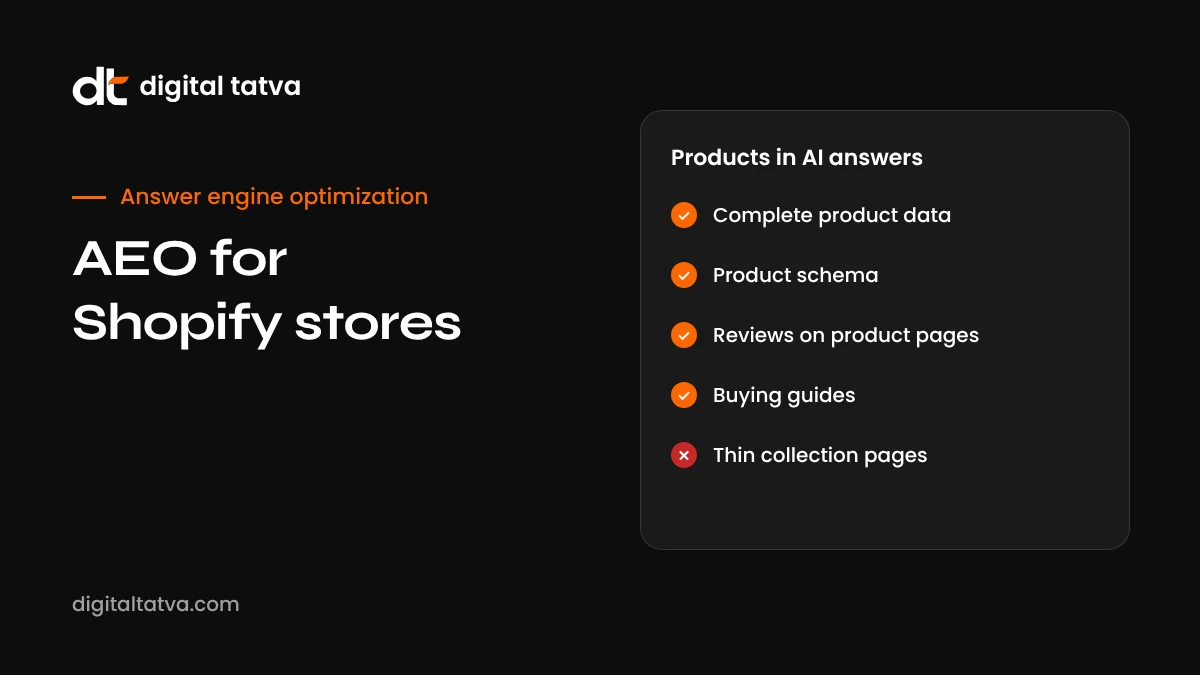
- Step 2: Make every product page complete
- Step 3: Check and improve Product schema
- Step 4: Turn collection pages into buying guides
- Step 5: Use the blog for questions, not filler
- Step 6: Build reviews and third-party mentions
- Step 7: Keep feeds and channels in sync
- Step 8: Prepare for the ChatGPT Business Hub
- Step 9: Track AI traffic and visibility
- Shopify AEO for Indian D2C brands
- Common Shopify AEO mistakes
- A Shopify AEO checklist
- A product page rewrite example
- What to do in peak sale seasons
- Shopify apps: help or hindrance?
- How Digital Tatva can help
- Shopify AEO by product category
- International Shopify stores
- Building authority beyond your store
- Frequently asked questions
Last updated: 13 November 2026
Quick answer: AEO for Shopify means making your store’s products easy for AI assistants and AI shopping features to find, understand and recommend. Start by checking that AI search crawlers can reach your store, then make every product page complete: clear titles, detailed descriptions in text, specifications, accurate prices and stock, good images with alt text, and genuine reviews. Make sure your theme outputs Product schema correctly, turn collection pages into useful buying guides, keep your Google Merchant Center feed in sync, and use Shopify’s sales channels and integrations for AI shopping where available. Then track AI referral traffic and test real shopper questions monthly.
Key takeaways
- Shoppers increasingly ask AI assistants what to buy before visiting any store.
- AI recommends products it can understand: complete, accurate, well-structured product data wins.
- Shopify themes usually include Product schema, but it is worth checking for errors and missing fields.
- Reviews and third-party mentions strongly influence which products get recommended.
- Shopify connects to several AI shopping surfaces, and the reported ChatGPT Business Hub lists Shopify as its verification route.
- Measure AI referrals and run monthly shopper-question tests to see what is working.
Why Shopify stores need AEO now
Product research is moving into AI. Shoppers ask ChatGPT “best running shoes for flat feet under 6,000 rupees”, ask Google AI Mode to compare two air purifiers, or ask Perplexity which protein powder has the cleanest ingredients. The assistant shortlists a few products and explains why. Many shoppers then click through to the store, already halfway to a decision.
Holiday data shows how quickly this channel is growing. Adobe reported that AI-referred traffic to US retail sites rose sharply during the 2025 holiday season and that those visitors converted better than other traffic. For 2026, Adobe forecasts further strong growth. Our post on holiday AEO for Black Friday covers those numbers in detail.
For Shopify merchants, the opportunity is real, but so is the risk. If your product data is thin, your prices are hidden in images, or AI crawlers cannot read your store, you simply do not make the shortlist. Our general guide to AEO for ecommerce sets out the principles; this guide applies them to Shopify specifically.
How AI assistants find and recommend products
| AI surface | Main product data sources | What helps Shopify stores |
|---|---|---|
| Google AI Overviews and AI Mode | Google index and Merchant Center product data | Clean product pages, synced Merchant Center feed, reviews |
| ChatGPT search and shopping | OpenAI retrieval, product pages, partner data | Crawlable product pages, rich descriptions, reviews and comparisons |
| Perplexity shopping | Its own index, live fetches and merchant programmes | Fresh, detailed pages; accurate prices |
| Microsoft Copilot | Bing index and Bing shopping data | Bing indexing, Merchant Center equivalent for Microsoft |
| Gemini app | Google search and shopping data | Google Merchant Center and product pages |
When an assistant recommends products, it typically combines three types of evidence: what your product page says, what structured feeds say, and what independent sources such as reviews and comparison articles say. Strong AEO covers all three.
Step 1: Check AI crawler access on Shopify
Shopify generates a default robots.txt that is sensible for most stores. You can customise it with a robots.txt.liquid template in your theme. Check that:
- AI search crawlers such as OAI-SearchBot, PerplexityBot and the Claude search bots are not disallowed.
- Googlebot and Bingbot can access product, collection and blog pages.
- Any bot protection apps or Cloudflare settings in front of your store are not blocking legitimate crawlers.
If you want to opt out of AI training while staying visible in AI search, you can disallow training crawlers specifically while allowing search and user-fetch crawlers. See our AI crawlers list and robots.txt guide for AI crawlers. Our free AI visibility checker tests access in a minute.
Step 2: Make every product page complete
This is the single most important part of Shopify AEO. AI systems recommend products they can describe confidently. A complete product page gives them everything they need.
| Element | What good looks like | Common problem |
|---|---|---|
| Product title | Brand, product type and key attribute: “Aurea Ceramic Non-Stick Frying Pan 26 cm, Induction Compatible” | Vague or creative names only: “The Sunrise Pan” |
| Opening description | One or two sentences stating what it is, who it is for and its main benefit | Brand story before any product facts |
| Specifications | Size, weight, materials, compatibility, care instructions in a table | Specs only in images |
| Price and variants | Clear price per variant, sale price with dates | “Price on request” or prices in images |
| Availability | Accurate stock status | Out-of-stock items showing as available |
| Images | Multiple original images with descriptive alt text | Missing alt text, supplier stock photos only |
| Reviews | Genuine reviews displayed on the page | No reviews or reviews hidden in a widget that crawlers cannot read |
| FAQs | Answers to sizing, compatibility, shipping and returns questions | None |
| Policies | Shipping times and return policy summarised on the page | Only in the footer |
Write product descriptions for the questions shoppers actually ask. Use the language they use. If people search for “pan without coating chemicals”, say clearly whether your pan is free of specific chemicals, with evidence. Our guide to AI product descriptions shows how to use AI tools to draft descriptions at scale without losing accuracy.
Step 3: Check and improve Product schema
Most modern Shopify themes output Product structured data in JSON-LD. Check yours with Google’s Rich Results Test on a few product pages. Look for:
- Product name, description, images, brand and SKU or GTIN.
- Offer with price, currency and availability for each variant.
- AggregateRating and Review where you have genuine reviews.
- Shipping details and return policy where supported.
Common issues include missing GTINs, variant prices not represented, review apps that do not add rating schema, and duplicate schema from multiple apps. Fix duplicates by choosing one source of structured data. See schema markup for AEO and our list of the best schema markup tools.
Step 4: Turn collection pages into buying guides
Collection pages on many Shopify stores are just product grids. That gives AI almost nothing to quote. Adding a short, useful buying guide to the top or bottom of key collections changes that.
For a collection like “Air purifiers”, useful content might include:
- A two-sentence summary of what to look for.
- A comparison table of your main models by room size, filter type, noise and price.
- Which model suits which situation, such as pets, allergies or large rooms.
- A short FAQ on filter replacement and running costs.
This content helps shoppers decide and gives AI assistants clear passages to use for “which air purifier should I buy for a 300 sq ft room?” questions. See comparison pages for AEO.
Step 5: Use the blog for questions, not filler
Shopify’s built-in blog is often underused or filled with generic posts. For AEO, use it to answer real pre-purchase questions:
- “How to choose the right size of [product]”
- “[Your product] vs [common alternative]: which is better for [use case]?”
- “How to care for [material]”
- “Best [product type] for [specific need] in 2026”
Write each post answer-first, link to the relevant products and collections, and keep posts updated when products change. See answer-first content.
Step 6: Build reviews and third-party mentions
When AI recommends products, it leans heavily on what other people say. That includes:
- On-site reviews: use a reputable review app and make sure reviews are visible in the HTML and marked up with schema.
- Google reviews: product and seller ratings in Google Shopping influence Google’s AI features.
- Marketplace reviews: if you also sell on Amazon or Flipkart, reviews there are often cited.
- Comparison articles and roundups: being included in credible “best of” lists has a big impact on AI recommendations.
- Creator reviews: YouTube reviews and detailed blog reviews are frequently cited. See YouTube for AEO.
- Communities: genuine discussion on Reddit and forums. See Reddit for AEO.
Never fake reviews or pay for undisclosed endorsements. See review sites for AEO.
Step 7: Keep feeds and channels in sync
Shopify connects to Google through the Google and YouTube sales channel, which syncs your product data to Merchant Center. Google’s AI shopping features rely heavily on Merchant Center data, so keep it accurate:
- Fix Merchant Center errors and warnings promptly.
- Make sure titles, prices, availability and images match your store exactly.
- Add GTINs and brand information where available.
- Use product highlights and detailed attributes where the feed supports them.
Shopify has also been building connections to AI shopping experiences, and new options appear regularly. Check your Shopify admin’s sales channels and apps for current AI channel integrations, and read the terms carefully before enabling them. For Google’s agentic checkout, see Google UCP and agentic checkout.
Step 8: Prepare for the ChatGPT Business Hub
OpenAI is reportedly testing a “Claim your business in ChatGPT” hub that would let verified businesses keep products and details current and see how often they are mentioned and clicked in ChatGPT. The only verification method reported so far is connecting a Shopify store. It has not been officially launched, so details may change, but Shopify merchants are well placed to benefit if it opens. Keep your store data clean and complete now. See our guide to the ChatGPT Business Hub and ChatGPT shopping optimization.
Step 9: Track AI traffic and visibility
Shopify’s own analytics shows referral sources, but GA4 gives you more control. Set up a segment for AI referrals such as chatgpt.com, perplexity.ai, gemini.google.com and copilot.microsoft.com, and track sessions, conversion rate and revenue. Then run a monthly list of shopper questions across AI assistants and record which of your products are mentioned. See tracking AI traffic in GA4 and AI share of voice.
Shopify AEO for Indian D2C brands
Many Indian D2C brands run on Shopify and sell through Instagram, WhatsApp and marketplaces too. A few India-specific tips:
- Show prices in rupees with GST clarity, and state delivery timelines for major cities.
- Explain cash on delivery, return and exchange policies clearly; shoppers ask AI about these.
- Keep product information consistent across your Shopify store, Amazon and Flipkart listings.
- Use Hindi or regional language content where your customers prefer it. See multilingual AEO.
- Make your WhatsApp catalogue and Instagram Shop match your store. See Meta AI SEO.
Common Shopify AEO mistakes
- Thin, copied supplier descriptions shared with dozens of other stores.
- Specs and size charts only in images.
- Review apps that load only with JavaScript and add no schema.
- Several apps adding conflicting schema.
- Collection pages with no text.
- Merchant Center errors left unfixed, so products disappear from Google’s shopping surfaces.
- Bot protection blocking AI crawlers during sales periods.
- Outdated sale prices left in descriptions after promotions end.
A Shopify AEO checklist
- Review robots.txt and bot protection for AI crawler access.
- Audit your top 20 products for complete titles, descriptions, specs, prices, images and alt text.
- Check Product schema on several pages; fix errors and duplicates.
- Add buying guide content to your top collections.
- Publish answer-first blog posts for common pre-purchase questions.
- Make sure reviews are visible in HTML and marked up.
- Fix Merchant Center errors and keep the feed in sync.
- Review Shopify sales channels for AI shopping integrations.
- Set up GA4 AI referral tracking.
- Test 20 to 30 shopper questions monthly across AI assistants.
A product page rewrite example
Here is how a typical Shopify product description changes after an AEO rewrite.
Before: “Meet Luna, your new favourite companion for cosy nights. Crafted with love and designed to delight, Luna brings warmth and style to any space. Order yours today!”
After: “Luna is a 2,000-watt oil-filled room heater for bedrooms and living rooms up to 200 square feet. It has 11 fins, three heat settings, an adjustable thermostat, tip-over protection and silent operation, with no fan noise. It runs on standard 16-amp sockets and weighs 12 kg with castor wheels for moving between rooms.”
The second version answers the questions a shopper, or an AI assistant, would ask: what it is, what size room, what power, what safety features, how noisy and how portable. The brand voice can still come through in the rest of the description. The facts just come first.
What to do in peak sale seasons
Sales periods such as Diwali, Black Friday and end-of-season sales bring a surge of AI shopping questions. Before each peak:
- Publish offers in plain text on a dedicated sale page with clear dates and conditions.
- Update sale prices in Product schema and Merchant Center, and remove them promptly after the sale.
- Check that bot protection is not tightened in a way that blocks legitimate crawlers.
- Prepare gift guides and comparison pages for your top categories.
- Make sure delivery cut-off dates and return policies are easy to find.
Our guide to holiday AEO for Black Friday has a full checklist.
Shopify apps: help or hindrance?
Apps add useful features, but each one can add scripts, slow your store and sometimes duplicate structured data. Review your installed apps every few months. Remove those you no longer use, check that review and SEO apps do not conflict, and test product pages after installing anything new. A lean, fast store is easier for both shoppers and AI systems to use.
How Digital Tatva can help
We help Shopify and D2C brands get their products in front of AI shoppers. We audit crawler access, product data, schema and collection pages, fix the gaps in priority order, and plan reviews and third-party coverage that drive recommendations. We track AI referrals and shopper-question results every month. We cannot guarantee that any AI will recommend your products, but we can make them clear, credible and easy to choose.
Want to see which of your products AI recommends? Request an AEO audit for your Shopify store, or check crawler access now with our free AI visibility checker.
Shopify AEO by product category
Different categories need different emphasis. Here is what tends to matter most for common Shopify verticals.
| Category | What shoppers ask AI | What your pages must show |
|---|---|---|
| Fashion and apparel | Fit, sizing, fabric, occasion, care | Size charts in text, fabric composition, model measurements, care instructions, fit notes from reviews |
| Beauty and skincare | Skin type, ingredients, sensitivity, results | Full ingredient lists, skin type suitability, usage steps, certifications, clear claims with evidence |
| Electronics and appliances | Specs, compatibility, warranty, running cost | Spec tables, compatibility lists, warranty terms, energy ratings, comparisons |
| Home and kitchen | Size, material, safety, maintenance | Dimensions, materials, safety information, cleaning instructions |
| Food and supplements | Ingredients, nutrition, allergens, sourcing | Full labels in text, nutrition tables, allergen statements, certifications |
| Baby and kids | Age suitability, safety, materials | Age ranges, safety standards met, material details |
For health-related products such as supplements and skincare, be especially careful with claims. Only state what you can support, follow advertising rules in your markets, and avoid suggesting products treat medical conditions unless they are approved to do so. AI systems are cautious with health claims, and so are regulators.
International Shopify stores
If you sell across countries using Shopify Markets, make sure each market has accurate prices in local currency, correct shipping information and, where you translate, natural-language content rather than raw machine translation. Use hreflang through Shopify’s built-in settings or your theme, and keep Merchant Center feeds set up per country. AI assistants answer in the shopper’s language and location, so local accuracy matters.
Building authority beyond your store
Product pages tell AI what you sell. Authority tells AI whether to recommend you. For Shopify brands, the most effective authority builders are usually:
- Seeding products to credible reviewers in your niche, with full disclosure where required.
- Pitching to roundup and gift guide writers ahead of key seasons.
- Collecting detailed customer reviews with photos.
- Publishing useful guides and data that others reference.
- Being active and helpful in communities where your customers talk.
See brand mentions for AEO and how to get cited by AI.
Frequently asked questions
Can Shopify products appear in ChatGPT answers?
Yes. ChatGPT can recommend products from Shopify stores when it finds clear, crawlable product information and supporting reviews or mentions. Direct integrations and programmes also change over time, so check your Shopify sales channels.
Does Shopify add schema automatically?
Most modern Shopify themes output Product schema, but completeness varies. Check a few product pages with Google’s Rich Results Test and fix missing fields or duplicates.
How do I edit robots.txt on Shopify?
Shopify lets you customise robots.txt by adding a robots.txt.liquid template to your theme. Make careful changes and test them.
Do reviews help products appear in AI answers?
Yes. Reviews give AI assistants evidence about quality and fit, and recommendations often cite them. Make sure reviews are genuine, visible in HTML and marked up.
Should I write blog posts on my Shopify store?
Yes, if they answer real pre-purchase questions and link to relevant products. Generic filler posts add little.
Is Google Merchant Center important for AI search?
Very. Google’s AI shopping features rely heavily on Merchant Center product data, so keep your feed accurate and error-free.
How quickly can a Shopify store improve AI visibility?
Product page and feed fixes can show up in AI answers that search the web within weeks. Building reviews and third-party mentions takes longer.
Can Digital Tatva help our Shopify store?
Yes. We provide AEO audits and implementation for Shopify stores, from product data and schema to reviews and AI shopping visibility.
Do Shopify apps help with AEO?
Some apps help with schema, reviews and page speed, which support AI visibility. Choose carefully, because too many apps can slow your store and add conflicting markup.
Should Shopify product descriptions be long?
They should be complete rather than long: clear benefits, key specifications, sizing, materials and care instructions, written for shoppers first. Thin, copied manufacturer text gives AI systems little reason to cite your store.
Does Shopify block AI crawlers?
Not by default, but check your robots.txt and any bot protection settings to confirm the crawlers you want are allowed.
Can I track AI traffic to my Shopify store?
Yes. Use GA4 with a segment for AI referrers such as ChatGPT, Perplexity and Gemini, and compare conversions from those visits with other channels.
Product details, prices and features are checked at the time of writing and can change. Sources are linked in the text so you can check them yourself.
How does your brand appear in AI answers?
We test the questions your buyers ask across the major AI assistants and search engines, then show you what to fix first.
Get an AI Visibility Audit