GPT Image 2.6: Flare vs Sunburst, GIFs, SVG Export and Pricing
OpenAI's Images 2.6 brings faster image generation, animated GIFs and SVG export to ChatGPT, Codex and the API, with two models: Flare for speed and Sunburst for detail. Here is how they compare, what they cost and how to use them for marketing work.
On this page
- Key takeaways
- What is new in Images 2.6
- Flare vs Sunburst
- Pricing
- How to use Images 2.6 in ChatGPT
- Marketing use cases
- Limitations to watch
- Images 2.6 vs other image tools
- Disclosure, provenance and rights
- A simple Flare-to-Sunburst workflow for teams
- Prompt templates for Images 2.6
- Choosing quality and complexity
- Quality checklist before publishing
- Using images to support AI visibility
- Frequently asked questions
Last updated: 9 November 2026
Quick answer: Images 2.6 is OpenAI’s image update released on 4 November 2026 in ChatGPT, Codex and the API, available on every ChatGPT plan including Free. It adds animated GIF output, SVG export, markup-guided edits in the API and a complexity setting that controls how much the model plans before drawing, and OpenAI says generation is about 50% faster. Developers choose between two models: GPT-Image-2.6 Flare, the fast tier for interactive generation and editing, which can return an image in as little as six seconds at low quality, and GPT-Image-2.6 Sunburst, the detail tier with higher quality and better consistency across edits. Both share the same token prices: $5 per million text input tokens, $8 per million image input tokens and $30 per million image output tokens.
Key takeaways
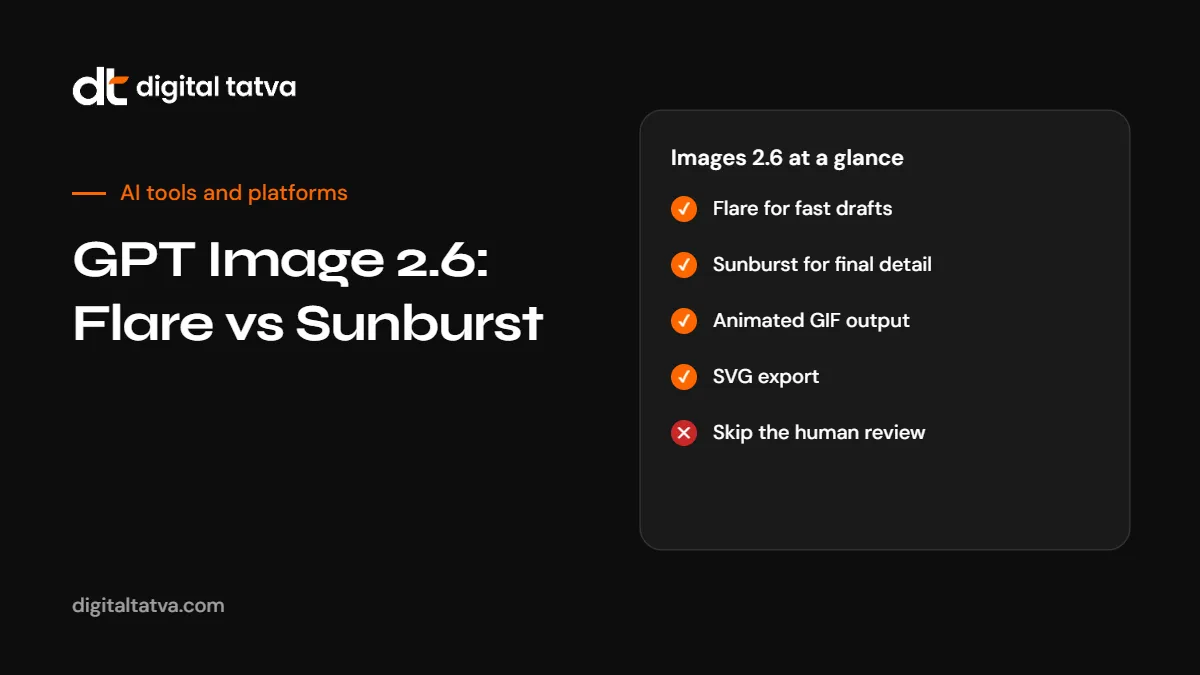
- Use Flare for drafts and quick variations, Sunburst for final, detailed images and repeated edits of one asset.
- Animated GIFs and SVG export open up social reactions, mascots, storyboards and scalable graphics.
- Quality controls visual fidelity; complexity controls planning. Raising quality will not fix a brief that needs more planning.
- Per-image cost depends on resolution, quality and edit rounds. Use OpenAI’s calculator for estimates.
- Review text in images and flat graphics carefully before publishing.
What is new in Images 2.6
| Feature | What it does | Useful for |
|---|---|---|
| Animated GIFs | Creates GIFs from a prompt, a finished image or a sketch | Brand mascots, social reactions, animated storyboards |
| SVG export | Exports vector graphics | Websites, apps and print where graphics must scale |
| Markup-guided edits (API) | Mark where a change should go | Precise edits without regenerating the whole image |
| Complexity setting | Low, medium or high (default high) planning before drawing | Fast simple edits vs complex compositions |
| Speed | OpenAI says generation is about 50% faster | Iterating quickly in ChatGPT |
Flare vs Sunburst
| Aspect | GPT-Image-2.6 Flare | GPT-Image-2.6 Sunburst |
|---|---|---|
| Purpose | Fast tier for interactive generation and editing | Detail tier for higher quality |
| Speed | As little as six seconds at low quality, according to OpenAI | Slower, at medium or high quality |
| Strengths | Layout for posters and product imagery, quick variations | Detail and consistency across repeated edits |
| Token prices | Same as Sunburst | Same as Flare |
| Best for | Drafts, ideation, social content at volume | Final hero images, campaigns, multiple versions of one asset |
A practical workflow many reviewers suggest: draft and explore on Flare, then move the chosen composition to Sunburst for the final. For most edits, OpenAI recommends low complexity with the quality level the deliverable needs.
Pricing
Both models share the same published token rates, in US dollars per million tokens:
| Token type | Price per 1M tokens |
|---|---|
| Text input | $5.00 ($1.25 cached) |
| Image input | $8.00 ($2.00 cached) |
| Image output | $30.00 |
Per-image cost depends on resolution, quality and the number of edit rounds, so there is no single price per image. OpenAI provides an output calculator for estimates. GIF costs grow with frame count and frame size, and SVG work may involve both image generation and another model’s usage. Test with your real briefs before budgeting. In ChatGPT, image generation is included in your plan, subject to usage limits.
See OpenAI API pricing and how to estimate AI API costs.
How to use Images 2.6 in ChatGPT
- Open ChatGPT on any plan and describe the image, including subject, style, layout, colours and any text.
- For a GIF, ask for an animated GIF and describe the motion, number of frames and whether it should loop.
- For a vector, ask for an SVG and keep the design simple: flat shapes and limited colours.
- Refine with specific edits: “Move the headline to the top, keep everything else the same.”
- Download and review at full size before using it.
See how to generate images in ChatGPT and AI image prompts.
Marketing use cases
- Social content: quick Flare variations for A/B testing creatives.
- Reaction GIFs and stickers featuring a brand mascot you own.
- Product imagery: lifestyle scenes for products, finalised on Sunburst. Make sure images do not misrepresent the product.
- Website graphics: SVG icons and simple illustrations that scale cleanly.
- Storyboards: animated sketches for video concepts before production.
- Blog and article covers that relate clearly to the topic.
Limitations to watch
- Text in images. Reviewers still report missed details in on-image text. Proofread every word.
- Flat logo-style graphics. At least one reviewer ranked Sunburst weakly on clean flat vector work. For logos, see AI logo generators or work with a designer.
- GIF timing. Frames may need a human pass for timing and small details.
- No fixed resolution table. OpenAI’s model pages do not list a fixed resolution ladder.
- Real people and brands. Do not create misleading images of real people or use other companies’ trademarks.
Images 2.6 vs other image tools
| Tool | Strength | Guide |
|---|---|---|
| ChatGPT Images 2.6 | Conversational editing, GIFs, SVG, integrated with ChatGPT | This guide |
| Gemini image editing | Fast photo edits within Google’s apps | Nano Banana guide |
| Midjourney | Distinctive artistic styles | Midjourney vs ChatGPT images |
| Canva and Adobe Firefly | Design layouts and brand kits | Canva vs Adobe Firefly |
For a broader list, see the best AI image generators.
Disclosure, provenance and rights
OpenAI now watermarks generated content, and the EU AI Act requires clear disclosure of realistic AI images of real-seeming people, places or events in many professional uses. Keep provenance data intact, label realistic synthetic images where required and check rights before using AI images commercially. See EU AI Act Article 50 for marketers and can you copyright AI content.
A simple Flare-to-Sunburst workflow for teams
- Brief: write the goal, audience, format, text and brand colours.
- Explore on Flare: generate several quick concepts at low quality.
- Choose: pick one composition with the team.
- Finalise on Sunburst: regenerate at higher quality and make precise edits.
- Review: check text, product accuracy, brand fit and disclosure needs.
- Export: PNG or JPEG for photos, SVG for graphics, GIF for motion.
Prompt templates for Images 2.6
Clear, structured prompts get better results on both models. Adapt these:
Social post image
Square social media image for [brand], [one-line message].
Subject: [what to show]. Style: [flat illustration / photo-real / 3D].
Colours: [brand colours]. Leave space at the top for a headline.
No text in the image.
Product lifestyle scene
Photo-realistic lifestyle image of [product, exact colour and size]
on [surface] in [setting], [time of day] light, shallow depth of field.
The product must look exactly like the reference image. No logos except the product's own.
Animated GIF
Animated GIF, 8 frames, looping. A simple mascot [describe] waves and smiles,
flat colours [colours], plain background. Smooth motion, no text.
SVG icon set
Set of 6 simple line icons as SVG: [list icons].
2px stroke, rounded ends, single colour [hex], 24 by 24 grid, consistent style.
Choosing quality and complexity
| Task | Model | Quality | Complexity |
|---|---|---|---|
| Quick concept sketches | Flare | Low | Low |
| Small edit to an existing image | Flare or Sunburst | As needed for the final use | Low |
| Poster with a structured layout | Flare for drafts, Sunburst for final | Medium to high | Medium to high |
| Hero campaign image | Sunburst | High | Medium to high |
| Many variants of one asset | Sunburst | Medium | Low to medium |
Quality checklist before publishing
- Text: every word spelled correctly and placed well, or removed and added in a design tool.
- Hands, faces and fine details: no distortions.
- Product accuracy: colours, shapes and features match the real product.
- Brand fit: colours, style and tone match your guidelines.
- Rights: no third-party logos, characters or recognisable people without permission.
- Disclosure: labels where required for realistic synthetic images.
- File format: PNG or WebP for web, SVG for scalable graphics, GIF for short loops.
- Accessibility: descriptive alt text when published on your site.
Using images to support AI visibility
Images help pages earn attention and clicks, including from AI answers that show images. Use original, relevant images with descriptive file names and alt text, and avoid generic stock-style visuals that add nothing. For blog content, an image that summarises the main point, such as a checklist or comparison, is more useful than decoration. See answer-first content.
Frequently asked questions
What is GPT Image 2.6?
OpenAI’s image update released on 4 November 2026, with two models, Flare and Sunburst, available in ChatGPT, Codex and the API.
What is the difference between Flare and Sunburst?
Flare is the fast tier for drafts and interactive editing. Sunburst is the detail tier for higher quality and consistency across edits.
Can ChatGPT make GIFs now?
Yes. Images 2.6 adds animated GIF output from prompts, images or sketches.
Can ChatGPT export SVG files?
Yes. Images 2.6 supports SVG export for scalable graphics.
Is Images 2.6 free?
It is available on every ChatGPT plan, including Free, subject to usage limits.
How much does GPT Image 2.6 cost in the API?
$5 per million text input tokens, $8 per million image input tokens and $30 per million image output tokens for both models.
Which model should I use for logos?
Reviewers report mixed results on flat logo work. Test carefully or use a dedicated logo tool or designer.
Do I need to label AI images?
Realistic AI images of real-seeming people, places or events often need clear disclosure under the EU AI Act. Check the rules for your markets.
Product details, prices and features are checked at the time of writing and can change. Sources are linked in the text so you can check them yourself.
How does your brand appear in AI answers?
We test the questions your buyers ask across the major AI assistants and search engines, then show you what to fix first.
Get an AI Visibility Audit