Visual Search Optimization: Google Lens, Images and AI Answers
More searches now start with a camera, not a keyboard. Learn how Google Lens, Circle to Search and multimodal AI assistants read images, and how to optimise your images, product data and pages so they show up in visual and AI search.
On this page
- Key takeaways
- What is visual search?
- How machines understand images
- Step 1: Use original, high-quality images
- Step 2: Write descriptive alt text
- Step 3: Name files and place images well
- Step 4: Add structured data
- Step 5: Keep product feeds accurate
- Step 6: Make pages fast and mobile-friendly
- Visual search and AI assistants
- Visual search for local businesses
- Common visual search mistakes
- Multisearch: images plus words
- Visual search by industry
- An image optimisation checklist
- Testing your own visual search visibility
- How Digital Tatva can help
- Accessibility and visual search go hand in hand
- Video and visual search
- AI-generated images and visual search
- Measuring visual search performance
- Where visual search is heading
- A 30-day visual search plan
- Visual search and brand consistency
- A quick image audit you can run this week
- Frequently asked questions
Last updated: 13 November 2026
Quick answer: Visual search optimization is the practice of making your images, products and pages easy to find when people search with a camera or image instead of text, using tools like Google Lens, Circle to Search on Android, and multimodal AI assistants such as ChatGPT, Gemini and Claude that can read photos. To optimise, use original, high-quality images, descriptive file names and alt text, place images near relevant text, add Product and ImageObject structured data, keep product feeds accurate, make pages fast and mobile-friendly, and give images a clear subject. Visual search still relies on the text, data and page context around each image.
Key takeaways
- Visual search is growing fast, driven by Google Lens, Circle to Search and AI assistants that understand images.
- Machines combine what they see in an image with the text and data around it.
- Original images with a clear subject perform better than generic stock photos.
- For products, Merchant Center data and Product schema are essential for visual shopping results.
- Good visual optimisation also improves accessibility, page speed and classic image search.
What is visual search?
Visual search lets people search using an image. Instead of typing “brown leather chelsea boots with a thick sole”, they point their camera at a pair they like, or take a screenshot, and ask what it is or where to buy it. The search engine or AI assistant analyses the image, identifies objects, text and context, and returns matching products, pages or answers.
The main visual search tools in 2026 are:
- Google Lens, built into the Google app, Chrome and many Android phones.
- Circle to Search on Android, which lets people circle anything on screen to search it.
- Multimodal AI assistants such as ChatGPT, Gemini, Claude and Copilot, which can look at uploaded photos and answer questions about them.
- Shopping-focused visual search in marketplaces and social apps.
Google has said that Lens handles billions of visual searches every month, and visual search is increasingly combined with text in a single query, for example a photo plus “in blue” or “cheaper alternative”.
How machines understand images
Modern AI models can recognise objects, read text in images, identify landmarks and estimate attributes like colour, style and material. But they rarely rely on the pixels alone. To decide which pages to show, search systems combine several signals:
| Signal | What it tells the system |
|---|---|
| Image content | Objects, colours, text, shapes and style in the image |
| Alt text | A written description of what the image shows |
| File name | A hint about the subject |
| Surrounding text | Captions, headings and paragraphs near the image |
| Structured data | Product, price, availability and image details in schema |
| Product feeds | Merchant Center data linking images to products |
| Page quality | Trust, relevance and speed of the page hosting the image |
That combination is why visual search optimisation is really a mix of image work, content work and data work.
Step 1: Use original, high-quality images
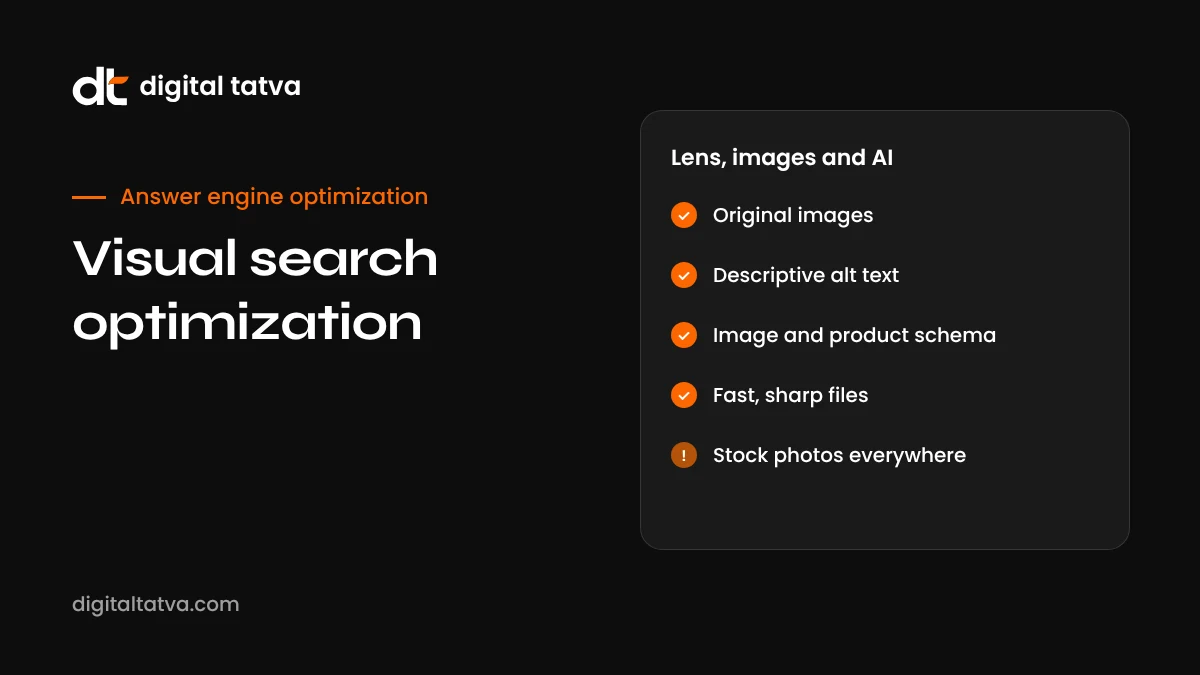
Generic stock photos appear on thousands of sites, so they give search engines little reason to prefer your page. Original images showing your actual products, work, team or location are far more useful.
- Photograph products from several angles on clean backgrounds, plus lifestyle shots in use.
- Show details buyers care about: texture, labels, size comparisons.
- For services, show real projects, before and after images, and your team at work.
- Make sure the main subject is clear and well lit.
- Use reasonable resolution, large enough to be useful when zoomed.
Original images are also a strong experience signal. See E-E-A-T for AI search.
Step 2: Write descriptive alt text
Alt text helps people using screen readers, and it gives machines a clear description. Good alt text is specific and natural.
| Weak alt text | Better alt text |
|---|---|
| “shoe” | “Brown leather chelsea boot with thick rubber sole, side view” |
| “image1” | “Modular kitchen with white cabinets and quartz countertop in a Pune apartment” |
| “best cheap sofa sale buy now” | “Three-seater grey fabric sofa with wooden legs” |
Describe what is in the image, not what you want to rank for. Avoid stuffing keywords. Decorative images that add no information can use empty alt text.
Step 3: Name files and place images well
- File names: use descriptive names like “brown-leather-chelsea-boot.webp” rather than “IMG_4392.jpg”.
- Placement: put images near the text that describes them. A product image next to its specs and price is far easier to understand.
- Captions: add captions where they help people; they also help machines.
- One subject per image: cluttered images with many objects are harder to match.
Step 4: Add structured data
Structured data connects images to products, articles and businesses.
- Product schema with image, name, brand, price, availability and reviews helps product images appear in shopping-related visual results.
- ImageObject details such as license and creator can be included where relevant.
- Article schema with a representative image helps content appear with images in results.
- LocalBusiness schema with photos of your premises helps local visual queries.
Step 5: Keep product feeds accurate
For ecommerce, visual shopping results rely heavily on Google Merchant Center data. When someone uses Lens on a product, Google often shows shopping results from Merchant Center feeds. Make sure:
- Every product has high-quality images that match the actual item.
- Titles, colours, sizes and materials are accurate.
- Prices and availability are current.
- GTINs and brand details are provided where available.
See AEO for ecommerce and AEO for Shopify.
Step 6: Make pages fast and mobile-friendly
Visual searches mostly happen on phones. Pages that load slowly or display images poorly lose visitors immediately.
- Use modern formats like WebP or AVIF.
- Compress images without visible quality loss.
- Set width and height to prevent layout shifts.
- Use responsive images so phones get appropriately sized files.
- Lazy-load images below the fold, but not the main image.
Our list of the best AI image upscalers and background removers can help improve image quality efficiently.
Visual search and AI assistants
People increasingly upload photos to AI assistants and ask questions: “What plant is this and how do I care for it?”, “Which model of air conditioner is this?”, “Find me a cheaper dress like this.” The assistant identifies what is in the image, then often searches the web to answer. That second step is where your text content matters.
To be the source the assistant uses:
- Have clear pages for your products and services with names, models and specifications in text.
- Write care guides, how-to guides and comparisons that answer follow-up questions.
- Keep model numbers and product names consistent across your site, packaging and listings.
- Make sure AI crawlers can access your pages. See our AI crawlers list.
See also how AI search engines work.
Visual search for local businesses
People use Lens on storefronts, menus, landmarks and signs. For local businesses:
- Keep your Google Business Profile photos current: exterior, interior, products and team.
- Make sure your signage clearly shows your business name, matching your profile.
- Upload menus and price lists as text on your website, not only as photos.
- Encourage customers to add photos with their reviews.
Common visual search mistakes
- Only stock photos, giving no unique visual signal.
- Missing or keyword-stuffed alt text.
- Text locked in images, such as price lists or specifications.
- Huge, unoptimised image files slowing pages down.
- Images that do not match the product sold, causing mistrust and feed issues.
- Images loaded only via JavaScript that crawlers may not see.
Multisearch: images plus words
Visual search increasingly combines an image with text. Google calls this multisearch: someone takes a photo of a chair and adds “in green”, or snaps a dish and adds “recipe”, or photographs a plant and asks “why are the leaves turning yellow?”. AI assistants do the same naturally in conversation.
This means the text on your pages needs to cover the attributes and follow-up questions people combine with images:
- Variants: colours, sizes, materials and finishes listed clearly in text.
- Use cases: where and how a product is used.
- Care and troubleshooting: what to do when something goes wrong.
- Alternatives: similar products at different prices.
- Location context: where to buy nearby.
Visual search by industry
| Industry | Common visual searches | Priority actions |
|---|---|---|
| Fashion | “Where can I buy this outfit?”, “similar shoes cheaper” | Multiple angles, accurate colours, detailed attributes, Merchant Center |
| Home and furniture | “What style is this sofa?”, “this lamp in brass” | Lifestyle images, materials, dimensions, style names in text |
| Food and restaurants | “What dish is this?”, “restaurant with this dish near me” | Menu in text, dish photos with names, Google Business Profile photos |
| Plants and gardening | “What plant is this?”, “plant disease” | Clear plant photos with names, care and problem guides |
| Electronics and parts | “Which model is this?”, “replacement part for this” | Model numbers in text, compatibility lists, close-up photos |
| Travel and landmarks | “What is this building?”, “hotels near this place” | Location pages with landmark names, photos and directions |
| Beauty | “What shade is this lipstick?”, “similar foundation” | Shade names, swatches, skin tone guidance in text |
An image optimisation checklist
- Replace generic stock photos on key pages with original images.
- Give every important image a descriptive file name.
- Write specific, natural alt text for every meaningful image.
- Place images next to the text that describes them.
- Move text out of images: prices, specs, menus and charts belong in HTML.
- Convert images to WebP or AVIF and compress them.
- Add width, height and responsive sizes.
- Add Product, Article or LocalBusiness schema with images.
- Check Merchant Center for image errors and policy issues.
- Update Google Business Profile photos regularly.
- Test a few of your products with Google Lens and an AI assistant.
Testing your own visual search visibility
You can check how well your products appear in visual search with a few simple tests:
- Take a photo of one of your products and search it with Google Lens. Does your site or your product appear in results?
- Upload the same photo to ChatGPT or Gemini and ask “what is this and where can I buy it?”. Does the answer name your brand or link to your page?
- Circle your product image on your own site using Circle to Search and see what Google returns.
- Repeat for competitors’ products to understand who appears and why.
If competitors appear and you do not, compare their images, product data and page content with yours. The difference usually points to the fix.
How Digital Tatva can help
We audit your images, alt text, structured data, feeds and page speed, then prioritise fixes that improve visibility in visual search, classic image search and AI assistants. For ecommerce and local businesses, we focus on the product and location signals that drive visual results. We cannot guarantee any search placement, but we can make your visuals and the data behind them clear and complete.
Want to know how visual and AI search see your site? Request an AEO audit, or check AI crawler access with our free AI visibility checker.
Accessibility and visual search go hand in hand
Much of what helps visual search also helps people with disabilities. Alt text lets screen reader users understand images. Text instead of text-in-images helps people who zoom, use translation tools or have low vision. Clear contrast and captions make images easier to understand for everyone. Many countries have accessibility requirements for websites, and India’s guidelines for government and public-facing digital services encourage accessible design. Treat image optimisation as an accessibility improvement first, and the search benefits follow.
Video and visual search
Visual search increasingly includes video. Google can surface key moments within videos, and AI assistants can now analyse video content in some products. If you create video:
- Use clear, descriptive titles and descriptions.
- Add chapters with descriptive names.
- Include accurate captions or transcripts.
- Show products and steps clearly on screen, with names spoken aloud.
- Embed important videos on relevant pages with surrounding text.
See YouTube for AEO.
AI-generated images and visual search
Many businesses now use AI to create images. That can be useful for illustrations, concepts and marketing visuals, but be careful with product images. AI-generated images that do not accurately show the real product can mislead customers, cause returns and violate marketplace and Merchant Center policies. For products, use real photographs, and use AI tools mainly for background cleanup, resizing and enhancement. Google also labels some AI-generated and AI-edited images using metadata standards, and transparency here helps trust. See our guide to SynthID and AI image detection.
Measuring visual search performance
| Metric | Where to find it |
|---|---|
| Image search impressions and clicks | Search Console, filtered to Image search type |
| Product visibility in shopping results | Merchant Center performance reports |
| Google Business Profile photo views | Business Profile performance |
| AI assistant answers about your products | Manual tests with photos in ChatGPT, Gemini and Lens |
| Traffic from image search | GA4 source and medium reports |
Where visual search is heading
Visual search is moving from “identify this” to “help me with this”. People already point their phone at a broken appliance and ask how to fix it, at a menu in another language and ask what to order, or at a room and ask how to redecorate it. Assistants are getting better at combining live camera input with conversation, as in Gemini Live and ChatGPT’s voice and video features. See our guides to Gemini Live and ChatGPT voice mode.
For businesses, the implication is that your products, places and instructions should be easy to recognise and easy to explain. Clear product names on packaging, consistent model numbers, good photos and detailed help content all make it easier for an assistant to connect what it sees to your brand and give useful advice.
A 30-day visual search plan
- Week 1: Audit images on your top 20 pages. Note stock photos, missing alt text, large files and text in images.
- Week 2: Replace the most important stock images with originals, rename files and write alt text.
- Week 3: Move key text out of images, compress files, add structured data and check Merchant Center.
- Week 4: Update Google Business Profile photos, test products in Lens and AI assistants, and set up image search reporting in Search Console.
Repeat the audit every quarter as you add products and content.
Visual search and brand consistency
Visual systems learn to associate logos, packaging, colours and product shapes with brands. Consistent visual identity across your website, packaging, social profiles, marketplace listings and physical locations makes that association stronger. If your logo or packaging changes, update images everywhere promptly so old and new versions do not confuse people or machines. Pair visual consistency with consistent brand facts. See entity SEO for AEO.
A quick image audit you can run this week
You do not need a specialist tool to find the biggest visual search gaps on your site. Pick your ten most important product or service pages and work through these checks with a simple spreadsheet open beside you.
- Count the original images. How many are your own photos, and how many are stock images that appear on hundreds of other sites? Stock images give visual search engines nothing unique to connect to your brand.
- Read every alt text aloud. If it sounds like a list of keywords rather than a description a person could picture, rewrite it.
- Check file names. Replace names like IMG_4471.jpg with short descriptive names on new uploads.
- Look at the surrounding text. Does the paragraph near each image explain what it shows and why it matters? Visual systems use nearby text as context.
- Test on a phone. Open the page on mobile data. If the main image takes more than a couple of seconds to appear, compress it or switch to WebP.
- Search your own product with Google Lens. Photograph your product and see what comes up. Note whether your site, a marketplace listing or a competitor appears.
- Check structured data. Make sure Product or other relevant schema includes an image property that points to a good quality image.
Write down the three fixes that would help the most pages, and do those first. Small, steady improvements across your key pages usually beat a large redesign that never finishes.
If you want to go further, pair this audit with our technical AEO checklist and the guide to schema markup for AEO, which cover the page-level signals that help AI systems connect images to the right entity.
Frequently asked questions
What is visual search optimization?
It is the practice of optimising images, product data and pages so they appear when people search with images using tools like Google Lens, Circle to Search and multimodal AI assistants.
How does Google Lens find products?
Lens analyses the image, identifies objects and attributes, and matches them with images and product data from Google’s index and Merchant Center feeds, considering the surrounding page context.
Does alt text matter for visual search?
Yes. Alt text describes the image for screen readers and gives machines a clear description to combine with what they see.
Are stock photos bad for visual search?
They are not harmful in themselves, but they appear on many sites and give little unique signal. Original images usually perform better.
Can AI assistants like ChatGPT do visual search?
Yes. Multimodal assistants can analyse uploaded images and then search the web to answer questions about them, so your text content and accessibility still matter.
Which image format is best?
WebP and AVIF offer good quality at smaller file sizes. Use them with appropriate compression and responsive sizes.
Does structured data help image search?
Yes. Product, Article and LocalBusiness schema help connect images to products and content, especially for shopping results.
Can Digital Tatva help with visual search?
Yes. Visual search and image optimisation are included in our technical and ecommerce AEO work.
Do product photos affect AI shopping recommendations?
Yes. Clear, original images with good alt text and structured data help AI systems understand and present your products.
Does visual search work for services?
Yes, for services with visual results such as interior design, landscaping and beauty. Show real project photos with clear descriptions.
Product details, prices and features are checked at the time of writing and can change. Sources are linked in the text so you can check them yourself.
How does your brand appear in AI answers?
We test the questions your buyers ask across the major AI assistants and search engines, then show you what to fix first.
Get an AI Visibility Audit