Lost Traffic to AI Overviews? How to Diagnose and Recover
If your organic clicks fell while impressions held steady, Google AI Overviews may be the reason. Here is how to confirm it in Search Console, find the affected pages and queries, and recover visibility and value with a practical plan.
On this page
- Key takeaways
- Why AI Overviews reduce clicks
- Step 1: Confirm the pattern in Search Console
- Step 2: Find the affected queries and pages
- Step 3: Check whether AI Overviews appear
- Step 4: Rule out other causes
- Step 5: Decide what to do with each type of page
- Step 6: Earn citations inside AI Overviews
- Step 7: Shift effort to queries where people still click
- Step 8: Create content AI cannot easily summarise
- Step 9: Change how you measure success
- A 60-day recovery plan
- Using GA4 alongside Search Console
- Explaining the drop to stakeholders
- Industry-specific notes
- Turning AI Overview citations into visits
- How Digital Tatva can help
- A worked diagnosis example
- Content to consolidate or retire
- Diversifying beyond Google
- What not to do after a drop
- Building a long-term content strategy for the AI era
- Quick recovery checklist
- Looking ahead
- Frequently asked questions
Last updated: 13 November 2026
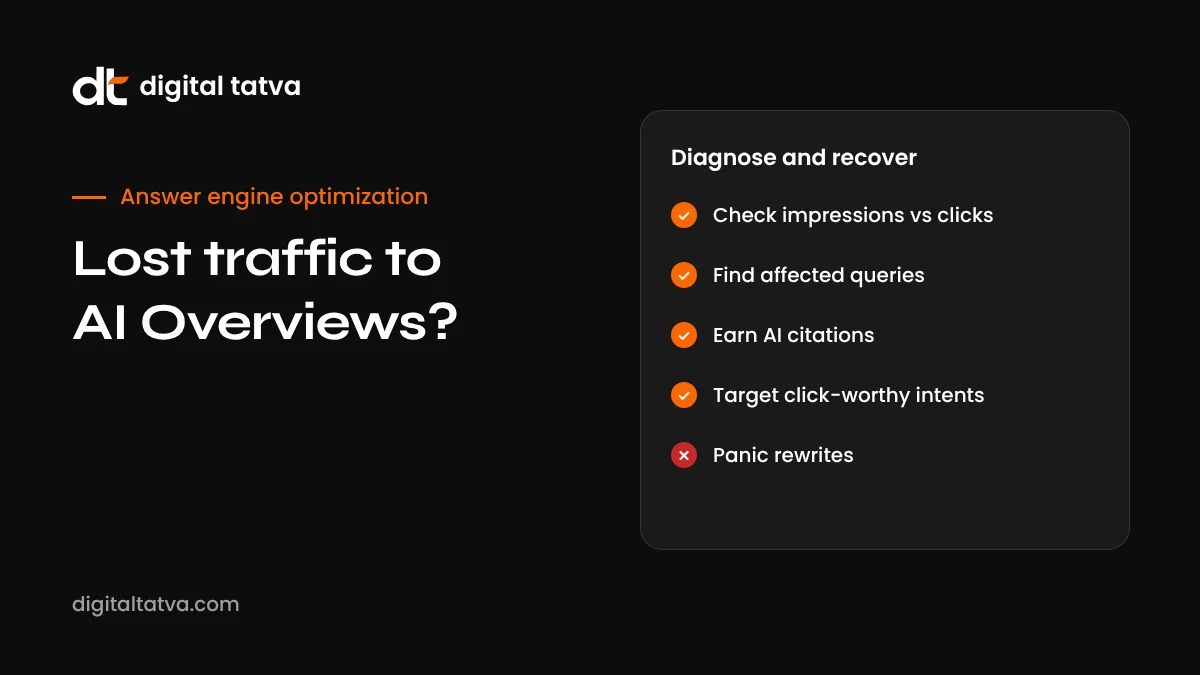
Quick answer: If your organic clicks dropped while impressions and average position stayed roughly the same, Google AI Overviews are a likely cause, because they answer questions at the top of the page and reduce the need to click. To diagnose it, compare clicks, impressions and click-through rate in Search Console by query type, check whether AI Overviews appear for your affected queries, and rule out other causes such as core updates, technical issues and seasonality. To recover, earn citations inside AI Overviews, shift effort towards queries where people still click, add content AI cannot easily summarise, and measure value through conversions and branded search, not clicks alone.
Key takeaways
- The classic AI Overviews pattern is falling clicks with stable impressions and positions.
- Informational queries are hit hardest; commercial and local queries usually less so.
- Always rule out core updates, technical problems and seasonal changes first.
- Being cited inside AI Overviews recovers visibility even when clicks stay lower.
- Recovery means shifting focus to high-intent queries, unique content and better measurement.
Why AI Overviews reduce clicks
AI Overviews summarise an answer at the top of Google’s results. For a question like “what is the ideal room temperature for sleep”, the overview gives the answer immediately. Many searchers read it and leave without clicking any link. That is good for the searcher and hard for the sites that used to receive the click.
Several studies and many site owners have reported lower click-through rates on queries where AI Overviews appear, though the size of the effect varies widely by industry, query type and study method. The safest assumption is that some of your informational traffic is affected, and the only way to know how much is to check your own data. For broader context, see zero-click search.
Step 1: Confirm the pattern in Search Console
Open Google Search Console’s Performance report and compare a recent period with an earlier one of the same length. Look at four metrics together:
| Pattern | Likely meaning |
|---|---|
| Clicks down, impressions stable, position stable | Classic AI Overviews or other SERP feature effect |
| Clicks down, impressions down, position down | Ranking loss, often from a core update or competition |
| Clicks down, impressions down, position stable | Lower search demand, often seasonal or market-driven |
| Sudden drop across all pages | Possible technical issue, indexing problem or tracking error |
| Clicks stable, impressions up, CTR down | More visibility on broader queries, often with AI features |
Search Console’s performance data includes searches where AI features appear, and Google has added reporting to help site owners understand performance in AI features. See our guide to the Search Console AI performance report.
Step 2: Find the affected queries and pages
- In the Performance report, switch to the Queries tab and compare periods.
- Sort by the largest click loss.
- Note queries where impressions held steady but clicks fell sharply.
- Group them by type: definitions, how-to questions, comparisons, product queries, brand queries and local queries.
- Switch to the Pages tab and find which pages own those queries.
You will usually find the losses concentrated in informational content: definitions, explanations and simple how-to guides. Commercial pages, brand queries and local searches are often less affected.
Step 3: Check whether AI Overviews appear
For your top affected queries, search Google from your target country and note:
- Whether an AI Overview appears.
- Whether your page is cited in it.
- Which other sources are cited.
- Whether a featured snippet or People Also Ask still appears below.
Record this in a simple spreadsheet. Results vary by location, device and over time, so check more than once. AI visibility tools can automate this for larger query sets; see the list of the best AI visibility tools.
Step 4: Rule out other causes
Do not assume AI Overviews are to blame without checking alternatives:
- Core updates. Compare your drop dates with Google’s ranking update dates. See our guide to the November 2026 core update.
- Technical issues. Check indexing, robots.txt, canonical tags, site speed and recent site changes.
- Tracking problems. Confirm analytics and Search Console are configured correctly.
- Seasonality. Compare year over year, not just month over month.
- Competition. New, stronger pages may have overtaken yours.
Step 5: Decide what to do with each type of page
| Page type | Typical impact | Recovery approach |
|---|---|---|
| Simple definitions and quick facts | High | Aim for citation in AI Overviews; link to deeper, more valuable content |
| Detailed how-to guides | Medium | Add depth, visuals, examples and tools that summaries cannot replace |
| Comparisons and reviews | Medium | Add first-hand testing, data and clear recommendations |
| Commercial and service pages | Lower | Strengthen trust signals and conversion; target high-intent queries |
| Local pages | Lower | Strengthen Google Business Profile, reviews and local content |
Step 6: Earn citations inside AI Overviews
If AI Overviews now dominate a query, being one of the cited sources is the best way to stay visible. To improve your chances:
- Answer the main question directly in the first 40 to 60 words under a matching heading.
- Cover the related sub-questions the AI Overview addresses. See query fan-out.
- Use clear headings, lists and tables. See content chunking for AI.
- Add specific facts, examples and sources.
- Show author expertise and keep content current.
See our full AI Overviews optimization guide.
Step 7: Shift effort to queries where people still click
Not all searches are equal. People still click when they want to:
- Buy, book, sign up or get a quote.
- Compare options in detail before a big decision.
- Use a tool, calculator or template.
- Read original research, opinion or a detailed case.
- Find a local business or service.
Rebalance your content plan towards these intents. Fewer generic explainers and more commercial, comparison, local and tool-based content usually produces better business results in the AI era.
Step 8: Create content AI cannot easily summarise
AI Overviews summarise what is widely known. They are weaker at replacing:
- Original data and research. See original research for AEO.
- Interactive tools like calculators, checkers and configurators.
- First-hand experience, case studies and detailed walk-throughs.
- Templates and downloads people need to use.
- Expert opinion with a clear point of view.
- Community and discussion that people want to join.
Step 9: Change how you measure success
If you judge content only by clicks, AI Overviews will make everything look worse. Add measures that reflect real value:
| Metric | Why it matters now |
|---|---|
| Conversions from organic search | Shows whether remaining traffic is valuable |
| AI Overview citations | Shows visibility even without clicks |
| Branded search volume | Captures awareness built by AI mentions |
| AI referral traffic from other assistants | Shows growth beyond Google |
| Engagement of organic visitors | Often higher when visitors arrive better informed |
See AEO KPIs and tracking AI traffic in GA4.
A 60-day recovery plan
- Days 1 to 7: Diagnose with Search Console; rule out other causes; list affected queries and pages.
- Days 8 to 14: Check AI Overviews for top queries; record whether you are cited and who is.
- Days 15 to 35: Rewrite the ten most valuable affected pages for answer-first structure and sub-question coverage.
- Days 36 to 50: Build or improve one tool, data piece or detailed resource that people will click for.
- Days 51 to 60: Update reporting to include AI citations, conversions and branded search; review progress.
Using GA4 alongside Search Console
Search Console tells you what happened in Google search. GA4 tells you what happened after people arrived. Use both together to understand the real impact of AI Overviews.
- Organic landing pages: in GA4, compare sessions and conversions for organic landing pages before and after the drop. If sessions fell but conversions held, the lost visitors may have been low-intent.
- Engagement: check engaged sessions and time on page. Visitors who still click after reading an AI Overview are often more engaged.
- Conversion paths: look at whether organic visitors return later through direct or branded search.
- AI referrals: create a channel for AI assistants such as ChatGPT, Perplexity, Gemini and Copilot. Growth there can offset losses from Google.
Our guide to tracking AI traffic in GA4 includes step-by-step setup instructions.
Explaining the drop to stakeholders
Traffic drops cause anxiety, and leadership teams want clear explanations. A simple structure for a short update:
- What happened: “Organic clicks fell 25 percent between July and October, while impressions and rankings stayed stable.”
- Why: “Google now shows AI Overviews on most of our informational queries, which answer questions without a click.”
- What it means: “Conversions from organic search fell much less than clicks, because commercial pages are less affected.”
- What we are doing: “Earning citations in AI Overviews, refocusing content on high-intent queries and building tools people will click for.”
- How we will measure it: “We are adding AI citations, branded search and AI referral traffic to our monthly report.”
Replace the numbers with your own. The structure helps people understand that search changed, not that the team failed.
Industry-specific notes
| Industry | Common impact | Focus |
|---|---|---|
| Publishers and blogs | Significant losses on explainers and quick answers | Original reporting, expert opinion, newsletters and community |
| SaaS | Losses on “what is” and glossary pages | Comparison pages, templates, product-led content |
| Ecommerce | Losses on generic buying advice | Product pages, detailed buying guides, reviews |
| Healthcare | Losses on symptom and condition explainers | Expert-reviewed depth, local clinic visibility |
| Finance | Losses on definitions and rate explainers | Calculators, current data, expert analysis |
| Travel | Losses on simple destination facts | Detailed itineraries, first-hand guides, booking pages |
Turning AI Overview citations into visits
When your page is cited, you have a chance to earn the click. Improve it by:
- Writing compelling, accurate title tags and meta descriptions, because these still appear in results below the overview.
- Making it clear on the page that there is more value than the summary: tools, examples, checklists or downloads.
- Answering the follow-up question the AI Overview does not fully cover.
- Making the page fast and easy to use on mobile, so people who click stay.
How Digital Tatva can help
We diagnose traffic changes with Search Console and analytics, separate AI Overviews effects from core updates, technical issues and seasonality, and build a practical recovery plan. That plan usually combines winning citations in AI Overviews, restructuring key pages and refocusing content on high-intent queries. We do not promise traffic recovery to old levels, because search has changed, but we help you get the most value from the visibility that is available now.
Seeing a traffic drop you cannot explain? Request an AEO audit for a diagnosis and recovery plan, or start with our free AI visibility checker.
A worked diagnosis example
Here is an illustrative example of how the diagnosis comes together. It is not a specific client, but it reflects a very common pattern.
A home improvement blog sees organic clicks fall by about a third over four months. In Search Console, impressions are flat and average position has barely moved. That rules out a major ranking loss. Year-over-year data shows the drop is not seasonal. No technical changes were made, and indexing looks healthy.
Grouping queries shows the biggest losses on questions like “how to remove paint from wood”, “what is grout” and “how long does wall putty take to dry”. Searching these in Google shows AI Overviews on almost all of them, usually citing two or three sources. The blog is cited for some and not others.
Meanwhile, queries like “best wall putty brand for damp walls”, “waterproofing contractor cost Pune” and the blog’s own brand name show much smaller losses. Conversions from organic search, mainly affiliate clicks and contractor enquiries, have fallen far less than sessions.
The conclusion: AI Overviews are absorbing clicks on simple how-to questions, while commercial and comparison content still performs. The recovery plan focuses on earning citations in the overviews for key questions, expanding comparison and cost guides, adding a paint coverage calculator and a downloadable renovation checklist, and reporting conversions and citations alongside clicks.
Content to consolidate or retire
Some pages may no longer justify the effort to maintain them, particularly very short pages that answered a single simple question. Options include:
| Option | When to use it |
|---|---|
| Improve | The page targets a valuable question and could become the best source with more depth |
| Merge | Several thin pages answer closely related questions; combine into one strong guide and redirect |
| Refocus | The topic still matters but the angle should shift towards higher intent |
| Leave as is | The page still earns citations or conversions with little upkeep |
| Retire | The page has no traffic, no links and no business value; redirect to the most relevant page |
Be careful with deleting content in bulk. Redirect thoughtfully, keep pages that earn links and citations, and make changes gradually so you can see their effect. See our content refresh guide for AEO.
Diversifying beyond Google
Relying on a single traffic source has always been risky, and AI Overviews make that clearer. While you work on Google, build visibility in other places where your audience looks for answers:
- Other AI assistants: ChatGPT, Perplexity, Copilot, Gemini and Claude. See ChatGPT SEO and Perplexity SEO.
- YouTube: video answers to how-to questions. See YouTube for AEO.
- Email newsletters: a direct relationship that does not depend on search.
- Communities: Reddit, Quora and niche forums. See Reddit for AEO.
- Social platforms where your audience spends time.
What not to do after a drop
- Do not panic-delete content. Some pages still earn citations, links or conversions.
- Do not rewrite everything at once. Change a focused set of pages first and measure.
- Do not stuff pages with keywords in an attempt to win back rankings that have not actually been lost.
- Do not block Google’s AI features without understanding the visibility trade-off.
- Do not buy “AI Overview placement” services. Nobody can guarantee inclusion.
Building a long-term content strategy for the AI era
Once the immediate diagnosis is done, step back and rethink your content strategy. A useful framework is to sort every planned piece of content into one of four groups:
| Group | Purpose | Example |
|---|---|---|
| Citation content | Earn mentions and citations in AI answers for important questions | Clear, authoritative guides with answer-first structure |
| Conversion content | Help people decide and act | Service pages, pricing, comparisons, case studies |
| Utility content | Give people something to use | Calculators, templates, checkers, downloads |
| Authority content | Build reputation and earn references | Original research, expert opinion, industry analysis |
A balanced plan includes all four. The mix depends on your business, but most sites that relied heavily on generic informational posts should shift towards conversion, utility and authority content. See AEO strategy and is SEO dead for the bigger picture.
Quick recovery checklist
If you only have time for a short response to a traffic drop linked to AI Overviews, work through this checklist in order. It focuses on the actions that most often make a measurable difference within a quarter.
- Confirm the cause. Compare impressions, clicks and average position in Search Console for the affected pages. Falling clicks with stable impressions and positions usually points to AI Overviews or other SERP features rather than ranking loss.
- Segment by query type. Separate informational queries, where AI Overviews appear most, from commercial and navigational queries, which are often less affected.
- Protect money pages. Make sure service, product and pricing pages are clear, fast and easy to convert, since the visitors who still click are often further along in their decision.
- Improve citation chances. Add concise answers near the top of key pages, clear headings, tables and FAQs, and keep facts current.
- Diversify traffic. Invest in channels that do not depend on a single search feature, such as email, YouTube, communities and partnerships.
- Measure visibility, not just visits. Track whether your brand is mentioned or cited in AI answers for your priority questions.
- Report honestly. Explain to stakeholders that some click loss reflects a market-wide change, and agree new success measures such as conversions, qualified leads and AI share of voice.
Revisit this checklist every quarter, because AI Overviews and AI Mode continue to change how often they appear and which sources they show.
Looking ahead
AI Overviews and AI Mode will keep evolving, and so will the share of searches that end without a click. The businesses that adapt best treat this as a shift in how they measure success rather than a temporary dip. They focus on being the trusted source AI systems cite, on converting the smaller number of high-intent visitors, and on building direct relationships through email, communities and video. Revisit your strategy every quarter as Google updates its search features.
Frequently asked questions
How do I know if AI Overviews caused my traffic drop?
The typical sign is falling clicks while impressions and average position stay stable. Confirm that AI Overviews appear for the affected queries, and rule out core updates, technical issues and seasonality.
Can I recover traffic lost to AI Overviews?
You can recover some visibility by being cited in AI Overviews and some value by targeting high-intent queries and unique content. Full recovery of old click levels is not always realistic.
Which pages are most affected?
Simple informational pages, such as definitions and quick how-to answers, are usually affected most. Commercial, local and brand pages tend to be less affected.
Does being cited in an AI Overview bring clicks?
Sometimes. Click-through from citations varies, but citations also build brand visibility and trust, which can lead to later searches and visits.
Should I block AI Overviews from using my content?
For most sites, no. Blocking can reduce visibility in search features. Consider it only for specific reasons such as licensing.
Does Search Console show AI Overview data?
Search Console’s performance reporting includes searches where AI features appear, and Google has added reporting to help site owners understand AI feature performance.
Should I stop writing informational content?
No, but focus on content that adds depth, experience, data or tools, and connect it to commercial pages.
Can Digital Tatva help recover from an AI Overviews drop?
Yes. We diagnose the cause and build a plan to regain visibility and value through AEO and SEO.
Do AI Overviews appear on every search?
No. They appear mainly on informational queries and vary by topic, country and time.
Product details, prices and features are checked at the time of writing and can change. Sources are linked in the text so you can check them yourself.
How does your brand appear in AI answers?
We test the questions your buyers ask across the major AI assistants and search engines, then show you what to fix first.
Get an AI Visibility Audit