Fireflies.ai Review 2026: Pricing, Free Plan, Features and Is It Worth It?
An in-depth Fireflies.ai review for 2026: free plan limits, Pro, Business and Enterprise pricing, AskFred, 100+ languages, integrations, security and who should use it.
On this page
- Key takeaways
- What is Fireflies.ai?
- Fireflies.ai pricing in 2026
- Is the Fireflies free plan enough?
- Fireflies.ai features explained
- Integrations
- Security, privacy and compliance
- Fireflies.ai pros and cons
- Who should use Fireflies.ai?
- Fireflies.ai vs Fathom vs Otter.ai
- How to get started with Fireflies.ai
- Tips to get better results from Fireflies.ai
- Real-world ways teams use Fireflies.ai
- Fireflies.ai alternatives worth comparing
- Is Fireflies.ai worth it?
- Frequently asked questions
- Our verdict
Last updated: 26 November 2026
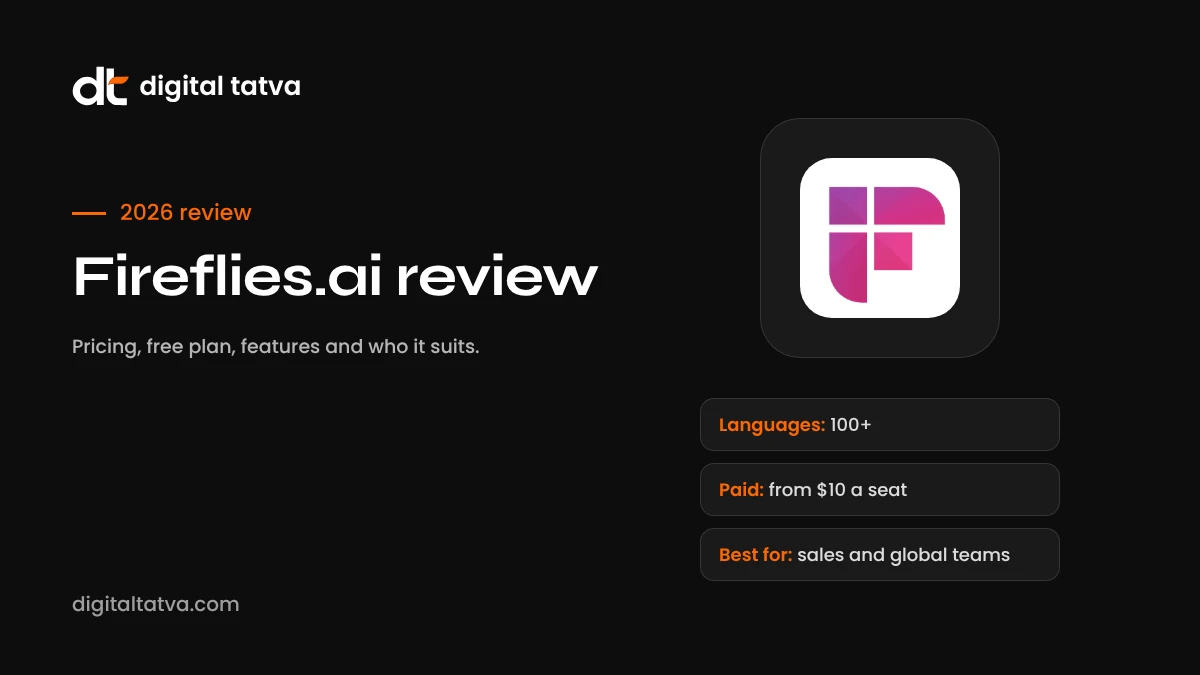
Quick answer: Fireflies.ai is an AI note taker that joins your Zoom, Google Meet and Microsoft Teams calls, transcribes them in more than 100 languages and turns them into searchable summaries, action items and team insights. The free plan includes unlimited transcription and AI summaries but only 400 minutes of storage per team. Paid plans cost $10 per seat a month for Pro, $19 for Business and $39 for Enterprise on annual billing, or $18 and $29 billed monthly for Pro and Business. Fireflies suits sales, customer success, recruiting and global teams that want every call captured and searchable.
Key takeaways
- Fireflies transcribes in 100+ languages with automatic detection, one of the widest ranges among AI note takers.
- The free plan has unlimited transcription and summaries, but storage is capped at 400 minutes per team.
- Pro ($10 a seat yearly, $18 monthly) adds 8,000 minutes of storage per seat, video recording and downloads.
- Business ($19 yearly, $29 monthly) adds unlimited storage, multi-language mode, conversation intelligence and team analytics.
- Fireflies is SOC 2 Type II certified and says it does not train AI models on your meeting data; HIPAA is available on Enterprise.
What is Fireflies.ai?
Fireflies.ai is an AI meeting assistant. Its bot, often called Fred, joins your scheduled calls through your calendar, records and transcribes the conversation, and produces a summary with action items, topics and key moments. Every meeting becomes searchable, so you can find what a customer said about pricing three months ago in seconds.
Fireflies has grown beyond simple note taking. Its paid plans add conversation intelligence (talk time, sentiment and topic tracking), deal and team analytics, AI Skills that run custom tasks on transcripts, and AskFred, an assistant you can question about any meeting. Desktop, mobile and Chrome extension apps let you capture in-person meetings and browser calls too.
Fireflies.ai at a glance
- Starting price: Pro $10/seat/month billed yearly, $18 monthly
- Free plan: Yes, unlimited transcription and AI summaries, 400 minutes of storage per team
- Best for: Sales, customer success, recruiting and multilingual teams
- Meeting platforms: Zoom, Google Meet, Microsoft Teams and more; desktop, mobile and Chrome apps
- Languages: 100+, with automatic language detection
- Security: SOC 2 Type II and ISO/IEC 42001; HIPAA on Enterprise
Fireflies.ai pricing in 2026
Fireflies has four plans. Prices are per seat per month in US dollars. Annual billing cuts the Pro price by almost half.
| Plan | Billed yearly | Billed monthly | Storage | Max recording length | AI credits |
|---|---|---|---|---|---|
| Free | $0 | $0 | 400 minutes per team | 2 hours | 20 |
| Pro | $10 | $18 | 8,000 minutes per seat | 2 hours | 20 |
| Business | $19 | $29 | Unlimited | 3 hours | 30 |
| Enterprise | $39 (yearly only) | Not offered | Unlimited | 4 hours | 50 |
Prices and limits are from Fireflies’ pricing information and help centre, checked against independent price comparisons in 2026. AI credits are used by AskFred, Soundbites and AI Skills, and simpler requests use fewer credits. Fireflies does not clearly state how often credits refresh, so check your account before relying on them. Confirm current prices on the Fireflies pricing page before you buy.
What each plan adds
- Free: unlimited transcription and AI summaries, AskFred with limited credits, mobile, desktop and Chrome apps, file uploads and limited integrations.
- Pro: video recording, downloads, AI Skills, a personal assistant, voice agents and live assist, individual conversation intelligence, unlimited integrations and priority support.
- Business: unlimited storage, longer recordings, multi-language mode, deal intelligence, team-wide conversation intelligence and analytics, public meeting access and user groups.
- Enterprise: SSO and SCIM, a rules engine, audit logs, private storage, custom retention, HIPAA with a signed agreement and a dedicated account manager.
What a team really pays
On annual billing:
- Pro, 5 people: 5 x $10 = $50 a month ($600 a year).
- Business, 5 people: 5 x $19 = $95 a month ($1,140 a year), or 5 x $29 = $145 a month billed monthly.
- Business, 20 people: 20 x $19 = $380 a month ($4,560 a year).
Give paid seats only to people who host meetings; others can read shared notes. Our guides to AI team plans and annual vs monthly AI plans explain how to keep costs down.
Is the Fireflies free plan enough?
For light use, yes. You get unlimited transcription and AI summaries, so every meeting is captured and summarised. The catch is storage: the whole team shares 400 minutes, roughly seven hour-long meetings. Once you pass that, older recordings roll off, so the free plan works best for trying Fireflies or for someone with a few calls a week who does not need a long archive.
If you want a free plan with unlimited storage, Fathom’s is more generous, though it supports far fewer languages. Our guide to the best free AI note takers compares every free plan side by side.
Fireflies.ai features explained
Transcription in 100+ languages
Fireflies transcribes in more than 100 languages and detects the language automatically. Fireflies cites accuracy of about 99 percent for English and 95 percent for other languages, though real results depend on audio quality, accents and how much people talk over each other. On Business, multi-language mode helps with meetings where participants switch between languages, which is valuable for international teams.
AI summaries, action items and topics
After each call, Fireflies produces an overview, bullet-point notes, action items and the main topics discussed. You can jump from any line in the summary to the matching moment in the recording.
AskFred
AskFred is Fireflies’ AI assistant. Ask it to draft a follow-up email, list the objections raised, summarise a long call or answer a question across meetings. It is available on every plan, with the number of requests limited by your AI credits.
Search and Soundbites
Every transcript is searchable across your workspace, with filters for speakers, dates and topics. Soundbites let you clip short moments and share them with colleagues, for example a customer describing a pain point.
Conversation intelligence and analytics
Pro includes individual conversation intelligence: talk-to-listen ratio, questions asked, sentiment and topic trackers. Business extends this to the whole team, with deal intelligence and team analytics so managers can coach reps and spot trends across hundreds of calls.
AI Skills, voice agents and live assist
From Pro upwards, AI Skills run pre-built or custom tasks on your transcripts, such as filling a sales methodology, writing a product brief or extracting hiring notes. Voice agents and live assist add AI help during and around calls.
Apps: desktop, mobile and Chrome
Every plan includes desktop, mobile and Chrome extension apps. The Chrome extension captures browser-based meetings, the desktop app can capture system audio for meetings where you do not want the bot, and the mobile app records in-person conversations. Fireflies also includes Fireflies Talk, unlimited voice dictation in the desktop app, on every plan.
Integrations
Fireflies has one of the larger integration libraries in the category. Free plans get a limited set, while Pro and above unlock unlimited integrations.
| Category | Examples |
|---|---|
| Meeting platforms | Zoom, Google Meet, Microsoft Teams and other conferencing tools |
| CRMs | Salesforce, HubSpot and other CRMs |
| Collaboration | Slack, Notion and project tools |
| Automation | Zapier and API access |
| Calendars | Google Calendar and Outlook |
To push meeting notes into other apps automatically, see our guide on automating tasks with Zapier and AI.
Security, privacy and compliance
Fireflies states that it is SOC 2 Type II and ISO/IEC 42001 certified on every plan, including Free. It also says it does not use your meeting data to train AI models, and that its AI vendors are contractually barred from training on it.
For regulated industries, HIPAA is available only on Enterprise with private storage and a signed Business Associate Agreement, and FERPA support is available on Enterprise with a data sharing agreement. Enterprise also offers custom retention policies, audit logs, SSO and SCIM, and a “transcript and summary only” mode that stores text without audio or video.
Good practice applies whatever tool you use: announce recording at the start of every call, check local consent laws, turn off auto-join for sensitive meetings and set retention rules. Our guide to AI note taker privacy and consent explains recording laws and GDPR, and our AI usage policy template covers meeting recording.
Fireflies.ai pros and cons
| Strengths | Limitations |
|---|---|
| 100+ transcription languages with automatic detection | Free plan storage capped at 400 minutes per team |
| Low entry price: Pro at $10 a seat on annual billing | Monthly billing costs much more ($18 for Pro) |
| Unlimited transcription and summaries on every plan | AI credits are limited, and refresh rules are not clearly stated |
| Strong search, AskFred and team conversation intelligence | Video recording needs Pro; unlimited storage needs Business |
| Large integration library and apps for desktop, mobile and Chrome | Recording length capped at 2 to 4 hours depending on plan |
| SOC 2 Type II and no training on your meeting data | HIPAA only on the $39 Enterprise plan |
Who should use Fireflies.ai?
Sales and customer success teams
Fireflies captures every customer call, syncs to your CRM and, on Business, adds deal intelligence and team analytics. It is a strong, lower-cost alternative to dedicated revenue intelligence platforms. Pair it with tools from our list of AI sales tools.
Global and multilingual teams
With 100+ languages and multi-language mode on Business, Fireflies is one of the better choices for teams that meet across countries and languages.
Recruiting and HR teams
Interview transcripts, searchable notes and AI Skills for hiring summaries save time across many interviews. Make sure candidates are told that interviews are recorded.
Agencies and consultants
Searchable client calls and quick follow-up emails from AskFred help agencies keep track of many clients. Our guide to AI for marketing agencies shows how it fits into a wider workflow.
Who should look elsewhere
If you want unlimited free storage and mostly meet in English, Fathom’s free plan is more generous. If you want live transcription you can follow during the call, Otter.ai may suit you better. And if your company already pays for Microsoft 365 Copilot, Gemini in Google Workspace or Zoom’s AI assistant, check those built-in options first in our guides to Teams Copilot meetings, Google Meet’s “Take notes for me” and Zoom AI Companion.
Fireflies.ai vs Fathom vs Otter.ai
| Fireflies.ai | Fathom | Otter.ai | |
|---|---|---|---|
| Free plan | Unlimited transcription, 400 minutes of storage per team | Unlimited recordings, transcription and storage | 300 minutes a month, 30 minutes per conversation |
| Entry paid plan (yearly) | $10 Pro | $16 Premium | $8.33 Pro |
| Team or business plan (yearly) | $19 Business | $15 Team, $25 Business | $19.99 Business |
| Languages | 100+ | 7 native | Fewer; mainly English, Spanish and French |
| Best for | Searchable team meeting intelligence across languages | Free use and sales coaching | Live transcription during the call |
Read our full Fathom review and our Otter vs Fireflies comparison for more detail.
How to get started with Fireflies.ai
- Sign up with your work Google or Microsoft account and connect your calendar.
- Set auto-join rules: all meetings, only meetings you host, or manual invites. Exclude sensitive meetings.
- Choose your language settings, or rely on automatic detection, and turn on multi-language mode on Business if your team switches languages.
- Connect your CRM, Slack or Notion so notes and action items land where work happens.
- Tell participants that Fireflies is recording and add a note to your invites.
- Review after two weeks: check storage use on the free plan, decide whether Pro or Business fits, and measure time saved with our guide on measuring ROI from AI tools.
For prompts and habits that improve any meeting assistant’s output, see how to use AI in meetings.
Tips to get better results from Fireflies.ai
- Control auto-join. Let Fred join only the meetings you choose, such as external calls, and keep it out of HR, legal and other sensitive meetings.
- Watch storage on the free plan. 400 minutes per team fills quickly. Download or delete what you do not need, or upgrade before important recordings roll off.
- Set up topic trackers. Track competitors, pricing, objections and feature requests so conversation intelligence surfaces trends across calls.
- Use AI Skills for repeat tasks. Build a skill for your sales methodology, hiring scorecard or project brief so every call produces the same structured output.
- Spend AI credits wisely. Simple AskFred questions use fewer credits; save larger requests for the meetings that matter.
- Check summaries before sharing. AI can misattribute speakers or miss nuance, so review action items before sending them to clients.
Real-world ways teams use Fireflies.ai
These are illustrative scenarios, not client stories.
- A global customer success team runs calls in English, Spanish and German. Fireflies detects each language automatically, and managers search every account conversation from one place.
- A recruiting agency records candidate interviews with consent, uses an AI Skill to produce a standard hiring summary and shares key Soundbites with hiring managers.
- A sales team on Business syncs notes to its CRM, uses deal intelligence before forecast calls and reviews team analytics to coach reps on talk time and questions asked.
Fireflies.ai alternatives worth comparing
If Fireflies.ai does not fit, these are the tools most often compared with it:
- Fathom: the most generous free plan, with unlimited recordings and storage, and strong sales coaching on Business ($25 a seat yearly).
- Otter.ai: live transcription you can follow during the call; Pro from $8.33 a month yearly and a free plan with 300 minutes a month.
- HappyScribe: built for multilingual and privacy-focused teams, with 150+ languages, SOC 2 Type II, GDPR compliance and EU file storage; Basic from $8.50 a month yearly.
- Granola: simple, editable AI notes without recordings; Business at $14 a user a month.
- Read AI: meeting reports and analytics across meetings, email and chat; Pro from $15 a user a month yearly.
- tl;dv: recording and clipping calls for product and research teams.
Each is covered with prices and picks by role in our list of the best AI meeting assistants. If your company already pays for Microsoft 365, Google Workspace, Notion or Zoom, their built-in assistants may cover basic needs at no extra cost.
Is Fireflies.ai worth it?
For teams, yes. At $10 a seat on annual billing, Pro is one of the cheapest ways to give a team unlimited transcription, video recording, searchable notes and AI help after every call. Business, at $19 a seat yearly, is the plan to choose if you want unlimited storage, team analytics and multi-language meetings.
For individuals with only a few calls a week, the free plan works but its 400-minute storage cap fills quickly. If you mainly meet in English and want a bigger free archive, compare Fathom. If your team meets across many languages, Fireflies is one of the strongest options available.
Frequently asked questions
Is Fireflies.ai free?
Yes. The free plan includes unlimited transcription and AI summaries, with 400 minutes of storage shared across the team and 20 AI credits. Paid plans start at $10 per seat a month billed yearly.
How much does Fireflies.ai cost?
Pro costs $10 per seat a month billed yearly or $18 monthly. Business costs $19 yearly or $29 monthly. Enterprise costs $39 per seat a month and is billed yearly only.
How many languages does Fireflies.ai support?
Fireflies transcribes in more than 100 languages with automatic language detection. The Business plan adds multi-language mode for meetings where people switch languages.
Does Fireflies.ai work with Zoom, Google Meet and Microsoft Teams?
Yes. Fireflies joins calls on Zoom, Google Meet and Microsoft Teams through your calendar, and its desktop, mobile and Chrome apps cover other meetings and in-person conversations.
Can Fireflies record without a bot?
The main way Fireflies records is through its meeting bot. The Chrome extension can capture browser-based meetings, and the desktop app can capture system audio for in-person or other meetings.
Is Fireflies.ai secure?
Fireflies states it is SOC 2 Type II and ISO/IEC 42001 certified and does not train AI models on your meeting data. HIPAA is available on Enterprise with private storage and a signed agreement.
What is AskFred?
AskFred is Fireflies’ built-in AI assistant. You can ask it questions about meetings, request summaries or have it draft follow-up emails. It is available on all plans, limited by AI credits.
Is Fireflies.ai better than Otter.ai?
Fireflies is usually better for teams that need many languages, searchable team intelligence and CRM integrations. Otter is better for individuals who want live transcription during calls at a low price. See our Otter vs Fireflies comparison for details.
What happens when I hit the free plan’s storage limit?
Once your team passes 400 minutes of storage, older recordings roll off. Upgrade to Pro for 8,000 minutes per seat or Business for unlimited storage.
Our verdict
Fireflies.ai is one of the best AI meeting assistants for teams, especially sales, customer success, recruiting and international teams. Its 100+ languages, low $10 Pro price on annual billing and strong search make it great value, while Business adds the team analytics and unlimited storage that growing companies need. Individuals on a tight budget should watch the free plan’s storage cap and compare Fathom. For more options, see our ranked list of the best AI meeting assistants and note takers.
Product details, prices and features are checked at the time of writing and can change. Sources are linked in the text so you can check them yourself.
How does your brand appear in AI answers?
We test the questions your buyers ask across the major AI assistants and search engines, then show you what to fix first.
Get an AI Visibility Audit