Fathom AI Note Taker Review 2026: Pricing, Free Plan and Features
An in-depth Fathom review for 2026: free plan limits, Premium, Team and Business pricing, Ask Fathom, languages, integrations, security and who should use it.
On this page
- Key takeaways
- What is Fathom?
- Fathom pricing in 2026
- Is Fathom’s free plan really free?
- Fathom features explained
- Integrations
- Languages: Fathom’s main limitation
- Security, privacy and compliance
- Fathom pros and cons
- Who should use Fathom?
- Fathom vs Fireflies.ai vs Otter.ai
- How to get started with Fathom
- Tips to get better notes from Fathom
- Real-world ways teams use Fathom
- Fathom alternatives worth comparing
- Is Fathom worth it?
- Frequently asked questions
- Our verdict
Last updated: 26 November 2026
Quick answer: Fathom is an AI note taker that records, transcribes and summarises your Zoom, Google Meet, Microsoft Teams and Slack huddle calls. Its free plan includes unlimited recordings, transcription and storage, which makes it one of the most generous free AI note takers available. Paid plans cost $16 per user a month for Premium, $15 for Team (two-seat minimum) and $25 for Business on annual billing, or $20, $19 and $34 billed monthly. Fathom suits freelancers, founders and sales teams who want reliable notes and CRM sync. It is less suited to teams that need many transcription languages or phone call recording.
Key takeaways
- The free plan includes unlimited recordings, transcription and storage, with instant AI summaries.
- Premium costs $16 a month billed yearly ($20 monthly) and removes limits on advanced AI summaries.
- Team ($15 a seat yearly, minimum two seats) adds shared libraries, search and comments; Business ($25 yearly) adds CRM field sync and coaching.
- Fathom transcribes natively in 7 languages, and Ask Fathom can translate answers into 29 more.
- It is SOC 2 Type II certified and HIPAA compliant, with SSO and SCIM available for larger teams.
What is Fathom?
Fathom is an AI meeting assistant, often called an AI note taker. It joins your video calls (or, on Mac, records them without a bot), creates a full transcript, and writes a summary with action items as soon as the meeting ends. You can then search across all your calls, ask questions about what was said, share highlights with colleagues and send notes to your CRM or project tools.
Fathom became popular because of its free plan. Where many rivals cap free users at a few hundred minutes a month, Fathom lets you record and transcribe as many meetings as you like for free. That generosity has made it a common first choice for freelancers, consultants and founders, and its paid plans now add team and sales features that compete with tools such as Fireflies.ai and Gong-style call intelligence platforms.
Fathom at a glance
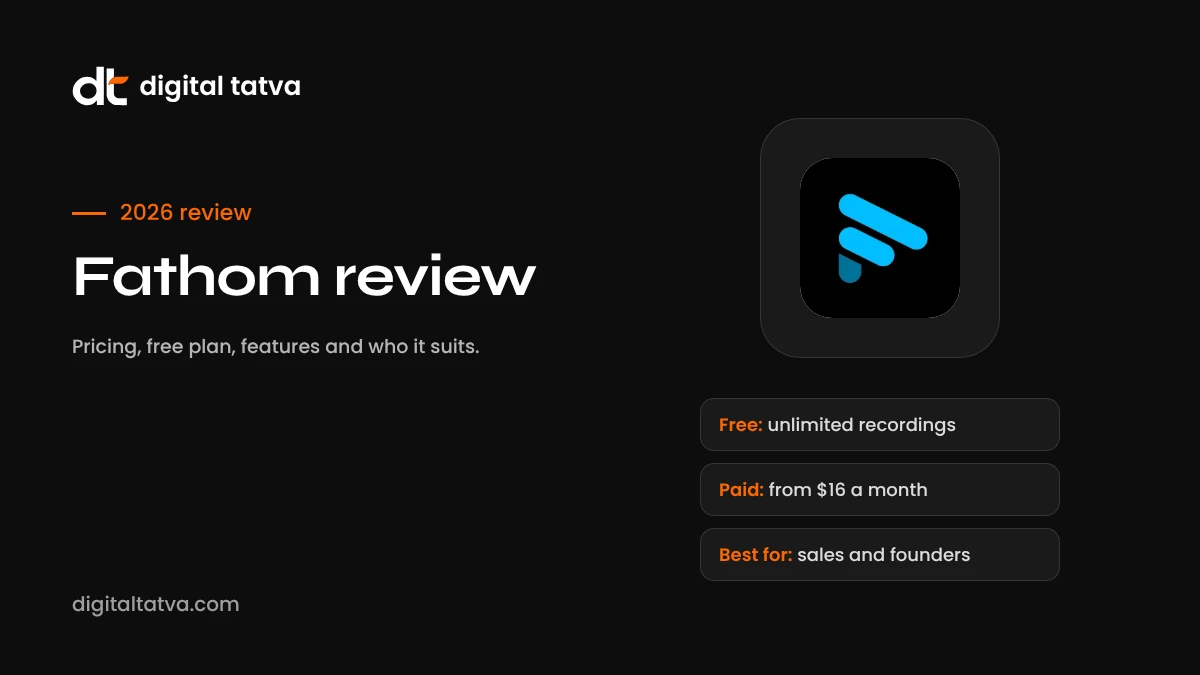
- Starting price: Premium $16/user/month billed yearly, $20 monthly
- Free plan: Yes, unlimited recordings, transcription and storage
- Best for: Freelancers, founders, consultants and sales teams
- Meeting platforms: Zoom, Google Meet, Microsoft Teams and Slack huddles; in-person meetings via the iOS app
- Languages: 7 native transcription languages; Ask Fathom translates into 29 more
- Security: SOC 2 Type II, HIPAA compliant, SSO and SCIM on higher plans
Fathom pricing in 2026
Fathom has five plans. Prices are per user per month in US dollars. Annual billing saves roughly 20 to 26 percent compared with paying monthly.
| Plan | Billed yearly | Billed monthly | Who it is for | What it adds |
|---|---|---|---|---|
| Free | $0 | $0 | Individuals | Unlimited recordings, transcription and storage; instant AI summaries |
| Premium | $16 | $20 | Individuals who rely on AI summaries | Unlimited advanced AI summaries, AI action items, Ask Fathom across meetings |
| Team | $15 per seat | $19 per seat | Small teams (minimum 2 seats) | Team-wide search, shared folders and playlists, comments, keyword alerts, custom vocabulary |
| Business | $25 per seat | $34 per seat | Sales and customer teams | CRM field sync with Salesforce and HubSpot, Deal View, coaching metrics, AI scorecards |
| Enterprise | Custom | Custom | Large organisations | SSO, SCIM provisioning, security controls, custom data retention, HIPAA BAA, dedicated support |
Prices were checked against Fathom’s pricing information and recent independent price checks in October and November 2026. Fathom has also listed a 90-day money-back guarantee on paid plans. Prices can change, so confirm on Fathom’s pricing page before you buy.
What a team really pays
Because Fathom charges per seat, team costs scale quickly. On annual billing:
- Team plan, 5 people: 5 x $15 = $75 a month ($900 a year).
- Business plan, 5 people: 5 x $25 = $125 a month ($1,500 a year).
- Business plan, 20 people: 20 x $25 = $500 a month ($6,000 a year).
Only people who host or record meetings usually need a paid seat. Colleagues can read shared notes and recordings without one, which keeps costs down. Our explainer on when AI team plans save money and our guide to annual vs monthly AI plans show how to decide.
Is Fathom’s free plan really free?
Yes. The free plan is the main reason Fathom is so widely used. You get:
- Unlimited meeting recordings on Zoom, Google Meet and Microsoft Teams
- Unlimited transcription and storage
- Instant AI summaries after each call
- Highlights and clips you can share
- Search across your own meetings
There is one caveat to watch. Several independent reviews in 2026 report that advanced AI summaries on the free plan are limited to the first five calls each month, after which Fathom uses a simpler summary template. Fathom’s own pages describe instant AI summaries on the free plan without stating that cap, so check how summaries behave on your account after a few weeks. If you need the richer summaries on every call, Premium removes the limit.
For a side-by-side look at free plans across tools, see our guide to the best free AI note takers.
Fathom features explained
Recording and transcription
Fathom connects to your calendar and can join scheduled calls automatically, or you can start it manually. It records audio and video and produces a speaker-labelled transcript. On Mac, Fathom also offers bot-free recording, with options to capture a transcript only, audio plus transcript, or full audio and video, so no bot appears in the participant list. Windows support for bot-free recording was announced as coming but was not available when we checked.
AI summaries and action items
Live summaries update during the call, and a full recap with action items arrives when the meeting ends. Summaries can follow templates, for example for sales calls, interviews or team meetings, so the notes are structured the way your team works.
Ask Fathom
Ask Fathom is the built-in AI assistant. You can chat with a single meeting or search across many, ask questions such as “what objections did prospects raise this month?” and get answers with citations that link to the exact moment in the transcript. Teams can share reusable prompts, so everyone asks the same questions in the same way.
Highlights, clips and playlists
You can highlight key moments and share short clips with colleagues or clients. Team plans add shared folders and playlists, which are useful for onboarding, product feedback and sales coaching libraries.
Trackers and keyword alerts
Trackers flag recurring topics, such as competitor names, pricing questions or objections, across future calls and can route alerts to Slack or email. This turns individual meetings into a stream of signals for sales, product and leadership teams.
Sales features: Deal View, scorecards and coaching
The Business plan adds features aimed at revenue teams. Deal View summarises all calls related to an opportunity, AI scorecards rate calls against your sales methodology, and coaching metrics show talk time, questions asked and other habits. Combined with CRM field sync, this lets reps spend less time on admin and managers spend more time coaching.
Private notes and custom vocabulary
A private scratchpad lets you jot your own notes during the call, and custom dictionaries help Fathom spell company names, product names and jargon correctly.
Integrations
Fathom works with the tools most teams already use. Its integrations include:
| Category | Integrations |
|---|---|
| Meeting platforms | Zoom, Google Meet, Microsoft Teams, Slack huddles |
| CRMs | HubSpot, Salesforce and other customer platforms |
| Collaboration | Slack, Asana, Notion |
| Automation | Zapier, Make and others |
| AI tools | Connections to ChatGPT and Claude, plus a public API and MCP support |
Basic CRM syncing is available on lower plans, while field-level sync with Salesforce and HubSpot requires Business. If you want to connect meeting notes to other apps, our guide on automating tasks with Zapier and AI shows how.
Languages: Fathom’s main limitation
Fathom transcribes and summarises natively in seven languages: English, Spanish, French, German, Italian, Dutch and Portuguese. Ask Fathom can translate its answers into 29 additional languages, for 36 in total, but native transcription is limited to those seven.
That is fine for most teams in North America and Western Europe, but it is a real limitation for global teams that meet in Japanese, Arabic, Hindi, Korean, Chinese or other languages. If you work across many languages, compare Fathom with tools that transcribe 100 or more languages, such as Fireflies.ai or HappyScribe, both covered in our list of the best AI meeting assistants.
Security, privacy and compliance
Fathom states that it is SOC 2 Type II certified and HIPAA compliant, and describes itself as GDPR aligned. Team and higher plans can use single sign-on (SSO) and SCIM user provisioning, and Enterprise adds organisation-wide security controls, custom data retention and a HIPAA Business Associate Agreement (BAA).
Whatever tool you choose, recording meetings carries legal and ethical responsibilities:
- Tell participants at the start of the call that it is being recorded and transcribed.
- Check local recording laws; some regions require every participant’s consent.
- Turn off automatic joining for sensitive meetings such as HR or legal discussions.
- Set retention rules for how long recordings and transcripts are kept.
Our guide to AI note taker privacy, consent and etiquette covers recording laws and GDPR in more detail, and our AI usage policy template includes a section on meeting recording.
Fathom pros and cons
| Strengths | Limitations |
|---|---|
| Generous free plan with unlimited recordings, transcription and storage | Native transcription in only 7 languages |
| Fast summaries and action items right after each call | Advanced AI summaries on the free plan may be capped, according to independent reviews |
| Ask Fathom answers with links to the exact transcript moment | Field-level CRM sync and coaching need the $25 Business plan |
| Bot-free recording on Mac | Bot-free recording not yet available on Windows |
| Strong sales features: Deal View, scorecards, coaching metrics | Does not record phone calls |
| SOC 2 Type II, HIPAA, SSO and SCIM | Team plan requires at least two seats |
Who should use Fathom?
Freelancers, consultants and founders
Fathom’s free plan is often all you need: unlimited client calls, transcripts and summaries at no cost. Upgrade to Premium only if you want unlimited advanced summaries and Ask Fathom across all your meetings.
Sales and customer success teams
The Business plan’s CRM sync, Deal View, scorecards and coaching metrics make Fathom a credible alternative to more expensive call intelligence tools. See our list of AI sales tools for tools to pair it with.
Small teams
The Team plan adds shared search, playlists and comments at $15 a seat on annual billing, which is good value for a startup or agency that wants one shared meeting library.
Who should look elsewhere
Teams that meet in many languages beyond the seven Fathom supports, teams that need to record phone calls, and companies that must keep everything inside Microsoft 365 or Google Workspace for compliance may be better served by other tools. If your company already pays for Microsoft 365 Copilot, Gemini in Google Workspace or Zoom’s AI assistant, read our guides to the Teams Copilot meeting features, Google Meet’s “Take notes for me” and Zoom AI Companion before buying a separate tool.
Fathom vs Fireflies.ai vs Otter.ai
Fathom’s closest rivals are Fireflies.ai and Otter.ai. Here is how they compare on entry plans:
| Fathom | Fireflies.ai | Otter.ai | |
|---|---|---|---|
| Free plan | Unlimited recordings, transcription and storage | Unlimited transcription, 400 minutes of storage per team | 300 minutes a month, 30 minutes per conversation |
| Entry paid plan (yearly) | $16 Premium | $10 Pro | $8.33 Pro |
| Team or business plan (yearly) | $15 Team, $25 Business | $19 Business | $19.99 Business |
| Languages | 7 native | 100+ | Fewer; mainly English, Spanish and French |
| Best for | Free use and sales coaching | Searchable team meeting intelligence | Live transcription you can follow |
Choose Fathom if you want the best free plan or sales coaching features. Choose Fireflies.ai if you need many languages, large integrations and team-wide intelligence; our Fireflies.ai review covers it in depth. Choose Otter.ai if live transcription during the call matters most; see our Otter vs Fireflies comparison.
How to get started with Fathom
- Sign up with your Google or Microsoft work account and connect your calendar.
- Choose auto-join rules: all meetings, only external meetings, or manual start. Exclude sensitive meeting types from the start.
- Set your summary template for the meetings you run most, such as sales calls or team stand-ups.
- Connect your tools, such as Slack, your CRM or Notion, so notes land where your team works.
- Tell participants that Fathom is recording, and add a line about it to your meeting invites.
- Review after two weeks: check summary quality, decide whether you need Premium or a team plan, and measure time saved. Our guide on measuring ROI from AI tools gives a simple method.
For prompts and workflows that get more out of any meeting assistant, read how to use AI in meetings.
Tips to get better notes from Fathom
- Use templates per meeting type. A sales discovery template, a stand-up template and an interview template produce far more useful summaries than one generic format.
- Add a custom vocabulary. Enter product names, client names and industry terms so transcripts and summaries spell them correctly.
- Set up trackers early. Track competitor names, pricing questions and common objections from day one, so you build a useful history of signals.
- Share prompts with Ask Fathom. Agree on a few standard questions, such as “what are the next steps and owners?”, so every summary answers them the same way.
- Review action items before sending. AI can misattribute who said what. A 30-second check before you send notes to a client avoids awkward mistakes.
- Clean up your library. Delete recordings you no longer need and set retention rules, especially for client or HR calls.
Real-world ways teams use Fathom
These are illustrative scenarios, not client stories.
- A freelance consultant records every client call on the free plan, shares a short highlight of agreed decisions after each meeting and uses the transcript to write proposals faster.
- A five-person startup moves to the Team plan so founders, product and support share one searchable library of customer calls and build playlists of feature requests.
- A sales team on Business syncs call notes into Salesforce or HubSpot automatically, uses Deal View before pipeline reviews and scores calls against its sales methodology for coaching.
Fathom alternatives worth comparing
If Fathom does not fit, these are the tools most often compared with it:
- Fireflies.ai: 100+ languages, Pro from $10 a seat yearly and searchable team meeting intelligence.
- Otter.ai: live transcription you can follow during the call; Pro from $8.33 a month yearly and a free plan with 300 minutes a month.
- HappyScribe: built for multilingual and privacy-focused teams, with 150+ languages, SOC 2 Type II, GDPR compliance and EU file storage; Basic from $8.50 a month yearly.
- Granola: simple, editable AI notes without recordings; Business at $14 a user a month.
- Read AI: meeting reports and analytics across meetings, email and chat; Pro from $15 a user a month yearly.
- tl;dv: recording and clipping calls for product and research teams.
Each is covered with prices and picks by role in our list of the best AI meeting assistants. If your company already pays for Microsoft 365, Google Workspace, Notion or Zoom, their built-in assistants may cover basic needs at no extra cost.
Is Fathom worth it?
For individuals, Fathom’s free plan is one of the best deals in AI productivity: unlimited recordings and transcripts with useful AI summaries, at no cost. Many freelancers and founders will never need to pay.
For teams, Fathom is worth paying for if your meetings are mostly in English or the other supported languages and your work revolves around customer or sales calls. The Business plan’s CRM sync and coaching features deliver real time savings at $25 a seat. If your team meets in many languages, needs phone call recording or already pays for an AI assistant inside Microsoft, Google or Zoom, compare alternatives first.
Frequently asked questions
Is Fathom free?
Yes. Fathom’s free plan includes unlimited recordings, transcription and storage for Zoom, Google Meet and Microsoft Teams calls, plus instant AI summaries. Paid plans start at $16 a month billed yearly.
How much does Fathom cost?
Premium costs $16 a month billed yearly or $20 monthly. Team costs $15 per seat yearly or $19 monthly with a two-seat minimum. Business costs $25 per seat yearly or $34 monthly. Enterprise is priced on request.
Does Fathom work with Microsoft Teams and Google Meet?
Yes. Fathom works with Zoom, Google Meet, Microsoft Teams and Slack huddles, and its iOS app can capture in-person meetings.
Can Fathom record without a bot?
On Mac, yes. Fathom offers bot-free recording with transcript-only, audio and full video options. Windows support had not launched when we checked.
How many languages does Fathom support?
Fathom transcribes and summarises natively in seven languages: English, Spanish, French, German, Italian, Dutch and Portuguese. Ask Fathom can translate answers into 29 more languages.
Is Fathom secure?
Fathom states it is SOC 2 Type II certified and HIPAA compliant, with SSO and SCIM on higher plans and a HIPAA BAA on Enterprise. Always tell participants when a meeting is recorded.
Does Fathom integrate with HubSpot and Salesforce?
Yes. Basic CRM sync is available on lower plans, and the Business plan adds field-level sync with Salesforce and HubSpot, plus Deal View and coaching features.
Is Fathom better than Fireflies.ai?
Fathom has the more generous free plan and strong sales coaching. Fireflies.ai supports far more languages, has a cheaper entry paid plan at $10 a seat yearly and offers wider team intelligence. The best choice depends on your languages, budget and team size.
Does Fathom record phone calls?
No. Fathom works with video meeting platforms and in-person meetings through its iOS app. It does not record regular phone calls.
Our verdict
Fathom is the best free AI note taker for most individuals and a strong paid choice for sales and customer teams that meet in its supported languages. Start with the free plan, upgrade to Premium if you need unlimited advanced summaries, and move to Business when CRM sync and coaching would save your team real time. For other options, see our ranked list of the best AI meeting assistants and note takers.
Product details, prices and features are checked at the time of writing and can change. Sources are linked in the text so you can check them yourself.
How does your brand appear in AI answers?
We test the questions your buyers ask across the major AI assistants and search engines, then show you what to fix first.
Get an AI Visibility Audit