AI Note Taker Privacy, Consent and Etiquette: Recording Laws, GDPR and DPDP Explained
When you must tell people a meeting is recorded, how to handle AI bots on client calls, and what the GDPR, US consent laws and India's DPDP Act mean for AI note takers.
On this page
- Key takeaways
- Why AI note takers raise privacy questions
- Recording and consent rules by region
- GDPR and AI note takers (UK and EU)
- India’s DPDP Act and AI note takers
- Sector-specific risks
- Etiquette: how to handle AI note takers in client calls
- How to choose a privacy-friendly AI note taker
- A simple AI note taker policy template
- Common mistakes
- Illustrative example: an agency with global clients
- AI note taker privacy checklist
- How Digital Tatva can help
- Frequently asked questions
Last updated: 20 November 2026
Quick answer: Before an AI note taker records, transcribes or summarises a meeting, tell everyone and give them a chance to object. In many places this is a legal requirement, not just good manners. In the US, federal law and most states allow recording with one party’s consent, but about a dozen states, including California, Florida, Illinois, Maryland, Massachusetts, Montana, New Hampshire, Pennsylvania and Washington, generally require all parties to consent, so the safest rule for calls across states is to get everyone’s agreement. In the UK and EU, the GDPR requires a lawful basis, clear notice to participants, a contract with your vendor and sensible retention. In India, the Digital Personal Data Protection Act, 2023 requires notice and a lawful ground such as consent for processing personal data. For client calls, ask before a bot joins, let clients say no, and never record privileged, medical or HR conversations without explicit approval. This is general information, not legal advice.
Key takeaways
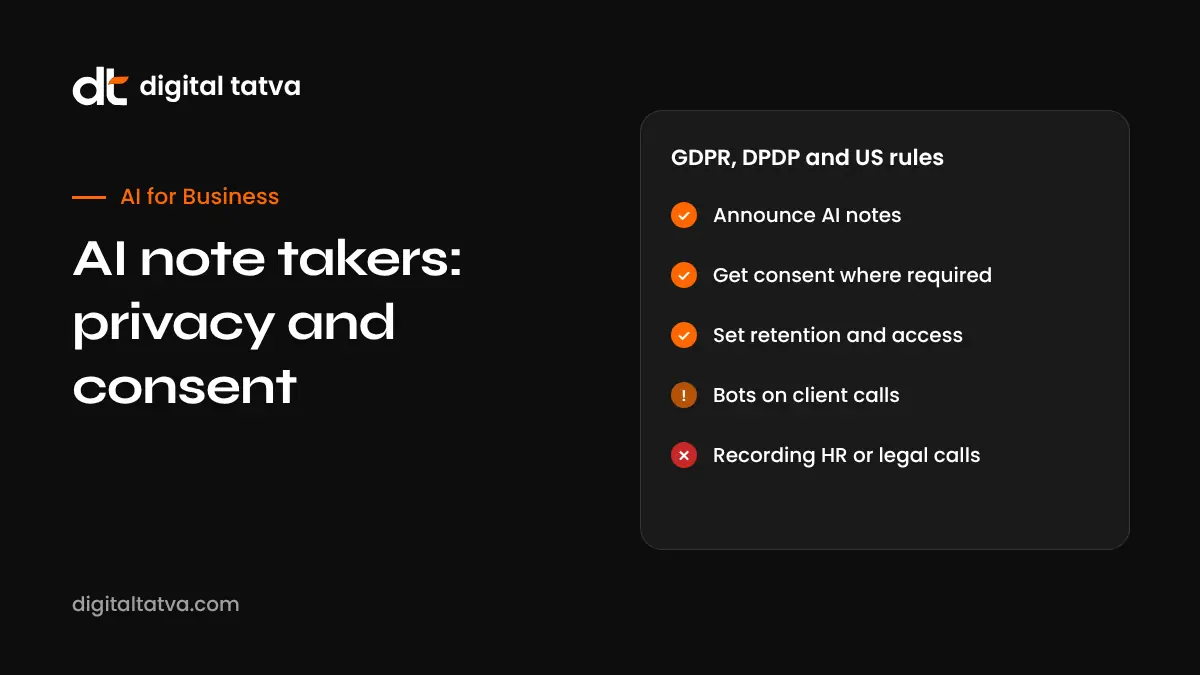
- Announce AI notes in the invite and at the start of every meeting.
- Recording consent laws differ by country and, in the US, by state; when unsure, get everyone’s consent.
- Privacy laws such as the GDPR and India’s DPDP Act also apply to transcripts and summaries, not just recordings.
- Check where your note taker stores data, whether it trains on your data and how long it keeps it.
- Have a company policy covering which meetings can use AI notes, who can access them and when they are deleted.
Why AI note takers raise privacy questions
AI note takers such as Otter, Fireflies, Fathom, tl;dv, Read AI, Zoom AI Companion, Gemini in Google Meet and Copilot in Teams can capture audio, create transcripts, identify speakers, summarise discussions and share notes automatically. That is useful, but it means:
- Personal data (voices, names, opinions, sometimes sensitive details) is collected and stored.
- Bots may join meetings automatically from someone’s calendar, sometimes without other attendees noticing.
- Notes may be emailed to people who were not in the meeting.
- Data may be stored by a third-party vendor, possibly in another country.
- Confidential or privileged information may end up in places it should not.
Legal risk is real. In August 2025, a proposed class action filed in the US alleged that Otter’s meeting assistant recorded conversations without the consent of all participants. These were allegations in a lawsuit, not findings, but they show why consent practices matter. Check the current status of such cases if they affect your vendor choice.
Recording and consent rules by region
| Region | General rule | What it means for AI note takers |
|---|---|---|
| United States (federal) | One-party consent: a participant can record a conversation they are part of | Federal law is not the whole story; state laws also apply |
| US all-party consent states | States such as California, Florida, Illinois, Maryland, Massachusetts, Montana, New Hampshire, Pennsylvania and Washington generally require consent from everyone | If any participant may be in such a state, get everyone’s consent |
| Canada | Criminal law allows one-party consent, but privacy law (PIPEDA and provincial laws) requires notice and consent for collecting personal information in commercial activity | Tell participants why you are recording and how notes are used |
| UK and EU | GDPR applies to recordings, transcripts and summaries as personal data | Lawful basis, transparency, data processing agreement, retention limits; works councils may need to be consulted in some countries |
| India | Digital Personal Data Protection Act, 2023, with rules notified in November 2025 and obligations phasing in | Give notice and rely on consent or another permitted ground; protect and delete data appropriately |
| Australia | Recording laws vary by state and territory; some require consent of all parties to a private conversation | Announce and get consent to be safe |
| Other countries | Rules vary widely | Check local law for each participant location |
Laws change and depend on details such as where participants are located, whether the conversation is private and the purpose of the recording. Get legal advice for your situation.
GDPR and AI note takers (UK and EU)
If you record or transcribe people in the UK or EU, the GDPR (or UK GDPR) usually applies. Key points:
- Lawful basis: for internal business meetings, organisations often rely on legitimate interests; consent may be needed in other cases. Document your choice.
- Transparency: tell participants what is captured, why, who can access it, how long it is kept and how to object.
- Data processing agreement: sign a DPA with the note taker vendor, since they process personal data for you.
- International transfers: if the vendor stores data outside the UK or EU, check the transfer safeguards it uses.
- Data minimisation and retention: capture only what you need and delete recordings and transcripts on a schedule.
- Rights requests: people can ask for access to or deletion of their data, including transcripts.
- Risk assessment: a data protection impact assessment (DPIA) may be needed for large-scale or sensitive use.
- Employee monitoring: some countries require consultation with works councils before introducing tools that record employees.
Also consider the EU AI Act’s transparency duties for AI-generated content; see EU AI Act Article 50.
India’s DPDP Act and AI note takers
- Notice: tell participants what personal data is collected and why, in clear language.
- Lawful ground: consent, or a permitted “legitimate use” such as certain employment purposes, depending on the situation.
- Purpose limitation: use meeting data only for the stated purpose.
- Security: take reasonable safeguards to prevent data breaches.
- Deletion: delete data when it is no longer needed for the purpose.
- Vendors: the business using the tool remains responsible for how processors handle data.
The DPDP Rules were notified in November 2025 with obligations coming into force in phases. Check the current status and get advice for your organisation. For more, see AI rules in India.
Sector-specific risks
| Sector | Extra risk | Practical rule |
|---|---|---|
| Healthcare | Health data laws such as HIPAA in the US and special category data under GDPR | Use only approved tools with the right agreements, or do not record |
| Legal | Recording may affect attorney-client privilege and confidentiality | Get explicit approval from counsel before using AI notes |
| HR | Performance, disciplinary and grievance discussions are sensitive | Turn AI off by default; record only with clear agreement |
| Finance | Regulated communications and confidentiality rules | Follow your compliance team’s recording policies |
| Education | Student privacy rules | Use approved tools and inform students and parents where required |
Etiquette: how to handle AI note takers in client calls
When you want to use an AI note taker
- Ask in advance: include it in the invite: “We use an AI note taker to capture action items. Let us know if you would prefer we do not.”
- Confirm at the start: “Is everyone comfortable with AI notes today?”
- Turn it off immediately if anyone objects, without making it awkward.
- Explain what happens to notes: who gets them and how long they are kept.
- Share a clean summary with the client afterwards rather than raw transcripts.
When an unknown bot joins your meeting
- Ask who the bot belongs to and what it will capture.
- Use the waiting room or lobby to control who joins.
- Remove bots that nobody claims.
- Set a default policy, for example, “External note takers must be approved by the host.”
- Platforms such as Zoom, Google Meet and Teams show recording and transcription indicators; mention them so everyone notices.
Phrases you can use
| Situation | What to say |
|---|---|
| Asking permission | “Do you mind if we use an AI note taker so we can focus on the conversation? We will share a summary afterwards.” |
| Declining a client’s bot | “For this conversation, could we keep it off the record? We are happy to send written notes.” |
| Sensitive topic mid-call | “Let us pause the note taker for this part.” |
| Unknown bot | “I see a note taker has joined. Whose is it, and is everyone comfortable with it?” |
How to choose a privacy-friendly AI note taker
| Question to ask | Why it matters |
|---|---|
| Does it train AI models on our data? | Business data should not be used for training without clear agreement |
| Where is data stored? | Affects GDPR transfers and data residency requirements |
| Can we set retention periods? | Automatic deletion reduces risk |
| Who can see notes by default? | Auto-sharing to all attendees or external guests can leak information |
| Does it join automatically from calendars? | Auto-join can surprise attendees |
| Is there a bot-free mode? | Some tools capture audio without a visible bot; you still need to inform people |
| Security certifications and DPA? | Signals mature security practices and legal commitments |
| Admin controls? | Lets IT set company-wide rules |
Built-in tools in Google Workspace, Microsoft 365 and Zoom often fit existing data agreements; see Google Meet Take notes for me, Teams Copilot meeting guide and Zoom AI Companion. For third-party options, see best AI meeting assistants and free AI note takers.
A simple AI note taker policy template
| Policy area | Example rule |
|---|---|
| Approved tools | Only company-approved note takers may be used |
| Notice | Invites must state when AI notes are used; hosts announce at the start |
| Consent | If any participant objects, AI notes are turned off |
| External meetings | Ask clients and partners before using AI notes |
| Restricted meetings | No AI notes for HR, legal, medical or board meetings unless approved |
| Sharing | Notes shared only with attendees and people who need them |
| Review | Hosts review notes for accuracy before sharing externally |
| Retention | Recordings deleted after a set period; summaries kept as needed |
| Third-party bots | Unknown bots removed; external bots allowed only with host approval |
Adapt this to your legal requirements and have it reviewed by a lawyer. For broader AI risks, see AI agent security.
Common mistakes
- Letting note takers auto-join every meeting, including external and sensitive ones.
- Assuming the platform’s recording banner is enough notice.
- Auto-sending transcripts to everyone on the invite.
- Keeping recordings forever.
- Using free personal tools for company or client meetings without IT approval.
- Forgetting that summaries and transcripts are personal data, not just audio.
Illustrative example: an agency with global clients
This is an illustrative scenario, not a client story.
A 20-person digital agency works with clients in the US, UK and India. Team members had been using different free note takers that joined client calls automatically. The agency chooses one approved tool, signs a data processing agreement, turns off auto-join for external meetings and adds a standard line to client invites asking permission for AI notes. Hosts confirm consent at the start of calls, and notes go only to internal attendees, with a cleaned summary sent to clients. HR and contract negotiation calls are excluded, and recordings are deleted after 90 days.
AI note taker privacy checklist
- Approved note taker chosen with a data processing agreement.
- Auto-join reviewed and limited for external meetings.
- Invite template mentions AI notes.
- Host script for announcing and confirming consent.
- Restricted meeting types listed.
- Sharing defaults set to internal attendees only.
- Retention period configured.
- Process for handling objections and data requests.
- Legal review for your regions and sectors.
How Digital Tatva can help
Digital Tatva helps businesses adopt AI responsibly and stay visible in AI search. See our AEO services and our guide to using AI in meetings end to end.
Do AI assistants describe your business accurately? Request an AEO audit or try the free AI visibility checker.
Frequently asked questions
Is it legal to use an AI note taker in meetings?
Usually yes, if you follow recording and privacy laws. That often means telling everyone and, in some places, getting all participants’ consent.
Do I need consent to record a meeting with AI?
It depends on the location. Some US states and other jurisdictions require all parties to consent. The safest approach is to tell everyone and get agreement.
Which US states require all-party consent for recording?
States commonly listed include California, Florida, Illinois, Maryland, Massachusetts, Montana, New Hampshire, Pennsylvania and Washington, with nuances in others. Check current law for your case.
Does GDPR apply to meeting transcripts?
Yes. Recordings, transcripts and AI summaries that identify people are personal data under the GDPR.
Does India’s DPDP Act apply to AI meeting notes?
Yes, when meeting data includes digital personal data. You need notice and a lawful ground, and must protect and delete data appropriately.
What should I do if a client’s AI bot joins my meeting?
Ask whose it is and what it captures. If you are uncomfortable, politely ask to keep the meeting off the record and offer written notes.
Can I use AI note takers in HR or legal meetings?
Generally avoid it unless your legal or HR team approves, because these conversations are sensitive and may be privileged.
Do AI note takers train on my meeting data?
It depends on the vendor and plan. Read the terms and choose tools that do not train on your business data without agreement.
Is a recording notification banner enough?
It helps, but it is safer to also announce AI notes in the invite and at the start of the meeting.
How long should I keep meeting recordings?
Only as long as needed for the purpose. Set a retention period, such as 30 to 90 days for recordings, and keep summaries if required.
Product details, prices and features are checked at the time of writing and can change. Sources are linked in the text so you can check them yourself.
How does your brand appear in AI answers?
We test the questions your buyers ask across the major AI assistants and search engines, then show you what to fix first.
Get an AI Visibility Audit