Zoom AI Companion and ZoomMate: Features, Pricing and Tips (2026)
What Zoom AI Companion and ZoomMate do and what they cost.
On this page
- Key takeaways
- What Zoom AI Companion does
- Pricing
- What is ZoomMate?
- How to turn on AI Companion
- Zoom AI Companion vs alternatives
- Privacy and compliance
- Tips for better AI meeting summaries
- Zoom AI Companion use cases by team
- Common mistakes
- Illustrative example: a sales team using AI Companion
- Checklist
- Verdict
- How Digital Tatva can help
- Frequently asked questions
Last updated: 19 November 2026
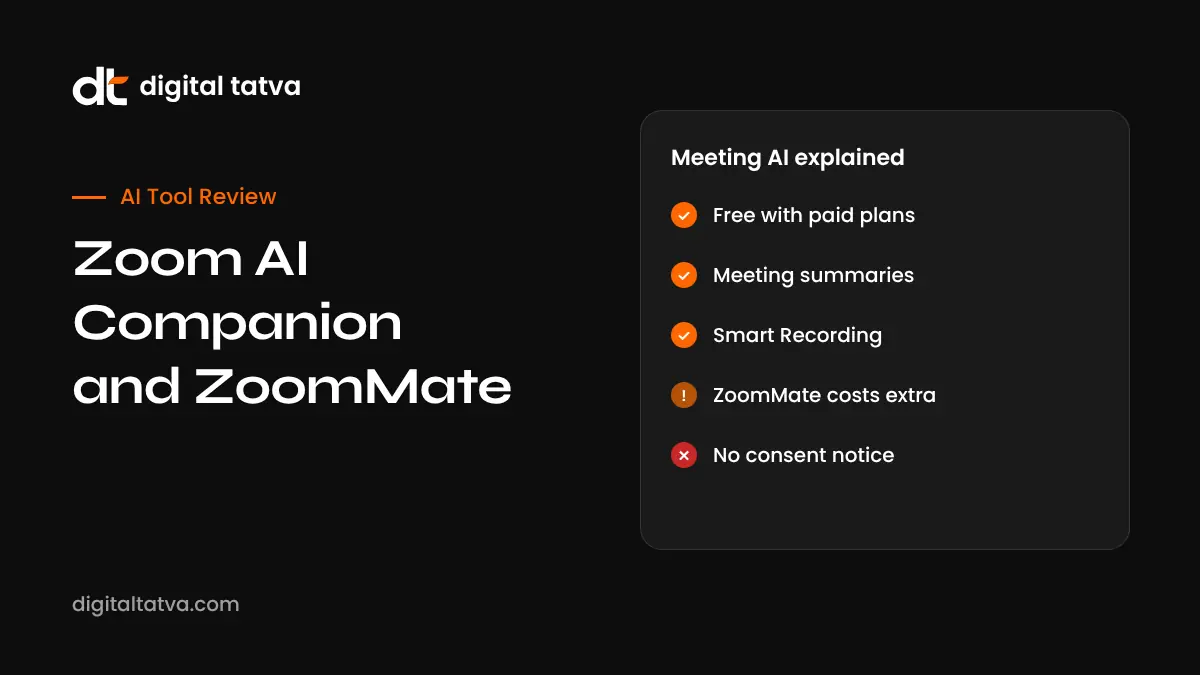
Quick answer: Zoom AI Companion is Zoom’s built-in AI assistant across Meetings, Phone, Chat, Whiteboard and Docs (now Zoom Canvas). It writes meeting summaries with decisions and action items, creates Smart Recording chapters and highlights, catches up late joiners, transcribes in 30 plus languages and answers questions about your meetings. It is included at no extra cost with paid Zoom Workplace plans such as Pro (about $15.99 per user per month) and Business (about $21.99), but not the free Basic plan. For agentic tasks like workflow automation, deep research and cross-app search, Zoom launched ZoomMate in June 2026, from about $20 per user per month in North America with 2,200 AI credits, replacing the Custom AI Companion add-on.
Key takeaways
- Meeting summaries, notes and Zoom Canvas do not use ZoomMate credits.
- Custom AI Companion was retired on 1 June 2026.
- Admins control AI features, retention and who can use them.
- Always tell participants when AI summaries or recordings are active.
- Compare with Copilot in Teams, Gemini in Meet and dedicated note-takers before choosing.
What Zoom AI Companion does
| Feature | Where | What it does |
|---|---|---|
| Meeting summary | Meetings | Key points, decisions and action items sent after the call |
| Smart Recording | Meetings | Chapters, highlights and next steps in cloud recordings |
| Catch Me Up | Meetings | Summary for people who join late |
| Ask AI Companion | Meetings and Workplace | Answers questions about meetings and content |
| Transcription and translation | Meetings | 30 plus languages |
| Chat and email drafting | Team Chat, Mail | Composes and summarises messages |
| Whiteboard and Canvas | Whiteboard, Canvas | Generates ideas and documents |
| Phone | Zoom Phone | Call summaries and voicemail prioritisation |
Pricing
| Option | Price | AI included |
|---|---|---|
| Zoom Basic | Free | No AI Companion |
| Zoom Workplace Pro | About $15.99 per user per month | AI Companion included |
| Zoom Workplace Business | About $21.99 per user per month | AI Companion included |
| Enterprise | Custom | AI Companion included |
| ZoomMate | From about $20 per user per month (North America) | Agentic AI with 2,200 credits per user, pooled |
Pricing from SummarizeMeeting and No Jitter. Indian pricing may differ; check Zoom’s site.
What is ZoomMate?
ZoomMate, launched in early June 2026 as part of Zoom’s AI Productivity Suite, is a work surface for searching data and completing tasks. It handles task automation, intelligent search, deep research, content generation and agentic workflows, using metered AI credits. Zoom says it is not a replacement for AI Companion, which remains included in paid plans. It replaced the Custom AI Companion add-on, which was retired on 1 June 2026.
How to turn on AI Companion
- Make sure you are on a paid Zoom Workplace plan.
- Admins enable AI Companion features in the Zoom web portal.
- In a meeting, click the AI Companion button and start a summary.
- Participants see a notice that AI Companion is active.
- After the meeting, review and edit the summary before sharing.
Zoom AI Companion vs alternatives
| Tool | Best for |
|---|---|
| Zoom AI Companion | Teams that meet mainly on Zoom |
| Microsoft Copilot in Teams | Microsoft 365 organisations; see Ignite 2026 |
| Gemini in Google Meet | Google Workspace users |
| Claude Meetings | Teams wanting live plans and whiteboards; see Claude Meetings |
| Otter and Fireflies | Cross-platform note-takers; see Otter vs Fireflies |
See also our list of the best AI meeting assistants.
Privacy and compliance
- Admins control which AI features are on and data retention.
- Participants are notified when AI Companion is active.
- Get consent for recordings and follow your company’s policies.
- Avoid sensitive HR, legal or medical discussions with AI notes unless approved.
- In India, personal data in meeting notes falls under the DPDP framework; see AI rules in India.
Tips for better AI meeting summaries
- Share an agenda at the start so summaries follow structure.
- Say decisions and owners out loud: “Decision: we launch on 5 December; owner: Priya.”
- Use good microphones and reduce cross-talk.
- Review summaries for misattributed statements.
- Move action items into your task tool.
Zoom AI Companion use cases by team
| Team | How AI Companion helps |
|---|---|
| Sales | Demo summaries, client questions and next steps for the CRM |
| Customer success | Call summaries and follow-up items for account reviews |
| HR and recruiting | Interview notes, with candidate consent and careful review |
| Product | Customer interview highlights and feature requests |
| Education and training | Lecture summaries and Smart Recording chapters for students |
| Leadership | Catch-up summaries for missed meetings |
Common mistakes
- Sharing AI summaries externally without checking for errors or sensitive details.
- Leaving AI on for confidential meetings by default.
- Not telling external participants that AI notes are active.
- Assuming every language is transcribed equally well.
- Paying for ZoomMate before using the free AI Companion features fully.
Illustrative example: a sales team using AI Companion
This is an illustrative scenario, not a client story.
A B2B software company in Noida runs client demos on Zoom. With AI Companion enabled on its Business plan, reps get summaries with client questions and next steps after each call, which they edit and paste into the CRM. The company informs clients at the start of calls that AI notes are on, and disables AI summaries for contract negotiations. It trials ZoomMate with a small team for research tasks before deciding on wider rollout.
Checklist
- Confirm your plan includes AI Companion.
- Configure admin settings and retention.
- Inform participants about AI use.
- Edit summaries before sharing.
- Evaluate ZoomMate only for agentic needs.
Verdict
Zoom AI Companion is a strong, no-extra-cost upgrade for paid Zoom users, especially for meeting summaries and recordings. ZoomMate adds agentic capabilities for teams that want AI to complete tasks, at extra cost. Organisations already standardised on Teams or Google Meet may prefer their native assistants.
How Digital Tatva can help
Digital Tatva helps SaaS and service companies stay visible when buyers ask AI assistants for recommendations. See our AEO services.
Do AI assistants recommend your business? Request an AEO audit or try the free AI visibility checker.
Related reading: Google Meet Take Notes for Me and Teams Copilot Meeting Guide
Frequently asked questions
Is Zoom AI Companion free?
It is included at no extra cost with paid Zoom Workplace plans, but not the free Basic plan.
What can Zoom AI Companion do?
Meeting summaries, Smart Recording highlights, catch-up summaries, transcription, chat and email drafting, and Q&A.
What is ZoomMate?
Zoom’s agentic AI work surface launched in June 2026 for task automation, search and research, using AI credits.
How much does ZoomMate cost?
From about $20 per user per month in North America with 2,200 AI credits per user.
What happened to Custom AI Companion?
Zoom retired it on 1 June 2026 and introduced ZoomMate.
Does Zoom AI Companion support Hindi?
Zoom supports transcription and translation in 30 plus languages; check current language support.
Do participants know when AI Companion is on?
Yes, Zoom shows a notice when AI Companion features are active.
Can I turn off AI Companion?
Yes, admins and users can control AI features in settings.
Is Zoom AI Companion better than Otter?
AI Companion is built into Zoom; Otter works across platforms. Choose based on where you meet.
Are meeting summaries accurate?
Usually good, but review for errors and misattribution before sharing.
Product details, prices and features are checked at the time of writing and can change. Sources are linked in the text so you can check them yourself.
How does your brand appear in AI answers?
We test the questions your buyers ask across the major AI assistants and search engines, then show you what to fix first.
Get an AI Visibility Audit