Miro AI Review 2026: Features, Pricing, AI Credits and Sidekicks
How Miro AI works for workshops and planning, and what it costs.
On this page
- Key takeaways
- Miro plans and AI credits
- Miro AI features
- What works well and what does not
- Miro vs alternatives
- How to run a better workshop with Miro AI
- Prompt ideas
- Miro use cases by team
- Making AI credits last
- Illustrative example: a product team retro
- Checklist
- Verdict
- How Digital Tatva can help
- Frequently asked questions
Last updated: 19 November 2026
Quick answer: Miro is a visual collaboration whiteboard used for brainstorming, workshops, diagrams, user journeys and planning. Miro AI generates flowcharts, mind maps, slide decks and Gantt charts from prompts, summarises sticky notes and adds AI agents called Sidekicks and automated Flows on higher plans. AI runs on credits: about 10 per month per team on Free, 25 per member on Starter ($8 per member per month annually) and 50 per member on Business ($20 annually). Prototyping is a separate add-on. Miro is excellent for team workshops, but independent tests found its AI sometimes struggles to edit its own diagrams accurately, so expect to refine outputs by hand.
Key takeaways
- Miro’s core strength is the infinite canvas for real-time collaboration.
- The free plan is limited to three editable boards.
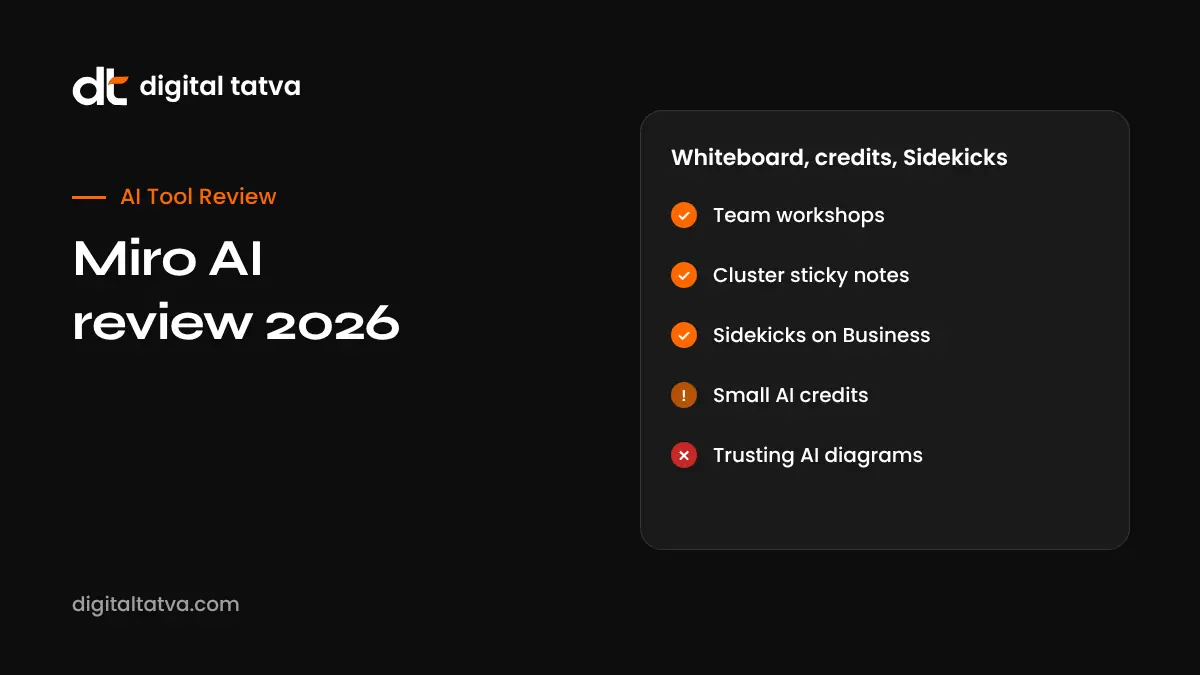
- Sidekicks, AI Workflows and the Miro MCP server are on Business plans.
- Education accounts can use Miro free with expanded features.
- AI-generated diagrams need human review and editing.
Miro plans and AI credits
| Plan | Price (annual, per member per month) | AI credits | Highlights |
|---|---|---|---|
| Free | $0 | About 10 per month per team | 3 editable boards, templates, integrations |
| Starter | About $8 ($10 monthly) | 25 per member | Unlimited and private boards, version history |
| Business | About $20 ($25 monthly) | 50 per member | SSO, multiple workspaces, Sidekicks, AI Workflows, MCP |
| Enterprise | Custom (30 plus members) | Custom | Admin controls, data residency, audit logs |
Pricing from Banani’s 2026 Miro pricing guide. Banani sells a competing tool. Prototypes are an add-on from about $20 per month. Check Miro’s site for India pricing.
Miro AI features
Generate diagrams and mind maps
Type “Create a customer onboarding flowchart for a SaaS product” and Miro draws it on the canvas.
Summarise and cluster sticky notes
After a brainstorm, AI groups ideas by theme and summarises them, saving facilitation time.
Slides and documents
Turn board content into a slide deck or document for sharing.
Gantt charts and planning
Generate timelines from prompts or templates.
Sidekicks
AI agents on the board that act as specialists, such as a product manager or researcher, helping analyse content and suggest next steps.
Flows and AI Workflows
Multi-step AI processes on the canvas, such as turning research notes into personas and then into user stories.
Prompt to prototype and MCP
Create simple prototypes and connect Miro to AI coding tools through MCP. See what is MCP.
What works well and what does not
| Works well | Needs work |
|---|---|
| Real-time workshops with many participants | AI editing of existing diagrams |
| Templates for retros, journeys and planning | AI credits on lower plans are small |
| Summarising and clustering notes | Free plan board limit |
| Integrations with Jira, Asana and Slack | Large boards can feel slow |
Miro vs alternatives
| Tool | Best for |
|---|---|
| Miro | Large team workshops and product planning |
| FigJam | Teams already in Figma |
| Microsoft Whiteboard | Microsoft 365 users |
| Claude Whiteboards | AI-first planning inside Claude; see Claude Meetings, Sheets and Whiteboards |
| Canva Whiteboards | Simple visual collaboration for marketing teams |
How to run a better workshop with Miro AI
- Prepare the board with a template and clear sections.
- Let participants add sticky notes silently first.
- Use AI to cluster notes into themes.
- Discuss and vote on priorities.
- Ask AI to draft action items and a summary.
- Review and assign owners manually.
- Export to slides or a doc for stakeholders.
Prompt ideas
- “Create a mind map of marketing channels for a D2C skincare brand in India.”
- “Turn these sticky notes into five themes with a one-line summary each.”
- “Build a user journey for a first-time buyer on our ecommerce site.”
- “Create a 12-week launch timeline with phases and owners.”
Miro use cases by team
| Team | Common Miro boards | Where AI helps |
|---|---|---|
| Product | Roadmaps, user story maps, retros | Clustering feedback, drafting user stories |
| UX and research | Journey maps, affinity maps, personas | Summarising interview notes into themes |
| Marketing | Campaign planning, content calendars, mood boards | Generating mind maps and campaign ideas |
| Engineering | Architecture diagrams, sprint planning | First-draft flowcharts and diagrams |
| Leadership and strategy | OKR planning, SWOT, workshops | Summaries and slide decks for stakeholders |
Making AI credits last
- Use AI for heavy lifting such as clustering 100 notes, not small edits you can do by hand.
- Write specific prompts with structure, audience and level of detail.
- Generate one diagram, then adjust manually rather than regenerating repeatedly.
- Reserve Sidekicks and Flows for recurring workflows where they save the most time.
- On Enterprise, use admin credit controls to allocate credits to teams that need them.
Illustrative example: a product team retro
This is an illustrative scenario, not a client story.
A product team at a Hyderabad SaaS company runs monthly retros in Miro. Team members add notes in “went well”, “did not go well” and “ideas” columns. Miro AI clusters 60 notes into six themes, and the team votes on two to act on. AI drafts action items, which the product manager edits and assigns in Jira through the integration. The team stays on the Starter plan, as it rarely needs Sidekicks.
Checklist
- Choose a plan based on boards, members and AI credits.
- Use templates to save setup time.
- Treat AI diagrams as drafts.
- Connect Miro to your task tools.
- Set board permissions for client and confidential work.
Verdict
Miro remains one of the best collaborative whiteboards, and its AI makes workshops faster, especially for clustering notes and generating first-draft diagrams. Advanced AI is reserved for Business plans, and outputs need human editing. For teams that collaborate visually every week, it is worth paying for.
How Digital Tatva can help
Digital Tatva helps SaaS companies make their products easy for AI assistants and buyers to understand and recommend. See our AEO services.
Do AI assistants recommend your SaaS product? Request an AEO audit or try the free AI visibility checker.
Frequently asked questions
Is Miro free?
Yes, the free plan includes three editable boards and a small AI credit allowance.
How much does Miro cost?
Starter is about $8 and Business about $20 per member per month billed annually.
What is Miro AI?
AI features in Miro that generate diagrams, mind maps, slides and summaries, plus agents called Sidekicks.
How many AI credits does Miro include?
About 10 per team on Free, 25 per member on Starter and 50 per member on Business.
What are Miro Sidekicks?
AI agents on the board that help analyse content and suggest next steps, available on Business plans.
Is Miro free for students?
Miro offers free education plans for eligible students and teachers.
Is Miro better than FigJam?
Miro is stronger for large workshops and integrations; FigJam suits teams already using Figma.
Can Miro AI create flowcharts?
Yes, from a text prompt, though you may need to edit the result.
Does Miro integrate with Jira?
Yes, along with Asana, Azure DevOps, Slack and many others.
Is Miro secure for client work?
Use private boards, permissions and Business or Enterprise security features for sensitive work.
Product details, prices and features are checked at the time of writing and can change. Sources are linked in the text so you can check them yourself.
How does your brand appear in AI answers?
We test the questions your buyers ask across the major AI assistants and search engines, then show you what to fix first.
Get an AI Visibility Audit