HubSpot AEO Tool Review: What It Tracks, Pricing and Alternatives
HubSpot now sells an answer engine optimization tool that tracks your brand in ChatGPT, Gemini and Perplexity. Here is what it measures, what it costs, where it falls short and how it compares with other AEO tools.
On this page
- Key takeaways
- Why HubSpot built an AEO tool
- What HubSpot AEO tracks
- Which AI engines it covers
- HubSpot AEO pricing
- The CRM advantage
- How to set up HubSpot AEO well
- What HubSpot AEO does well
- Where it falls short
- HubSpot AEO vs other AEO tools
- Reading HubSpot’s launch claims carefully
- What to do with the data
- Who should use HubSpot AEO
- How Digital Tatva can help
- Frequently asked questions
Last updated: 9 November 2026
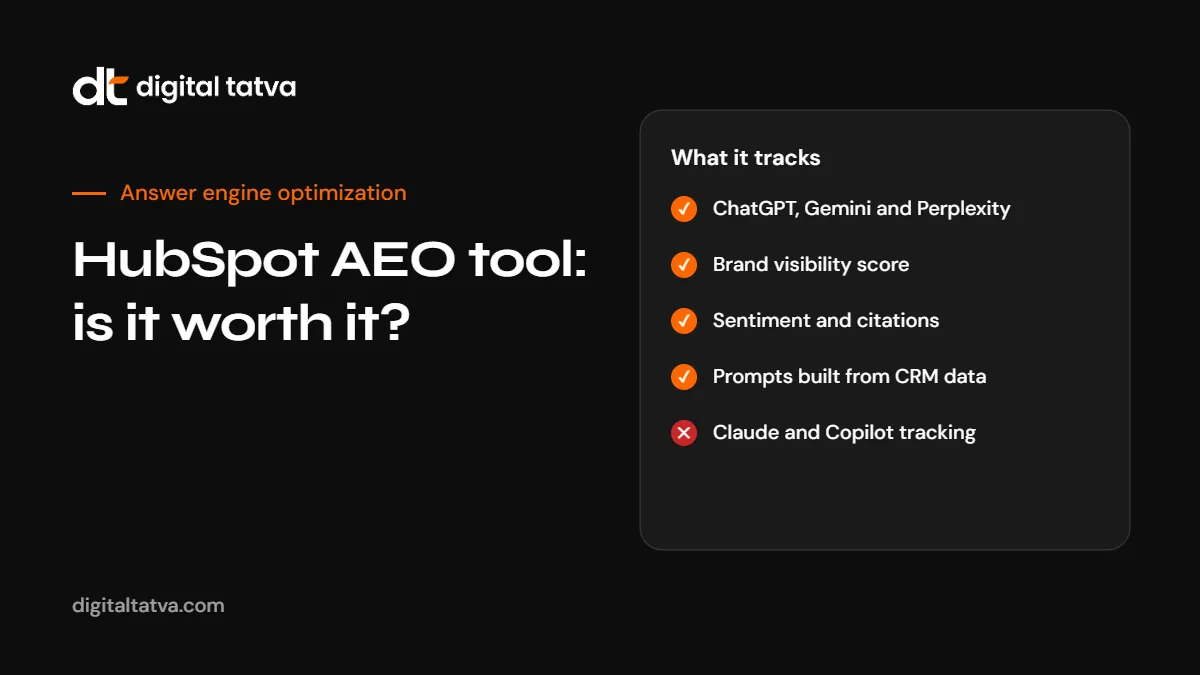
Quick answer: HubSpot AEO is HubSpot’s answer engine optimization tool. It tracks how often your brand appears in ChatGPT, Gemini and Perplexity answers for a set of prompts, reports a visibility score, sentiment, share of voice and the sources each engine cites, and suggests what to do next. HubSpot lists it at $50 a month (or $45 a month billed annually) for 25 tracked prompts as a standalone product, with a free trial, and builds deeper features into Marketing Hub Professional and Enterprise. It is a sensible choice for teams already on HubSpot, especially because it can suggest prompts from CRM data. It does not track every AI engine, and like every tool in this category it measures visibility rather than creating it.
Key takeaways
- HubSpot announced its AEO product on 14 April 2026 as part of its Spring 2026 Spotlight, and it has been widely discussed again this month as more marketers adopt AEO tracking.
- It covers ChatGPT, Gemini and Perplexity, each shown separately. Claude, Microsoft Copilot and Google AI Overviews are not listed on its product page.
- The core metric is a visibility score: the share of tracked AI answers that mention your brand.
- Its biggest advantage is the CRM connection. Prompt suggestions can draw on real contact, deal and customer data instead of generic templates.
- The standalone version does not require any other HubSpot subscription. Acting on recommendations inside HubSpot needs Marketing Hub Professional or Enterprise.
- A tool shows you the gap. Closing it still takes content, technical and reputation work.
Why HubSpot built an AEO tool
HubSpot has been open about the reason. When it launched the product, it said its customers’ organic traffic had fallen 27% year over year, according to its own data. It did not say which industries or query types drove that figure, so treat it as HubSpot’s view of its customer base rather than a universal number. The direction, though, matches what many businesses see: more questions are answered inside Google’s AI features and AI assistants, and fewer people click through to websites.
At the same time, being named in an AI answer has become a way to be considered at all. A buyer who asks ChatGPT for “the best CRM for a small agency” gets a short list. If your brand is not on it, you lose a chance you never saw. AEO tools exist to make that invisible shelf visible. For background on the discipline, see what is AEO.
What HubSpot AEO tracks
| Metric | What it means | Why it matters |
|---|---|---|
| Visibility score | The share of tracked AI responses that mention your brand. If 7 of 10 responses name you, the score is 70. | A simple headline number to track over time |
| Score bands | HubSpot treats above 67 as high, 34 to 66 as medium and below 34 as low | Gives context for whether a score is good |
| Sentiment | How positively or negatively answers describe you, on a scale from -100 to +100 | Being mentioned negatively can be worse than not being mentioned |
| Share of voice | Your presence compared with the competitors you add | Shows who wins the answers you want |
| Citation analysis | Which domains and pages each engine cites, whether they mention you, and which competitors appear instead | Tells you where to act: your own pages or third-party sources |
| Gaps | Prompts where your brand is absent | Your priority list for content and outreach |
| Recommendations | Suggested content, outreach, social posts and YouTube topics, each with reasoning | Turns data into a to-do list |
Data refreshes daily. HubSpot itself says early data is directional and becomes more reliable after a few weeks, which is the right attitude: AI answers vary between runs, so trends matter more than any single day.
Which AI engines it covers
HubSpot AEO tracks ChatGPT, Gemini and Perplexity and shows each one separately. That covers the most used general assistants for many markets, but not all of them.
| Engine | Covered by HubSpot AEO | How to cover it otherwise |
|---|---|---|
| ChatGPT | Yes | Included |
| Google Gemini | Yes | Included |
| Perplexity | Yes | Included |
| Google AI Overviews and AI Mode | Not listed | Manual checks, Search Console trends or another tool. See AI Overviews optimization |
| Microsoft Copilot | Not listed | Manual prompt tests. See Copilot SEO |
| Claude | Not listed | Manual prompt tests |
If a large share of your buyers search on Google, the missing AI Overviews and AI Mode coverage is the gap to plan around.
HubSpot AEO pricing
Pricing below is in US dollars as listed by HubSpot at the time of writing. Taxes are extra and prices can change, so check HubSpot’s site before buying.
| Option | Price | What you get |
|---|---|---|
| Free trial | Free | Try the tool without a HubSpot subscription |
| Standalone HubSpot AEO | $50 a month, or $45 a month on an annual plan | 25 prompts across ChatGPT, Gemini and Perplexity, visibility, sentiment, competitor and citation analysis, recommendations. Extra prompts can be bought. |
| Marketing Hub Professional and Enterprise | Included in those plans | Enterprise-grade AEO features, CRM data feeding the recommendations and the ability to act on them inside HubSpot |
| Brands add-on | Extra | Dedicated tracking for additional brands |
At launch, HubSpot also announced a “HubSpot for Marketers” bundle of Marketing Hub, Content Hub and AEO at $900 a month. For an Indian small business, $50 a month for 25 prompts is affordable, but 25 prompts is a small sample. Most businesses need 50 to 100 prompts to cover their categories, comparisons and cost questions properly, so budget for extra prompts.
The CRM advantage
The feature that sets HubSpot apart is where its prompts come from. Most AEO tools ask you to type prompts or pick from industry templates. HubSpot can suggest prompts based on your CRM: the questions in contact history, the deals you win and lose, and the customers you serve. That matters because the hardest part of AEO measurement is tracking the right questions. A tool that tracks vanity prompts will give you a comfortable score and no insight.
Even with CRM suggestions, review the prompt list yourself. Add the questions your sales team hears, the comparisons buyers make and the cost questions they ask. Our guide to AEO prompt research explains how to build a list that reflects real buying behaviour.
How to set up HubSpot AEO well
- Start with a clear prompt plan. Group prompts by type: category (“best X for Y”), comparison (“X vs Y”), cost, problem and brand. Keep brand prompts to a small share.
- Add three to five real competitors. Pick the brands you actually lose deals to, not the biggest names in your industry.
- Use prompt groups to report by product line, service or market.
- Wait two to four weeks before drawing conclusions. Daily data moves around.
- Read the citation analysis first. The cited sources tell you whether to improve your own pages or work on third-party coverage.
- Treat recommendations as suggestions. Check each one against your strategy and your brand voice before acting.
- Connect it to outcomes. Track AI referral traffic and leads alongside the visibility score. See tracking AI traffic in GA4.
What HubSpot AEO does well
- Low entry price for a standalone tool, with a free trial.
- No HubSpot lock-in for the standalone version.
- CRM-informed prompts for HubSpot customers.
- Clear, simple scoring that non-specialists can understand.
- Citation analysis that points to specific domains and pages.
- Recommendations that turn data into actions, including YouTube and social ideas.
Where it falls short
- Engine coverage stops at ChatGPT, Gemini and Perplexity. Google AI Overviews, AI Mode, Copilot and Claude need separate tracking.
- 25 prompts is a small base sample for most businesses.
- Location and language detail is not described in depth on the product page. If you sell in several countries or languages, confirm how prompts are run before relying on the numbers.
- Execution features sit inside Marketing Hub Professional and Enterprise, which is a large step up in cost.
- Like all AEO tools, it measures. It does not fix crawler access, rewrite your pages or earn reviews for you.
HubSpot AEO vs other AEO tools
| Need | HubSpot AEO | Dedicated AEO tools | Manual tracking |
|---|---|---|---|
| Cost to start | Low, with a free trial | Varies widely | Free, but time-heavy |
| Engines covered | ChatGPT, Gemini, Perplexity | Often more, including Google AI features and Copilot | Any engine you test |
| Prompt ideas | Can use CRM data | Templates and manual entry | Your own research |
| Acting on findings | Inside HubSpot on Marketing Hub Pro and Enterprise | Usually exports and integrations | Spreadsheet and team process |
| Best for | HubSpot users and small teams starting AEO | Agencies and larger brands needing breadth | Very small prompt sets |
For a wider comparison, see the best AEO tools, Peec AI vs Otterly vs Profound and free AEO tools.
Reading HubSpot’s launch claims carefully
HubSpot published several customer results at launch, including more than 850 beta customers and individual case studies. Those are vendor-reported results, often from companies that were already investing in content. They show what is possible, not what any business should expect. When you evaluate any AEO tool, ask three questions:
- How are prompts run, and how many times per prompt?
- Which countries, languages and model versions are used?
- Can you export the raw answers to check the numbers yourself?
A tool that answers these clearly is more trustworthy than one with impressive case studies and a vague method.
What to do with the data
Once HubSpot AEO shows where you are missing, the work is the same whichever tool you use.
| Finding | Likely cause | Action |
|---|---|---|
| Low visibility on category prompts | Unclear positioning, weak third-party presence | State what you do and for whom on key pages; earn mentions in lists and reviews |
| Competitors cited from review sites | Your profiles are missing or thin | Complete profiles and build genuine reviews. See review sites for AEO |
| Negative sentiment | Old complaints or wrong facts | Fix the cause and correct sources. See fixing wrong AI answers |
| Your pages never cited | Access issues or pages that do not answer directly | Check crawler access and rewrite answer-first. See how to get cited by ChatGPT |
| Strong in one engine, weak in another | Different crawlers and sources | Check engine-specific access. See AI crawlers list |
Who should use HubSpot AEO
- HubSpot customers who want AEO data next to their CRM and marketing reports.
- Small teams starting out who need a simple, affordable dashboard.
- Marketing leaders who need a clear number to report AI visibility to management.
Teams that need Google AI Overviews and Copilot tracking, many markets, or agency-style multi-client reporting may need a dedicated tool alongside or instead of it.
How Digital Tatva can help
A tool tells you where you stand. Digital Tatva helps you change it. Our answer engine optimization service builds the right prompt set, sets up tracking in HubSpot AEO or another tool, and then fixes what the data shows: crawler access, answer-first content, entity clarity and third-party mentions. We report progress monthly and never promise AI placement, because no one controls AI answers.
Want a baseline before you pick a tool? Request an AI visibility audit covering ChatGPT, Gemini, Perplexity, Copilot and Google AI, or run our free AI visibility checker.
Frequently asked questions
What is HubSpot AEO?
HubSpot AEO is HubSpot’s answer engine optimization tool. It tracks how often your brand appears in ChatGPT, Gemini and Perplexity answers, along with sentiment, share of voice and cited sources, and gives recommendations.
How much does HubSpot AEO cost?
HubSpot lists the standalone tool at $50 a month, or $45 a month billed annually, for 25 prompts, with a free trial. Deeper features are included in Marketing Hub Professional and Enterprise.
Do I need a HubSpot subscription to use it?
No. The standalone version works without any other HubSpot product. Acting on recommendations inside HubSpot needs Marketing Hub Professional or Enterprise.
Which AI engines does HubSpot AEO track?
ChatGPT, Gemini and Perplexity. Google AI Overviews, AI Mode, Microsoft Copilot and Claude are not listed on its product page.
Is HubSpot AEO better than Profound or Peec AI?
It depends on your needs. HubSpot is strong for HubSpot users and small teams. Dedicated tools often cover more engines and markets. Compare engine coverage, prompt volume and method.
Will HubSpot AEO improve my AI visibility?
It shows where you are missing and suggests actions. Visibility improves when you act on that: fixing access, improving content and earning genuine third-party mentions.
How many prompts should I track?
Most businesses need 50 to 100 prompts across category, comparison, cost, problem and brand questions. Start smaller if needed, but expand to cover real buyer questions.
Can Digital Tatva set up and manage HubSpot AEO?
Yes. We set up tracking, build the prompt set and run the optimization work as part of our AEO service.
Product details, prices and features are checked at the time of writing and can change. Sources are linked in the text so you can check them yourself.
How does your brand appear in AI answers?
We test the questions your buyers ask across the major AI assistants and search engines, then show you what to fix first.
Get an AI Visibility Audit