AI Tools for Restaurants and Cafes: Menus, Marketing, Reviews and Operations
How restaurants, cafes and cloud kitchens can use AI tools to write menus, plan social posts, reply to reviews, handle WhatsApp orders, cost recipes and get recommended when diners ask AI where to eat.
On this page
- Key takeaways
- Why AI matters for restaurants now
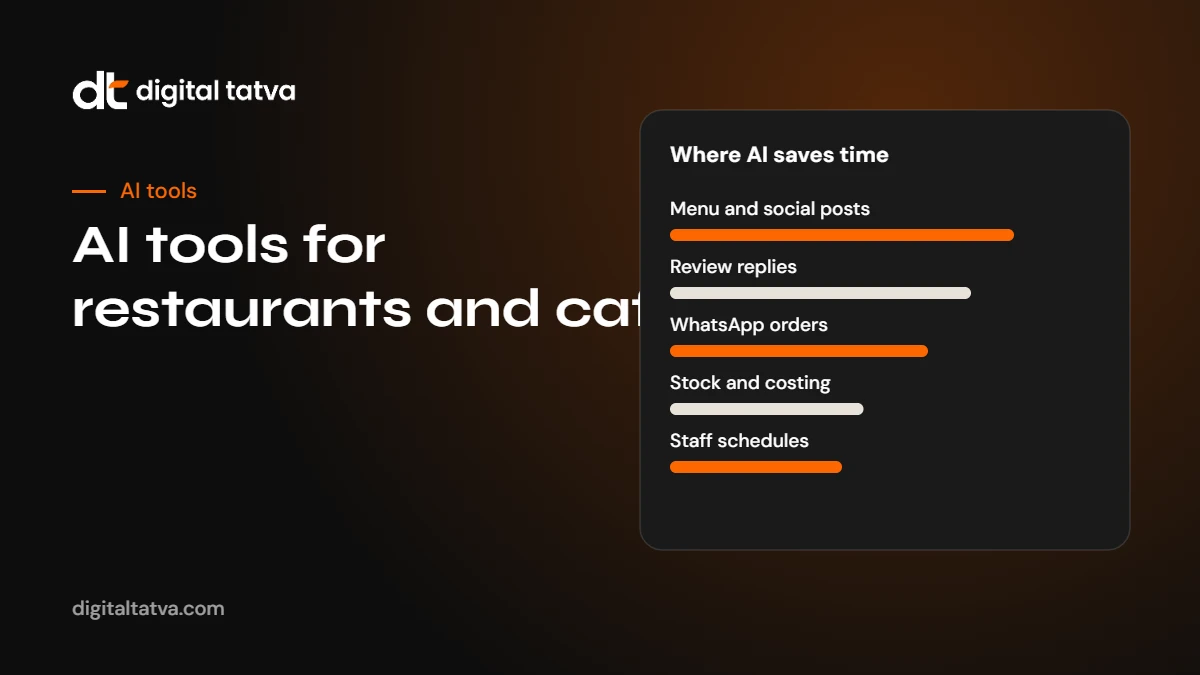
- The AI toolkit for restaurants
- 1. Menu descriptions that make people order
- 2. Social media posts and reels
- 3. Review replies
- 4. WhatsApp enquiries, bookings and orders
- 5. Recipe costing and stock forecasting
- 6. Staff schedules, training and SOPs
- 7. Getting recommended when diners ask AI
- 8. Translation for tourists and diverse diners
- 9. Delivery platforms and cloud kitchens
- 10. Catering, events and private dining
- Worked example: a small cafe’s first month with AI
- A simple 30-day AI plan for a restaurant
- More prompts restaurants can use
- Food safety, licences and honesty
- Measuring what AI is doing for you
- Multi-outlet restaurants and chains
- Getting staff on board
- Costs and how to start cheaply
- Common mistakes
- Seasonal planning with AI
- In summary
- Frequently asked questions
- Sources
Last updated: 4 November 2026
Quick answer: Restaurants and cafes get the most from AI in six jobs: writing menu descriptions and specials, planning social media posts and reels, replying to reviews, answering WhatsApp and phone enquiries, costing recipes and forecasting stock, and drafting staff schedules and training notes. General assistants such as ChatGPT, Claude or Gemini handle most writing tasks; Canva and video editors handle visuals; WhatsApp Business tools and chatbots handle enquiries; and your POS or inventory system provides the data for costing. Just as important, diners now ask AI assistants where to eat, so keep your Google Business Profile, menu and reviews accurate so AI can recommend you.
Key takeaways
- Start with the jobs that eat your time: menu copy, social posts and review replies.
- Most restaurant AI tasks need only a free or low-cost general assistant plus the tools you already use.
- Never let AI invent dishes, ingredients, allergens or offers. Check every output.
- Your menu, hours and reviews online decide whether AI assistants recommend you to diners.
- Use your own sales data, not AI guesses, for costing and stock decisions.
Why AI matters for restaurants now
Running a restaurant leaves little time for marketing and admin. Owners and managers juggle staff, suppliers, quality, delivery platforms and customers, and marketing often happens late at night, if at all. AI tools can take over much of the writing, planning and analysis, letting a small team produce more consistent marketing and better decisions without hiring.
There is a second reason. Diners increasingly ask AI assistants for recommendations: “best South Indian breakfast near Navrangpura open at 7 am”, “family-friendly restaurant in Bandra with Jain options”, “quiet cafe with good Wi-Fi in Koramangala”. ChatGPT, Gemini, Perplexity and Google’s AI features answer with a few names, drawn from maps, reviews, menus and websites. Restaurants with accurate, detailed information get recommended. See AEO for local businesses for the full picture.
The AI toolkit for restaurants
| Job | Tool types | Examples |
|---|---|---|
| Menu descriptions and specials | General AI assistants | ChatGPT, Claude, Gemini |
| Social posts and graphics | Design tools with AI | Canva Magic Studio, Adobe Express |
| Reels and short videos | AI video editors | CapCut, Instagram’s built-in editor |
| Review replies | AI assistants, review tools | ChatGPT, Google Business Profile, review management software |
| WhatsApp enquiries and orders | WhatsApp Business tools | WhatsApp Business app, WATI and similar platforms |
| Recipe costing and stock | POS and inventory with analytics, spreadsheets with AI | Your POS system, Google Sheets or Excel with AI |
| Staff schedules and training | AI assistants, scheduling apps | ChatGPT, Claude, workforce scheduling tools |
| Translation | AI assistants and translation tools | Gemini, ChatGPT, Google Translate |
Plans and prices change frequently, so check each vendor’s current pricing. Many of these tools offer free plans that are enough for a single outlet. See our list of the best free AI tools.
1. Menu descriptions that make people order
Menu copy influences what diners order and how they perceive value, but most restaurants write it once and never revisit it. AI makes it easy to write clear, appetising descriptions for every dish, in several languages.
Give the AI accurate facts for each dish: name, main ingredients, cooking method, taste profile, portion size, spice level, dietary labels you can verify and the story behind it if there is one.
Prompt: “Write menu descriptions for the dishes below for a [type] restaurant in [city]. Each description should be 15 to 25 words, mention the main ingredients and how it is cooked, and describe the taste. Use only the facts given. Do not add ingredients. Mark vegetarian, vegan and Jain dishes only where I have listed them. Tone: [warm and homely / modern and playful]. Dishes: [list with facts].”
Review every description with your chef. Pay special attention to ingredients and allergens. An AI that adds “with a hint of cashew” to a dish without nuts could cause real harm.
Watch out: Allergen and dietary information must come from your kitchen, not from AI. Have the chef confirm every label before you print or publish.
2. Social media posts and reels
Consistent social media brings diners in, but it takes time. AI helps you plan a month of content in an hour.
- Plan the month. Ask an AI assistant for a content calendar built around your specials, festivals, events and slow days.
- Write captions. Generate several caption options for each post and pick the best.
- Create graphics. Use Canva’s templates and AI features to make posts for offers and events. See how to use Canva AI.
- Edit reels. Shoot short clips of dishes being made and use an AI video editor for auto captions, cuts and music. See how to use CapCut AI and AI tools for Instagram Reels.
- Schedule. Use Meta Business Suite or a scheduling tool. See the best AI social media tools.
Prompt: “Create a 4-week Instagram plan for a [cafe] in [area]. We post 4 times a week. Include our weekend brunch, the new cold coffee range, a Diwali special and a ‘meet the chef’ post. For each post give the idea, the shot to take, a caption under 40 words and 5 relevant hashtags.”
Use real photos of your food and people. AI-generated food images can mislead diners and damage trust when the real dish looks different.
3. Review replies
Replying to reviews shows diners you care, and it signals activity to Google and other platforms. AI makes it quick to reply to every review with a personal, polite response.
Prompt: “Draft a reply to this Google review for our restaurant. Thank the guest by name, mention the specific dish or experience they described, and keep it under 60 words. If the review is negative, apologise sincerely, avoid arguing, and invite them to contact [phone or email] so we can make it right. Review: [paste].”
Edit each draft before posting so it sounds like you, and never reveal private details about a guest’s order or bill. Look for patterns: if several reviews mention slow service on weekends, the fix is staffing, not better replies. Our list of review management software helps if you manage several outlets.
4. WhatsApp enquiries, bookings and orders
In India and many other markets, diners message restaurants on WhatsApp to ask about menus, timings, table bookings and party orders. The free WhatsApp Business app offers quick replies, greeting and away messages, labels and a catalogue. For higher volumes, WhatsApp Business Platform providers add chatbots, broadcast campaigns and integrations. See WhatsApp AI for business.
- Set up quick replies for the ten most common questions: hours, location, parking, menu link, delivery areas, booking process.
- Add your menu to the WhatsApp catalogue with prices and photos.
- Use AI to draft friendly, consistent reply templates.
- For bots, keep a clear route to a human for bookings, complaints and large orders.
- Get consent before sending promotional broadcasts and follow WhatsApp’s business policies.
5. Recipe costing and stock forecasting
Food cost control decides whether a restaurant makes money. AI cannot replace your POS data, but it can help you analyse it.
- Recipe costing: put each recipe’s ingredients, quantities and current purchase prices in a spreadsheet. Ask AI to build formulas for cost per plate, food cost percentage and suggested menu price at your target margin.
- Menu engineering: export item sales and margins from your POS. Ask AI to classify dishes into high-margin popular items, low-margin popular items, high-margin slow items and low performers, then suggest actions.
- Stock forecasting: export daily sales for the last few months and ask AI to spot weekday and seasonal patterns. Use this to plan purchasing, but check against your own experience.
- Waste tracking: log waste daily and ask AI to summarise the biggest causes each month.
Prompt: “Here is a spreadsheet of our dishes with monthly units sold, selling price and food cost. Classify each dish using menu engineering categories based on popularity and contribution margin. Suggest one action for each category and explain your reasoning. Show your calculations.”
See AI tools for Excel and ChatGPT for Excel for help with spreadsheets.
6. Staff schedules, training and SOPs
- Schedules: describe your staff, availability, shift rules and expected covers, and ask AI to draft a weekly rota. Check it against labour rules and staff preferences.
- Training material: turn your chef’s verbal instructions into written SOPs for prep, hygiene, opening and closing.
- Multilingual staff: translate SOPs into Hindi, Gujarati, Marathi or other languages your staff prefer, with a fluent reviewer. See AI tools for Indian languages.
- Quizzes: create short quizzes on the menu, allergens and service standards for new staff.
7. Getting recommended when diners ask AI
This is where many restaurants miss out. When someone asks ChatGPT or Google AI Mode for a restaurant, the answer draws heavily on maps, reviews, menus and food platforms. To be recommended:
- Google Business Profile: accurate hours (including holidays), the right categories, menu link, photos, attributes such as “outdoor seating”, “vegetarian options”, “good for kids”, and regular posts.
- Menu online in text. A PDF or photo of the menu is hard for AI to read. Put the menu on your website as text, with prices and dietary labels.
- Consistent details on Google, Zomato, Swiggy, Instagram, your website and any directory.
- Specific descriptions. “A 40-seat Gujarati thali restaurant with unlimited refills, Jain options and parking for 15 cars” is more useful than “authentic taste”.
- Reviews. Ask happy guests for reviews and reply to all of them.
- A simple website with location, hours, menu, booking options and FAQs such as parking, kids, private dining and dietary options.
Check whether AI crawlers can read your website with our free AI visibility checker, and test questions diners ask in ChatGPT and Google to see who is recommended. Our five elements framework explains what decides those answers.
8. Translation for tourists and diverse diners
Restaurants in tourist areas or cities with diverse populations can use AI to translate menus and signs into several languages. Ask for translations that keep dish names in their original form with a short explanation, and have a fluent speaker check important items. For tourist-heavy locations, a QR code menu with language options is easy to build.
9. Delivery platforms and cloud kitchens
For cloud kitchens and restaurants that rely on delivery, platform listings matter as much as the website. AI can help you:
- Write clear, appetising item descriptions within each platform’s character limits.
- Analyse ratings and comments exported from partner dashboards to find recurring issues such as packaging, portion size or temperature.
- Draft offer copy for slow hours or days, based on your own sales patterns.
- Plan menu changes by comparing item performance across platforms.
Keep item names, prices and descriptions consistent across platforms, your website and your own menu. Mismatched information confuses diners and AI assistants alike.
10. Catering, events and private dining
Party orders, catering and private dining are often the most profitable parts of a restaurant business, and the most time-consuming to quote. AI can draft package descriptions, build quotation templates from your price list and answer common questions about minimum guests, advance notice, customisation and deposits. Publish a clear catering or private dining page with packages, capacities and the booking process. People increasingly ask AI questions like “restaurants in Ahmedabad that cater for 100 people with Jain food”, and a clear page makes you a candidate for that answer.
Worked example: a small cafe’s first month with AI
Here is an illustration of how a two-person cafe team might use AI in practice.
- Day 1: the owner updates the Google Business Profile with correct hours, attributes such as “Wi-Fi” and “outdoor seating”, and new photos. The menu is added to the website as text.
- Week 1: using an AI assistant and the chef’s notes, the owner rewrites all 30 menu descriptions in an hour, then checks them with the chef.
- Week 2: a month of Instagram posts is planned in one sitting, with captions drafted by AI and reels edited with automatic captions.
- Week 3: AI drafts replies to 40 unanswered Google reviews, which the owner edits and posts. WhatsApp quick replies are set up for hours, location and the menu link.
- Week 4: a sales export is analysed with AI; two slow dishes with low margins are removed, and a popular cold coffee is given more prominence.
None of this needs paid tools to start, and the owner gets back several hours a week.
A simple 30-day AI plan for a restaurant
| Week | Focus | Tasks |
|---|---|---|
| 1 | Online presence | Update Google Business Profile, put the menu on your website as text, align details on delivery platforms |
| 2 | Menu and content | Rewrite menu descriptions with AI and chef review; plan a month of social posts |
| 3 | Reviews and WhatsApp | Reply to all recent reviews; set up WhatsApp quick replies and catalogue |
| 4 | Numbers | Build a recipe costing sheet; run a menu engineering analysis from POS data |
More prompts restaurants can use
- “Write a festive special menu announcement for [festival] with three dishes and a limited-time price, in English and [language], under 60 words each.”
- “Suggest 10 names for a new [dish type] that are easy to pronounce and fit a [style] restaurant.”
- “Turn these chef’s notes into a step-by-step prep SOP for new kitchen staff, with safety and hygiene points highlighted.”
- “Draft a polite message to regular customers announcing new opening hours from [date].”
- “From these 80 reviews, list the top five things guests love and the top five complaints, with counts.”
- “Write five FAQs for our website: parking, kids, Jain food, private dining and advance booking, using these facts: [paste].”
- “Plan a slow-day promotion for Tuesday lunch that protects margins, based on these item margins: [paste].”
Food safety, licences and honesty
Restaurants operate under food safety rules, and marketing should never conflict with them. Display your food safety licence details where required, keep allergen information accurate and avoid health claims about dishes that you cannot support. If you use AI-generated images for posters or social media, make sure they are clearly illustrative and do not misrepresent the actual food. When customers ask AI assistants about hygiene or safety, your reviews and any official ratings will carry far more weight than marketing copy, so focus on running a clean kitchen and responding well to feedback.
Measuring what AI is doing for you
- Time saved: note how long menu updates, posts and review replies took before and after.
- Reviews: count and average rating each month, and reply rate.
- Google Business Profile insights: calls, direction requests and website clicks.
- Bookings and orders from WhatsApp and your website.
- AI recommendations: once a month, ask ChatGPT and Google AI Mode the questions diners ask in your area and note whether you are named. See how to check if ChatGPT recommends your brand.
Multi-outlet restaurants and chains
Restaurant groups with several outlets face extra challenges: keeping menus, prices and hours consistent across locations, managing reviews for each outlet and giving each location its own identity online. AI helps by drafting outlet-specific descriptions from a shared template, summarising reviews per outlet each month and preparing consistent replies in the brand voice. Give every outlet its own Google Business Profile and website page with address, hours, menu, parking and facilities, so AI assistants can recommend the right location for each diner’s question.
Getting staff on board
Kitchen and service teams are often wary of new technology. Start with tools that clearly make their lives easier, such as translated SOPs, clearer schedules and fewer repeated questions from guests on WhatsApp. Show the team how AI drafts are checked, and make it clear that AI helps with paperwork and marketing, not with judging their work. A short weekly huddle to share what is working keeps everyone involved.
Costs and how to start cheaply
A single outlet can start with free tools: the free tier of an AI assistant, Canva’s free plan, the WhatsApp Business app, Google Business Profile and a spreadsheet. Upgrade only when you hit limits you actually feel, such as needing more AI usage, brand kits in Canva or a WhatsApp chatbot for high order volumes. Our guides to saving money on AI subscriptions and AI subscriptions worth paying for help you decide.
Common mistakes
- Letting AI invent ingredients, allergens or offers.
- Using AI-generated food photos that do not match real dishes.
- Generic, copy-paste review replies.
- Menus only as images or PDFs.
- Different hours on Google, delivery apps and Instagram.
- Chatbots with no way to reach a person.
Seasonal planning with AI
Festivals, wedding seasons, exam periods, monsoons and holidays all change how diners eat out. Ask AI to build a yearly calendar of local festivals and events for your city, then plan specials, menus and posts around them a month ahead. Compare the plan with last year’s sales data to see which occasions actually brought guests in, and focus your effort there.
In summary
AI gives restaurants back time on the jobs that pile up after service: menu copy, social posts, review replies, WhatsApp questions, costing and training. Start with free tools, keep your chef in charge of ingredients and allergens, and use your own sales data for decisions. Just as important, keep your Google Business Profile, online menu and reviews accurate and active, because that is what AI assistants rely on when diners ask where to eat.
Frequently asked questions
What are the best AI tools for restaurants?
Most restaurants get the most value from a general AI assistant for writing, a design tool such as Canva for graphics, an AI video editor for reels, WhatsApp Business tools for enquiries and spreadsheet AI for costing, alongside their POS system.
Can AI write a restaurant menu?
AI can write clear, appetising menu descriptions from facts you provide. Your chef should confirm every ingredient, allergen and dietary label before publishing.
How do I get my restaurant recommended by ChatGPT or Google AI?
Keep your Google Business Profile accurate and complete, put your menu online as text, use consistent details on every platform, collect and reply to reviews, and describe your restaurant specifically.
Should restaurants use AI chatbots on WhatsApp?
For high enquiry volumes, a chatbot can answer common questions and take simple orders. Always offer an easy route to a person for bookings, complaints and large orders.
Can AI help reduce food costs?
AI can help analyse POS and purchase data for recipe costing, menu engineering and waste patterns. Decisions should be based on your own data and kitchen experience.
Are AI tools expensive for small restaurants?
Not necessarily. Many restaurants start with free plans and upgrade only when they hit limits.
Sources
- Guidelines for representing your business on Google, Google Business Profile Help
- WhatsApp Business app, Meta
- Canva Magic Studio, Canva
Product details, prices and features are checked at the time of writing and can change. Sources are linked in the text so you can check them yourself.
How does your brand appear in AI answers?
We test the questions your buyers ask across the major AI assistants and search engines, then show you what to fix first.
Get an AI Visibility Audit