How to Use CapCut AI Features to Edit Videos Faster
How to use CapCut AI: auto captions, Auto-Edit, long video to shorts, text to speech and AI avatars step by step, free vs Pro, and alternatives where CapCut is blocked.

On this page
- Key takeaways
- What is CapCut AI?
- Which CapCut AI features are worth using?
- How do you add auto captions in CapCut?
- How to turn a long video into Shorts with CapCut AI
- How to make a faceless video with CapCut AI
- Is CapCut free? Free vs Standard vs Pro
- Is CapCut available in India?
- Frequently asked questions
- Start editing faster with CapCut AI
- Sources
Last updated: 22 October 2026
Quick answer: To use CapCut AI, open a project in the CapCut app or browser editor, import your clips, then use AI tools such as Auto captions, Auto-Edit, Long video to shorts, Remove background, Text to speech and AI avatars from the toolbar. Many tools are free; 4K export and the full AI suite need CapCut Pro, about $19.99 a month. CapCut is still blocked in India.
CapCut, owned by ByteDance, is one of the most used video editors in the world, with about 69 million monthly web visits in June 2026 according to Exploding Topics. Its AI tools can caption a video in 130+ languages, cut long recordings into short clips, add a voiceover and remove backgrounds in a few taps, which makes it a favorite for Reels, Shorts and TikTok.
This guide shows how to use CapCut’s main AI features step by step, what is free and what needs Pro, a fast workflow for short videos, and the best alternatives if CapCut is not available in your country.
Key takeaways
- Instant captions support more than 130 languages, and Auto-Edit became a default feature in CapCut’s 2026 update.
- CapCut includes 269 text-to-speech voices and AI avatars for faceless videos.
- The free plan exports at 1080p; using Pro-tagged templates or effects adds a watermark.
- Pro is listed at about $19.99 a month or $179.99 a year (third-party, prices vary by region and app store).
- CapCut has been blocked in India since the June 2020 app ban; Indian creators should use alternatives such as Instagram Edits.
What is CapCut AI?
CapCut AI is the set of artificial intelligence tools built into the CapCut video editor that automate captioning, editing, voiceovers, effects and video creation. You use them inside the normal editor on mobile, desktop or the web.
| Key fact | Detail |
|---|---|
| Developer | ByteDance (also owns TikTok) |
| Platforms | iOS, Android, Windows, macOS, web browser |
| Key AI tools | Instant captions, Auto-Edit, AI avatars, text to speech, background removal, AI video generation |
| Free plan | Yes, 1080p export; watermark when using Pro-tagged items |
| Paid plans | Standard about $9.99/month; Pro about $19.99/month or $179.99/year (third-party) |
| India | Blocked since June 2020 |
CapCut did not publish a readable official pricing page when we checked, so treat plan prices as estimates and confirm them in the app. For other options, see our list of the best AI video editors.
Which CapCut AI features are worth using?
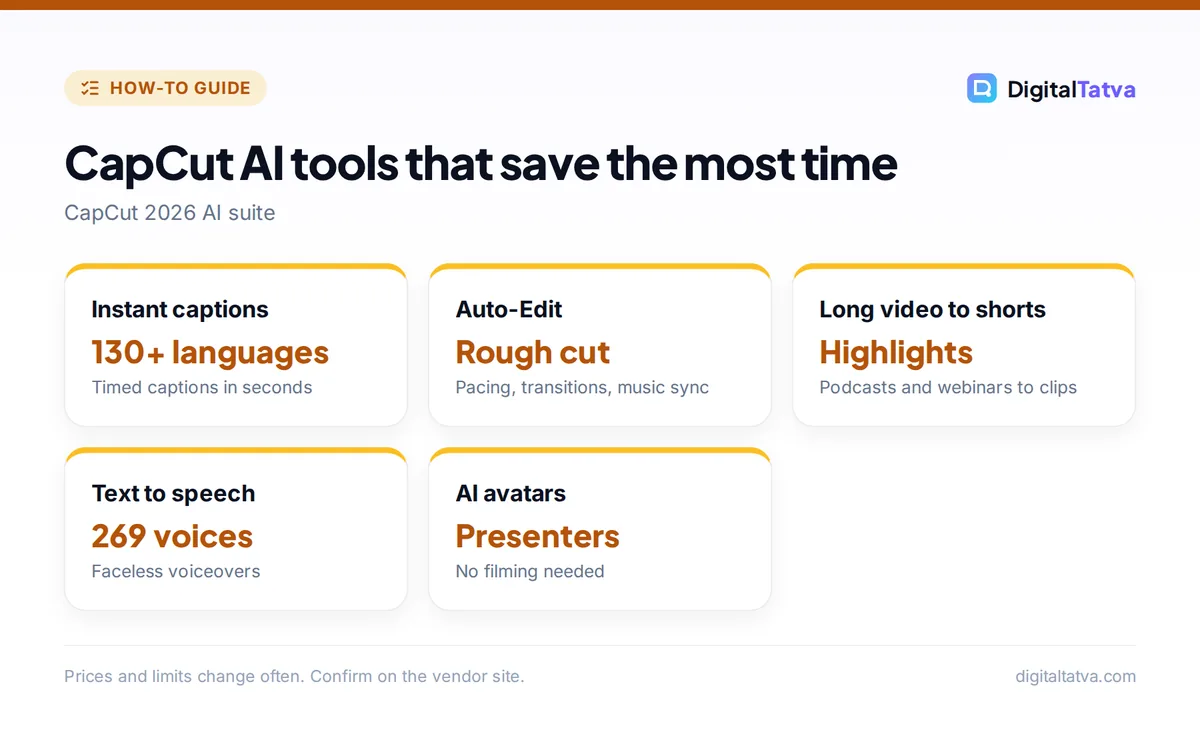
The CapCut AI features most worth using are captions, Auto-Edit, long video to shorts, background removal, text to speech and AI avatars, because they save the most editing time. Here is what each one does.
| Feature | What it does | Best for |
|---|---|---|
| Instant or Auto captions | Transcribes speech into timed captions in 130+ languages | Every short video |
| Auto-Edit | Proposes a cut from raw footage with pacing, transitions and music sync | Vlogs, event clips |
| Long video to shorts | Finds highlight moments in a long video and turns them into vertical clips | Podcasts, webinars |
| Remove background | Cuts out people or objects without a green screen | Product videos, tutorials |
| Text to speech | Turns a script into a voiceover with 269 voices | Faceless channels |
| AI avatars | Adds a digital presenter who reads your script | Explainers, ads |
| Script to video and AI video | Creates video scenes from text; CapCut added ByteDance’s Seedance 2.0 in April 2026 | B-roll, ideas |
Some tools are free and others require Pro, and availability varies by country and platform, so check the Pro badge before you build a project around a feature. If you only need one job done well, dedicated tools can beat CapCut: compare the best background removers and AI transcription tools.
How do you add auto captions in CapCut?
You add auto captions in CapCut by selecting Text, then Auto captions (or Captions), choosing the spoken language and tapping Generate. CapCut transcribes the audio and places timed captions on the timeline, usually in under a minute.
- Import your video. Open CapCut, tap New project and add your clip.
- Open captions. Tap Text, then Auto captions in the toolbar (on desktop, look under Captions).
- Pick the language. Choose the spoken language; you can also translate captions into another language.
- Generate. CapCut adds caption blocks synced to speech.
- Fix mistakes. Tap any caption to correct names, brand terms and numbers.
- Style them. Pick a caption template with bold words or animations, and keep text inside the safe area for Reels and Shorts.
Tip: captions raise watch time because many people scroll with sound off. Highlight one key word per line in a brand color to make captions easier to follow.
How to turn a long video into Shorts with CapCut AI
CapCut’s Long video to shorts tool finds highlight moments in a long recording and turns them into vertical clips with captions. It is the fastest way to repurpose a podcast, webinar or YouTube video.
- Upload the long video to the Long video to shorts tool (available on desktop and web; features vary by plan).
- Set the clip length, for example 30 to 60 seconds.
- Let AI pick highlights. CapCut suggests several clips, often with a score or label.
- Review each clip. Make sure each one starts with a strong hook and ends on a complete thought.
- Add captions and a title, then export in 9:16.
For a complete short-form workflow, read how to make YouTube Shorts with AI and our AI tools for Instagram Reels.
How to make a faceless video with CapCut AI
A faceless video in CapCut combines a script, an AI voiceover or avatar, stock or AI-generated visuals and captions. You can make one in about 20 minutes.
- Write the script. Draft 120 to 150 words for a 60-second video; an AI assistant can help.
- Add a voice. Paste the script into Text to speech and choose one of the 269 voices, or add an AI avatar presenter.
- Add visuals. Use CapCut’s stock library, script-to-video scenes or images you made elsewhere.
- Generate captions and add background music at low volume.
- Export at 1080p on the free plan or 4K on Pro.
For more natural voices, compare free text-to-speech tools, and for realistic presenters see our AI avatar generators. To create cinematic B-roll, tools like Higgsfield pair well with CapCut.
Is CapCut free? Free vs Standard vs Pro
CapCut is free to download and use with core editing and many AI tools, but premium templates, effects, 4K export and the full AI toolkit need a paid plan. Third-party pricing guides list three tiers in 2026.
| Plan | Price (third-party estimate) | What you get |
|---|---|---|
| Free | $0 | Core editing, 1080p export, free templates; watermark if you use Pro-tagged items |
| Standard | About $9.99/month | No watermark, more templates and effects, mainly mobile; no 4K |
| Pro | About $19.99/month or $179.99/year | 4K export, full AI toolkit, 100 GB+ cloud storage |
Save money: a pricing review by BIGVU found buying directly from CapCut is often 20 to 30 percent cheaper than subscribing through the Apple App Store or Google Play. If you cancel Pro, premium assets disappear from existing projects, so export finished videos first.
Is CapCut available in India?
No. CapCut has been blocked in India since the government’s June 2020 ban on Chinese apps, and it remained unavailable in 2026. Indian creators should not sideload unofficial copies, which can carry malware.
Good alternatives available in India include Instagram’s Edits app (launched April 2025), Canva’s video editor, and other editors in our best AI video editors list. For thumbnails and graphics, see the best AI thumbnail makers and our Canva Magic Studio review.
Frequently asked questions
Is CapCut AI free to use?
Partly. CapCut’s free plan includes core editing, 1080p export and many AI tools such as auto captions. Some templates, effects and advanced AI features are marked Pro, and using them on the free plan adds a watermark. Pro, about $19.99 a month, unlocks 4K and the full AI toolkit.
How do I get auto captions on CapCut?
Import your video, tap Text and choose Auto captions, select the spoken language and tap Generate. CapCut transcribes speech into timed captions in 130+ languages. Then correct any wrong words, especially names and numbers, and pick a caption style.
Can CapCut make AI videos from text?
Yes. CapCut offers script-to-video tools and added ByteDance’s Seedance 2.0 video model in April 2026 for short AI clips. It also has AI avatars and 269 text-to-speech voices, so you can build a faceless video from a script.
Why is CapCut not working in India?
CapCut has been blocked in India since June 2020, when the government banned many Chinese apps. It is not available on the official app stores there. Use alternatives such as Instagram Edits or Canva, and avoid unofficial downloads, which may be unsafe.
Is CapCut Pro worth it?
CapCut Pro is worth it if you publish videos weekly and need 4K export, no watermarks and advanced AI tools like long video to shorts. Casual creators can stay on the free plan by avoiding Pro-tagged templates and effects.
Start editing faster with CapCut AI
Begin with auto captions and Long video to shorts, the two features that save the most time, then add text to speech and Auto-Edit as you get comfortable. If you are in India or another country where CapCut is unavailable, switch to a local alternative. Features and prices vary by region and change often, so check the plan details inside the CapCut app before you subscribe.
Sources
- CapCut 2026 AI suite explained, BibiGPT, April 2026, checked 22 October 2026
- CapCut pricing 2026, eesel AI, May 2026, checked 22 October 2026
- CapCut pricing 2026: free vs Pro, BIGVU, March 2026, checked 22 October 2026
- Most popular AI tools ranked, Exploding Topics, October 2026, checked 22 October 2026
Pricing and features are checked at the time of writing and can change. Some links may be affiliate links, which never affect our verdicts.