How to Make YouTube Shorts With AI, From Idea to Upload
A step by step YouTube Shorts AI workflow: script with ChatGPT, generate clips in YouTube Create, add voice and captions, and follow YouTube's AI disclosure and monetization rules.

On this page
- Key takeaways
- YouTube Shorts AI workflow at a glance
- What you need before you start
- Step 1: Find a Short idea with AI
- Step 2: Write a tight script in 10 minutes
- Step 3: Create the visuals (film, generate or mix)
- Step 4: Add a voiceover
- Step 5: Edit, caption and add music
- Step 6: Upload and disclose AI correctly
- Step 7: Monetization rules for AI Shorts
- Common mistakes with AI Shorts
- Frequently asked questions
- Next steps: publish your first AI Short this week
To make YouTube Shorts with AI, use a chatbot such as ChatGPT or Claude to find an idea and write a 30 to 60 second script, generate or film your visuals (YouTube’s own Create app and Shorts camera now include free AI video tools), add an AI voiceover and auto captions, then upload a vertical video of up to three minutes and tick the AI disclosure box if anything looks realistic but is not real. The whole YouTube Shorts AI workflow can run on free tools, and a first Short takes about an hour once you have done it a couple of times.
Below is the full process from idea to upload, with the exact free tools to use at each step, the YouTube rules that trip up AI creators (disclosure, copyright claims and monetization), and prompts you can copy. Features and limits were checked on YouTube’s and each vendor’s official pages on 12 October 2026.
Key takeaways
- Shorts can be up to three minutes long in a square or vertical format. A Short over one minute with an active Content ID claim is blocked worldwide, so keep borrowed music and clips out of longer Shorts.
- YouTube Create, a free editing app available in India and 20 other countries, can turn your clips into a draft with music, captions and an AI voiceover, and can generate 10-second clips with Gemini Omni.
- AI help with scripts, titles, thumbnails, captions and your own cloned voice does not need disclosure. Realistic scenes that never happened do.
- YouTube does not monetize mass-produced, template-made AI content, so add your own voice, opinion or footage to every Short.
- A practical free stack: ChatGPT for scripts, YouTube Create or Shorts camera for visuals, ElevenLabs free tier for voice, and YouTube’s built-in captions.
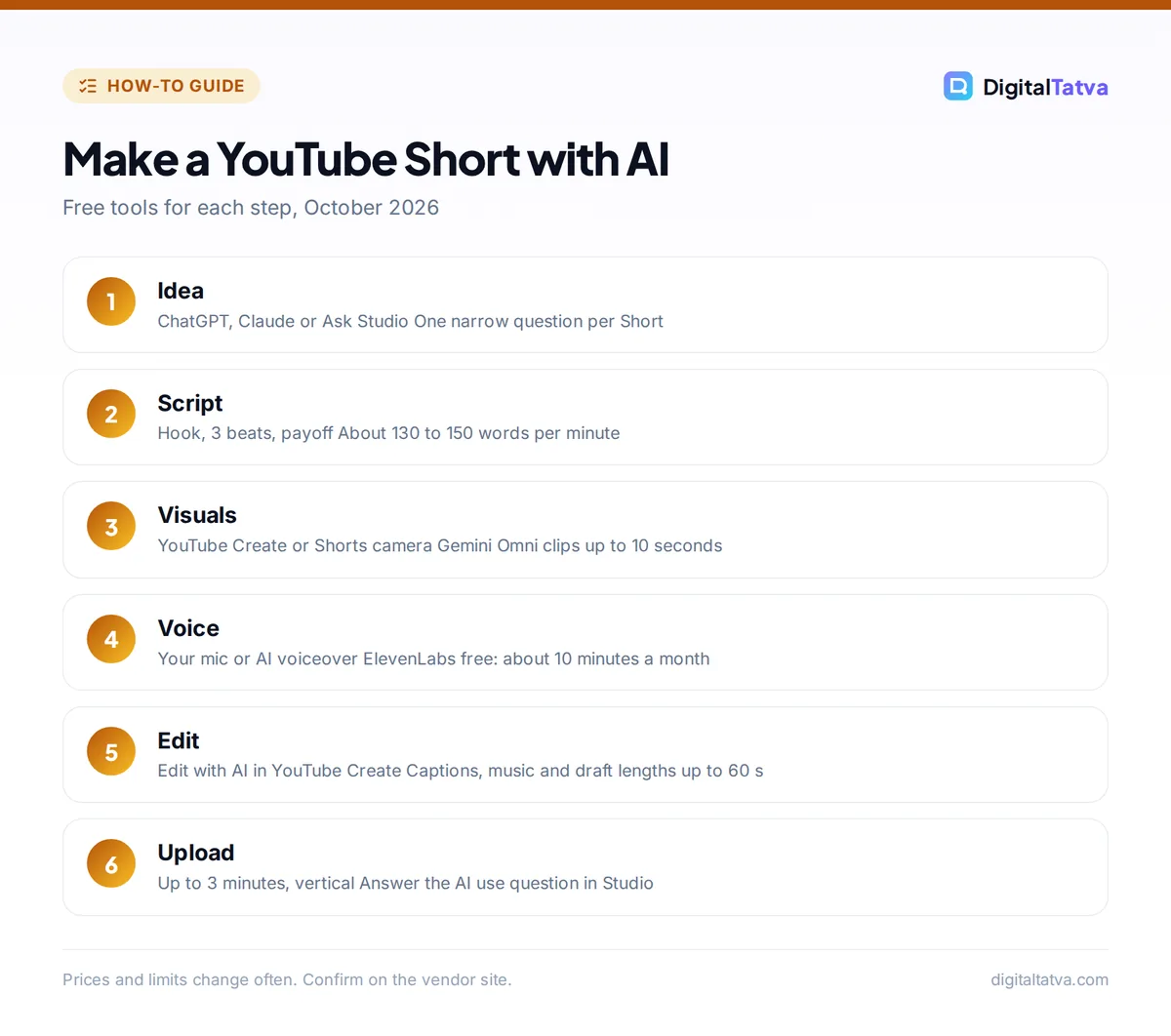
YouTube Shorts AI workflow at a glance
Here is the whole process in seven steps, with a free tool for each. Each step is explained in detail below.
| Step | What you do | Free AI tool to use | Time |
|---|---|---|---|
| 1. Idea | Pick a topic viewers already search for | ChatGPT, Claude or YouTube’s Ask Studio | 10 min |
| 2. Script | Write a hook, 3 points and a payoff | ChatGPT or Claude | 10 min |
| 3. Visuals | Film yourself or generate clips | YouTube Create (Gemini Omni), Shorts camera, Google Flow | 15 min |
| 4. Voice | Record or generate the voiceover | Your phone mic, YouTube Create voiceover, ElevenLabs | 5 min |
| 5. Edit | Cut, add captions and music | YouTube Create “Edit with AI”, OpusClip for repurposing | 15 min |
| 6. Upload | Title, description, AI disclosure | YouTube Studio | 5 min |
| 7. Improve | Check retention and repeat | YouTube Studio analytics, Ask Studio | Weekly |
What you need before you start
- A YouTube channel and the YouTube app on your phone. Shorts can be recorded, edited and uploaded entirely from a phone.
- The free YouTube Create app. It runs on Android phones with at least 4GB of RAM and on iPhone XR or newer with iOS 17 or later, and India is on the supported list.
- A free account on one chatbot (ChatGPT, Claude or Gemini) for ideas and scripts.
- Optional: a free ElevenLabs account for AI voices and a free Canva account for cover frames.
If you want a deeper look at each tool, our ranking of the best AI tools for YouTubers from script to thumbnail covers paid upgrades too.
Step 1: Find a Short idea with AI
Good Shorts answer one narrow question or show one satisfying result. Ask a chatbot for ideas, but feed it real context: your niche, your audience and what already worked for you.
Prompt: “I run a YouTube channel about budget home cooking for students in India. Suggest 15 YouTube Shorts ideas under 60 seconds. Each must answer one specific question people search for, be filmable in a small kitchen, and have a visual payoff in the last 3 seconds. Return a table with idea, hook line and payoff.”
If you have access to YouTube’s Ask Studio (the AI assistant in YouTube Studio on desktop, available to most creators globally but not to Made for Kids channels or creators under 18), ask it which of your past videos had the best retention and turn those topics into Shorts. Our collection of the 100 best ChatGPT prompts has more idea-generation templates.
Step 2: Write a tight script in 10 minutes
Most Shorts lose viewers in the first two seconds, so the script matters more than the visuals. Use this structure: a hook that states the payoff, three quick beats, and a payoff or twist. At normal speaking speed, about 130 to 150 words fills a minute.
Prompt: “Write a 45-second YouTube Shorts script on ‘how to make soft rotis without a rolling pin’. Line 1 must be a hook under 10 words. Then 3 steps, one sentence each, then a payoff line. Add on-screen text suggestions in brackets. Write it the way I talk: casual Indian English, no fancy words.”
Then edit it yourself. Cut any line that does not add information, and add one personal detail (“I burned 20 rotis learning this”). That personal touch is what keeps the Short from looking like mass-produced content, which matters for monetization later.
Tip: Ask the chatbot for five alternative hooks and pick the one you would stop scrolling for. The hook is the line most worth rewriting.
Step 3: Create the visuals (film, generate or mix)
You have three options, and the best Shorts usually mix them: film yourself for trust, and use AI clips for the shots you cannot film.
Option A: Generate clips in YouTube Create with Gemini Omni
YouTube Create can generate vertical clips of up to 10 seconds with Google’s Gemini Omni model. Open the app, tap the Generate video tool (or Add in the editor), write a prompt of up to 900 characters, optionally add up to 3 reference images, choose a lighting preset such as Golden hour, describe any audio, and tap Generate, then Use Video. Google says Gemini Omni in Shorts Remix and YouTube Create is available at no cost to users 18 and over. YouTube’s help page lists this feature on mobile in Australia, Canada, India, New Zealand and the US.
The same app can generate four images per prompt with Nano Banana (prompts in English or Hindi, 18+) and turn one into an 8-second video, which is useful for title cards and B-roll.
Option B: Use the AI tools in the Shorts camera
Inside the YouTube app, tap Create, then the sparkle icon. You can make an AI background for green screen, generate a standalone clip of up to 10 seconds (with up to 3 reference photos), animate a still with Photo to video, or use “Make me move” to animate a full-body photo of one person. These tools are not available in the EEA, some are missing in the UK and Switzerland, and most need your device language set to English. Shorts made with these tools are labeled as AI automatically.
Option C: Generate cinematic shots in Google Flow
For higher-quality clips, Google Flow gives non-subscribers 50 free credits a day, and a Veo 3.1 Lite generation costs 10 credits, so you can try a few clips daily. Free generation may be unavailable during peak hours (roughly 2 PM to 5 PM UTC, which is evening in India), and Flow adds a visible watermark for users in India. Our step-by-step guide on how to use Google Flow and Veo walks through Frames, Ingredients and Extend, and our list of free AI video generators that are actually usable covers other options.
Step 4: Add a voiceover
Your own voice is still the best choice for trust and for monetization. If you cannot record, you have two good free routes.
- YouTube Create “Edit with AI”: when you build a draft, you can switch on Voiceover. YouTube lists Bengali, English, Hindi and Portuguese voiceovers at launch, which is handy for Indian creators.
- ElevenLabs: the free plan gives 10,000 credits a month (about 10 minutes of speech), enough for several Shorts, but it does not include a commercial license. The Starter plan at $6/month adds commercial rights and instant voice cloning. See our guide to the best AI voice generators for alternatives.
Watch out: Never clone someone else’s voice. Cloning your own voice for voiceovers or dubs does not need an AI disclosure on YouTube, but making a real person appear to say something they did not say does.
Step 5: Edit, caption and add music
The fastest free editor for Shorts is YouTube Create. Tap the “Create Shorts” banner, pick 1 to 25 photos or clips (total length 5 seconds to 5 minutes), choose whether you want Voiceover, Music and Captions, and select a target length of under 15 seconds, 15 to 30 seconds or 31 to 60 seconds. The app builds a draft you can then trim and adjust by hand.
Other tools worth knowing:
- OpusClip turns a long video into vertical clips. The free plan gives 60 credits a month but adds a watermark and exports expire after 3 days. Starter costs $15/month without a watermark.
- Submagic and Captions add animated subtitles and auto-zooms if you want the bold caption style. Submagic starts at $12/month billed yearly.
- CapCut is popular globally but remains blocked in India, so Indian creators should use YouTube Create or Instagram’s free Edits app instead.
For music, use the Shorts Audio Library: most tracks can run for up to 90 seconds in a three-minute Short. Royalty-free tracks from the YouTube Audio Library will not get a Content ID claim. If you want original tracks, see our list of the best AI music generators, but check that your plan grants commercial rights (Suno’s free plan, for example, does not). Our list of the best AI video editors for YouTube and Reels compares more editors.
Step 6: Upload and disclose AI correctly
- Check the format. Square or vertical, up to three minutes. A 16:9 video stays a long-form video even if it is short.
- Write the title and description. Ask your chatbot for 10 title options under 50 characters that include the main keyword, then choose the clearest, not the most clickbait.
- Answer the AI question. In YouTube Studio, under Attributes, the “AI use” option asks whether your content is realistic and made or meaningfully altered with AI. Select Yes for realistic people, places or events that are not real, or AI music that is the main focus. Select No for scripts, captions, thumbnails, filters or animation that is clearly not real.
- Pick a cover frame that shows the payoff, and upload. Our roundup of the best AI thumbnail makers helps with long-form thumbnails too.
| Disclosure needed | No disclosure needed |
|---|---|
| A realistic AI clip of a real city flooding that did not happen | AI-written script, title or outline |
| A real person appearing to say something they did not | Auto captions, upscaling, beauty or color filters |
| AI-generated music as the main focus | Your own cloned voice for a voiceover |
| Realistic AI footage added to a real event | Clearly fantastical or fully animated scenes |
YouTube says disclosure does not limit your audience or monetization, while creators who repeatedly fail to disclose can face labels, removal or suspension from the YouTube Partner Program. For the legal side of owning AI output, read can you copyright AI generated content.
Step 7: Monetization rules for AI Shorts
AI as a creative tool is allowed in the YouTube Partner Program. YouTube’s own policy gives examples like using AI to edit scripts or generate a unique background visual. What does not monetize is “inauthentic content”: mass-produced, repetitive or template-made videos that give the impression of mass production, and reused content without meaningful original value. The penalty can apply to the whole channel, not just one Short.
So avoid faceless channels that publish 20 near-identical AI Shorts a day. Instead, use AI to remove grunt work while keeping your own idea, voice, opinion or footage at the center. Our realistic guide on how to make money with AI explains which AI content businesses hold up.
Common mistakes with AI Shorts
- Slow hooks. If nothing happens in the first two seconds, viewers swipe. Put the payoff or a question on screen immediately.
- Copyrighted music in Shorts over one minute. Any active claim blocks these globally. Use the Shorts or YouTube Audio Library, or keep the Short under a minute.
- AI visuals that do not match the script. Generate clips after the script is locked, and describe each shot with the exact action you need.
- Weird hands, text and faces. AI clips still struggle with small text and fine details. Add text in the editor instead of asking the model to render it.
- Forgetting the disclosure. If in doubt about a realistic AI scene, disclose. It does not hurt reach.
Frequently asked questions
Can I make YouTube Shorts with AI for free?
Yes. ChatGPT, Claude or Gemini can write scripts on free plans, YouTube Create and the Shorts camera include free AI video tools, Google Flow gives 50 free credits a day, and ElevenLabs offers about 10 minutes of free speech a month. Free tiers have limits: some add watermarks, such as OpusClip and Flow for Indian users, and ElevenLabs’ free plan excludes commercial use.
Are AI-generated YouTube Shorts monetized?
They can be. YouTube allows AI as a creative tool, such as editing scripts or creating a unique background. It does not monetize inauthentic content: mass-produced, repetitive or template-made videos with little original value, and that decision can apply to your whole channel. Add your own voice, ideas or footage, and disclose realistic AI scenes when required.
Do I have to label AI content in YouTube Shorts?
Only when it is realistic and could mislead, for example a real person saying something they never said, altered footage of a real event, a realistic scene that did not happen, or AI music as the main focus. Scripts, captions, thumbnails, filters and your own cloned voice do not need a label. Shorts made with YouTube’s own AI tools are labeled automatically.
How long can a YouTube Short be?
Up to three minutes, in a square or vertical aspect ratio, for videos uploaded on or after 15 October 2024. Wider videos stay long-form. Be careful with music: Shorts longer than one minute that have an active Content ID claim are blocked worldwide, and most Shorts Audio Library songs can be used for up to 90 seconds.
Which AI tool is best for YouTube Shorts in India?
Start with YouTube Create. It is free, works in India, generates clips with Gemini Omni, creates images with Nano Banana from English or Hindi prompts, and offers AI voiceovers in Hindi and Bengali. CapCut is still blocked in India, so pair YouTube Create with ChatGPT for scripts and Instagram’s Edits app if you also post Reels.
Next steps: publish your first AI Short this week
Pick one question your audience asks often, script it with a chatbot, film or generate three shots, let YouTube Create build the draft, and upload with the right AI answer. Then make five more on the same theme and compare retention in YouTube Studio. If you also post vertical video on Instagram, our guide to the best AI tools for Reels and Shorts shows how to reuse the same clips. Check YouTube’s AI disclosure rules and YouTube Create AI features page for updates, and confirm current plan prices and free limits on each vendor’s site, because they change often.
Pricing and features are checked at the time of writing and can change. Some links may be affiliate links, which never affect our verdicts.