What Is llms.txt and Should Your Website Have One?
What is llms.txt? The AI-readable site summary explained: format and example, what Google says, which AI tools read it, how to create one on WordPress and who needs it.

On this page
Last updated: 22 October 2026
Quick answer: llms.txt is a plain Markdown file placed at the root of a website (yoursite.com/llms.txt) that gives AI models and agents a short summary of the site and a curated list of its most important pages. It was proposed by Jeremy Howard in September 2024. Google says it does not use llms.txt for AI Overviews or AI Mode, so treat it as a low-cost extra for AI agents, not a ranking factor.
llms.txt became one of the most discussed AI SEO tactics of 2025 and 2026. Supporters see it as a “sitemap for AI” that helps models understand a site without wading through menus, ads and scripts. Critics, including Google’s John Mueller, compare it to the old keywords meta tag. The truth sits in between: it is useful for documentation sites and AI agents, but it will not make ChatGPT or Google cite you by itself.
This guide explains what llms.txt is, what goes in it, who actually reads it, how to create one (including with WordPress and Yoast), and whether your site needs it.
Key takeaways
- llms.txt is a Markdown file with a site name, a one-paragraph summary and sections of links with short descriptions.
- Google’s guidance says llms.txt is not needed for AI Overviews, AI Mode or other generative Search features.
- Anthropic recommends it for agents, OpenAI publishes llms.txt files for some developer docs, and Chrome’s Lighthouse added an agentic browsing audit that checks for it in 2026.
- There is no published evidence that llms.txt increases citations in ChatGPT, Perplexity or Google AI answers.
- It takes under an hour to create, so it is a reasonable extra for docs, SaaS and content sites once the basics are done.
What is llms.txt?
llms.txt is a proposed web standard: a text file written in Markdown, served at /llms.txt, that tells large language models what a website is about and which pages matter most. It is designed to be easy for AI systems to read, because HTML pages are full of navigation, scripts and layout that waste a model’s context window.
| Key fact | Detail |
|---|---|
| Proposed by | Jeremy Howard of Answer.AI |
| Proposed | September 2024 |
| Specification | llmstxt.org |
| Location | Website root, for example digitaltatva.com/llms.txt |
| Format | Markdown: H1 name, summary, sections of links with descriptions |
| Optional companion | llms-full.txt with full page content, and .md versions of pages |
| Google’s view | Not used for AI Overviews or AI Mode |
To understand why compact text helps models, see our explainers on context windows and tokens.
What does an llms.txt file look like?
An llms.txt file starts with the site name as an H1 heading, then a short summary in a blockquote, then H2 sections that list important links, each with a one-line description. Here is a simple example for an AI tools blog.
# Digital Tatva

> Digital Tatva is an AI tools blog with pricing guides, comparisons, how-to guides and money-saving tips for marketers, founders and students, many in India.

## Pricing guides
- [ChatGPT pricing](https://digitaltatva.com/chatgpt-pricing/): All ChatGPT plans, limits and India prices
- [Claude pricing](https://digitaltatva.com/claude-pricing/): Claude Free, Pro and Max compared

## Comparisons
- [ChatGPT vs Claude](https://digitaltatva.com/chatgpt-vs-claude/): Which assistant to choose

## Optional
- [AI glossary](https://digitaltatva.com/ai-glossary/): 60 AI terms explained
The specification suggests keeping it concise, typically 10 to 50 links, and linking to clean Markdown versions of pages where possible. The “Optional” section marks links an AI can skip when it is short on space.
Does Google use llms.txt?
No. Google’s documentation says there are no special requirements to appear in AI Overviews or AI Mode and that no new machine-readable or AI text files are needed. Google’s 2026 guidance on optimizing for its generative AI features, as reported in May 2026, groups llms.txt with tactics that are “not needed”.
Google’s John Mueller has compared llms.txt to the keywords meta tag, noting that AI services were not requesting it, and Google’s Gary Illyes said Google is not pursuing it. Yet another Google team took a different view: Chrome’s Lighthouse 13.3 added an Agentic Browsing audit in early May 2026 that describes llms.txt as “a machine-readable summary of a website’s content, specifically designed for LLMs and AI agents.” In short, Google Search ignores it, but Google’s browser tools recognize it for AI agents. For what Google does reward, read our guide to ranking in AI search.
Which AI companies read llms.txt?
Support for llms.txt is strongest among AI agent and developer tools rather than search engines. Anthropic recommends llms.txt in its guidance on writing content for agents, OpenAI maintains llms.txt files for some developer documentation such as its Agents SDK, and Perplexity has been observed surfacing llms.txt content, according to a 2026 review by Passionfruit.
- AI coding assistants and agents: tools like Claude Code and Cursor can fetch a library’s llms.txt to learn its docs quickly, which is why many developer platforms publish one.
- MCP and agent frameworks: agents that browse on your behalf benefit from a compact map of a site; see what MCP is.
- Search-based AI answers: ChatGPT search, Perplexity and Google AI features mainly rely on their normal crawlers and indexes, not llms.txt.
Note: a Wix study in October 2025 found Google had indexed roughly 30,000 to 60,000 llms.txt files, but being indexed is not the same as being used for answers. No published study shows llms.txt raising AI citations.
How do you create an llms.txt file?
You create an llms.txt file by writing a Markdown summary of your site and its key pages, saving it as llms.txt and uploading it to your site’s root folder so it loads at yoursite.com/llms.txt. The whole job takes 30 to 60 minutes.
- Pick your key pages. Choose 10 to 50 pages that best explain what you do: top guides, product or service pages, pricing, about and contact.
- Write the summary. One or two sentences that say who you are, what you offer and who it is for, using your exact brand name.
- Group links into sections. Use H2 headings such as Services, Guides, Pricing and Optional, with a one-line description per link.
- Save as UTF-8 text named llms.txt.
- Upload to the root. Use your host’s file manager or FTP, or generate it with a plugin.
- Test it. Open yoursite.com/llms.txt in a browser and check it loads as plain text.
- Keep it updated when you publish important new pages.
llms.txt on WordPress
On WordPress, the easiest route is an SEO plugin that generates the file automatically. Yoast SEO added an llms.txt feature in 2025 that builds the file from your content; other SEO plugins offer similar options. Check the plugin’s settings, then confirm the file at /llms.txt. Plugins sit alongside other optimization tools; browse the best AI SEO tools. A content-first approach like our AI blog writing guide gives you better pages to list.
Should your website have an llms.txt file?
Your website should have an llms.txt file if it has developer documentation, a SaaS product, or a large content library that AI agents may need to navigate, and only after the basics of AI visibility are in place. For a small local business site, it is optional and unlikely to change results.
| Site type | Recommendation |
|---|---|
| Developer docs, APIs, SDKs | Yes, high value for coding agents |
| SaaS and product sites | Yes, low effort and helps agents |
| Blogs and publishers | Optional; fine as an extra |
| Local business sites | Low priority; focus on Google Business Profile and reviews |
| Ecommerce | Optional; product feeds and structured data matter more |
Higher priorities for AI visibility are allowing search and AI crawlers, answering questions clearly, adding sourced facts and earning mentions elsewhere, as covered in what GEO is. Track whether any change works with the best AI visibility tools.
llms.txt vs robots.txt vs sitemap.xml
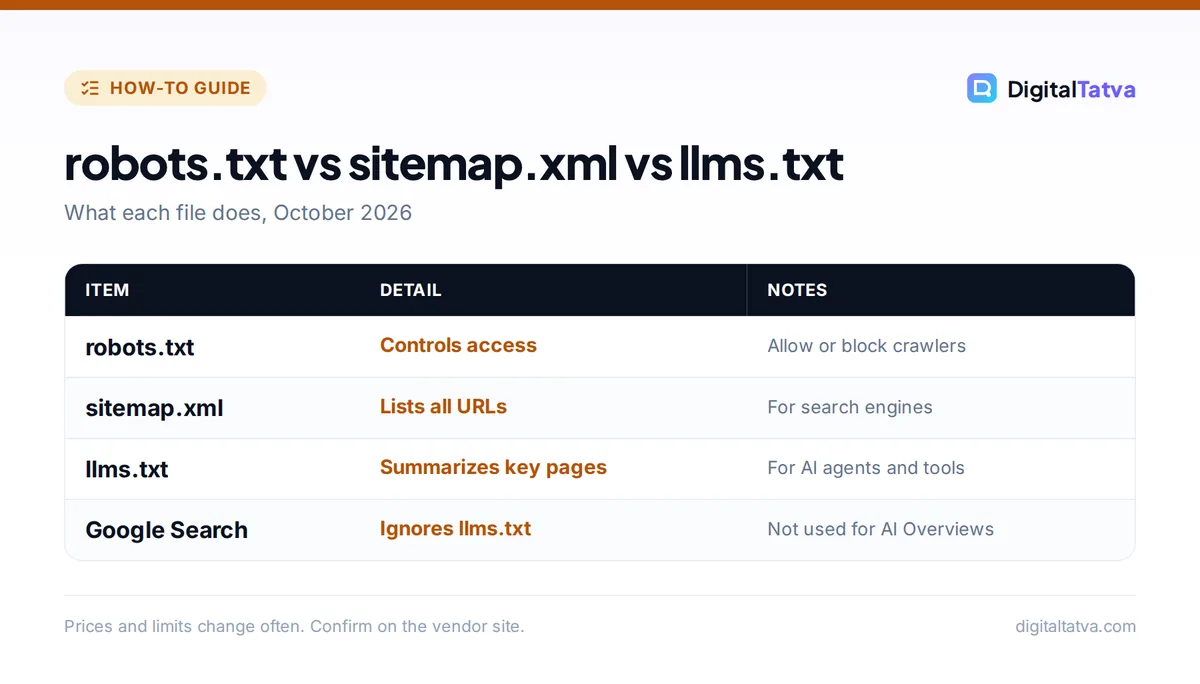
robots.txt controls which crawlers may access your site, sitemap.xml lists every URL for search engines to discover, and llms.txt is a curated, human-readable summary for AI systems. They do different jobs, and llms.txt does not block or allow anything.
| File | Purpose | Read by | Controls access? |
|---|---|---|---|
| robots.txt | Allow or block crawlers (including GPTBot, OAI-SearchBot, Google-Extended) | Search and AI crawlers | Yes |
| sitemap.xml | List all indexable URLs | Search engines | No |
| llms.txt | Summarize the site and key pages for AI | Some AI agents and tools | No |
If you want to stop AI training on your content while staying in search, use robots.txt rules for training crawlers rather than llms.txt. Our guide on AI data privacy for business covers related controls.
Frequently asked questions
Does llms.txt help SEO?
Not for Google rankings. Google says llms.txt is not needed for AI Overviews, AI Mode or other generative Search features and does not use it for ranking. It may help AI agents and developer tools understand your site, but there is no published evidence that it increases citations in AI answers.
Who invented llms.txt?
Jeremy Howard, co-founder of Answer.AI and fast.ai, proposed llms.txt in September 2024. The specification is published at llmstxt.org and describes a Markdown file with a site name, a short summary and sections of links with descriptions.
Where do I put the llms.txt file?
Put it in your website’s root directory so it loads at yourdomain.com/llms.txt, the same place as robots.txt. On WordPress, an SEO plugin such as Yoast can generate it for you, or you can upload it with your host’s file manager.
Is llms.txt the same as robots.txt?
No. robots.txt tells crawlers what they may or may not access. llms.txt does not control access at all; it is a curated summary of your most important pages written for AI systems to read quickly.
Does ChatGPT read llms.txt?
There is no official statement that ChatGPT search uses llms.txt for answers. OpenAI does publish llms.txt files for some of its developer documentation, and AI agents built on OpenAI models may read them when browsing, but ChatGPT search mainly relies on its own crawler and search index.
The bottom line
llms.txt is a cheap, sensible extra for documentation, SaaS and large content sites, and a nice-to-have for blogs, but it is not a shortcut to AI visibility. Spend most of your effort on clear, sourced, answer-first content and a strong reputation across the web, then add llms.txt in an afternoon. Standards and Google’s guidance are still evolving, so check llmstxt.org and Google Search Central for updates.
Sources
- The llms.txt specification, llmstxt.org, checked 22 October 2026
- AI features and your website, Google Search Central, checked 22 October 2026
- Should I create an llms.txt file? Google’s 2026 guidance explained, Passionfruit, checked 22 October 2026
- What is llms.txt, and should you care about it?, Ahrefs, checked 22 October 2026
Pricing and features are checked at the time of writing and can change. Some links may be affiliate links, which never affect our verdicts.