10 Best AI Avatar Generators for Profiles and Videos
The 10 best AI avatar generators in 2026 for talking video avatars and profile pictures, including HeyGen, Synthesia, ChatGPT Images, Gemini, Canva and Picsart, with prices.

On this page
The best AI avatar generators in 2026 are HeyGen and Synthesia for talking video avatars, ChatGPT Images and Gemini’s Nano Banana for profile pictures in any style, and Canva or Picsart for quick avatar edits on your phone. “AI avatar” means two different things: a stylized picture of you for social profiles and games, or a realistic digital presenter that speaks your script in videos. This guide covers both.
Below are the 10 best AI avatar generators with prices, free plans, what each is best for, prompts for profile avatars, and the consent and safety rules you must follow when you create a digital version of a real person.
Key takeaways
- For video avatars that talk, HeyGen (free plan, Creator $29/month) and Synthesia (free plan, Starter $18/month yearly) lead the market.
- For profile picture avatars, ChatGPT Images 2.5 and Nano Banana in Gemini turn a selfie into cartoon, anime, 3D or illustrated styles for free.
- Canva and Picsart are the easiest options on mobile, with templates and one-tap styles.
- Only create avatars of yourself or people who gave clear consent; deepfake rules are tightening worldwide.
- For realistic professional headshots, use a dedicated headshot generator instead.
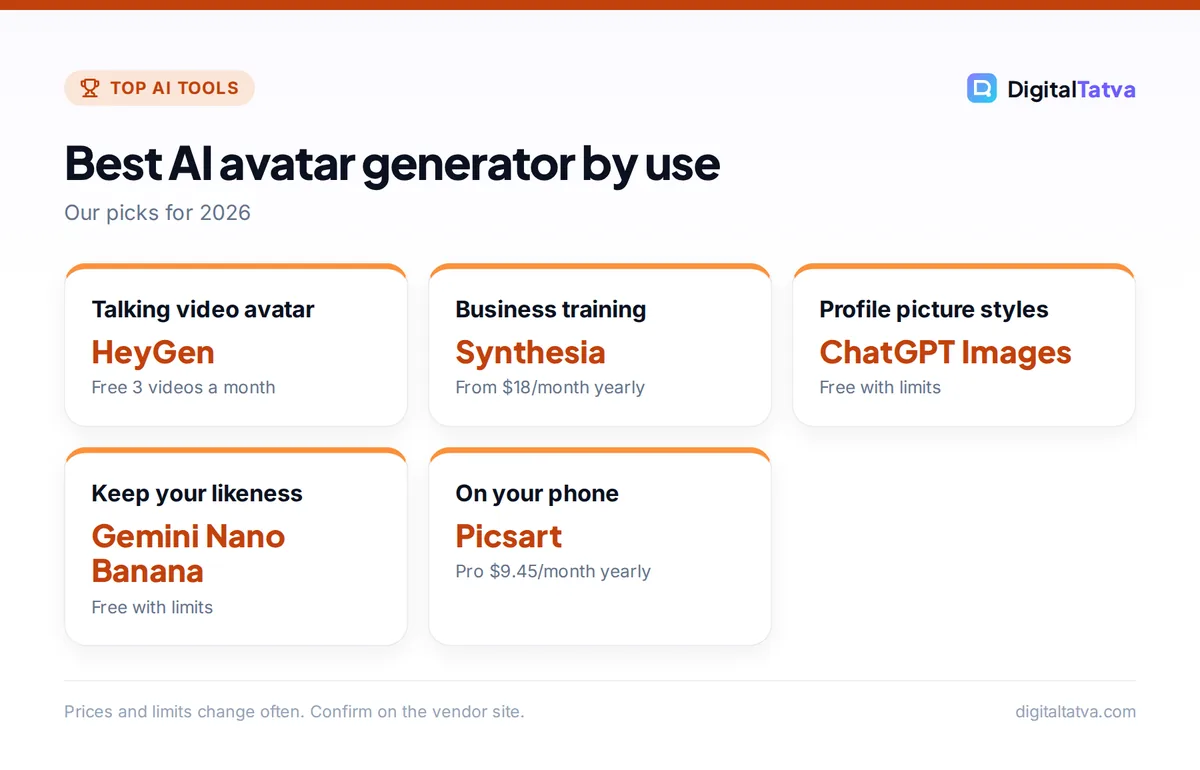
Quick picks: best AI avatar generators
| Tool | Avatar type | Free plan | Paid from |
|---|---|---|---|
| HeyGen | Talking video avatars | 3 videos a month, watermark | Creator $29/month |
| Synthesia | Business presenter avatars | 10 minutes a month | Starter $18/month yearly |
| Captions (Mirage) | Avatars for short social videos | Limited | Max $24.99/month |
| D-ID | Animating a photo into a talking head | Trial | Paid plans |
| ChatGPT Images | Profile avatars in any style | Yes, limited | Plus $20/month |
| Gemini (Nano Banana) | Photo-based stylized avatars | Yes, limited | Google AI plans |
| Canva | Avatar designs and profile frames | Yes, 20 AI uses | Pro US$144/year |
| Picsart | Mobile avatar styles and edits | Yes | Pro $9.45/month yearly |
| Midjourney | Artistic, high-detail avatars | No | Midjourney plans |
| Fotor | Quick cartoon and anime avatars | Yes, limited | About $9.99/month |
Best AI video avatar generators
1. HeyGen: Best overall video avatar generator
- Starting price: Creator $29/month; Pro $49; Business $149
- Free plan: 3 videos a month, up to 1 minute, watermark
- Best for: Creators, marketers and course makers
HeyGen offers more than 500 stock avatars and lets you create a custom avatar of yourself that speaks any script, with lip sync in many languages. Its current Avatar IV model produces natural expressions. The free plan includes one custom avatar at 1080p; Creator removes the watermark and allows videos up to 30 minutes, and Pro adds 4K export. Compare it in Synthesia vs HeyGen.
2. Synthesia: Best for business and training videos
- Starting price: Starter $18/month yearly ($29 monthly)
- Free plan: Up to 10 minutes a month, 9 avatars
- Best for: Training, onboarding and corporate communications
Synthesia focuses on professional presenter videos with 125 or more avatars on Starter and 180 or more on Creator ($89 a month), which also adds five personal avatars and API access. Enterprise adds unlimited minutes, SSO and SCORM export for learning platforms.
3. Captions (Mirage): Best for short social videos
- Starting price: Max $24.99/month (App Store listing)
- Free plan: Limited
- Best for: Reels, Shorts and talking-head ads
The Captions app from Mirage generates AI presenters and edits short vertical videos with captions. It uses credits: Max includes 500 a month, and Mirage video costs 8 credits per second, so plan your clip lengths. See AI tools for Reels.
4. D-ID: Best for animating a single photo
- Starting price: Paid plans
- Free plan: Trial
- Best for: Turning a portrait into a talking head quickly
D-ID animates a still photo so it speaks a script or audio file. It is quick for presentations and greetings, though full-body avatars from HeyGen and Synthesia look more natural for longer videos.
Best AI avatar generators for profile pictures
5. ChatGPT Images: Best for any style from a selfie
- Starting price: Free with limits; Plus $20/month
- Free plan: Yes
- Best for: Cartoon, 3D, anime-inspired, watercolor and pixel avatars
Upload a clear selfie and describe the style. ChatGPT Images 2.5 follows reference photos more faithfully than earlier versions and edits only what you ask, so you can refine hair, clothes or background in follow-ups. Read how to generate images in ChatGPT.
6. Gemini with Nano Banana: Best free photo-based avatars
- Starting price: Free with limits
- Free plan: Yes
- Best for: Keeping your likeness while changing style
Nano Banana in the Gemini app is excellent at keeping your face recognizable while changing outfit, setting or art style. Free and Google AI Pro images carry a visible Gemini sparkle watermark; all images include Google’s invisible SynthID mark. See how to use Nano Banana.
7. Canva: Best for designing avatar profiles
- Starting price: Pro US$144/year
- Free plan: Yes, up to 20 AI uses
- Best for: Avatars with frames, text and brand colors
Canva’s Magic Studio can generate or edit images, remove backgrounds and drop your avatar into ready-made profile templates for LinkedIn, YouTube or WhatsApp. Read our Canva Magic Studio review.
8. Picsart: Best on mobile
- Starting price: Pro $9.45/month billed yearly
- Free plan: Yes
- Best for: One-tap avatar styles and quick edits
Picsart offers AI avatar styles, background removal and a one-tap enhancer in a phone-friendly app, with Ultra plans for heavier users.
9. Midjourney: Best for artistic avatars
- Starting price: Midjourney subscription
- Free plan: No
- Best for: Detailed fantasy, game and illustrated avatars
Midjourney produces the most artistic results and supports character references for consistency. It is ideal for gamers, streamers and creators who want a distinctive look. See Midjourney prompts.
10. Fotor: Best quick cartoon avatars
- Starting price: About $9.99/month (third-party)
- Free plan: Limited
- Best for: Fast cartoon and anime-style filters
Fotor turns photos into cartoon and anime-style avatars with a few taps and includes basic photo editing. Results are less customizable than ChatGPT or Midjourney but very fast.
Avatar prompts you can copy
- 3D cartoon: “Turn this selfie into a friendly 3D cartoon avatar, soft studio lighting, pastel background, keep my face shape, hairstyle and glasses.”
- Professional illustration: “Create a flat vector illustration avatar of me for LinkedIn, navy and orange background, smart casual clothes, confident smile.”
- Anime-inspired: “Redraw this photo as an original anime-inspired character portrait with bright colors and a city background at dusk.” (Avoid naming a specific studio or show.)
- Pixel art: “Make a 64×64 pixel art avatar of me for a gaming profile, keep my hair color and add headphones.”
- Watercolor: “Paint a soft watercolor portrait from this photo, white background, gentle colors, suitable for a profile picture.”
Tip: use a well-lit, front-facing photo without sunglasses or heavy filters, and ask for a square 1:1 image so it crops cleanly into round profile frames. Our AI image prompts include more style ideas.
Consent, privacy and deepfake rules
Avatar tools can be misused to impersonate people, which is why platforms and governments are tightening rules.
- Only use your own face or photos of people who clearly agreed, and never create avatars of children without a parent’s consent.
- Never impersonate real people, celebrities or officials, or use avatars to mislead viewers.
- Label AI presenters in videos where viewers might assume a real person is speaking.
- Check data policies: custom video avatars use your face and voice; read how long the service keeps them and how to delete them.
If you or your family receive a suspicious video or voice message from a “known” person, read how to spot deepfake scams. For professional photos rather than stylized avatars, see the best AI headshot generators.
How to choose an AI avatar generator
- Talking presenter for videos: HeyGen for creators, Synthesia for companies.
- Free profile picture in a fun style: ChatGPT Images or Gemini.
- Avatar with design elements: Canva.
- Everything on your phone: Picsart or Captions.
- Artistic gaming avatar: Midjourney.
To turn avatar videos into full content, our guides to AI video generators and AI voice generators cover the rest of the workflow.
Frequently asked questions
What is the best AI avatar generator?
For talking video avatars, HeyGen is the best overall and Synthesia is best for business training. For profile picture avatars, ChatGPT Images and Gemini’s Nano Banana give the most flexible, high-quality results from a selfie, and both have free options.
Is there a free AI avatar generator?
Yes. ChatGPT, Gemini, Canva, Picsart and Fotor can create avatar images for free with daily or monthly limits. For video avatars, HeyGen’s free plan gives three short videos a month with a watermark, and Synthesia’s free plan gives up to 10 minutes a month.
How do I make an AI avatar of myself?
For an image, upload a clear front-facing selfie to ChatGPT or Gemini and describe the style you want. For a talking video avatar, record the short training video HeyGen or Synthesia asks for, confirm consent, then type a script and generate your video.
Are AI avatars safe to use?
They are safe when you use your own likeness or have clear consent, choose reputable services and read their data policies. Avoid creating avatars of other people without permission, never use them to deceive, and label AI presenters in videos where viewers could be misled.
Can I use AI avatar videos for business?
Yes, on paid plans that allow commercial use. HeyGen’s Creator and higher plans remove watermarks, and Synthesia’s paid plans are built for business video. Check each plan’s commercial terms and disclose AI presenters where your industry or platform requires it.
Our recommendation
Use ChatGPT or Gemini for a free stylized profile avatar today, and try HeyGen’s free plan if you want a talking avatar for videos. Upgrade only when you need watermark-free, longer or 4K videos. Prices and limits change often, so confirm current plans on HeyGen’s pricing page and Synthesia’s pricing page.
Pricing and features are checked at the time of writing and can change. Some links may be affiliate links, which never affect our verdicts.