How to Check if ChatGPT Recommends Your Brand (Step by Step)
Want to know if ChatGPT mentions your business when buyers ask? A simple, repeatable method to check, avoid misleading results and turn what you find into fixes.
On this page
- Key takeaways
- Why a single check is misleading
- Step 1: Write the right prompts
- Step 2: Remove bias from your tests
- Step 3: Record results in a sheet
- Step 4: Test the other engines
- Step 5: Read the patterns
- Step 6: Fix in the right order
- Step 7: Repeat monthly
- Common mistakes
- An illustrative walkthrough
- Six problems to look for in how ChatGPT describes you
- Manual checks vs tracking tools
- A monthly report template
- When ChatGPT recommends your competitors instead
- Test as different buyers
- What to do with your results this week
- Frequently asked questions
- Sources
Last updated: 31 October 2026
Quick answer: To check whether ChatGPT recommends your brand, write 20 to 30 questions your buyers really ask, run them in a logged-out session or temporary chat, repeat important ones more than once and record whether you are named, how you are described and which competitors and sources appear. Do the same in Gemini, Perplexity, Copilot and Google AI Overviews, then repeat monthly with the same questions.
“Does ChatGPT recommend us?” is one of the first questions business owners ask about AI search. Most answer it by typing their brand name into ChatGPT once, seeing a reasonable description and concluding all is well. That test tells you very little. Buyers do not ask about your brand by name; they ask about their problem or your category, and they get different answers depending on wording, engine and context.
This guide gives you a reliable, repeatable method: how to write the right prompts, how to avoid misleading results, what to record, how to read the patterns, what to fix first and how to keep checking without it taking over your week.
Key takeaways
- Use real buyer questions, not your brand name alone.
- Avoid personalised sessions; memory and chat history change answers.
- Repeat key prompts, because answers vary between runs.
- Record descriptions and sources, not only yes or no.
- Test other engines too; ChatGPT is only one of them.
- Re-test monthly with the same prompts to see trends.
Why a single check is misleading
- Answers vary. Generated answers change between runs, sessions and model versions.
- Context leaks. If memory or history is on, ChatGPT may favour brands you have discussed before, including your own.
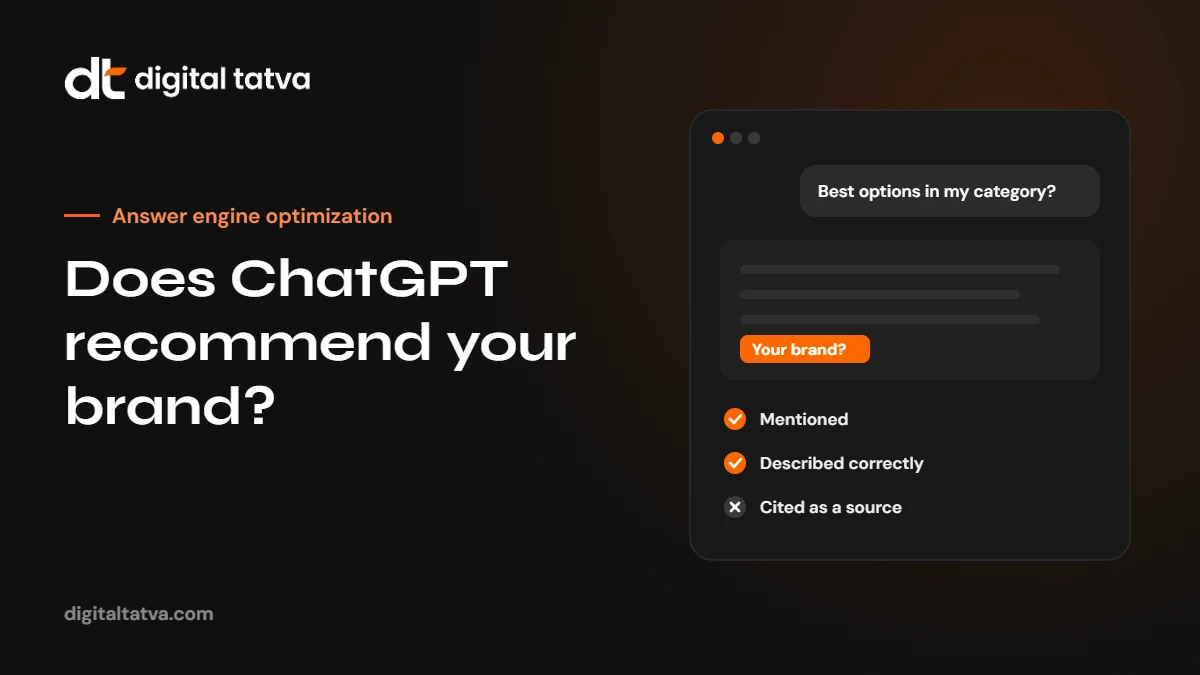
- Brand prompts flatter. Asking “What is [your brand]?” shows whether ChatGPT knows you, not whether it recommends you.
- Search changes everything. Answers that use live web search can differ completely from answers based on the model’s training.
Step 1: Write the right prompts
Ask the way buyers ask. Mix five kinds of prompt:
| Type | Template | Example |
|---|---|---|
| Category | What are the best [service] providers in [city or country]? | What are the best interior designers in Ahmedabad for apartments? |
| Problem | How do I [solve problem] for a [type of business]? | How do I reduce returns for a small online clothing store? |
| Comparison | [Competitor] vs alternatives for [use case] | Competitor A vs alternatives for small manufacturers |
| Cost | How much does [service] cost in [place]? | How much does a corporate video cost in India? |
| Brand | Is [your brand] good for [use case]? | Is [your brand] good for startups? |
Start with 20 to 30 prompts, weighted towards category and problem questions. Our guide to prompt research shows how to build a full set.
Step 2: Remove bias from your tests
- Use a logged-out session, a fresh account or temporary chat so memory and history do not influence answers.
- Do not mention your brand in category, problem or cost prompts.
- Ask each prompt in a new conversation, not as follow-ups.
- Note whether the engine searched the web (it usually shows sources when it does).
- Run important prompts two or three times and record how often you appear.
- If location matters, note where you ran the test from.
Step 3: Record results in a sheet
| Column | What to record |
|---|---|
| Prompt and type | The exact wording and its group |
| Engine and date | ChatGPT, Gemini, Perplexity, Copilot or AI Overviews |
| Searched the web? | Yes or no |
| Mentioned? | Yes or no, and position in the answer |
| Recommended? | Recommended, listed neutrally or mentioned with a caveat |
| Description | How you were described; any errors |
| Competitors | Who else was named |
| Sources | Cited URLs, if shown |
Step 4: Test the other engines
Buyers use more than one assistant, and each draws on different sources. Run the same prompts in Gemini, Perplexity, Microsoft Copilot and Google (AI Overviews or AI Mode). You will often find you appear in one engine and not another, which points to specific causes: for example, missing from Copilot often means a Bing indexing problem. Our engine guides cover each: ChatGPT, Gemini, Perplexity, Copilot and AI Overviews.
Step 5: Read the patterns
| Pattern | Likely cause | What to do |
|---|---|---|
| Never mentioned anywhere | Crawler access, weak entity signals or little coverage | Run the technical AEO checklist, fix listings |
| Mentioned with wrong facts | Inconsistent information across the web | Fix your site, profiles and directories. See Entity SEO |
| Mentioned only for brand prompts | Engines know you but do not connect you to the category | Category and comparison pages, third-party coverage |
| Competitors cited from the same few sites | Those sites shape the answer | Work on inclusion there. See getting cited by AI |
| Present in one engine, missing in another | Indexing or source differences | Check that engine’s crawler and index |
Step 6: Fix in the right order
- Access: crawlers, rendering, indexing.
- Facts: one consistent description of your brand everywhere.
- Pages: answer-first category, service, pricing and comparison pages.
- Sources: reviews, directories, roundups and media that engines cite.
Step 7: Repeat monthly
Single checks are snapshots. Monthly re-tests on the same prompts show whether things are improving. Keep the core set fixed and add new prompts in a separate group. Tools can automate tracking at scale; see AEO tools and free AEO tools. For a deeper version of this process, use the full AI visibility audit checklist, or let us run it as part of AI Search Visibility.
Common mistakes
- Testing only your brand name.
- Testing from your own logged-in account with memory on.
- Asking follow-up questions in the same chat.
- Recording yes or no without the description and sources.
- Changing the prompts every month.
An illustrative walkthrough
Here is how a check might look for an interior design studio in Ahmedabad. The studio writes 25 prompts, including “best interior designers in Ahmedabad for 3BHK apartments”, “how much does interior design cost per square foot in Ahmedabad” and “modular kitchen vs carpenter-made kitchen”.
In clean ChatGPT sessions, the studio is named in 3 of 25 prompts, always for brand questions. For the main category prompt, ChatGPT names three larger firms and cites a directory listing and a home décor magazine. Perplexity cites the same directory, where the studio’s listing shows an old phone number and no project photos. Google AI Overviews cite a cost guide from a competitor.
The patterns point to clear next steps: update the directory listing, publish a cost guide with honest ranges and factors, add project case studies with locations and request reviews from recent clients. This is an illustration of the method, not a client result.
Six problems to look for in how ChatGPT describes you
- Wrong category. You are described as a different kind of business, for example a marketplace instead of a manufacturer.
- Outdated facts. Old addresses, discontinued services, former team members or old prices.
- Entity confusion. Details from another company with a similar name mixed into your description.
- Vague description. Generic phrases that could describe any competitor, a sign that engines lack specific information.
- Competitor framing. Your brand described using a competitor’s comparison page.
- Old complaints. A single negative review or forum thread given too much weight.
Each problem has a different fix, from correcting listings to publishing clearer pages or earning fresh reviews. See how to strengthen your brand entity.
Manual checks vs tracking tools
| Manual checks | Tracking tools | |
|---|---|---|
| Cost | Your time only | Subscription fees |
| Scale | Practical for 20 to 50 prompts | Hundreds of prompts across engines |
| Consistency | Depends on discipline | Same conditions every run |
| Insight | You read every answer in full | Dashboards, trends and share of voice |
| Best for | Small businesses and first checks | Larger brands and ongoing monitoring |
Many teams combine both: tools for monitoring and a monthly manual read of the most important answers. Compare options in Peec AI vs Otterly vs Profound.
A monthly report template
Share a one-page summary with your team each month:
- Visibility: mentioned in X of Y prompts (change since last month), by engine.
- Accuracy: number of answers with errors, and the errors found.
- Competitors: the brands named most often instead of you.
- Sources: the domains cited most often, and whether you appear on them.
- Actions: what was fixed, and the top three tasks for next month.
When ChatGPT recommends your competitors instead
Seeing competitors named and your brand missing is frustrating, but it is also useful information. Work through these questions:
- Which sources are cited? If the answer cites a review site or listicle, check whether you are on it and how you are presented.
- What does the answer say about each competitor? The reasons given (“known for fast delivery”, “strong for enterprise clients”) show what engines think matters for that question.
- Do competitors have pages you lack? Pricing pages, comparison pages, case studies and location pages are common gaps.
- Are competitors more consistent? Clean, consistent listings and descriptions help engines trust a brand.
Then build the missing evidence rather than trying to argue against competitors. Fair comparison pages and genuine reviews work; disparaging content usually does not.
Test as different buyers
Different buyers ask differently. A founder, a procurement manager and an end user may phrase the same need in very different words, and get different answers. Write a few prompts for each buyer type you sell to, and include details they would mention, such as company size, budget, industry or location. This often reveals that you are visible to one type of buyer and invisible to another.
What to do with your results this week
- Fix any factual errors in the listings and profiles engines cite.
- Check that OAI-SearchBot, PerplexityBot and Bingbot can reach your site.
- Pick the category prompt that matters most and improve the page that should answer it.
- Ask three recent happy customers for reviews on the platform engines cite most.
- Book a date next month to re-run the same prompts.
Want a full check across every engine? Request an AI visibility audit.
Try it free: our free AI visibility checker checks whether AI crawlers can read your site, then writes the buyer questions and links to test them in ChatGPT, Perplexity, Google AI Mode and Copilot.
Frequently asked questions
Why does ChatGPT give different answers each time?
Answers are generated, so wording and choices vary between runs, sessions and model versions. That is why repeated tests matter.
Does ChatGPT remember my previous searches?
If memory or chat history is on, it can influence answers. Use a logged-out session or temporary chat for testing.
Can I pay to be recommended by ChatGPT?
No organic method guarantees recommendations. Treat any offer of guaranteed placement with suspicion.
How many prompts should I test?
Start with 20 to 30 core questions. Larger brands often track 100 or more.
ChatGPT describes my company wrongly. How do I fix it?
Find where the wrong fact comes from, usually an outdated listing or inconsistent description, and correct it on your site and the sources engines cite. Then re-test.
Is it enough to check ChatGPT only?
No. Buyers use several assistants, and each draws on different sources. Check at least ChatGPT, Gemini, Perplexity, Copilot and Google.
Sources
- Overview of OpenAI crawlers, OpenAI
- AI features and your website, Google Search Central
Product details, prices and features are checked at the time of writing and can change. Sources are linked in the text so you can check them yourself.
How does your brand appear in AI answers?
We test the questions your buyers ask across the major AI assistants and search engines, then show you what to fix first.
Get an AI Visibility Audit