Crawled, Currently Not Indexed: What It Means and How to Fix It (2026)
What the Search Console status means after Google's November 2026 update, when to worry and how to get important pages indexed.
On this page
- Key takeaways
- What “Crawled, currently not indexed” means
- What Google changed in November 2026
- Should you worry? A quick decision guide
- The most common causes
- How to diagnose a specific page
- How to fix it: a priority plan
- Why indexing matters for AI search too
- Common mistakes to avoid
- How long does it take to get indexed after fixing?
- How Digital Tatva can help
- Frequently asked questions
Last updated: 16 November 2026
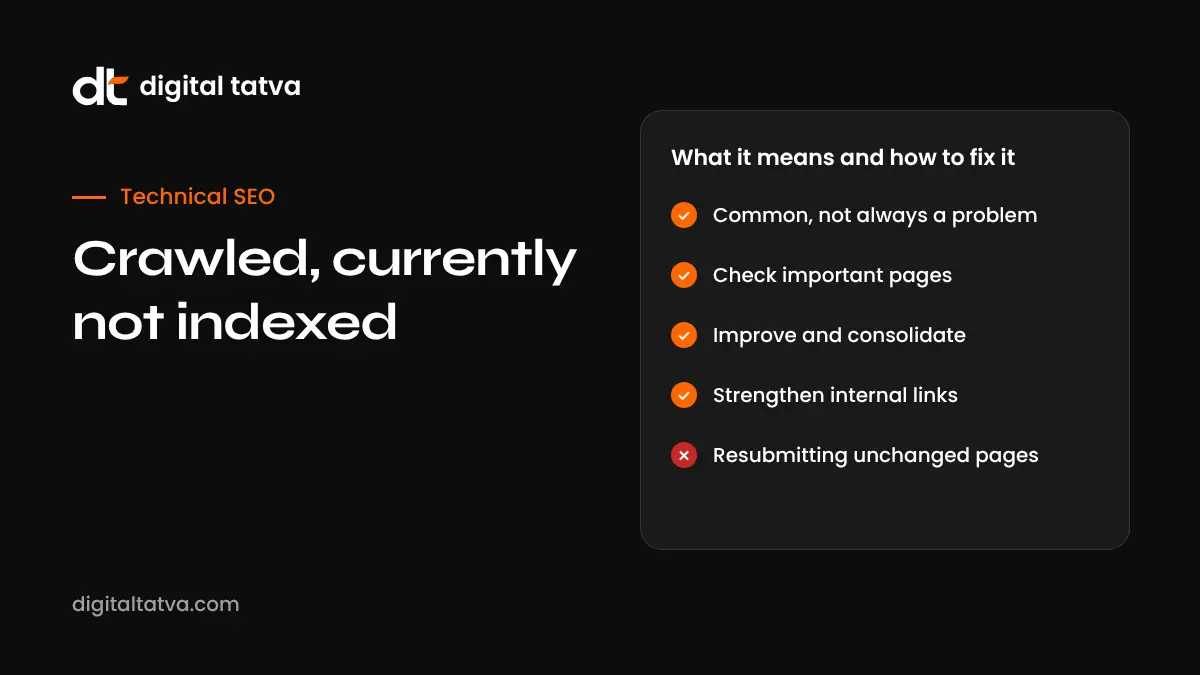
Quick answer: “Crawled, currently not indexed” in Google Search Console means Google visited the page but chose not to add it to its index. In November 2026 Google rewrote the help text to say this is a common message that does not necessarily need attention. It only matters when it affects pages you actually want in search. For those, the usual causes are thin or duplicate content, weak internal linking, low perceived site quality, rendering problems or a new site Google has not learned to trust yet. Fix by improving and consolidating content, strengthening internal links and checking each URL with the URL Inspection tool.
Key takeaways
- The status means Google crawled the page and decided not to index it, at least for now.
- Google’s updated help text, reported on 3 November 2026, says it is common and does not necessarily need attention.
- Google’s John Mueller has said the status can also reflect Google seeing a page or site as not good enough to index.
- Focus on important pages only. Many URLs in this report are fine to leave out of the index.
- Indexing matters for AI search too, because Google’s AI Overviews and AI Mode draw on the index.
What “Crawled, currently not indexed” means
Google finds pages in three stages: it discovers a URL, crawls it (downloads and reads it), and then decides whether to index it (store it so it can appear in results). “Crawled, currently not indexed” sits between the second and third stage. Google has read the page and decided not to include it in the index for now.
It is different from “Discovered, currently not indexed”, where Google knows the URL exists but has not crawled it yet. Both appear in the Page indexing report in Google Search Console under “Why pages aren’t indexed”.
What Google changed in November 2026
On 3 November 2026, Search Engine Roundtable reported that Google had rewritten the Search Console help text for this status.
| Before | After |
|---|---|
| “The page was crawled by Google but not indexed. It may or may not be indexed in the future; no need to resubmit this URL for crawling.” | “The page was crawled by Google but not indexed.” Google adds that it does not index all pages across the web, so this is “a common message for many sites”, that it “doesn’t necessarily indicate an issue that needs attention”, and that if you see it for important pages you should use the URL Inspection tool and other tools to diagnose, especially if you suspect a complete, site-wide indexing problem. |
Barry Schwartz noted that the new text does not mention quality, which Google has raised before. Separately, John Mueller later said the status can also mean Google considers a page or site not good enough to index. In the same period, Google also said it can take time to understand the value of new websites. Put simply: do not panic about the count, but take it seriously for pages that matter.
Should you worry? A quick decision guide
| Type of URL in the report | Worry? | What to do |
|---|---|---|
| Tag, author or date archives | Usually no | Leave, or noindex if they add no value |
| Filtered or sorted product URLs with parameters | Usually no | Canonicalise to the main category |
| Paginated pages beyond page 2 | Usually no | Make sure key items are linked from strong pages |
| Old thin posts or near-duplicates | Sometimes | Improve, merge or remove |
| Main service, product or category pages | Yes | Diagnose and fix urgently |
| New, high-effort articles | Yes, if it persists | Strengthen links and quality; give it time on new sites |
| Most of the site | Yes | Check for site-wide technical or quality problems |
The most common causes
1. Thin or low-value content
Pages with little original information, short boilerplate text, auto-generated content or content that adds nothing beyond what is already indexed are common candidates. Google has many pages on most topics and does not need another one that says the same thing.
2. Duplicate or near-duplicate pages
Several pages targeting the same topic with similar text, location pages that only swap city names, or product variants with identical descriptions often lead Google to index one and skip the rest.
3. Weak internal linking
Pages that are only reachable through the sitemap, or buried deep with few internal links, signal low importance. Google may crawl them but not index them.
4. Low perceived site quality
If a site has many weak pages, Google may be stricter about indexing new ones. Mueller’s comment that the status can reflect a page or site not being good enough points here. Scaled, unedited AI content is a frequent trigger in 2026.
5. Rendering problems
If the important content only appears after JavaScript runs and rendering fails, Google may see an almost empty page.
6. New site with little trust
Google has said it can take time to understand the value of new websites. New sites often see many pages in this state for weeks or months.
7. Soft signals pointing elsewhere
Canonical tags pointing to another URL, conflicting hreflang, or very similar pages linked more strongly can lead Google to choose a different version.
How to diagnose a specific page
- Open URL Inspection in Search Console and inspect the exact URL. Check the last crawl date, the user-declared and Google-selected canonical, and whether crawling and indexing are allowed.
- Test the live URL and view the rendered HTML and screenshot. Confirm the main content is actually visible to Google.
- Search for duplicates. Look for other pages on your site covering the same topic with similar wording.
- Check internal links. How many internal links point to the page, and from which pages? Is it linked from your main navigation, category or hub pages?
- Judge the content honestly. Does it answer the question better, more specifically or more originally than pages already ranking?
- Check site-wide patterns. If thousands of pages are affected, look for a template, CMS or quality issue rather than fixing pages one by one.
How to fix it: a priority plan
| Fix | When to use it | Effort |
|---|---|---|
| Improve the content | Important page that is thin or generic | Medium |
| Merge similar pages | Several weak pages on one topic | Medium |
| Add internal links from strong pages | Important page that is poorly linked | Low |
| Fix rendering | Content missing in rendered HTML | Medium to high |
| Set correct canonicals | Parameter or variant URLs | Low |
| Noindex or remove | Pages with no search value | Low |
| Prune low-quality sections | Large amounts of weak content dragging site quality | High |
| Request indexing | After a real improvement, for a few key URLs | Low |
Improve, do not just resubmit
Requesting indexing for an unchanged page rarely helps. Make a meaningful improvement first: add specific facts, examples, original insight, clear structure, a useful FAQ and better answers to the questions people ask. Our guide to content chunking shows how to structure pages so both Google and AI systems can use them.
Consolidate overlapping pages
If you have five weak posts on similar topics, one strong page often performs better. Merge the best content into one URL and redirect the others. This also helps with topical authority.
Strengthen internal links
Link to important pages from your homepage, main category pages, related articles and navigation where it makes sense. Descriptive anchor text helps Google understand the page.
Fix technical blockers
Check robots.txt, noindex tags, canonical tags, server errors and JavaScript rendering. Our technical SEO service covers this in depth.
Why indexing matters for AI search too
Google’s AI Overviews and AI Mode build answers from pages in Google’s index. If an important page is not indexed, it cannot be retrieved for those answers either. Other AI tools also use search indexes behind the scenes; for example, Bing powers parts of ChatGPT search and Copilot. Fixing indexing problems is therefore one of the foundations of answer engine optimization. See also how ChatGPT finds and indexes content.
Common mistakes to avoid
- Chasing a zero count. Many large sites always have URLs in this report. That is normal.
- Repeatedly requesting indexing for pages you have not improved.
- Publishing more of the same weak content to “replace” unindexed pages.
- Blocking pages in robots.txt to hide them, which stops Google reading noindex tags.
- Ignoring site-wide quality when thousands of pages are affected.
- Panicking during a core update. The November 2026 core update started on 10 November and can cause temporary swings. See our core update guide.
How long does it take to get indexed after fixing?
There is no fixed timeline. For established sites, an improved and well-linked page can be indexed within days to a few weeks. New sites may wait longer while Google builds trust. If an important page still is not indexed after a real improvement and several weeks, revisit the content and linking rather than resubmitting repeatedly.
How Digital Tatva can help
Digital Tatva audits indexing, technical health and content quality together, because indexing problems usually have more than one cause. We identify which unindexed URLs matter, fix technical blockers, consolidate weak content and strengthen the pages you want found in Google and AI answers. See our technical SEO and technical AEO services.
Important pages stuck outside Google’s index? Request an audit and we will find out why and what to fix first.
Related reading: does Google penalize AI content, Google spam policies explained and programmatic SEO with AI.
Frequently asked questions
What does “Crawled, currently not indexed” mean?
It means Google crawled the page but decided not to add it to its index, at least for now, so it cannot appear in search results.
Is “Crawled, currently not indexed” a problem?
Not always. Google’s updated help text says it is a common message that does not necessarily need attention. It is a problem when it affects important pages you want to rank.
What changed in Google’s help text?
In November 2026 Google added that it does not index all pages, that the message is common and not necessarily an issue, and that you should use URL Inspection to diagnose important pages.
What is the difference between crawled and discovered not indexed?
“Discovered” means Google knows the URL but has not crawled it. “Crawled” means Google has read the page and chosen not to index it.
Does requesting indexing fix it?
Only sometimes, and usually only after you have improved the page. Repeatedly requesting indexing for an unchanged page rarely helps.
Can thin AI content cause this status?
Yes. Large amounts of generic or unedited AI content can lower perceived quality and make Google less likely to index pages.
How many internal links should an important page have?
There is no fixed number. Important pages should be linked from relevant, strong pages such as your homepage, categories, hubs and related articles.
Does this affect AI Overviews?
Yes. AI Overviews and AI Mode draw on Google’s index, so a page that is not indexed cannot be used in those answers.
Why does my new website have so many unindexed pages?
Google has said it can take time to understand the value of new websites. Focus on quality, internal links and genuine mentions, and give it time.
Should I delete pages that are not indexed?
Only if they have no value to users or search. Otherwise improve, merge or noindex them depending on their purpose.
Does a sitemap fix crawled not indexed?
A sitemap helps Google discover URLs but does not force indexing. Content quality and internal links matter more.
Can a core update change indexing?
Core updates mainly affect ranking, but changes in how Google assesses site quality can coincide with indexing changes. Wait for the update to finish before drawing conclusions.
Product details, prices and features are checked at the time of writing and can change. Sources are linked in the text so you can check them yourself.
How does your brand appear in AI answers?
We test the questions your buyers ask across the major AI assistants and search engines, then show you what to fix first.
Get an AI Visibility Audit