Claude Design Review: Features, Pricing and How to Use It (2026)
A practical review of Claude Design: what it makes, how it works, what it costs, example prompts and how it compares with Figma and Canva.
On this page
- Key takeaways
- What is Claude Design?
- What you can make with Claude Design
- Key features
- Claude Design pricing and access
- How to use Claude Design: step by step
- Claude Design vs other AI design tools
- Strengths and limitations
- Who should use Claude Design?
- Example prompts to try in Claude Design
- Common mistakes to avoid
- A simple workflow for small teams
- Using Claude Design for landing pages that AI and search can understand
- How Digital Tatva can help
- Frequently asked questions
Last updated: 17 November 2026
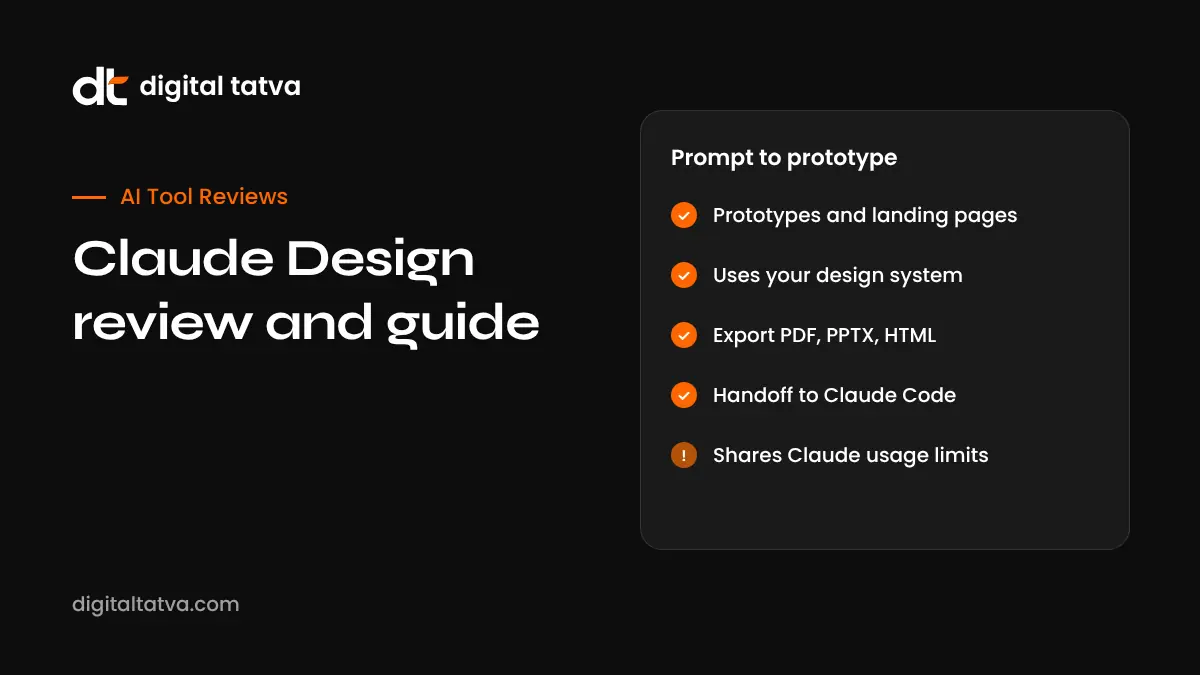
Quick answer: Claude Design is Anthropic’s AI design tool for creating prototypes, app screens, landing pages, one-pagers and other visuals from a text description. You describe what you want, Claude builds a first version, and you refine it by chatting or editing directly on the canvas. It can apply your team’s design system, export to PDF, PPTX, HTML or Canva, and hand designs to Claude Code to build. It launched as a research preview on 17 April 2026, is available on paid Claude plans (Pro from $20 a month), and shares usage limits with the rest of Claude.
Key takeaways
- Claude Design turns prompts, screenshots, documents and design files into editable visual designs.
- It is aimed at founders, product managers and marketers without a design background, as well as designers who want to explore faster.
- It can import design systems from code repositories or design files and check output against your components.
- Exports include PDF, PPTX, standalone HTML and ZIP, with Canva integration and a handoff to Claude Code.
- It is a beta feature on paid plans and shares usage with other Claude features, so heavy projects can use your allowance quickly.
What is Claude Design?
Anthropic announced Claude Design on 17 April 2026, describing it as an experimental product for creating visuals such as prototypes, slides and one-pagers. TechCrunch reported that it was built for people without a design background, such as founders and product managers, who want to share ideas more easily.
The workflow is simple. You describe what you want, for example “a calm mobile meditation app with a daily streak and dark mode”, and Claude creates a first version. You then change colours, typography, layout or content through conversation or direct edits. The result is a real design you can share, present or hand to developers, not just a static image.
Claude Design is one of the reasons Claude’s popularity rose sharply in 2026. a16z’s October 2026 report credits Cowork, Claude Design and new models for Claude reaching number one among free US mobile apps for the first time.
What you can make with Claude Design
| Output | Typical use |
|---|---|
| App and web prototypes | Test an idea, share a product flow, brief developers |
| Landing pages | Explore layouts and messaging before building |
| One-pagers and flyers | Sales sheets, event promotion, internal updates |
| Dashboards and UI screens | Visualise a product feature |
| Social graphics and posters | Quick campaign visuals |
| Presentations | Now with its own starting point, Claude Slides |
Key features
Prompt to prototype
Describe a screen, flow or page, then refine it. You can ask for variations, such as three different hero sections, and choose the best.
Inline editing
Comment on elements, edit text and drag, resize and align items directly. Bigger structural changes are requested in the conversation.
Multiple inputs
You can give Claude Design context through prompts, screenshots, images, documents, design files and a linked code repository. A web capture tool can bring in an existing page as a starting point.
Design systems
Teams can import a design system from a GitHub repository, design files or uploads, and apply it to every project. In Claude Code, a design sync command can pull components from a local codebase. Anthropic says Claude Design checks output against imported components, which helps keep designs on brand.
Exports and integrations
Documented exports include PDF, PPTX, standalone HTML and ZIP. Designs can be sent to Canva, where they are fully editable and collaborative. Anthropic said Claude Design is intended to complement Canva rather than replace it.
Handoff to Claude Code
A design can be passed to Claude Code to continue as real code. The resulting code still needs review, testing and adaptation to your project. See how to use Claude Code.
Available in more places
In September 2026, Anthropic said Design can also work inside a normal Claude conversation, from the Artifacts area and in Claude Code, while claude.ai/design remains available. Rollout is gradual and varies by account. See Claude Artifacts.
Claude Design pricing and access
| Plan | Claude Design | Notes |
|---|---|---|
| Free | Not included | |
| Pro ($20 a month US) | Included (beta) | On by default |
| Max and Ultra | Included (beta) | More usage for larger projects |
| Team | Included (beta) | On by default |
| Enterprise | Included (beta) | An owner must turn it on |
Since a June 2026 update, Design shares usage limits with the rest of Claude, including Claude Code. Complex projects, large repositories and many iterations use more allowance. Anthropic does not give a fixed cost per design. See Claude pricing and Claude usage limits.
How to use Claude Design: step by step
- Open Claude Design at claude.ai/design or from a Claude conversation, depending on your account.
- Describe the goal and audience. For example, “A landing page for a dental clinic in Ahmedabad aimed at working professionals, with online booking.”
- Add context. Upload your logo, brand colours, screenshots of designs you like or your design system.
- Review the first version. Ask for variations if it is not right.
- Refine. Edit text and spacing directly; ask Claude for layout or structural changes.
- Check accessibility. Colour contrast, text size and clear labels.
- Share or export. Send a link for feedback, export to PDF or PPTX, send to Canva, or hand off to Claude Code.
Prompt tips
- Name the audience, purpose and main action you want users to take.
- Give real content, not placeholder text, so the design reflects reality.
- Describe the feel in plain words: “calm, minimal, lots of white space” or “bold and energetic”.
- Reference constraints: brand colours, fonts, mobile first, accessibility needs.
- Ask for two or three distinct directions before refining one.
Claude Design vs other AI design tools
| Tool | Strength | Best for |
|---|---|---|
| Claude Design | Conversational design with design systems and code handoff | Founders, PMs, marketers, fast prototyping |
| Figma (with Figma Make) | Professional design and collaboration | Design teams; Starter is free, paid seats from $16 a month |
| Canva | Templates and marketing graphics | Social, print and quick brand assets. See Canva AI |
| v0 by Vercel | Generating interface code | Developers. See how to use v0 |
| Lovable | Full apps with backend | Building working apps. See Base44 vs Lovable |
| Gamma | Presentations and documents | Decks. See Gamma review |
For a broader list, see best AI tools for UI and UX design.
Strengths and limitations
| Strengths | Limitations |
|---|---|
| Fast visual exploration from plain language | Shares usage with Claude Code and chat |
| Reuses existing design systems | Simultaneous multi-person editing is limited |
| Several export formats and Canva integration | Incomplete design systems can degrade output |
| Direct path to Claude Code | Generated code needs security, accessibility and performance checks |
| Inline editing for quick fixes | Still a beta; features vary by account |
Who should use Claude Design?
- Founders who need to show investors or developers what they mean, quickly.
- Product managers who want to prototype flows before booking design time.
- Marketers exploring landing page and campaign ideas.
- Designers who want to explore many directions fast, then refine in their main tool.
- Agencies producing early concepts for client discussions.
It does not replace a skilled designer for brand identity, complex systems or polished production work. It does make early exploration much faster and cheaper.
Example prompts to try in Claude Design
| Goal | Example prompt |
|---|---|
| Landing page | “Design a landing page for a physiotherapy clinic in Ahmedabad for office workers with back pain. Clear headline, three services, doctor profiles, reviews, FAQ and a booking button. Calm blue and white.” |
| App prototype | “Prototype a mobile expense tracker for freelancers: home dashboard, add expense, monthly report. Large touch targets, dark mode toggle.” |
| Sales one-pager | “Create an A4 one-pager for our B2B SaaS product: problem, solution, three benefits with numbers we provide, pricing tiers and contact details.” |
| Dashboard | “Design an analytics dashboard for an ecommerce manager showing revenue, orders, top products and returns, using our design system.” |
| Event poster | “Make a poster for a monthly marketing meetup in Ahmedabad, with date, venue, two speakers and a QR code area.” |
| Variations | “Give me three distinct directions for this hero section: minimal, bold and playful.” |
Common mistakes to avoid
- Too little context. Without audience, purpose and content, results look generic.
- Placeholder text. Real copy changes layout decisions, so use it early.
- Refining too soon. Explore two or three directions before polishing one.
- Ignoring accessibility. Check contrast, text size and focus states.
- Shipping prototype code as production. Review, test and secure code from any handoff.
- Burning allowance on large repositories. Import only the components you need.
A simple workflow for small teams
- Write a short brief: goal, audience, key message, must-have content.
- Generate three directions in Claude Design and share links for comments.
- Pick one and refine with real content.
- Export to PDF for stakeholders or send to Canva for marketing edits.
- Hand off to Claude Code or your developer to build.
- Test the built page for speed, accessibility, SEO and how AI assistants read it.
Using Claude Design for landing pages that AI and search can understand
A beautiful page that hides its message is a problem for both people and AI assistants. When you design landing pages, make sure the headline states what you do and for whom, key facts such as services, locations and pricing approach are in readable text rather than only images, and an FAQ answers common questions. That helps search engines and AI tools like ChatGPT and Google AI Mode understand and describe your business. See our guide to content chunking for AI.
How Digital Tatva can help
Digital Tatva helps businesses turn well-designed pages into pages AI assistants can understand, cite and recommend. We review structure, content, schema and technical setup so your site works for people, search engines and AI. See our AEO services.
Does AI understand what your website says? Try the free AI visibility checker or request an AEO audit.
Frequently asked questions
What is Claude Design?
Claude Design is Anthropic’s AI design tool that creates prototypes, app screens, landing pages, one-pagers and other visuals from text descriptions, which you can refine by chat or direct editing.
When did Claude Design launch?
Anthropic launched Claude Design as a research preview on 17 April 2026.
Is Claude Design free?
No. It is a beta feature on paid Claude plans, starting with Pro at $20 a month in the US.
Can Claude Design export to Figma?
Documented exports include PDF, PPTX, standalone HTML and ZIP, plus sending to Canva. Check your account for the latest export options.
Can Claude Design use my brand’s design system?
Yes. You can import a design system from a code repository, design files or uploads, and Claude Design checks output against those components.
Does Claude Design write code?
Designs can be handed off to Claude Code to build. The code needs review and testing before production use.
Is Claude Design better than Figma?
They serve different needs. Claude Design is faster for exploration from plain language; Figma is stronger for professional design work and team collaboration. Many teams use both.
Does Claude Design have usage limits?
Yes. Since June 2026 it shares usage limits with the rest of Claude, including Claude Code.
Can I make presentations with Claude Design?
Yes. Presentations now have their own starting point called Claude Slides, with export to PPTX and PDF.
Is Claude Design available in India?
It is available on eligible paid Claude plans, which can be purchased in India. Pricing in rupees and taxes may differ from US prices.
Product details, prices and features are checked at the time of writing and can change. Sources are linked in the text so you can check them yourself.
How does your brand appear in AI answers?
We test the questions your buyers ask across the major AI assistants and search engines, then show you what to fix first.
Get an AI Visibility Audit