ChatGPT Shared Usage Limits Explained: What Changed and How to Make Your Allowance Last
ChatGPT now shares one usage allowance across Chat, Work and Codex. What changed, the GPT-6.2 billing fix, Instant and how to make limits last.
On this page
- Key takeaways
- What exactly changed?
- The GPT-6.2 billing fix, explained
- Who will actually notice the difference?
- How to check how much usage you have left
- What happens when you hit the limit?
- Ten ways to make your ChatGPT allowance last longer
- Is Plus still worth $20 after this change?
- How this compares with Claude and Gemini limits
- What this means if you run a business that wants to appear in ChatGPT
- Related guides
- Frequently asked questions
Quick answer: ChatGPT is moving Chat, Work and Codex onto one shared usage allowance. The change started on November 25 with a small group of Pro subscribers and reaches Plus, Pro and Business more broadly in December. Usage is now measured by how much work a task takes, so long agent runs and advanced models such as GPT-6.2 Astra use up your allowance much faster than quick questions. Chats with the Instant model do not count, and you can keep using Instant after the allowance runs out. Prices are unchanged, and most people will not notice a difference; heavy Work and Codex users may hit limits sooner.
Key takeaways
- One meter instead of several: Chat, Work and Codex draw from the same allowance on Plus, Pro and Business from December.
- The rollout began on November 25 with a small group of Pro users. Everyone else moves over during December.
- Instant chats are exempt. They do not use the allowance and stay available after it runs out.
- A billing error at the GPT-6.2 launch had undercounted usage. After the fix, Work and Codex limits are reached about 40% faster on GPT-6.2 Astra and about 25% faster on GPT-6.2 Sol than in the week after launch.
- OpenAI is not charging for the past difference and is giving Go, Plus, Pro and Business users one banked reset.
- OpenAI does not publish allowance sizes per plan. Check Settings, then Usage, to see where you stand.
- Plan prices did not change: Go $8, Plus $20, Pro $100, $200 or $500 a month.
What exactly changed?
Until now, ChatGPT treated its tabs almost like separate products. You could chat for hours, then switch to ChatGPT Work or Codex and find a different set of limits waiting there. OpenAI first told subscribers by email on November 2 that it would merge the Chat and Work experiences, and on November 25 the first users moved to the new setup.
Three things change at once:
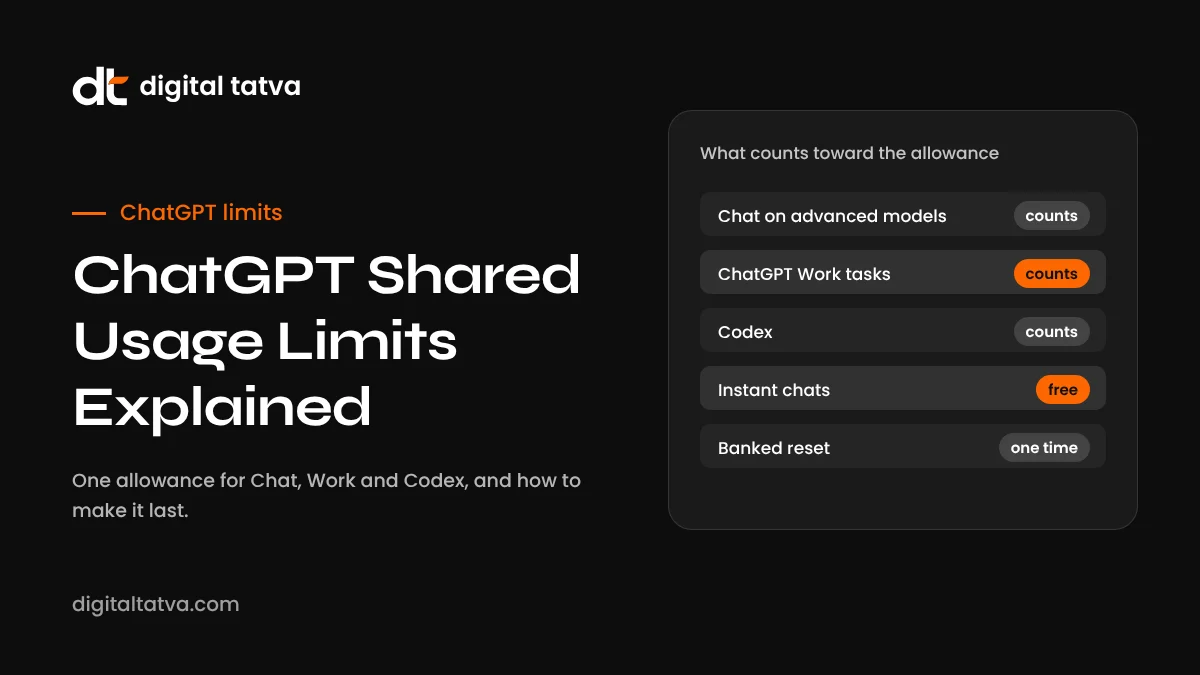
- One allowance. Chat, Work and Codex now draw from a single pool of usage on paid plans, instead of each having its own counter.
- Usage is measured by work, not by messages. A one-line question costs very little. A Work task that browses ten websites, reads five files and writes a report costs a lot more, even though it is technically “one request”.
- Instant is outside the meter. Conversations with the Instant model do not count toward the allowance, so you always have a fast fallback for everyday questions.
| Before | After (December onward) | |
|---|---|---|
| Chat limits | Counted separately | Shared allowance |
| Work limits | Counted separately | Shared allowance |
| Codex limits | Shared with Work on some plans | Shared allowance |
| Instant model | Counted in Chat | Not counted, always available |
| How usage is measured | Mostly message counts and time windows | The amount of work each task takes |
| Price | Go $8, Plus $20, Pro $100 to $500 | Unchanged |
For a full breakdown of what each plan includes, see our ChatGPT pricing guide, which we updated for these changes.
The GPT-6.2 billing fix, explained
The shared allowance arrived in the same week as a second, separate change that confused many subscribers. When OpenAI launched GPT-6.2 Astra and GPT-6.2 Sol on November 17, a billing mistake meant their usage was discounted for most users. For about a week, those models felt unusually generous.
OpenAI then corrected the error. Thibault Sottiaux, who leads Codex and ChatGPT at OpenAI, explained that users now reach their limits about 40% faster on GPT-6.2 Astra and about 25% faster on GPT-6.2 Sol compared with that first week. OpenAI said the allowances still go further than they did on the previous GPT-6 Astra and GPT-6.1 Sol models, and that other models were not affected.
Good to know: OpenAI is not charging anyone for the difference in past usage, and it is adding one banked reset for Go, Plus, Pro and Business subscribers. A banked reset lets you refill your allowance once when you need it, instead of waiting for the normal reset window.
So if your Work or Codex sessions suddenly feel shorter, it is usually this correction rather than the new shared allowance. The two changes simply landed in the same week.
Who will actually notice the difference?
OpenAI says most users should not wait for resets any more often than before. In practice, the impact depends on how you use ChatGPT:
| Type of user | Likely impact | Why |
|---|---|---|
| Casual users who mostly chat | Little or none | Quick questions use very little, and Instant chats are free of the meter |
| Writers and marketers on Plus | Small | Long drafts on advanced models use more, but most sessions stay well inside the allowance |
| Heavy ChatGPT Work users | Noticeable | Multi-step agent tasks across apps and files are the most expensive kind of usage |
| Developers living in Codex | Noticeable to high | Codex and Chat now compete for the same pool, and Astra usage costs more after the fix |
| Business teams | Varies by seat | Standard seats share the new structure; admins can move heavy users to Premium seats |
Reports from early users back this up. Some Plus users have said they only get a handful of GPT-6.2 Astra tasks in Work or Codex within a five-hour window when those tasks are complex, and one developer reported running through a weekly Codex allowance in under a day. Those are individual reports, not official numbers, but they show where the pressure is: long agentic work on the most capable models.
How to check how much usage you have left
- Open ChatGPT on the web or desktop and click your profile picture.
- Go to Settings, then Usage.
- Look at your remaining allowance and the time of the next reset.
- If you are close to the limit, switch to the Instant model for everyday questions until the reset.
OpenAI does not publish the size of each plan’s pool or whether it equals the old separate allowances added together. The Usage page is the only reliable view of your own account.
What happens when you hit the limit?
Reaching the shared limit does not lock you out of ChatGPT. You have four options:
- Keep going on Instant. Instant chats do not count toward the allowance and remain available.
- Wait for the reset. Your allowance refills on a rolling schedule shown on the Usage page.
- Use your banked reset. If you have the one-time reset OpenAI added after the billing fix, you can use it to refill immediately.
- Upgrade or buy credits. Moving from Plus to a Pro tier raises the allowance, and some features can be topped up with credits.
Ten ways to make your ChatGPT allowance last longer
- Default to Instant for simple tasks. Emails, rewrites, quick facts and brainstorming rarely need an advanced reasoning model.
- Save GPT-6.2 Astra for hard problems. Use it for complex analysis, difficult code or long multi-step Work tasks, not for everyday chat.
- Plan Work tasks before you start. A clear brief with the exact files, apps and output you want avoids expensive back-and-forth.
- Break huge jobs into stages. One giant agent run that fails halfway wastes more than three smaller runs you can check.
- Keep conversations focused. Very long threads carry more context with every reply. Start a new chat when the topic changes.
- Attach only the files you need. Uploading a whole folder makes the model read more than necessary.
- Batch Codex requests. Ask for related changes together rather than in many small prompts.
- Watch the Usage page during busy weeks. Knowing you are at 80% helps you switch to Instant before you are blocked.
- Keep your banked reset for deadlines. Use it when a client deliverable is due, not on a slow afternoon.
- Review your plan after December. If you hit the limit every week, compare Plus with Pro 100 using our ChatGPT Plus vs Pro comparison.
Our guide to reducing token usage in ChatGPT and Claude goes deeper on writing efficient prompts, and ChatGPT limits by plan explains the older message caps that still apply to some features.
Is Plus still worth $20 after this change?
For most people, yes. Plus still includes GPT-6.2 in the Chat tab, GPT-6.2 Astra in Work and Codex, ChatGPT Space for interactive pages and slides, deep research and an ad-free experience. If most of your use is writing, research and everyday questions, the shared allowance and the Instant fallback mean you are unlikely to feel boxed in.
The calculation changes if ChatGPT Work or Codex is your main tool for client work. In that case, track how often you hit the limit during December. If it happens several times a week, Pro 100 at $100 a month will likely save you more time than it costs. If it happens once a month, the banked reset and smarter model choice are enough.
Illustrative scenario, not a client story: a freelance marketer uses ChatGPT Plus for blog drafts, email copy and a weekly Work task that compiles a performance report from Google Sheets and Gmail. Drafting on Instant and GPT-6.2 uses only a small share of the allowance. The weekly report is the expensive part, so she runs it once, on Monday morning, with a precise brief. She stays on Plus and keeps her banked reset for month-end reporting.
How this compares with Claude and Gemini limits
ChatGPT is not alone in moving to shared, work-based allowances. Anthropic combined Claude chat and its Cowork workspace under one set of limits in September, and Claude plans reset every five hours with possible weekly caps. Google’s Gemini plans also refresh every five hours up to a weekly cap that Google does not disclose. The industry is converging on the same model: one pool, measured by effort, with a cheap or free fallback model when it runs out.
| Assistant | How limits work now | Fallback when you run out |
|---|---|---|
| ChatGPT | One shared allowance across Chat, Work and Codex, measured by work | Instant, which does not count toward the allowance |
| Claude | Shared limits across chat and Cowork, five-hour resets with weekly caps | Wait for reset or upgrade to Max |
| Gemini | Five-hour refresh up to an undisclosed weekly cap, multiplied by plan | Switches to a lighter Flash-Lite model |
See our AI subscription prices compared guide and Gemini pricing guide for plan-by-plan details.
What this means if you run a business that wants to appear in ChatGPT
Limits are a user-side change, but they shape how people search. When advanced usage gets scarcer, more everyday questions go to the faster Instant model, which answers quickly and leans on what it already knows plus quick web lookups. That makes it more important that the facts about your brand are clear, consistent and easy to find on the open web, because short answers leave little room for nuance.
Want to know how ChatGPT describes your business today? Digital Tatva’s AI visibility audit tests the questions your buyers ask across ChatGPT, Gemini, Perplexity and Copilot and gives you a ranked list of fixes. You can also start with our free AI visibility checker. We never promise placement in AI answers; we make your brand easier to find, understand and cite.
Related guides
- ChatGPT pricing: every plan explained
- ChatGPT Plus vs Pro
- ChatGPT limits by plan
- Perplexity Multiagent vs ChatGPT Work vs Gemini on Mac
- How to move your ChatGPT history to Gemini
Frequently asked questions
What are ChatGPT’s new shared usage limits?
ChatGPT now uses one usage allowance for Chat, Work and Codex on paid plans, instead of separate limits for each. Usage is measured by how much work a task takes, so complex agent tasks and advanced models use more of the allowance than quick questions.
When do the shared limits start?
The rollout began on November 25 with a small group of Pro subscribers. OpenAI says shared limits will reach Plus, Pro and Business subscribers more broadly in December.
Which ChatGPT plans are affected?
Plus, Pro and Business subscribers move to the shared allowance. Go users received the one-time banked reset from the GPT-6.2 billing fix. OpenAI has not described any change for the Free plan.
Does the Instant model count toward the limit?
No. Conversations with the Instant model do not count toward the shared allowance, and you can keep using Instant after the allowance runs out.
Why am I hitting ChatGPT limits faster?
Most likely because of the GPT-6.2 billing fix. A launch error had undercounted usage, and after the correction Work and Codex reach their limits about 40% faster on GPT-6.2 Astra and about 25% faster on GPT-6.2 Sol than in the week after launch.
What is a banked reset in ChatGPT?
A banked reset is a one-time refill of your usage allowance. OpenAI is giving one to Go, Plus, Pro and Business users to make up for the billing confusion, so you can refill once without waiting for the normal reset.
Did ChatGPT prices change?
No. Go still costs $8 a month, Plus $20, and the Pro tiers $100, $200 and $500. Only the way usage is counted changed.
How big is the shared allowance on Plus?
OpenAI has not published the size of each plan’s allowance, or whether it equals the old separate limits combined. Your remaining usage is shown in Settings, then Usage.
Where can I see my ChatGPT usage?
Open your profile menu, go to Settings and select Usage. It shows how much of your allowance remains and when it resets.
What happens when I run out of ChatGPT usage?
You can keep chatting with the Instant model, wait for the reset, use your banked reset, upgrade your plan or buy credits for certain features.
Does Codex share limits with ChatGPT chat?
Yes. From December, Codex draws from the same shared allowance as Chat and Work on Plus, Pro and Business plans.
Is ChatGPT Work more expensive in usage than chat?
Usually yes. Work tasks often browse websites, read files and use connected apps over many steps, and usage is measured by the work involved, so one Work task can cost as much as many chat messages.
Will most users notice the change?
OpenAI says most users should not wait for resets more often than before. Heavy users of Work and Codex on advanced models are the most likely to notice.
Should I upgrade from Plus to Pro because of the new limits?
Only if you hit the limit several times a week during December. Pro 100 costs $100 a month and raises the allowance; occasional limit hits are better handled with Instant and your banked reset.
Does the change affect the ChatGPT API?
No. API usage is billed separately per token and is not part of the ChatGPT subscription allowance.
Is GPT-6.2 still better value than older models after the fix?
OpenAI says allowances on GPT-6.2 still go further than they did on GPT-6 Astra and GPT-6.1 Sol, even after the correction.
Do Business admins have any control over usage?
Admins can mix Standard and Premium seats and use spend controls, so the heaviest users can be given higher-limit seats.
How do Claude and Gemini handle limits compared with ChatGPT?
Claude combines chat and Cowork under shared limits with five-hour resets and weekly caps. Gemini refreshes every five hours up to an undisclosed weekly cap and switches to a lighter model when you run out.
How can I make my ChatGPT allowance last longer?
Use Instant for everyday tasks, save GPT-6.2 Astra for hard problems, write precise briefs for Work tasks, keep conversations focused and attach only the files you need.
Does this change how ChatGPT answers questions about brands?
Indirectly. When advanced usage is scarcer, more everyday questions go to faster models that rely on what they know and quick lookups, so clear and consistent brand facts on the web matter even more.
Product details, prices and features are checked at the time of writing and can change. Sources are linked in the text so you can check them yourself.
How does your brand appear in AI answers?
We test the questions your buyers ask across the major AI assistants and search engines, then show you what to fix first.
Get an AI Visibility Audit