Perplexity Multiagent vs ChatGPT Work vs Gemini on Mac: Which AI Agent Should You Use?
Perplexity Multiagent, ChatGPT Work and Gemini on Mac compared: what each AI agent does, price, availability, safety and which to choose.
On this page
- Key takeaways
- The three agents at a glance
- Perplexity Multiagent: many models on one task
- ChatGPT Work: the all-round business agent
- Gemini on Mac: an agent for your own desktop
- Head-to-head: which agent wins each job?
- Price and value compared
- Safety: how to use AI agents without regret
- Why AI agents matter for your brand’s visibility
- Related guides
- Frequently asked questions
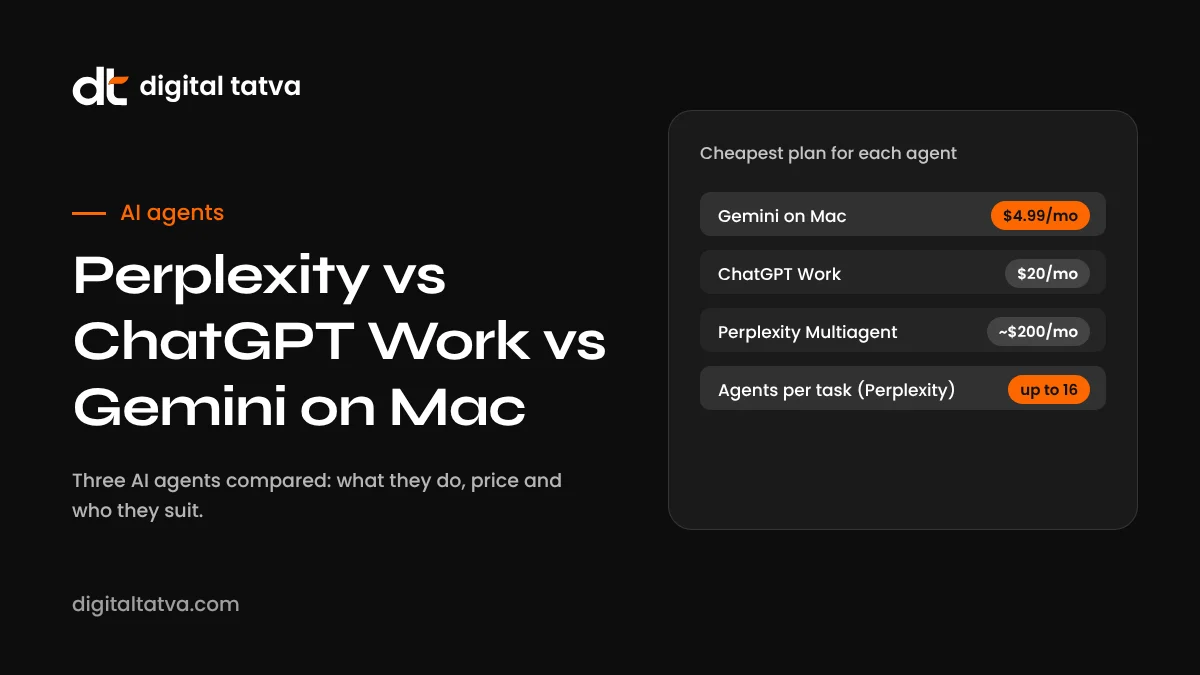
Quick answer: These are three different kinds of AI agent. Perplexity Multiagent splits one big research task across up to 16 agents running different AI models, then combines their findings; it needs the Max plan (about $200 a month). ChatGPT Work is an all-round work agent that uses your connected apps, files and a built-in browser for hours at a time, and it is included from the $20 Plus plan. Gemini on Mac operates your own Mac apps, files and websites in a background window, from the $4.99 Google AI Plus plan, but only in the US and in English at launch. Pick Perplexity for deep multi-source research, ChatGPT Work for business tasks across your tools, and Gemini on Mac for repetitive desktop chores.
Key takeaways
- Perplexity Multiagent: a lead agent splits work across up to 16 agents on different frontier models, which check each other’s work. Max plan only.
- ChatGPT Work: runs long multi-step projects across connected apps such as Gmail, Slack, Google Drive and SharePoint, with scheduled tasks and computer use in the desktop app. Included from Plus at $20 a month.
- Gemini on Mac: clicks, types and fills forms across your local apps, files and websites in a background window, with approvals for important actions. AI Plus, Pro and Ultra, US English first.
- Cheapest way in: Gemini on Mac from $4.99 a month. Most capable for research: Perplexity Multiagent. Best all-rounder for business work: ChatGPT Work.
- All three ask for approval before important actions and let you choose what the agent can access.
- Agents read the web the way search engines do, so clear, structured and current information about your business helps them describe you correctly.
The three agents at a glance
| Perplexity Multiagent | ChatGPT Work | Gemini on Mac | |
|---|---|---|---|
| What it is | An effort level in Perplexity Computer and teammates that runs many agents in parallel | An agent in ChatGPT that works across your apps and files for hours | Computer use in the Gemini Mac app that operates your desktop |
| Launched | Announced November 17 for Max on the web; mobile and Mac app support added November 24 | July 9 (rolled out to Plus and Business after Pro and Enterprise) | November 19 |
| Cheapest plan | Perplexity Max, about $200 a month ($167 a month billed yearly) | ChatGPT Plus, $20 a month | Google AI Plus, $4.99 a month |
| Where it runs | Perplexity cloud, plus your own browser through the Chrome extension | ChatGPT cloud, plus a built-in browser and computer use in the desktop app | A background window on your Mac |
| Best at | Multi-source research, analysis and cross-checking | Business tasks across email, docs, chat and CRMs | Repetitive tasks in desktop apps and local files |
| Availability | Max subscribers on web, iOS, Android and Mac | Plus, Pro, Business, Enterprise and Edu | US, English, Apple Silicon Macs on macOS 15 or later |
| Limits | Credits (Max includes 10,000 a month) | Shared ChatGPT usage allowance | Gemini plan usage limits |
Perplexity Multiagent: many models on one task
Perplexity added Multiagent as a new effort level above Ultra in Perplexity Computer and in teammates, its always-on AI assistants. When you turn it on, a lead agent breaks a complex task into parts and hands them to up to 16 agents, each running a different frontier model. The agents share findings as they work and check each other’s results, and the lead agent combines everything into one answer.
Perplexity’s chief executive gave the example of Claude Fable 5.2 orchestrating Gemini 4 Carbon, GPT-6.1 Sol and Claude Opus 5.5 on the same job, and named financial research, forecasting, prediction markets and analysing a batch of company filings as typical uses. Perplexity says Multiagent tasks finish faster and more accurately, but it has not published a benchmark to back that up.
What else arrived with it
- Chrome extension: Computer can now complete tasks in your own browser, using sites you are already signed in to, with a side panel and per-site permissions.
- Cloud Desktop: you can watch Computer and teammates work live and take control for sign-ins or two-factor codes.
- Teammates on mobile and CarPlay: assign work, check progress and approve next steps from your phone.
- Brain: builds personal skills from your past sessions and corrections; on by default for eligible US Max subscribers and can be turned off.
- New models: GPT-6.2 Astra and Sol, Gemini 4 Carbon and Neon, and Claude Fable 5.2 are available in Computer.
Who it suits: analysts, investors, consultants and researchers who need many sources compared and cross-checked. Who should skip it: anyone who does not already need Perplexity Max; at about $200 a month it is the most expensive option here. Our Perplexity pricing guide covers the plans, and how Perplexity chooses its sources explains how it picks the pages it cites.
ChatGPT Work: the all-round business agent
ChatGPT Work is OpenAI’s agent for getting real work done. It can gather information across your connected apps and files, break a large project into steps and work through them on its own, and stay with a project for hours. It creates documents, spreadsheets, slides and simple web apps, and it now runs on GPT-6.2 Astra for Plus and higher plans.
- Connected apps: plugins for Slack, Microsoft Teams, Google Drive, SharePoint, email, calendars and CRMs.
- Scheduled tasks: run once, on a schedule or when something changes, which suits weekly reports and monitoring.
- Browser and computer use: the ChatGPT desktop app has a built-in browser and computer use that can click, type and move files; a Chrome extension adds a sidebar.
- Controls: you approve important actions and decide what Work can access. Enterprise and Edu admins can manage connected tools and spending.
The catch is usage. From December, Work shares one allowance with Chat and Codex, and long agent tasks are the most expensive kind of usage. Our explainer on ChatGPT’s new shared usage limits shows how to make it last.
Who it suits: marketers, founders, operations teams and anyone whose work lives in email, documents, chat and a CRM. Who should skip it: people who mainly need deep multi-source research, where Perplexity is stronger, or simple desktop chores, where Gemini on Mac is cheaper.
Gemini on Mac: an agent for your own desktop
On November 19, Google gave the Gemini Mac app computer use. You describe a multi-step task, and Gemini handles the clicking, typing, menu navigation and form entry across your local files, desktop apps and websites. It works in a separate window behind the scenes, with a live preview in your chat, so you can keep using your Mac while it works.
Google’s own examples show the kind of work it targets:
- Bulk-adjusting colours across a set of photos in a design app.
- Pulling package sizes and delivery addresses from PDFs on your Mac to fill in shipping quote forms.
- Collecting figures and screenshots from several dashboards and assembling a Google Slides presentation.
- Reviewing clothing photos in a folder, checking current prices and drafting listings on resale marketplaces.
Requirements: an Apple Silicon Mac on macOS Sequoia 15.0 or later, a personal Google account for someone 18 or older, and a Google AI Plus, Pro or Ultra plan. It launched in English and is rolling out in the US first. You choose which apps Gemini may access, you can watch and stop each action, and Gemini asks for your sign-off before important actions.
Who it suits: anyone with repetitive desktop tasks in apps that have no AI integration of their own. Who should skip it: Windows users, people outside the US for now, and work accounts, which are not supported. For background tasks across Gmail, Calendar and Docs, see our guide on how to use Gemini tasks.
Head-to-head: which agent wins each job?
| Task | Best choice | Why |
|---|---|---|
| Compare 20 competitors’ pricing pages and summarise | Perplexity Multiagent | Parallel agents and cross-checking suit many-source research |
| Analyse a batch of annual reports | Perplexity Multiagent | Named use case, with citations that open the source filing |
| Draft a weekly client report from Sheets, Gmail and Slack | ChatGPT Work | Connected apps plus scheduled tasks |
| Update deals in your CRM after a sales call | ChatGPT Work | CRM plugins and approvals for changes |
| Rename and sort 300 files and fill a form for each | Gemini on Mac | Works directly in your desktop apps and folders |
| Edit a batch of images in a design app | Gemini on Mac | Operates apps that have no AI of their own |
| Book or buy something on a site you are signed in to | Any, with care | All three ask for approval; never let an agent handle payment details unsupervised |
Price and value compared
| Agent | Plan needed | Monthly price | What else the plan includes |
|---|---|---|---|
| Gemini on Mac | Google AI Plus | $4.99 | 2x Gemini usage, Gemini 4 Hydrogen, 400 GB storage |
| Gemini on Mac | Google AI Pro | $19.99 | Gemini 4 Neon, 1M context, 5 TB storage, YouTube Premium Lite |
| ChatGPT Work | ChatGPT Plus | $20 | GPT-6.2, Codex, ChatGPT Space, deep research |
| ChatGPT Work | ChatGPT Pro | $100 to $500 | Much higher allowance, Dots always-on agents |
| Perplexity Multiagent | Perplexity Max | About $200 ($167 yearly) | Computer, teammates, 10,000 monthly credits |
Compare every plan side by side in our AI subscription prices guide, or see the Gemini pricing and ChatGPT pricing guides.
Safety: how to use AI agents without regret
- Give the least access that works. Allow only the apps, sites and folders the task needs.
- Keep approvals on. All three agents can pause before important actions; do not switch that off for anything involving money, sending messages or deleting files.
- Handle passwords and payments yourself. Use the take-over or approval step to sign in and pay, rather than handing credentials to the agent.
- Start with a test run. Try a task on three files before three hundred.
- Check the output. Agents can misread pages and forms. Review anything that goes to a client or customer.
Why AI agents matter for your brand’s visibility
When a buyer asks Perplexity Multiagent to compare suppliers, or asks ChatGPT Work to shortlist agencies, the agent reads your website, reviews and listings the way a very fast researcher would. Pages with clear facts, consistent details across the web, structured data and plain answers to common questions are easier for agents to read, quote and recommend. Pages that hide prices, contradict each other or block AI crawlers are easier to skip.
Digital Tatva helps businesses become easier for AI assistants and agents to find, understand and describe accurately. Our answer engine optimization service starts with an audit of how ChatGPT, Gemini, Perplexity and Copilot describe you today. We never guarantee placement in AI answers. Request an AEO audit.
Related guides
- ChatGPT shared usage limits explained
- How to move your ChatGPT history to Gemini
- Perplexity pricing
- Gemini Free vs Google AI Pro
- How Perplexity chooses its sources
Frequently asked questions
What is Perplexity Multiagent?
Multiagent is an effort level in Perplexity Computer and teammates. A lead agent splits a complex task across up to 16 agents running different frontier models, which share findings and check each other’s work before the lead agent combines the results.
How much does Perplexity Multiagent cost?
Multiagent is included in Perplexity Max, which costs about $200 a month or $167 a month billed yearly. It is not available on Perplexity Pro.
What is ChatGPT Work?
ChatGPT Work is OpenAI’s agent that works across your connected apps and files, breaks big projects into steps and can stay with a task for hours. It creates documents, sheets, slides and simple web apps.
Is ChatGPT Work included in ChatGPT Plus?
Yes. ChatGPT Work is available on Plus at $20 a month, as well as Pro, Business, Enterprise and Edu. Its usage counts toward ChatGPT’s shared allowance.
Can Gemini control my Mac?
Yes. Since November 19 the Gemini Mac app can carry out multi-step tasks across your local apps, files and websites in a background window, with a live preview and approvals for important actions.
Who can use Gemini computer use on Mac?
It needs an Apple Silicon Mac on macOS Sequoia 15.0 or later, a personal Google account for someone 18 or older and a Google AI Plus, Pro or Ultra plan. It launched in English and is rolling out in the US first.
Is Gemini on Mac available in India?
Not yet. Google launched it in English and is rolling it out in the US first. Check the Gemini Mac app for availability in your country.
Which AI agent is cheapest?
Gemini on Mac, which starts with Google AI Plus at $4.99 a month in the US. ChatGPT Work starts at $20 a month, and Perplexity Multiagent needs Max at about $200 a month.
Which AI agent is best for research?
Perplexity Multiagent, because it runs many models in parallel, cross-checks findings and cites its sources. It suits financial research, forecasting and analysing many documents at once.
Which AI agent is best for business tasks?
ChatGPT Work, because it connects to email, calendars, Slack, Teams, Google Drive, SharePoint and CRMs, and can run scheduled tasks.
Can these agents use websites I am signed in to?
Perplexity’s Chrome extension and ChatGPT’s desktop browser and Chrome extension can work in sites you are signed in to, with permissions. Gemini on Mac works with websites on your Mac as part of a task.
Do AI agents ask before taking actions?
Yes. All three let you control access and ask for approval before important actions. Keep approvals on for anything involving payments, messages or deletions.
Can I use Perplexity Multiagent on my phone?
Yes. Perplexity added Multiagent and teammates to its iOS and Android apps and the Mac app in its November 24 update, after launching on the web.
Which models does Perplexity Multiagent use?
It mixes frontier models from different companies. Perplexity’s example used Claude Fable 5.2 to orchestrate Gemini 4 Carbon, GPT-6.1 Sol and Claude Opus 5.5.
Does Gemini on Mac work on Windows?
No. Computer use is part of the Gemini Mac app and needs an Apple Silicon Mac. Google has not announced a Windows version.
Does ChatGPT Work run in the background?
Yes. ChatGPT Work can work through long tasks on its own and supports scheduled tasks that run once, on a schedule or when something changes.
Are AI agents safe to use with business data?
They can be, if you limit access to what each task needs, keep approvals on and handle passwords and payments yourself. Business plans add admin controls and do not train on workspace data by default for ChatGPT Business.
Can AI agents compare my business with competitors?
Yes. Agents like Perplexity Multiagent and ChatGPT Work can read many websites and reviews to build a comparison, which is why accurate and consistent information about your business matters.
How do I make my website easier for AI agents to read?
Publish clear facts, prices and answers to common questions, keep details consistent across the web, use structured data and make sure AI search crawlers are not blocked.
Should I pay for more than one AI agent?
Usually not. Choose the one that fits your main job: Perplexity for deep research, ChatGPT Work for business tasks across apps, or Gemini on Mac for desktop chores.
Product details, prices and features are checked at the time of writing and can change. Sources are linked in the text so you can check them yourself.
How does your brand appear in AI answers?
We test the questions your buyers ask across the major AI assistants and search engines, then show you what to fix first.
Get an AI Visibility Audit