Microsoft Copilot Review 2026: Free App, Plans and Office AI Tested
What Microsoft Copilot does well, what changed in 2026 and which plan to choose.
On this page
- Key takeaways
- What is Microsoft Copilot?
- Copilot plans and pricing in 2026
- What is new in Copilot in 2026
- Testing the free Copilot app
- Copilot in Word, Excel, PowerPoint and Outlook
- Privacy and work data
- Pros and cons
- Who should use Copilot?
- Copilot and your brand’s AI visibility
- Illustrative example: a freelancer choosing a plan
- Checklist before you pay for Copilot
- Verdict
- How Digital Tatva can help
- Frequently asked questions
Last updated: 17 November 2026
Quick answer: Microsoft Copilot is a capable free AI assistant for chat, search, image creation, voice and vision, and it becomes far more useful when paired with Microsoft 365 apps. In 2026 the old Copilot Pro plan is no longer sold to new buyers; its features moved into Microsoft 365 Premium (about $19.99 per month in the US), while Microsoft 365 Personal and Family include a monthly allowance of AI credits. Microsoft is also turning Copilot into a “super app” with Cowork, Office editing inside Copilot and agent features, with usage-based billing planned for some new features. Copilot is best for people who live in Word, Excel, Outlook and Windows. For general chat alone, ChatGPT and Gemini are equally strong or stronger.
Key takeaways
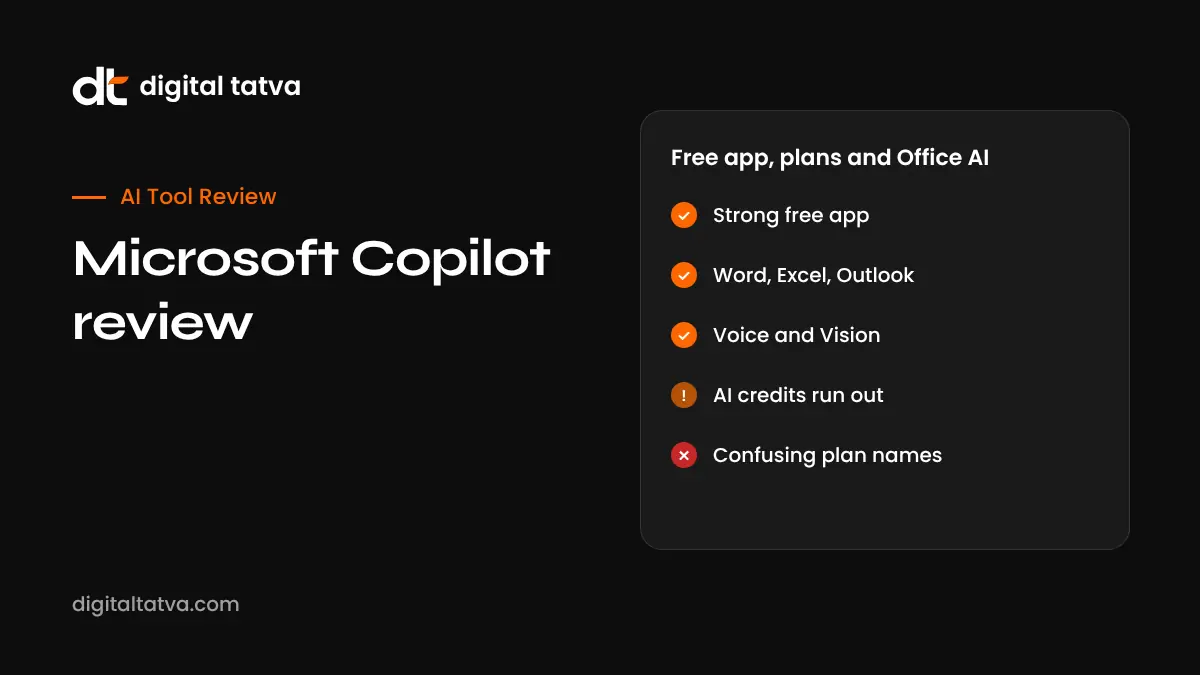
- The free Copilot app covers chat, web answers with sources, images, voice and Copilot Vision.
- Copilot Pro was retired for new subscribers; Microsoft 365 Premium replaced it.
- Microsoft 365 Personal and Family include about 60 AI credits a month for Copilot in Office apps.
- Business users need Microsoft 365 Copilot licences or Copilot Chat for work data protection.
- Plans and features are changing fast, so check Microsoft’s pricing page before buying.
What is Microsoft Copilot?
“Copilot” is Microsoft’s brand for its AI assistant, and it appears in several places: the free Copilot app on Windows, web, iOS and Android; Copilot inside Word, Excel, PowerPoint, Outlook and OneNote; Copilot in Edge; Microsoft 365 Copilot for businesses; and GitHub Copilot for developers. This review focuses on the consumer Copilot app and Copilot in Microsoft 365 for individuals, with a short section for businesses. For step-by-step setup, read how to use Microsoft Copilot.
Copilot plans and pricing in 2026
| Plan | Who it is for | What you get |
|---|---|---|
| Copilot (free) | Anyone with a Microsoft account | Chat, web answers, image creation, voice, Copilot Vision, with usage limits |
| Microsoft 365 Personal and Family | Individuals and families | Office apps, cloud storage and about 60 AI credits a month for Copilot in Office apps and Designer; AI benefits for the subscription owner only |
| Microsoft 365 Premium | Heavy individual users | Family plan benefits plus the former Copilot Pro features, higher Copilot limits and more Deep Research; about $19.99 per month in the US |
| Microsoft 365 Copilot Chat | Business users | Secure work chat with enterprise data protection, included with eligible business plans |
| Microsoft 365 Copilot | Businesses | Copilot grounded in work email, files, meetings and chats; reported at about $30 per user per month for enterprise seats |
Prices are US figures reported in 2026. Indian pricing is shown in rupees on Microsoft’s site and can differ. For a fuller breakdown, see Microsoft Copilot pricing.
What is new in Copilot in 2026
Microsoft has been reshaping Copilot into a single “super app”. According to reporting from Office Watch, the plan includes:
- Home: a new landing screen combining Chat and Cowork, where you can hand off whole tasks. See Microsoft Copilot Cowork.
- Office inside Copilot: create and edit Word, Excel and PowerPoint files within Copilot, kept in sync with the Office apps.
- Code: build small apps, trackers and dashboards by describing them, expected for Premium and business subscribers.
- Autopilot: a cloud agent with its own memory that can be triggered by an @mention, in preview.
- Today: a view that surfaces missed emails, meetings and tasks, in private preview from October 2026.
- Usage-based billing: consumer subscriptions are expected to add metered charges for some new agent features later in 2026.
Rollouts are gradual and some features start with Microsoft’s Frontier early-access programme, so what you see depends on your account and region.
Testing the free Copilot app
Chat and answers
Copilot handles everyday questions, writing, summarising and planning well. Web-grounded answers include source links, which makes fact checking easier. Answers are generally solid, though for long, complex reasoning or coding many users prefer ChatGPT or Claude. See Copilot vs ChatGPT.
Voice and Copilot Vision
Voice conversations feel natural, and Copilot Vision can look at your screen on Windows, or through your phone camera, to explain what it sees. It is useful for walking through a settings screen or understanding a chart.
Images
Image creation is built in and good for social graphics and concepts. Free usage has limits, and image credits count against Microsoft 365 AI credits when used in Designer.
Windows integration
On Windows 11, Copilot is a keyboard press away, can work with files you share, and connects to other Microsoft services. This tight integration is Copilot’s biggest advantage over rivals.
Copilot in Word, Excel, PowerPoint and Outlook
| App | Useful tasks |
|---|---|
| Word | Draft from notes or files, rewrite sections, summarise long documents |
| Excel | Explain formulas, create charts, analyse data, use Agent Mode for multi-step work; see Copilot in Excel |
| PowerPoint | Create a draft deck from a document, add slides, summarise presentations |
| Outlook | Summarise threads, draft replies, coach tone |
On Personal and Family plans each AI action uses credits from the monthly allowance. If you use Copilot in Office daily, the allowance can run out, which is the main reason to consider Premium.
Privacy and work data
The consumer app uses your Microsoft account and has its own privacy settings, including options around personalisation and memory. Businesses should not paste confidential company data into a personal account. Microsoft 365 Copilot Chat and Microsoft 365 Copilot for business provide enterprise data protection under your organisation’s terms. Our guide on AI data privacy for business covers policies to set.
Pros and cons
| Pros | Cons |
|---|---|
| Strong free tier with voice, vision and images | Confusing range of Copilot products and plans |
| Deep integration with Windows and Office | AI credits on Personal and Family can run out |
| Web answers include sources | Some new features are preview-only or region-limited |
| Business version respects work permissions | Business licences are expensive for small teams |
Who should use Copilot?
- Windows users who want a quick, free assistant.
- Students and professionals already paying for Microsoft 365.
- Teams that store work in SharePoint, OneDrive, Teams and Outlook.
- Excel-heavy roles such as finance, operations and analytics.
Copilot and your brand’s AI visibility
Copilot’s web answers draw on Bing and other sources. If your business wants to appear when people ask Copilot for recommendations, your website needs clear, accurate answers and your listings on Bing Places should be complete. Learn more in how AI search engines work.
Illustrative example: a freelancer choosing a plan
This is an illustrative scenario, not a client story.
A freelance accountant in Pune already pays for Microsoft 365 Personal. She uses Copilot in Excel to explain client spreadsheets and build pivot summaries, and Copilot in Outlook to draft replies. After two weeks of daily use, her monthly AI credits run low. She compares the cost of upgrading to Premium with using the free Copilot app for general questions and saving credits for Excel work. Because Excel analysis is billable work for her, she upgrades, but she keeps client files in her own OneDrive and avoids pasting tax IDs or bank details into chats.
Checklist before you pay for Copilot
- List the apps where you would actually use Copilot each week.
- Test the free app and your current plan’s AI credits for two weeks.
- Check Microsoft’s current regional price and credit limits.
- Decide whether you need business data protection.
- Compare with ChatGPT or Gemini plans you may already pay for.
Verdict
Copilot is one of the best AI assistants for people who work in Microsoft’s ecosystem. The free app is generous, and Office integration is genuinely useful. Its weaknesses are plan confusion and fast-changing limits. If you rarely use Office, a general assistant may serve you better; if Excel, Word and Outlook are your daily tools, Copilot is worth testing seriously.
How Digital Tatva can help
Digital Tatva helps businesses understand how AI assistants such as Copilot, ChatGPT and Gemini describe them, and builds the content and entity signals that improve visibility. See our AEO services.
Does Copilot mention your business? Request an AEO audit or try the free AI visibility checker.
Frequently asked questions
Is Microsoft Copilot free?
Yes. The Copilot app is free with a Microsoft account, with usage limits. Copilot inside Office apps uses AI credits included with Microsoft 365 plans.
What happened to Copilot Pro?
Microsoft stopped selling Copilot Pro to new individual buyers. Its features moved into Microsoft 365 Premium.
How much is Microsoft 365 Premium?
It is reported at about $19.99 per month in the US. Prices vary by country, so check Microsoft’s site.
Is Copilot better than ChatGPT?
Copilot is better for Microsoft 365 and Windows tasks. ChatGPT is often preferred for general reasoning, writing and coding. Both are strong.
What are Microsoft 365 AI credits?
Personal and Family plans include about 60 AI credits a month for Copilot actions in Office apps and image tools. Each action uses credits.
Can Copilot see my screen?
Copilot Vision can view your screen or camera when you choose to share it, to explain what it sees.
Is Copilot safe for business data?
Use Microsoft 365 Copilot Chat or Microsoft 365 Copilot under a work account for business data. Avoid personal accounts for confidential information.
What is the Copilot super app?
It is Microsoft’s plan to combine chat, Cowork, Office editing, app building and agents in one Copilot experience, rolling out gradually in 2026.
Does Copilot work in India?
Yes. The Copilot app and Microsoft 365 plans are available in India, with local pricing. Some preview features may arrive later.
Can Copilot create images?
Yes. Copilot and Microsoft Designer can generate images, with limits on free use and AI credits on paid plans.
Product details, prices and features are checked at the time of writing and can change. Sources are linked in the text so you can check them yourself.
How does your brand appear in AI answers?
We test the questions your buyers ask across the major AI assistants and search engines, then show you what to fix first.
Get an AI Visibility Audit