QuillBot Review 2026: Pricing, Features, Pros and Cons
An honest QuillBot review covering plans, the paraphraser, AI detector and who should use it.
On this page
- Key takeaways
- What is QuillBot?
- QuillBot pricing in 2026
- How good is the paraphraser?
- Grammar checker and summarizer
- AI detector and AI humanizer: use with care
- QuillBot vs Grammarly
- Who should use QuillBot?
- Who should skip it?
- Pros and cons
- Illustrative example: a small agency using QuillBot well
- QuillBot checklist before you publish
- Verdict
- How Digital Tatva can help
- Frequently asked questions
Last updated: 17 November 2026
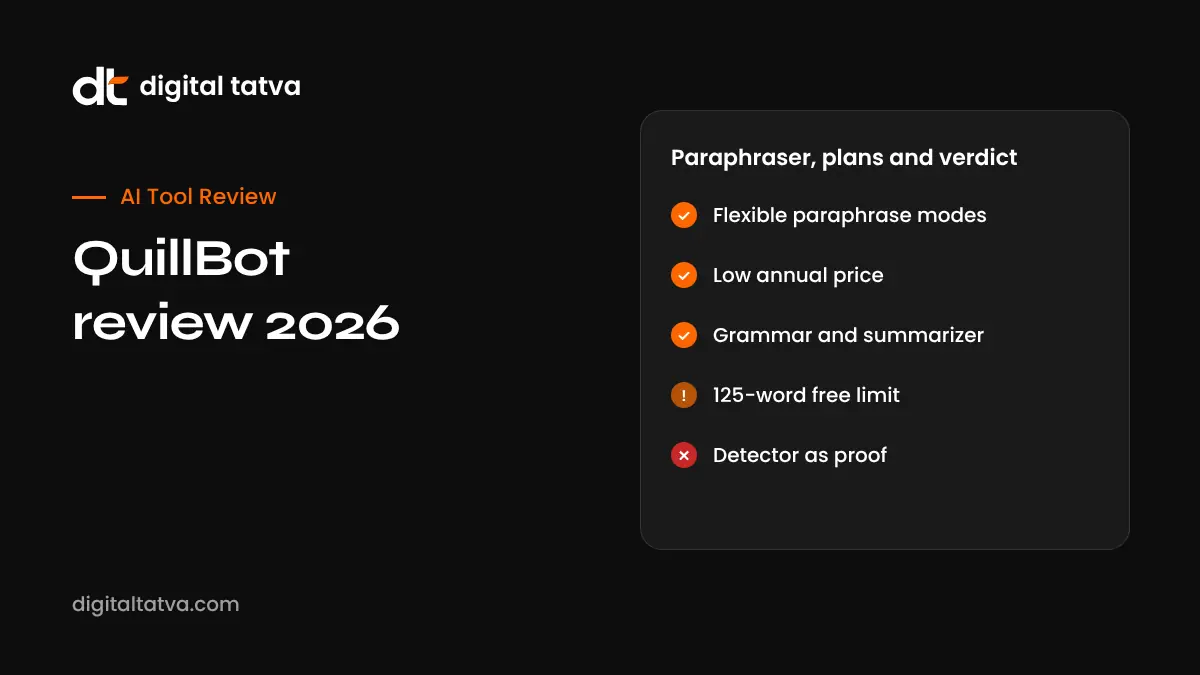
Quick answer: QuillBot is a writing assistant best known for its paraphraser, with a grammar checker, summarizer, translator, AI detector, AI humanizer, plagiarism checker and AI chat in the same account. The free plan is useful for short rewrites (125 words per paraphrase, two modes). Premium costs about $19.95 per month or about $99.95 per year (around $8.33 per month) and removes the word limit, unlocks all paraphrasing modes and adds a plagiarism checker. It is good value for students, non-native English writers and anyone who rewrites text often. It is not a replacement for original thinking, and paraphrasing someone else’s work without credit is still plagiarism.
Key takeaways
- The paraphraser is still QuillBot’s strongest tool, with more modes than most rivals.
- The free plan works for short tasks; Premium is needed for long documents and the plagiarism checker.
- Team pricing is cheap per seat for schools and small businesses on annual billing.
- Its AI detector and humanizer are best treated as rough guides, not proof of anything.
- For deep grammar and tone control, Grammarly is stronger; for rewriting, QuillBot usually wins on price.
What is QuillBot?
QuillBot started as a paraphrasing tool and has grown into a writing toolkit used by students, researchers, marketers and professionals who write in English as a second language. You paste text, choose a mode, and QuillBot rewrites it. Around that core it now offers eight main tools, all available in the browser, with extensions and integrations for Chrome, Microsoft Word and Google Docs, plus desktop and mobile apps.
| Tool | What it does | Best for |
|---|---|---|
| Paraphraser | Rewrites sentences in different modes such as Standard, Fluency, Formal, Simple, Creative, Expand and Shorten | Rewording, simplifying, changing tone |
| Grammar Checker | Fixes spelling, grammar and punctuation | Quick proofreading |
| Summarizer | Turns long text into key sentences or a paragraph | Research notes, reports |
| Translator | Translates between many languages | Drafts in Hindi, Gujarati and other languages |
| AI Detector | Estimates whether text looks AI-written | A rough self-check |
| AI Humanizer | Rewrites AI-style text to sound more natural | Making drafts less robotic |
| Plagiarism Checker | Compares text against web and academic sources | Checking originality before submission |
| AI Chat | A general chatbot for questions and drafting | Brainstorming |
QuillBot pricing in 2026
| Plan | Price | Main limits |
|---|---|---|
| Free | $0 | Paraphraser 125 words per use, 2 modes (Standard and Fluency), summarizer 1,200 words, no plagiarism checker |
| Premium monthly | About $19.95 per month | Unlimited paraphrasing, all modes, summarizer 6,000 words, plagiarism checker 25,000 words per month |
| Premium annual | About $99.95 per year (around $8.33 per month) | Same as Premium monthly |
| Team | From about $2.91 to $3.75 per user per month, billed annually | For 2 or more users, with admin features |
Prices are as reported by pricing trackers in 2026 and can vary by country, currency and promotion. QuillBot shows local pricing in India at checkout, so confirm the current figure on its pricing page before paying. Premium has historically come with a short money-back guarantee window.
How good is the paraphraser?
For everyday rewriting, QuillBot is fast and readable. Standard mode keeps meaning close to the original, Fluency fixes awkward phrasing, Formal suits emails and reports, and Simple is helpful when you want to explain a technical idea to a general reader. A synonym slider controls how many words change. Premium adds Compare Modes, so you can see the same sentence in several styles side by side, plus a history of past rewrites.
Where it struggles: long, technical or highly specific text can lose nuance, and the tool sometimes swaps a precise term for a vaguer one. Always reread the output. If you are writing for search or AI answers, keep key terms, names and numbers exactly as they are; paraphrasing them can make content less precise. See our guide to the best paraphrasing tools for alternatives.
Grammar checker and summarizer
The grammar checker catches common errors and is free, which makes it handy for short emails and social posts. It does not offer the depth of tone, clarity and style suggestions that Grammarly provides. The summarizer is useful for turning a long article or report into bullet points before you read it properly, but summaries can miss caveats, so do not quote a summary as if it were the source.
AI detector and AI humanizer: use with care
QuillBot’s AI detector gives a percentage estimate of AI-like writing. No AI detector is reliable enough to prove that a person used AI, and false positives happen, particularly for non-native writers whose English is simple and regular. Teachers and employers should never use any detector score alone as evidence.
The AI humanizer rewrites text so it sounds less like an AI draft. It can make writing smoother, but using it to hide AI use where it is not allowed, such as in an exam or graded assignment, breaks academic rules. For businesses, the better path is to edit AI drafts with real expertise and examples. Our guide on whether Google penalizes AI content explains why value matters more than how text was produced.
QuillBot vs Grammarly
| Feature | QuillBot | Grammarly |
|---|---|---|
| Strongest feature | Paraphrasing in many modes | Grammar, clarity and tone suggestions |
| Free plan | Short paraphrases, grammar, summarizer | Basic grammar and spelling |
| Price of paid plan | Lower, especially annually | Higher |
| Plagiarism checker | Premium, with a monthly word limit | Pro plans |
| Works inside apps | Chrome, Word, Google Docs | Most apps and websites |
Many writers use both: Grammarly for polishing and QuillBot for rewording. Read our full Grammarly review to compare.
Who should use QuillBot?
- Students: for understanding difficult passages, simplifying notes and checking grammar, while citing sources properly. See best AI tools for students.
- Non-native English writers: Fluency and Formal modes help make emails and reports sound natural.
- Content teams: for rewording product descriptions, meta descriptions and social captions in different tones.
- Researchers: for summarizing papers before a full read.
Who should skip it?
- Writers who need deep style and tone feedback on long documents.
- Anyone hoping to pass off other people’s work as their own.
- Teams that already pay for a general AI assistant like ChatGPT or Gemini and only paraphrase occasionally.
Pros and cons
| Pros | Cons |
|---|---|
| Excellent, flexible paraphraser | Free plan word limit is tight |
| Low annual price | AI detector is not reliable proof |
| Many tools in one account | Can lose nuance in technical text |
| Cheap team seats | Plagiarism checker has a monthly cap |
Illustrative example: a small agency using QuillBot well
This is an illustrative scenario, not a client story.
A three-person content agency in Surat writes product descriptions for several D2C brands. The founder uses ChatGPT to draft first versions from product sheets, then a writer uses QuillBot’s Formal and Simple modes to create two tone options for each brand, checks grammar, and runs the plagiarism checker on long blog posts before delivery. Brand names, sizes, prices and ingredients are never paraphrased; they are pasted back exactly from the product sheet. The team pays for two annual Team seats instead of a more expensive tool, and keeps a short style sheet so outputs stay consistent across writers.
QuillBot checklist before you publish
- Reread every rewritten sentence for meaning, not just grammar.
- Keep names, numbers, product terms and quotes unchanged.
- Cite sources for ideas you paraphrased.
- Run the plagiarism checker on long or important pieces.
- Do not treat an AI detector score as proof.
- Add your own examples and experience so the piece is genuinely useful.
Verdict
QuillBot is one of the best-value writing tools for rewording and simplifying text. The free plan is enough for occasional short tasks, and the annual Premium plan is inexpensive for heavy users. Use it as an editing aid, keep facts exact, and pair it with real expertise if you want content that ranks and gets cited by AI assistants.
How Digital Tatva can help
Digital Tatva helps businesses build content workflows that use AI tools responsibly and still produce expert, accurate pages that Google and AI assistants trust. See our AEO services.
Is your content getting cited by AI? Request an AEO audit or try the free AI visibility checker.
Frequently asked questions
Is QuillBot free?
Yes, QuillBot has a free plan with a 125-word paraphrase limit, two paraphrasing modes, a grammar checker and a summarizer. Premium removes limits and adds more tools.
How much does QuillBot Premium cost?
Pricing trackers list about $19.95 per month or about $99.95 per year. Local prices, including in India, can differ, so check QuillBot’s pricing page.
Is QuillBot better than Grammarly?
QuillBot is better for paraphrasing and cheaper. Grammarly is better for detailed grammar, clarity and tone suggestions. Many people use both.
Is using QuillBot cheating?
Using it to improve your own writing is generally fine. Using it to disguise someone else’s work or to break assignment rules is plagiarism or misconduct. Follow your school’s or employer’s policy.
Is QuillBot’s AI detector accurate?
It gives an estimate. No AI detector is reliable enough to prove AI use, and false positives happen.
Does QuillBot have a plagiarism checker?
Yes, on Premium, with a monthly word allowance reported at 25,000 words.
Can QuillBot write in Hindi?
QuillBot supports translation and paraphrasing in several languages. Quality is usually best in English, so review non-English output carefully.
Does Google penalize QuillBot content?
Google judges content by quality and helpfulness, not the tool used. Thin, reworded content with no added value tends to perform poorly.
Does QuillBot work in Google Docs and Word?
Yes, QuillBot offers a Chrome extension and integrations for Google Docs and Microsoft Word.
Is there a QuillBot team plan?
Yes. Team plans for two or more users are billed annually, with lower per-seat prices for larger teams.
Product details, prices and features are checked at the time of writing and can change. Sources are linked in the text so you can check them yourself.
How does your brand appear in AI answers?
We test the questions your buyers ask across the major AI assistants and search engines, then show you what to fix first.
Get an AI Visibility Audit