How to Use ChatGPT for Social Media Marketing
How to use ChatGPT for social media marketing: brand setup, content calendars, platform prompts for Instagram and LinkedIn, repurposing, images and analytics.

On this page
- Key takeaways
- What can ChatGPT do for social media marketing?
- How do you set up ChatGPT for your brand?
- How do you plan a social media calendar with ChatGPT?
- What are the best ChatGPT prompts for each platform?
- How do you repurpose content with ChatGPT?
- Can ChatGPT create social media images?
- How do you analyze social media results with ChatGPT?
- Common mistakes when using ChatGPT for social media
- Frequently asked questions
- Next steps
- Sources
Last updated: 22 October 2026
Quick answer: To use ChatGPT for social media marketing, set up a ChatGPT project with your brand voice and audience, then use it to plan a monthly content calendar, write platform-specific posts and captions, create images, repurpose long content into short posts and analyze performance exports. ChatGPT Free works for drafts; ChatGPT Plus ($20 a month, about Rs 1,999 in India) adds more image creation, projects and scheduled tasks.
OpenAI’s ChatGPT is the most widely used AI assistant for social media work, from Instagram captions to LinkedIn posts and YouTube Shorts scripts. Used well, it cuts planning and writing time sharply. Used badly, it produces the same bland posts everyone else publishes.
This guide shows a practical workflow for ChatGPT social media marketing, ready-to-use prompts for each platform, the setup that keeps posts on brand, and what ChatGPT still cannot do.
Key takeaways
- Create a ChatGPT project with your brand voice, audience, offers and five of your best posts before writing anything.
- Ask for platform-specific formats: Instagram allows a maximum of 5 hashtags per post since December 2025.
- Use ChatGPT to repurpose one long piece (blog, video, webinar) into 10 or more posts.
- ChatGPT cannot post for you on most platforms; pair it with a scheduler such as Buffer.
- Always add your own stories, data and opinions: that is what makes AI-assisted posts perform.
What can ChatGPT do for social media marketing?
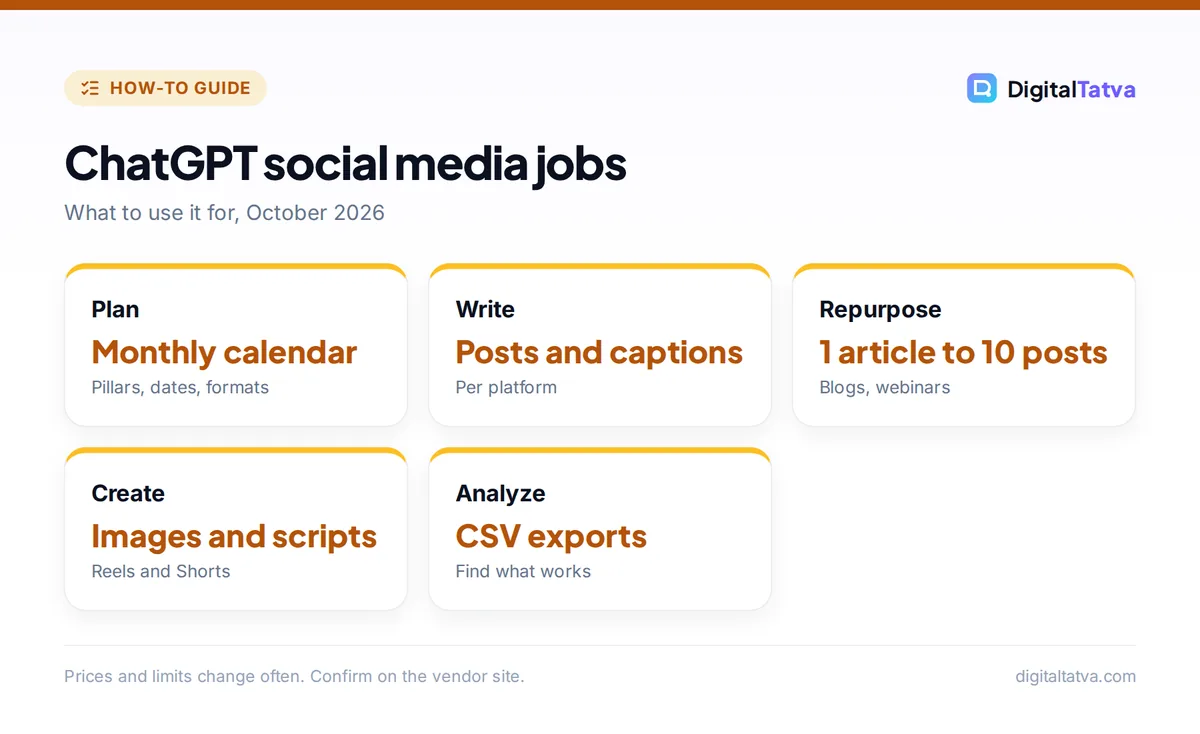
ChatGPT can plan content, write posts and captions, generate images, script short videos, repurpose content, reply to comments in your voice and summarize analytics. It is a writing and thinking partner, not a scheduling tool.
| Key fact | Detail (October 2026) |
|---|---|
| Developer | OpenAI |
| Free plan | Yes, with limits on images, uploads and advanced features |
| ChatGPT Go | $8/month in the US; Rs 399/month in India (reported) |
| ChatGPT Plus | $20/month; about Rs 1,999 in India including GST (reported) |
| Useful features | Projects, custom GPTs, image creation, scheduled tasks, file analysis |
| Cannot do | Publish directly to most social platforms or see live analytics without an export |
For a plan-by-plan breakdown, see ChatGPT Free vs Plus and the ChatGPT Plus price in India.
How do you set up ChatGPT for your brand?
You set up ChatGPT for your brand by creating a project (or a custom GPT) that stores your brand voice, audience, offers and examples, so every new chat starts with the same context. This single step fixes most “generic AI post” problems.
- Create a project. In ChatGPT, create a new project named after your brand.
- Add instructions. Paste a short brief: who you are, who you serve, tone (for example “plainspoken, practical, a little witty”), words to avoid, and your goals on each platform.
- Upload examples. Add five of your best-performing posts and your brand guidelines as files.
- Add offers and facts. List products, prices, links and claims you are allowed to make, so ChatGPT does not invent them.
- Test and refine. Ask for three sample posts, mark what is wrong and update the instructions.
Teams that want a shareable assistant can turn this into a custom GPT; see how to create a custom GPT. For a deeper method, read how to train AI to write in your brand voice.
How do you plan a social media calendar with ChatGPT?
You plan a social media calendar with ChatGPT by giving it your goals, content pillars, posting frequency and key dates, and asking for a table of posts by date, platform, format and hook. Then you edit the plan rather than writing from scratch.
Prompt: “Create a 4-week content calendar for [brand] on Instagram (4 posts a week) and LinkedIn (3 posts a week). Content pillars: [pillar 1], [pillar 2], [pillar 3]. Include [launch date or festival]. Output a table with date, platform, format (carousel, Reel, text, image), hook and call to action.”
Ask for a mix of formats, and require at least one post per week based on a real story from your business, which ChatGPT should leave as a placeholder for you to fill in.
What are the best ChatGPT prompts for each platform?
The best ChatGPT social media prompts name the platform, format, length and audience, because each platform rewards different styles. Use these as templates.
| Platform | Prompt template |
|---|---|
| Instagram caption | “Write 3 Instagram captions for this photo of [product]. First line under 10 words as a hook, 80 to 120 words, one question to drive comments, and up to 5 relevant hashtags.” |
| Instagram carousel | “Turn this blog post into a 7-slide carousel: slide 1 a bold promise, slides 2 to 6 one tip each in under 20 words, slide 7 a call to action.” |
| LinkedIn post | “Write a LinkedIn post about [lesson] in first person. Short lines, one concrete example from the notes below, no hashtags in the body, end with a question.” |
| Reels or Shorts script | “Write a 30-second Reel script: hook in the first 2 seconds, 3 quick points with on-screen text suggestions, and a call to action. Include B-roll ideas.” |
| X or Threads | “Write 5 short posts under 280 characters sharing one useful idea each from this article. No hashtags.” |
| Comment replies | “Reply to these 10 comments in our brand voice. Be helpful, under 40 words each, and flag any complaint for a human.” |
Instagram announced a hard limit of 5 hashtags per post or Reel in December 2025, and Instagram’s head Adam Mosseri said in February 2025 that hashtags no longer increase reach, so ask ChatGPT for a few targeted hashtags, not 30. More templates are in our Instagram caption prompts and ChatGPT prompts for LinkedIn.
How do you repurpose content with ChatGPT?
You repurpose content with ChatGPT by uploading or pasting one long piece (a blog post, podcast transcript or webinar) and asking it to extract the strongest ideas and rewrite each for a specific platform. One good article can feed a week of posts.
- Blog to carousel: each subheading becomes one slide.
- Webinar to clips: ask ChatGPT to find five quotable moments with timestamps from the transcript.
- Newsletter to LinkedIn: turn one section into a first-person post.
- Customer FAQ to Reels: each question becomes a 20-second answer video.
For video editing and captions, see AI tools for Instagram Reels and how to make YouTube Shorts with AI.
Can ChatGPT create social media images?
Yes, ChatGPT can create social media images such as quote graphics, product scenes, thumbnails and illustrations directly in the chat, and paid plans allow more and more complex image creation. It is strongest for concepts and one-off visuals; for consistent branded templates, a design tool like Canva is still faster.
Give the exact size (“1080 x 1350 portrait for Instagram”), your brand colors and the text to include, and check spelling in the final image. See how to generate images in ChatGPT for detailed tips, and the best AI UGC video generators for video ads.
How do you analyze social media results with ChatGPT?
You analyze social media results with ChatGPT by exporting post data from Instagram, LinkedIn or your scheduler as a CSV and asking ChatGPT to find patterns in reach, saves, comments and clicks. It can chart results and suggest what to test next.
Prompt: “Here is a CSV of my last 60 Instagram posts with reach, saves, shares and comments. Which formats, topics and posting times performed best? Give me 3 conclusions, 3 things to stop doing and 3 experiments for next month.”
Remove personal data from exports before uploading. For tools that schedule and report automatically, see our best AI social media tools: Buffer, for example, has a free plan for up to 3 channels with an AI assistant included.
Common mistakes when using ChatGPT for social media
The most common mistakes are posting unedited AI text, ignoring platform norms and letting ChatGPT invent facts. Avoid these and your AI-assisted posts will read like you.
- Generic voice: fix it with a project, examples and banned words (such as “unlock” and “elevate”).
- No personal proof: add a real number, client story or opinion to every post.
- Hashtag stuffing: keep to 5 or fewer on Instagram.
- Made-up stats: ChatGPT can invent statistics; check every number or remove it.
- Same post everywhere: rewrite for each platform’s format and audience.
Need more ideas? Our ChatGPT prompts for marketing collection covers ads, email and SEO too.
Frequently asked questions
Can ChatGPT manage my social media?
Partly. ChatGPT can plan, write, design and analyze, but it cannot publish to most social platforms or monitor live comments by itself. Pair it with a scheduler such as Buffer, Hootsuite or Meta Business Suite, and keep a person responsible for posting, replies and brand safety.
Is ChatGPT free for social media posts?
Yes. ChatGPT’s free plan can write captions, posts and scripts. Paid plans add more image creation, more file uploads, projects and scheduled tasks. ChatGPT Go costs $8 a month in the US and Plus costs $20, with lower reported prices in India.
Will Instagram penalize AI-written captions?
There is no public evidence that Instagram penalizes captions just for being written with AI. What matters is engagement: generic captions get fewer saves and comments. Edit AI drafts with your own voice and stories, and follow Instagram’s 5-hashtag limit.
What is the best ChatGPT prompt for Instagram captions?
A strong prompt names the image, audience, tone, length and call to action, for example: “Write 3 Instagram captions for this photo of our new cafe menu, for local college students, playful tone, under 100 words, end with a question and up to 5 hashtags.”
Is ChatGPT better than Canva for social media?
They do different jobs. ChatGPT is better for ideas, copy, scripts and analysis, while Canva is better for branded templates, resizing and scheduling designs. Many social media managers write in ChatGPT and design in Canva, which also has its own AI writing tools.
Next steps
Set up a ChatGPT project for your brand today, generate next month’s calendar, and write one week of posts with your own stories added before scheduling them. Review results after four weeks and feed the data back to ChatGPT for the next plan. ChatGPT features and plan limits change frequently, so check OpenAI’s pricing page for current details.
Sources
- ChatGPT pricing, OpenAI, checked 22 October 2026
- What is ChatGPT Go, OpenAI Help Center, checked 22 October 2026
- Instagram hashtags guide, Later, updated April 2026, checked 22 October 2026
- Buffer pricing, Buffer, checked 22 October 2026
Pricing and features are checked at the time of writing and can change. Some links may be affiliate links, which never affect our verdicts.