
AI for Teachers: Lesson Plans, Grading and Classroom Tools
How teachers can use AI for lesson plans, quizzes, feedback and grading in 2026, with the best free tools, copy-ready prompts, privacy rules and options in India.

On this page
- Key takeaways
- Quick picks: best AI tools for teachers
- What AI can do for teachers (and what it cannot)
- The best AI tools for teachers in 2026
- How to make a lesson plan with AI
- AI prompts for teachers you can copy
- Using AI for grading and feedback
- Should teachers use AI detectors?
- Student privacy and your school’s AI policy
- AI for teachers in India
- Frequently asked questions
- Our verdict: start free, stay in control
The best AI for teachers in 2026 is mostly free: Gemini in Google Classroom, MagicSchool, Khanmigo and Brisk all offer no-cost plans that draft lesson plans, quizzes, rubrics and feedback in minutes. Use AI for teachers as a planning and feedback assistant, keep yourself as the final grader, and never paste student names or personal data into a consumer chatbot.
This guide explains what AI can realistically do in the classroom, compares the best tools and their prices as of October 2026, walks through building a lesson plan with AI step by step, and covers grading, AI detectors, student privacy and options for teachers in India.
Key takeaways
- Gemini in Classroom gives Google Workspace for Education users 30+ free AI tools for lesson plans, quizzes and rubrics.
- MagicSchool has 80+ teacher tools on a free plan; Plus costs $8.33 a month billed annually ($99.96 a year) or $12.99 monthly.
- Khanmigo’s teacher tools are free, and ChatGPT for Teachers is free for verified US K-12 educators through June 2028.
- Use AI to draft feedback, not to assign final grades, and do not rely on AI detectors to accuse students.
- Protect student data: use school-approved tools with education privacy terms and leave names out of prompts.
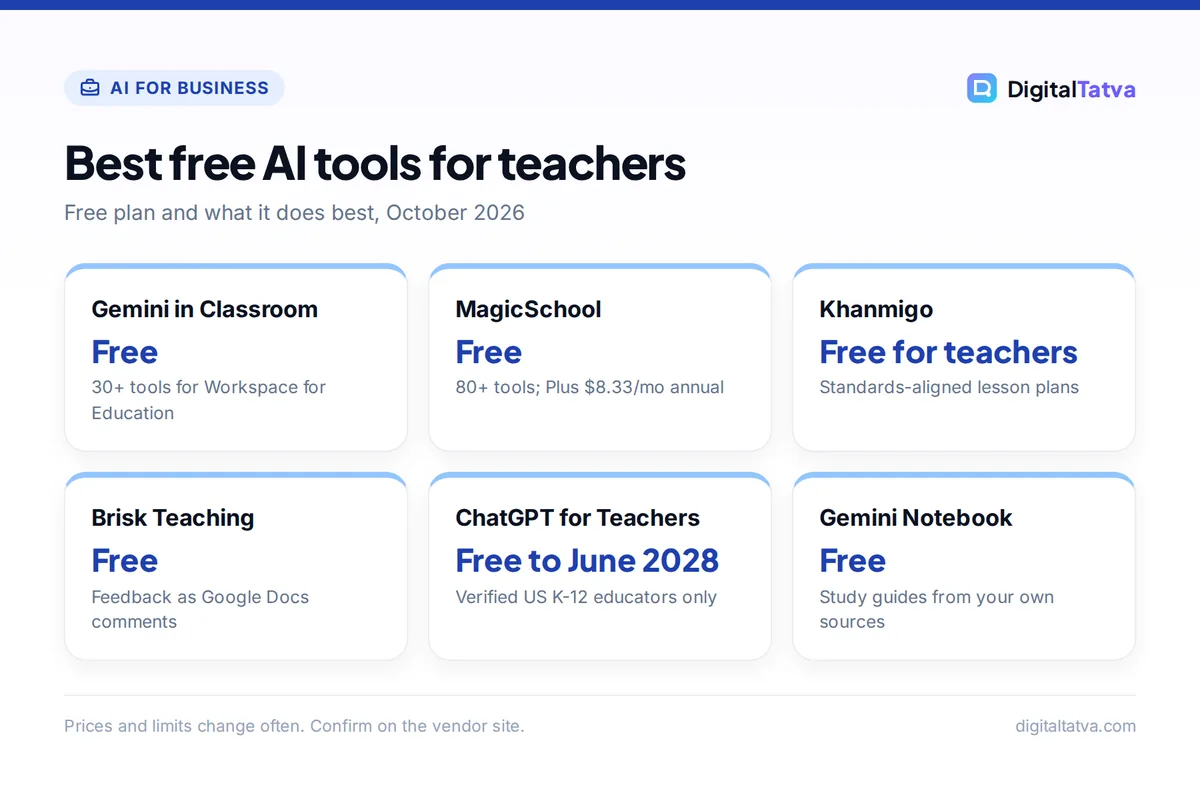
Best free AI tools for teachers
Free plan and what it does best, October 2026
| Item | Detail | Notes |
|---|---|---|
| Gemini in Classroom | Free | 30+ tools for Workspace for Education |
| MagicSchool | Free | 80+ tools; Plus $8.33/mo annual |
| Khanmigo | Free for teachers | Standards-aligned lesson plans |
| Brisk Teaching | Free | Feedback as Google Docs comments |
| ChatGPT for Teachers | Free to June 2028 | Verified US K-12 educators only |
| Gemini Notebook | Free | Study guides from your own sources |
Prices and limits change often. Confirm on the vendor site.
Quick picks: best AI tools for teachers
Start with the free plans. Most teachers never need to pay.
| Tool | Best for | Free plan | Paid from |
|---|---|---|---|
| Gemini in Classroom | Schools on Google Workspace for Education | Yes, 30+ tools | Included |
| MagicSchool | All-in-one teacher toolkit | Yes, 80+ tools | $8.33/mo (annual) |
| Khanmigo | Standards-aligned lesson planning | Yes, teachers free | $4/mo for learners |
| Brisk Teaching | Feedback inside Google Docs | Yes, 20+ tools | Educator Pro (price on request page) |
| ChatGPT for Teachers | US K-12 educators | Free through June 2028 | US only |
| Diffit | Leveled reading materials | Yes, Basic | Premium (price not listed) |
| Gemini Notebook | Study guides from your own sources | Yes | Via Google AI plans |
| Canva for Education | Worksheets, slides and posters | Free for K-12 teachers | Free |
What AI can do for teachers (and what it cannot)
AI is best at the first draft of anything repetitive. Typical wins:
- Lesson planning: objectives, hooks, activities and exit tickets aligned to a topic and grade level.
- Differentiation: rewriting a passage at three reading levels, or translating instructions for multilingual families.
- Assessment: quizzes, question banks, rubrics and answer keys you can export to Google Forms.
- Feedback: comment drafts on student writing that you edit before sharing.
- Communication: parent emails, newsletters and meeting summaries.
- Presentations: slide outlines and visuals; see our list of AI presentation makers.
What AI cannot do is know your students. It does not see who is struggling, who needs a challenge or what happened in class yesterday. It also makes factual mistakes, so check every answer key and fact before it reaches students.
The best AI tools for teachers in 2026
Gemini in Google Classroom: best free option for Google schools
Google made Gemini in Classroom free for educators with Google Workspace for Education accounts, with more than 30 AI tools for drafting lesson plans, quizzes, hooks and rubrics, plus exporting quizzes to Google Forms. Teachers can also create NotebookLM (now Gemini Notebook) study guides and custom Gems for students. In January 2026 Google added Gemini in Gmail for Education Fundamentals and Gemini in Docs, Slides, Forms, Vids and Sheets for Education Plus, for users 18 and older. Our guide to Gemini in Gmail, Docs and Sheets shows how these features work day to day.
MagicSchool: best all-in-one toolkit
MagicSchool bundles 80+ teacher tools, from lesson plans to rubric generators and parent emails. The free plan is “Forever Free”; Plus costs $8.33 per user a month billed annually ($99.96 a year) or $12.99 monthly and adds unlimited generations and history plus 50+ student-facing tools. The official MagicSchool pricing page lists FERPA, COPPA, SOC 2 and GDPR compliance on every plan, which makes it easier to get approved by a school.
Khanmigo: best for standards-aligned planning
Khan Academy’s Khanmigo is free for teachers. It drafts lesson plans tied to Khan’s content library, summarizes student work, and writes learning objectives, rubrics and exit tickets. Khan Academy says its teacher tools are free “around the globe” in multiple languages, though availability can vary by country. Families and individual learners pay $4 a month or $44 a year for the student tutor.
Brisk Teaching: best for feedback inside Google Docs
Brisk is a free Chrome and Edge extension that works on top of Google Docs, Slides, PDFs and YouTube. Its 20+ free tools include targeted feedback written as Google Docs comments, “Glow and Grow” comments, text leveling, translation into 50+ languages and an Inspect Writing replay that shows how a document was written. The free plan has a daily usage cap; Educator Pro removes it and uses a faster model.
ChatGPT for Teachers: best for US K-12 educators
OpenAI offers ChatGPT for Teachers free to verified US K-12 educators through June 2028. You verify with a school email, then get a workspace with file uploads, deep research, voice, image generation, data analysis, memory and custom GPTs, plus admin controls. OpenAI says content is not used to train its models by default, according to the ChatGPT for Teachers help article. Teachers outside the US can use regular ChatGPT; see our beginner guide on how to use ChatGPT.
Diffit: best for leveled reading materials
Diffit turns a topic, article or video into reading passages at different levels with questions and vocabulary. The free Basic plan lets you create, edit and download resources as PDFs, with access to content from the last 90 days. Premium adds exports to Google, Canva and Microsoft, standards alignment and full history; school pricing is quoted by enrollment.
Gemini Notebook: best for study guides from your sources
Upload your textbook chapter, notes or slides to Gemini Notebook (formerly NotebookLM) and it creates study guides, quizzes, flashcards and podcast-style Audio Overviews that cite only your material. The free tier allows 100 notebooks, 50 sources each and 3 Audio Overviews a day. Our guide on how to use NotebookLM walks through it.
Canva for Education: best for worksheets and visuals
Canva for Education is free for K-12 (primary and secondary) teachers and students, which makes it an easy way to design worksheets, slides and posters. College instructors are not eligible and should ask about Canva for Campus. See Canva pricing for the standard plans.
Save money: before paying for any AI tool, ask your school whether it already licenses Google Workspace for Education, Microsoft 365 or MagicSchool. Many districts do, and the school version usually comes with better privacy terms.
How to make a lesson plan with AI
This workflow works in Gemini, MagicSchool, Khanmigo or any chatbot.
- Define the outcome. Write one sentence: “By the end, Grade 7 students can explain the water cycle using four key terms.”
- Give context. Add class length, number of students, language needs, available devices and the curriculum or standard you follow.
- Ask for structure. Request a hook, direct instruction, guided practice, independent task and exit ticket with timings.
- Differentiate. Ask for a simpler version of the main task and an extension for fast finishers.
- Generate materials. Create the worksheet, quiz and answer key, then export to Docs or Forms.
- Check and localize. Verify every fact and answer, swap examples for local ones your students recognize and remove anything that does not fit your class.
Example prompt: “Act as an experienced middle school science teacher. Create a 40-minute lesson on the water cycle for 35 Grade 7 students, many learning in English as a second language. Include timings, a 5-minute hook, one hands-on group activity with low-cost materials, three differentiated versions of the worksheet and a 3-question exit ticket with answers.” For more patterns, see our prompt engineering guide.
AI prompts for teachers you can copy
| Task | Prompt |
|---|---|
| Rubric | “Create a 4-level rubric for a Grade 9 persuasive essay with criteria for claim, evidence, organization and language. Use student-friendly wording.” |
| Quiz | “Write 10 multiple-choice questions on fractions for Grade 5 with plausible wrong answers and an answer key explaining each answer.” |
| Leveled text | “Rewrite this passage at three reading levels, keeping all key facts: [paste text].” |
| Feedback | “Give two specific strengths and one next step for this paragraph, written for a 12-year-old. Do not grade it: [paste anonymized text].” |
| Parent email | “Draft a warm, short email to parents about next week’s field trip, including date, cost and what to bring. Also give a Hindi version.” |
| Discussion | “Suggest five open-ended discussion questions on this short story that work for mixed-ability groups.” |
Students can benefit too; our list of ChatGPT prompts for students focuses on studying, not shortcutting.
Using AI for grading and feedback
AI can speed up feedback a lot, but grades affect students’ futures. A sensible rule: AI drafts, you decide.
- Use a rubric. Paste your rubric so the feedback matches your criteria instead of the model’s guesses.
- Anonymize work. Remove names, roll numbers and personal details before pasting student writing.
- Edit every comment. AI feedback can be generic or wrong. Add one personal note so students know you read their work.
- Keep final grades human. Use AI suggestions as a second opinion, especially for borderline cases.
- Math needs extra care. AI tools can make calculation errors; check worked solutions yourself. Our review of AI math solvers covers accuracy limits.
Should teachers use AI detectors?
Be very careful. OpenAI withdrew its own AI text classifier in July 2023 because of its low accuracy: on its test set it caught only 26% of AI text and wrongly flagged human writing 9% of the time. A 2023 Stanford study found that GPT detectors consistently misclassify writing by non-native English speakers as AI-generated and warned against using them in education. Turnitin and others now market humanizer detection with low false-positive claims, but those figures are not independently verified.
Better approaches: ask students to show drafts or version history (Brisk’s Inspect Writing and Google Docs history help), include short in-class writing, and talk to a student before drawing conclusions. Our review of AI detectors and how accurate they are goes deeper.
Watch out: a detector score is never proof. Accusing a student based on one tool can be unfair, especially for multilingual learners.
Student privacy and your school’s AI policy
Teachers handle sensitive data about minors, so privacy rules matter more than in most jobs.
- Prefer education accounts. School versions of Google, Microsoft and ChatGPT for Teachers come with education or business privacy terms; consumer accounts may use chats for training unless you opt out. Our guide to AI data privacy shows how to turn off training.
- Check compliance. In the US, look for FERPA and COPPA compliance. In India, the Digital Personal Data Protection Rules bring obligations on children’s data into force from 13 May 2027, so schools should prepare now.
- Follow age rules. Many AI tools require users to be 13 or 18; Google’s new Workspace Gemini features are for users 18 and older.
- Write it down. If your school has no AI policy, propose one. Our AI usage policy template is easy to adapt for staff and students.
AI for teachers in India
Indian teachers have good options even without a school license. Gemini supports Hindi, Bengali, Gujarati, Marathi, Tamil, Telugu, Kannada, Malayalam, Punjabi, Odia, Assamese and Urdu, which helps with bilingual worksheets and parent messages. Brisk translates materials into 50+ languages, and our list of AI tools for Indian languages compares more.
For premium features at no cost, Jio’s offer gives Google AI Pro free for 18 months on qualifying 5G plans, which includes higher Gemini and Gemini Notebook limits. Teachers at K-12 schools can use Canva for Education free, and MagicSchool, Khanmigo and Brisk free plans work in India. ChatGPT for Teachers is US only. Our guide to free AI Pro plans in India tracks current offers.
Frequently asked questions
What is the best free AI for teachers?
Gemini in Classroom is the best free option if your school uses Google Workspace for Education, with 30+ tools for lesson plans, quizzes and rubrics. Otherwise, MagicSchool’s free plan offers 80+ teacher tools, Khanmigo is free for teachers and Brisk adds free feedback tools inside Google Docs. US K-12 teachers can also get ChatGPT for Teachers free through June 2028.
Can teachers use ChatGPT to grade papers?
Teachers can use ChatGPT to draft feedback against a rubric, but they should not let it assign final grades. AI can misread arguments, miss context and make errors, and grades affect students’ records. Remove names and personal details before pasting work, check school policy, edit every comment and treat the AI’s suggestions as a second opinion rather than a verdict.
Is MagicSchool AI free?
Yes. MagicSchool has a “Forever Free” plan with 80+ teacher tools. MagicSchool Plus costs $8.33 per user a month billed annually ($99.96 a year) or $12.99 billed monthly, and adds unlimited generations, unlimited output history and 50+ student-facing tools. Districts can buy an Enterprise plan with a custom data privacy agreement.
Are AI detectors reliable for catching student cheating?
No detector is reliable enough to prove cheating. OpenAI withdrew its own classifier in 2023 for low accuracy, and Stanford researchers found detectors often flag writing by non-native English speakers as AI. Use detectors only as a prompt for a conversation, and rely on drafts, version history and in-class writing for evidence.
Is it safe to use AI with student data?
It can be, if you use school-approved tools with education privacy terms, such as Google Workspace for Education, ChatGPT for Teachers or MagicSchool, which lists FERPA and COPPA compliance. Avoid pasting names, grades or personal details into consumer chatbots, check age requirements and follow your school or district AI policy.
Our verdict: start free, stay in control
For most teachers, the right AI setup costs nothing: Gemini in Classroom or MagicSchool for planning, Brisk for feedback, Khanmigo for standards-aligned lessons and Gemini Notebook for study guides. Pay for MagicSchool Plus only if you hit the free limits weekly, and push your school to license tools with proper privacy terms. Use AI to save hours on drafts, but keep grading, judgment and relationships with students firmly in your hands. For students’ side of the picture, see our list of the best AI tools for students. Plans and education offers change often, so confirm current pricing and eligibility on each vendor’s site.
Pricing and features are checked at the time of writing and can change. Some links may be affiliate links, which never affect our verdicts.



