Web Bot Auth Explained: How to Let Trusted AI Agents Into Your Website
What Web Bot Auth is, how signed agent requests work and how to let legitimate AI agents through without opening the door to bad bots.
On this page
- Key takeaways
- The problem Web Bot Auth solves
- How Web Bot Auth works
- Who supports Web Bot Auth
- Why it matters right now: agents that pay
- Web Bot Auth vs robots.txt
- How to prepare your website
- For developers building agents
- Limitations and open questions
- Related protocols to watch
- Example: what a verified agent visit looks like
- Common mistakes when handling AI agents
- Questions to ask your hosting or security provider
- How Digital Tatva can help
- Frequently asked questions
Last updated: 16 November 2026
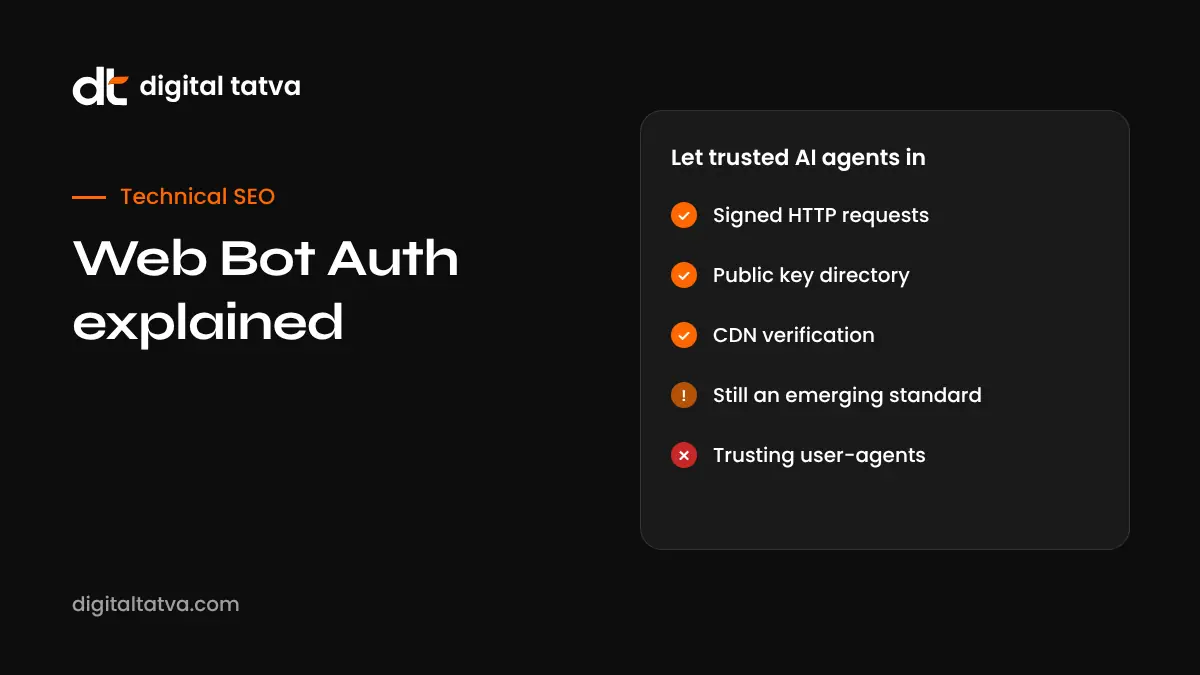
Quick answer: Web Bot Auth is an emerging open standard, being developed through the IETF, that lets bots and AI agents cryptographically sign their web requests so websites can verify who sent them. Instead of trusting a user-agent string that anyone can fake, a site checks the request’s signature against a public key the agent operator publishes. Cloudflare, AWS and Akamai have integrated support, and OpenAI signs its agent requests. In November 2026 OpenAI asked businesses to recognise signed requests using Web Bot Auth so ChatGPT agents are not blocked when they shop or book on users’ behalf.
Key takeaways
- Web Bot Auth lets AI agents prove their identity with a cryptographic signature on each HTTP request.
- It replaces fragile methods such as user-agent strings and IP allow lists, which are easy to spoof or hard to maintain.
- Signed requests carry three headers: Signature-Input, Signature and Signature-Agent.
- Major CDNs support it, so many sites can enable verification through settings rather than code.
- It matters now because AI agents are starting to complete purchases and bookings, and bot protection often blocks them.
The problem Web Bot Auth solves
Websites have always needed to tell good bots from bad ones. Search engine crawlers are welcome. Scrapers, credential stuffers and fraud bots are not. Traditionally, sites relied on two signals:
- User-agent strings, which identify the software making the request. Anyone can set any user-agent, so a bad bot can pretend to be a good one.
- IP address lists, published by some operators. These are more reliable but hard to maintain, especially as agents run on cloud infrastructure that changes.
AI agents make this harder. When a user asks ChatGPT, Claude or Gemini to book a table or buy a product, the agent browses your site like a person but behaves like a bot. Bot protection often blocks it. In one audit reported in November 2026, bot protection refused an AI shopping agent at 29 of 200 UK and US retailers. Web Bot Auth gives sites a reliable way to recognise legitimate agents and let them through.
How Web Bot Auth works
- The operator creates keys. The bot or agent operator generates an asymmetric key pair, typically Ed25519.
- The public key is published. The operator hosts a key directory over HTTPS at a well-known path,
/.well-known/http-message-signatures-directory. The directory response is itself signed so others cannot copy and impersonate it. - Requests are signed. Each outgoing request is signed with the private key.
- Headers are added. The request carries Signature-Input, Signature and Signature-Agent headers.
- The site verifies. The website, or its CDN, fetches the public key from the directory named in Signature-Agent and checks the signature.
- The site decides. Verified agents can be allowed, rate-limited or treated according to your rules.
The three headers
| Header | What it contains |
|---|---|
| Signature-Input | Which parts of the request are signed, plus parameters: a tag of web-bot-auth, a keyid, created and expires timestamps, and usually a nonce |
| Signature | The cryptographic signature itself |
| Signature-Agent | Where to find the operator’s key directory |
Web Bot Auth builds on the HTTP Message Signatures approach standardised at the IETF and is described in active Internet-Drafts. It is still an emerging standard rather than a finished specification.
Who supports Web Bot Auth
| Role | Examples (as reported) |
|---|---|
| CDNs and platforms that verify | Cloudflare, AWS, Akamai |
| Agent operators that sign | OpenAI, Browserbase, Manus |
| Bot detection vendors | Fingerprint and others offer verification and testing |
Support changes quickly, so check your CDN or security provider’s documentation for current details.
Why it matters right now: agents that pay
On 13 November 2026, OpenAI launched ChatGPT Wallet, which lets ChatGPT agents make purchases for users. OpenAI’s merchant guidance asks businesses to configure their CDNs or firewalls to recognise signed requests using Web Bot Auth and to check that general security settings are not blocking ChatGPT agents. OpenAI openly said some sites may unintentionally block agent purchases.
Microsoft Clarity’s new agent analytics and Google’s work on agentic checkout point the same way. Agent visits are becoming a real channel, and identity verification is the foundation for letting them in safely.
Web Bot Auth vs robots.txt
These are often confused, but they solve different problems.
| robots.txt | Web Bot Auth | |
|---|---|---|
| Purpose | Tells crawlers what they may access | Proves who a bot or agent is |
| Enforcement | Voluntary; relies on good behaviour | Cryptographic verification by your site or CDN |
| Typical use | Crawling and indexing rules | Allowing trusted agents through bot protection |
| Spoofable? | Rules apply to whoever claims a user-agent | Signatures cannot be faked without the private key |
You still need robots.txt for crawl rules. See robots.txt for AI crawlers and opting out of AI training.
How to prepare your website
- Find out what protects your site. Identify your CDN, firewall and bot protection provider.
- Check their Web Bot Auth support. Many CDNs offer verified bot or signed agent settings.
- Allow verified agents for key journeys. Especially product pages, booking flows and checkout.
- Keep strong protection for everything else. Verification lets you be selective, not open the doors.
- Review fraud and payment rules. A verified agent can still be declined by risk systems if they are not tuned.
- Measure agent visits. Use tools such as Clarity and server logs to see agents arriving and where they stop.
- Test. Run real agent tasks on your site and confirm they complete.
For developers building agents
If you operate an AI agent or automated browser, signing your requests helps sites trust you. Testing guides published by bot detection vendors suggest these steps: generate an Ed25519 key pair and convert the public key to JWK format; host the signed key directory over HTTPS; sign outbound requests with the three headers; and test against a verification page, such as the free public tester published by Fingerprint. Then register your agent with major CDNs or bot management providers where they offer a verified bot programme.
Limitations and open questions
- Still evolving. The standard is progressing through the IETF and details may change.
- Identity is not intent. Verification proves who the operator is, not that every action is what the user wanted.
- Not every agent signs yet. You may still see legitimate agents that are unsigned.
- Policy decisions remain yours. Some businesses, such as airlines restricting unauthorised booking agents, may choose not to allow certain agents at all.
Related protocols to watch
Identity is one layer. Others are emerging to tell agents what a business allows. For example, Sierra’s Poppy protocol, reported this month, tells personal agents which actions a business permits; Shopify has enabled it and more than 100 companies participate, according to reports. Expect more standards for permissions, payments and accountability over the next year. See agentic search for the bigger picture.
Example: what a verified agent visit looks like
Here is a simplified, illustrative walk-through of a verified agent visiting an online store.
- A shopper asks ChatGPT to find and buy a specific pair of running shoes in size 9.
- The ChatGPT agent sends a request to the store’s product page. The request includes a Signature-Agent header pointing to OpenAI’s key directory, plus Signature-Input and Signature headers.
- The store’s CDN sees the headers, fetches OpenAI’s public key from the directory (or uses a cached copy) and verifies the signature.
- Verification succeeds. Under the store’s rules, verified agents can browse product pages, add to cart and reach checkout, but are rate-limited and cannot access account settings.
- The agent completes the purchase after the shopper approves it in ChatGPT. The store’s fraud system recognises the verified agent and approves the payment.
- An unverified bot that copies ChatGPT’s user-agent string tries the same path. It has no valid signature, so the CDN treats it as unknown automated traffic and blocks or challenges it.
This is the core benefit: the store can say yes to legitimate agents and no to impostors, using a check that cannot be faked without the operator’s private key.
Common mistakes when handling AI agents
- Blocking all bots by default on checkout and booking pages, which stops legitimate agents along with bad ones.
- Allowing by user-agent alone, which lets impostors in.
- Forgetting fraud rules, so a verified agent passes the CDN but the payment is declined.
- Not measuring, so you never know agents tried and failed.
- Confusing crawling and acting: you may want to block AI training crawlers while still allowing agents that act for real customers. These are separate decisions.
Questions to ask your hosting or security provider
- Do you support Web Bot Auth or signed agent verification today?
- Which agent operators are recognised by default?
- Can we set different rules for verified agents on different parts of the site?
- Can we see logs or reports of verified agent traffic?
- How do your settings interact with our fraud and payment providers?
How Digital Tatva can help
Digital Tatva helps businesses become visible in AI answers and ready for AI agents. We review crawler and agent access, work with your developer or hosting provider on bot protection settings, test agent journeys and measure agent traffic. See our technical AEO service.
Are AI agents being blocked on your site? Request an AEO audit and we will check crawler and agent access as part of it.
Frequently asked questions
What is Web Bot Auth?
Web Bot Auth is an emerging IETF standard that lets bots and AI agents cryptographically sign their HTTP requests so websites can verify who sent them.
Why is Web Bot Auth better than user-agent strings?
User-agent strings can be faked by anyone. A Web Bot Auth signature can only be produced with the operator’s private key, so it is much harder to spoof.
Does OpenAI use Web Bot Auth?
Yes. OpenAI signs agent requests and, with the launch of ChatGPT Wallet, asked businesses to recognise signed requests using Web Bot Auth.
Which CDNs support Web Bot Auth?
Cloudflare, AWS and Akamai have integrated support, according to reports. Check your provider’s documentation for current settings.
Do I need to write code to support Web Bot Auth?
Often not. If your CDN supports verification, you can usually enable it through settings. Custom setups may need developer work.
Is Web Bot Auth the same as robots.txt?
No. robots.txt sets crawl rules that bots should follow voluntarily. Web Bot Auth verifies a bot’s identity cryptographically.
Will Web Bot Auth let bad bots in?
No. It helps you identify trusted agents so you can allow them selectively while keeping protection against unverified traffic.
What headers does Web Bot Auth use?
Signature-Input, Signature and Signature-Agent.
Is Web Bot Auth finalised?
Not yet. It is described as an emerging standard progressing through the IETF, so details may change.
Why should small businesses care?
As AI agents start booking and buying for users, blocking them by accident means losing customers. Checking your bot protection settings is a low-cost way to avoid that.
Can I block AI training crawlers but allow AI agents?
Yes. Training crawlers and agents acting for users are separate decisions. Use robots.txt for crawl rules and verification settings for agent access.
Does Google use Web Bot Auth?
Public guides reviewed for this article did not list Google as a signer. Check current documentation, since support is expanding.
Product details, prices and features are checked at the time of writing and can change. Sources are linked in the text so you can check them yourself.
How does your brand appear in AI answers?
We test the questions your buyers ask across the major AI assistants and search engines, then show you what to fix first.
Get an AI Visibility Audit