Wayground (Formerly Quizizz): Complete Guide to Features, AI Tools and Pricing
Everything teachers need to know about Wayground, the new name for Quizizz.
On this page
- Key takeaways
- What is Wayground?
- Why did Quizizz change its name to Wayground?
- Wayground features explained
- Wayground pricing
- How to use Wayground: step by step
- Prompt ideas for Wayground’s AI
- Wayground vs Kahoot vs Google Forms vs Blooket
- Using Wayground in Indian classrooms and coaching centres
- Limitations and cautions
- Illustrative example: a Class 9 science teacher
- Teacher checklist
- For edtech companies and coaching brands
- How Digital Tatva can help
- Frequently asked questions
Last updated: 19 November 2026
Quick answer: Wayground is the new name for Quizizz, the game-style quiz platform founded in Bengaluru in 2015. It rebranded in June 2025 to reflect its growth from a quiz tool into a wider learning platform with AI features: generating quizzes and lessons from a single file, adjusting difficulty, translating content, adding accessibility supports such as read-aloud and dyslexia-friendly fonts, and aligning resources to curricula. Teachers can start free; paid plans add unlimited quizzes and lessons, ad-free use and extra features, with school and district plans priced separately. Students join with a code and do not need an account. In October 2026 it was one of the fastest-growing AI tools on the web, with about 56 million monthly visits.
Key takeaways
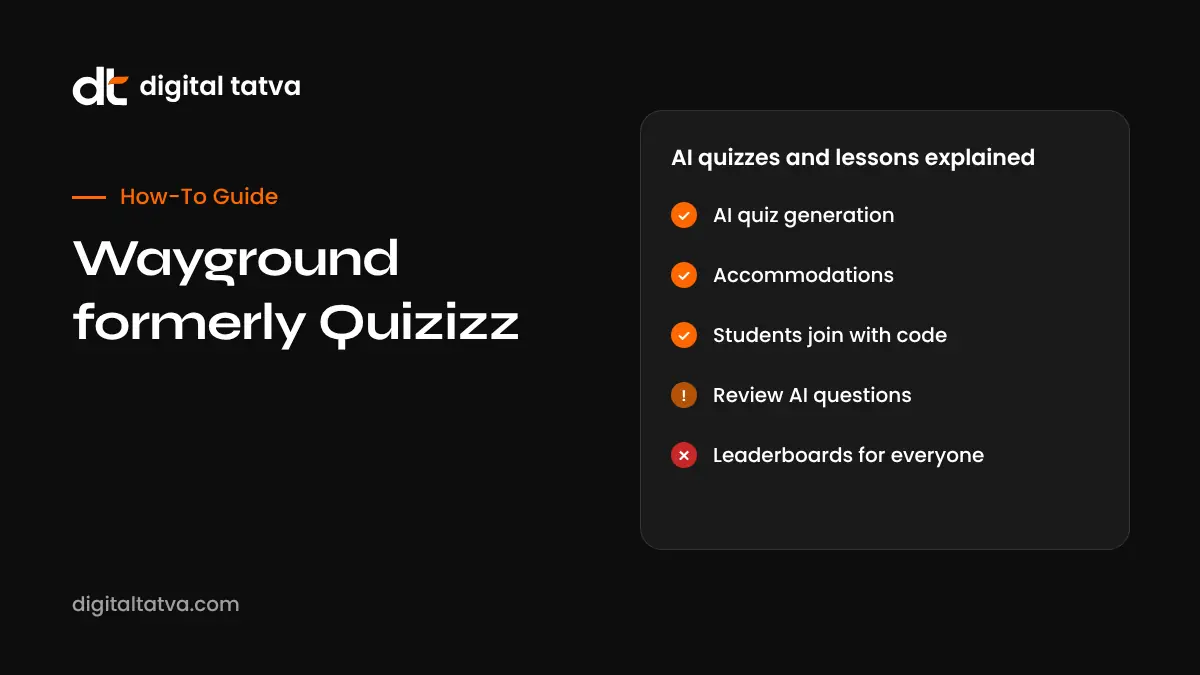
- Quizizz became Wayground on 24 June 2025; old Quizizz links and accounts carry over.
- Wayground’s monthly visits grew about 110% between June and October 2026, according to Semrush data reported by Exploding Topics.
- AI tools turn PDFs, slides, videos and web pages into quizzes, flashcards and lessons in minutes.
- Accommodations help students with different reading levels, languages and learning needs.
- Teachers should always review AI-generated questions for accuracy and curriculum fit.
What is Wayground?
Wayground is an online learning platform best known for quizzes that feel like a game: students answer on their own devices, see a leaderboard, earn points and get instant feedback with memes or explanations. Teachers can run quizzes live in class, assign them as homework, or use lessons that mix slides, videos and questions. It works in any browser and on Android and iPhone apps.
The company was founded as Quizizz in 2015 by Ankit Gupta and Deepak Joy Cheenath in Bengaluru, and grew to be used by teachers in many countries. Announcing the new name, CEO Ankit Gupta said it reflects the platform’s growth beyond quizzes, and that AI “should work in the background to support the moments that matter most”.
Why did Quizizz change its name to Wayground?
According to THE Journal’s report on the rebrand, the name change reflects “the platform’s evolution from a quiz tool into a more versatile supplemental learning platform”. Quizizz had added lessons, videos, accommodations and curriculum resources, and the founders wanted a name that matched that wider role. Existing accounts, quizzes and student data moved to Wayground automatically.
Wayground features explained
1. AI Generation Hub
Upload a single file, such as a PDF chapter, slide deck or worksheet, or paste a YouTube link or web page, and Wayground’s AI can turn it into several formats: a quiz, flashcards, a lesson or a practice set. You choose the number of questions, question types and difficulty, then edit before assigning.
2. Quiz library
Millions of teacher-made quizzes are searchable by topic and grade. Finding a close match and editing it is often faster than starting from scratch.
3. Question types
Multiple choice, multi-select, fill in the blank, open-ended, poll, drag and drop, match, reorder, drawing, labelling and more, depending on your plan. Images, audio, video and maths equations can be added to questions and answers.
4. Game modes and settings
Run live quizzes for the whole class, team modes, or self-paced homework. Turn the leaderboard, timers, memes and music on or off. Students can review answers and retry.
5. Lessons and interactive videos
Combine slides with questions and polls, or add questions inside a video so students must respond before continuing.
6. Accommodations and accessibility
Wayground lets teachers apply supports for individual students, such as extra time, reduced answer options, read-aloud, translation, dyslexia-friendly fonts and adjusted difficulty. The platform has described more than 25 possible modifications. This helps inclusive classrooms without making separate quizzes for every learner.
7. Curriculum alignment and lesson bundles
Find resources mapped to standards and curricula, and group activities into bundles for a unit.
8. Reports and parent updates
See class and student performance by question, spot common mistakes and share reports with parents.
9. Integrations
Wayground works with Google Classroom, Microsoft Teams, Canvas, Schoology and other learning platforms, depending on your plan, so you can import rosters and send grades.
Wayground pricing
| Plan | Who it suits | What to expect |
|---|---|---|
| Basic (free) | Individual teachers trying it out | Core quiz creation, live and homework modes, some AI features with limits |
| Paid teacher plan (often called Super) | Regular users | Unlimited quizzes and lessons, ad-free, answer explanations, interactive videos, more AI and question types; reported at about $10 per month on annual billing |
| School and district plans | Institutions | Admin controls, integrations, reports, support and data agreements; custom pricing |
Published figures vary and change, and Indian pricing may differ, so check Wayground’s pricing page for current plans. Students always join free.
How to use Wayground: step by step
- Sign up with a school email, Google or Microsoft account.
- Search the library for your topic and grade, or click Create.
- Use AI generation: upload a file or paste a link and choose question count, types and difficulty.
- Review every question for accuracy, language and curriculum fit.
- Add media and explanations so students learn from mistakes.
- Choose a mode: live, team, or assign as homework with a deadline.
- Apply accommodations for students who need them.
- Share the join code or assign through Google Classroom.
- Review reports to find topics to reteach.
Prompt ideas for Wayground’s AI
| Goal | Prompt or setting |
|---|---|
| Quick revision quiz | 10 multiple choice questions on photosynthesis for Class 7, medium difficulty, with explanations |
| Exam practice | Create CBSE-style Class 10 maths questions on quadratic equations, mix of 1 and 3 mark questions |
| Language learning | Vocabulary quiz from this Hindi passage, with English translations |
| Video lesson | Add 5 check-for-understanding questions to this YouTube video on the water cycle |
| Differentiation | Make an easier version with 3 answer options and read-aloud enabled |
Wayground vs Kahoot vs Google Forms vs Blooket
| Tool | Strength | Best for |
|---|---|---|
| Wayground | Self-paced and live modes, accommodations, AI generation, big library | Homework, revision and inclusive classes |
| Kahoot | High-energy live games on a shared screen | Whole-class engagement |
| Google Forms | Free, simple, integrates with Google Workspace | Basic tests and surveys |
| Blooket | Game variety for younger students | Fun practice |
For more classroom AI tools, see our list of the best AI tools for students.
Using Wayground in Indian classrooms and coaching centres
- Board exam revision: generate chapter-wise quizzes from NCERT PDFs and review them for accuracy.
- Bilingual classes: use translation and read-aloud to support students more comfortable in Hindi or regional languages.
- Coaching institutes: run timed practice tests and track weak topics by batch.
- Low-device classrooms: use team mode or a shared screen if not every student has a device.
- Parent communication: share progress reports regularly.
Limitations and cautions
- AI-generated questions can contain errors, ambiguous answers or content outside your syllabus.
- Leaderboards can stress some students; turn them off for sensitive topics or weaker learners.
- Gamified quizzes test recall well but are weaker for deeper reasoning; mix in open-ended tasks.
- Check your school’s data protection rules for student data. In India, the DPDP framework requires care with children’s personal data; see AI rules in India.
- Free plans may show ads and limit features.
Illustrative example: a Class 9 science teacher
This is an illustrative scenario, not a client story.
A science teacher at a school in Indore uploads the NCERT chapter on atoms and molecules to Wayground’s AI generation hub and creates a 15-question quiz with explanations. She corrects two questions that use terms outside the syllabus, adds diagrams, and turns on read-aloud and Hindi translation for three students. She runs it live in class with the leaderboard off, then assigns a shorter self-paced version as homework. The report shows most students confused atomic mass and molecular mass, so she reteaches that concept the next day.
Teacher checklist
- Search the library before creating from scratch.
- Review all AI questions and answers.
- Add explanations for learning, not just scoring.
- Use accommodations for students who need them.
- Decide on leaderboard and timer settings thoughtfully.
- Use reports to guide reteaching.
- Follow your school’s data and device policies.
For edtech companies and coaching brands
Parents and students increasingly ask ChatGPT and Gemini for the best study tools and coaching options. Clear, accurate pages about your courses, results and teaching methods help AI assistants describe you correctly. See E-E-A-T for AI search.
How Digital Tatva can help
Digital Tatva helps schools, coaching institutes and edtech brands build trustworthy content and listings that AI assistants can understand and recommend. See our AEO services.
Do AI assistants recommend your institute or app? Request an AEO audit or try the free AI visibility checker.
Frequently asked questions
Is Wayground the same as Quizizz?
Yes. Quizizz rebranded as Wayground on 24 June 2025. Accounts and quizzes carried over.
Why did Quizizz change its name?
To reflect its growth from a quiz tool into a wider learning platform with lessons, accommodations and AI features.
Is Wayground free?
Teachers can start free. Paid plans add unlimited content, more features and an ad-free experience. Students join free.
Do students need an account for Wayground?
No. Students can join with a game code, though accounts help track progress.
Can Wayground create quizzes with AI?
Yes. It can generate quizzes, flashcards and lessons from files, links and prompts. Teachers should review the results.
Is Wayground an Indian company?
It was founded as Quizizz in Bengaluru in 2015 by Ankit Gupta and Deepak Joy Cheenath.
Does Wayground work with Google Classroom?
Yes, along with other learning platforms depending on your plan.
Is Wayground better than Kahoot?
Wayground is stronger for self-paced work, accommodations and AI generation. Kahoot is great for high-energy live games.
Can Wayground translate quizzes?
Yes, it offers translation and other language supports for students.
Is Wayground safe for students?
It is widely used in schools, but follow your school’s data policies and review privacy settings.
Product details, prices and features are checked at the time of writing and can change. Sources are linked in the text so you can check them yourself.
How does your brand appear in AI answers?
We test the questions your buyers ask across the major AI assistants and search engines, then show you what to fix first.
Get an AI Visibility Audit