Google Gemini Review 2026: Is It Finally Good Enough?
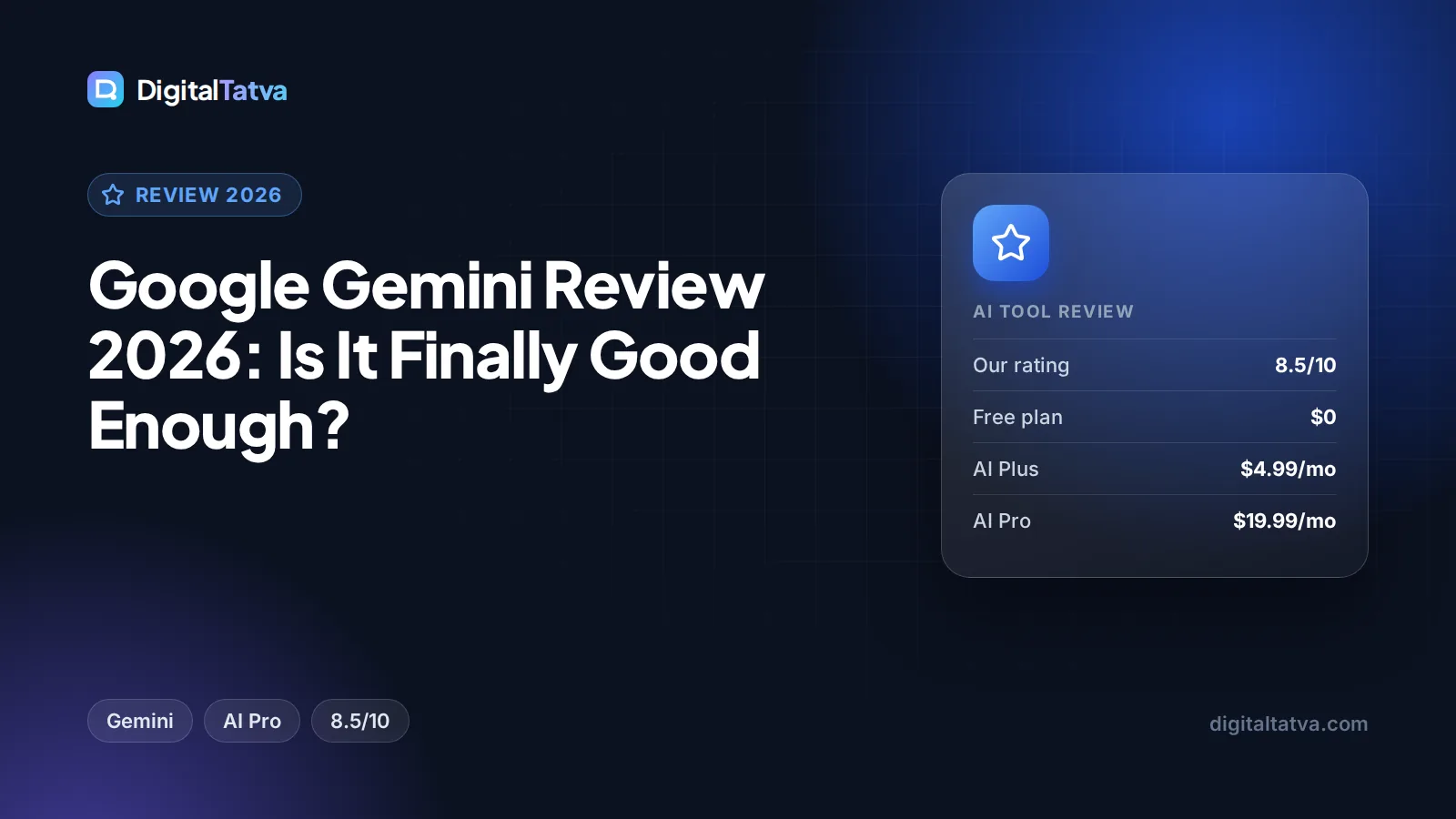
Our Gemini review for 2026: features, Free vs AI Plus vs AI Pro pricing, India rupee prices, pros and cons, and how it compares with ChatGPT and Claude. Rated 8.5/10.

On this page
- Key takeaways
- Our verdict
- What is Google Gemini?
- Key features of Gemini in 2026
- Gemini pricing in 2026
- Gemini pros and cons
- How Gemini compares with ChatGPT and Claude
- Who should use Gemini (and who should skip it)
- Best Gemini alternatives
- How to get the most from Gemini
- Frequently asked questions
- Final verdict: is Gemini finally good enough?
Yes, Google Gemini is good enough in 2026 for most people, and for anyone who already lives in Gmail, Docs and Drive it is now one of the best value AI assistants you can buy. The free plan is unusually generous, Google AI Pro costs $19.99 per month (Rs 1,950 in India) and bundles a 1M token context window with 5 TB of storage, and the Workspace integration is deeper than any rival can offer. Its weak spots are vague usage limits, a Pro model that is still in preview, and a product lineup that changes names often.
This review covers what Gemini is, the features that matter, current pricing, where it beats ChatGPT and Claude, where it falls short, and who should pay for it.
Key takeaways
- Our rating: 8.5/10. Gemini is the strongest all-round pick for Google users and a serious rival to ChatGPT for everyone else.
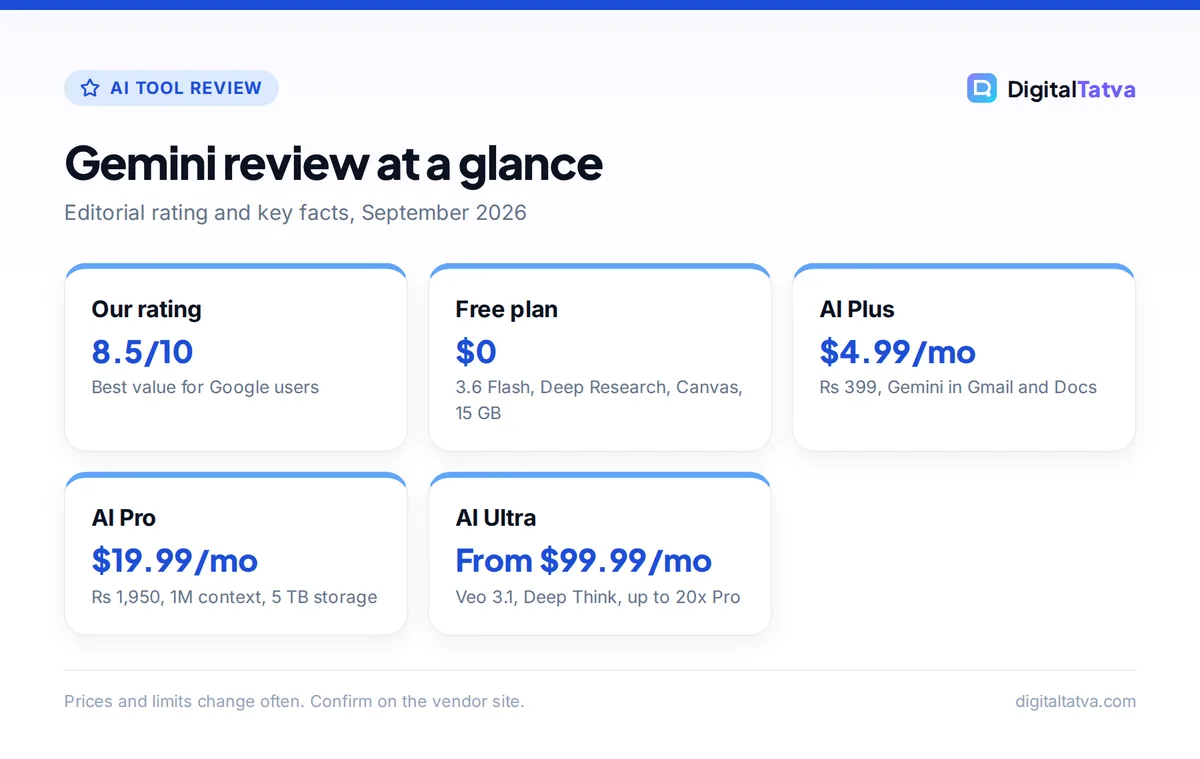
- The free plan includes Gemini 3.6 Flash, varying access to Gemini 3.1 Pro, Deep Research, Gemini Live, Canvas, Gems and 15 GB of storage.
- Google AI Pro ($19.99 or Rs 1,950 per month) gives 4x Free’s limits, a 1M token context window, Gemini in Gmail and Docs, and 5 TB of storage.
- Usage limits are expressed as multiples (“2x”, “4x”) rather than fixed numbers, which makes heavy use hard to plan.
- Skip the paid plans if you do not use Google’s apps; the bundle is where most of the value sits.
Our verdict
8.5/10
Gemini is finally good enough to be your main AI assistant. It wins on value, long context and Google app integration, and it is held back mainly by unclear limits and frequent product reshuffles.
What is Google Gemini?
Gemini is Google’s AI assistant and the name of the model family behind it. You can use it in the Gemini app on the web, Android and iOS, inside Google Workspace apps such as Gmail, Docs and Sheets, and through the Gemini API for developers. In this review we focus on the consumer app and Google AI plans, with a short section on business and API use.
Google sells Gemini through “Google AI” subscriptions that also include Google One storage. That bundling matters: when you compare Gemini with ChatGPT or Claude on price alone, you miss the storage, YouTube and Google Home perks that come with the paid tiers. Our full Gemini pricing guide breaks down every plan line by line.
The current Gemini models
At the time of writing, the free plan runs on Gemini 3.6 Flash, a fast everyday model, with “varying access” to Gemini 3.1 Pro for harder tasks. Paid plans get more access to the 3.x Pro models, and Google AI Ultra adds first access to Deep Think (Google’s slower, more deliberate reasoning mode) and Gemini Spark. On the developer side, the Gemini 3.x Flash models are stable, while Gemini 3.1 Pro is still listed as a preview model.
Key features of Gemini in 2026
Gemini has grown from a chatbot into a suite of tools. These are the features that make a difference in daily work.
Deep Research and Deep Search
Deep Research takes a question, plans a search strategy, reads many sources and returns a long, cited report. It is available even on the free plan, which is rare. AI Pro adds “higher access” to Deep Search and agentic capabilities. For market research, competitor scans and literature reviews, this is one of Gemini’s best features. If research is your main job, compare it with our Perplexity AI review, since Perplexity is built around citations from the ground up.
Gemini in Gmail, Docs, Sheets and Chrome
This is Gemini’s biggest advantage. On AI Plus you get Gemini in Gmail and Docs. On AI Pro you also get Gemini in Vids and Chrome auto browse, where Gemini can carry out multi-step tasks in the browser for you. In practice, drafting a reply from a long email thread or summarizing a shared Doc without copying and pasting saves real time. Our walkthrough on using Gemini in Gmail, Docs and Sheets shows the exact menus and prompts.
Gemini Notebook (formerly NotebookLM)
Google now calls NotebookLM “Gemini Notebook” on its subscriptions page. You upload sources such as PDFs, notes or web pages, and Gemini answers only from those sources, with citations. It can also generate Audio Overviews, which are podcast-style summaries. The free tier allows 100 notebooks, 50 sources per notebook and 3 Audio Overviews per day, while the Pro tier raises this to 500 notebooks, 300 sources each and 20 Audio Overviews per day. Students should read our guide on how to use NotebookLM for study and research.
Canvas, Gems and Gemini Live
- Canvas opens a side-by-side editor for documents and code, so you can refine a draft or a small app without losing the conversation.
- Gems are custom assistants with saved instructions, similar to custom GPTs. Useful for repeat tasks such as a brand voice editor or a weekly report writer.
- Gemini Live is real-time voice conversation, good for brainstorming on a walk or practicing a presentation.
Long context: 1M tokens on AI Pro
AI Pro includes a 1M token context window. A token is a small chunk of text, roughly three quarters of an English word, so 1M tokens covers several long books or a large set of reports in one conversation. If that number means little to you, our explainer on what a context window is puts it in plain terms.
Images, video and Google Flow
Every plan includes image generation and editing. Video generation starts at AI Plus, AI Pro adds a limited trial of Veo 3.1 Lite and 1,000 Flow credits per month, and Ultra unlocks full Veo 3.1 with 10,000 to 25,000 Flow credits. Google Flow is Google’s AI filmmaking tool. For serious video work, compare these options with the tools in our roundup of the best AI video generators.
Coding with Jules and Antigravity
AI Pro includes the Jules coding agent and entry-level rate limits in Google Antigravity, Google’s agentic coding environment. Ultra gets the highest limits for both. These are useful extras, but dedicated coding tools still offer more control. Our best AI coding assistants list covers the alternatives.
Gemini pricing in 2026
Here is what each plan costs according to the official Gemini subscriptions page and the Gemini India subscriptions page.
| Plan | USD/month | INR/month | Usage | Highlights |
|---|---|---|---|---|
| Free | $0 | Rs 0 | Base limits | 3.6 Flash, Deep Research, Live, Canvas, Gems, 15 GB |
| Google AI Plus | $4.99 | Rs 399 | 2x Free | Video generation, Gemini in Gmail and Docs, 200 Flow credits, 400 GB |
| Google AI Pro | $19.99 | Rs 1,950 | 4x Free | 1M context, Veo 3.1 Lite trial, Jules, 1,000 Flow credits, 5 TB |
| Google AI Ultra (5x tier) | $99.99 | Rs 6,500 | Above Pro | Veo 3.1, Deep Think, Gemini Spark, 20 TB+ |
| Google AI Ultra (20x tier) | $199.99 | Rs 19,500 | Up to 20x Pro | Up to 25,000 Flow credits, highest Jules limits |
Watch out: When these prices were checked, Google’s One AI plans page showed different figures for some tiers. That may be a regional or promotional display, so always confirm the price shown at checkout in your own account.
Save money: Google’s US page says college students get AI Pro free for one year, and the India page offers students AI Plus at no cost for one year while the promotion lasts. Our guide to AI student discounts lists similar deals from other vendors.
Gemini for business and developers
For companies, Gemini is bundled into Google Workspace Business plans with no separate add-on. Business Starter gets limited Gemini in Gmail, Vids and the Gemini app, while Standard and Plus add Gemini in Docs, Sheets, Slides, Drive, Meet and Chat. Official per-user prices load dynamically on the Google Workspace pricing page, so check them there.
Developers should note that consumer plans do not include API access. The API has a free tier for Flash models and paid per-token pricing, covered in our Gemini API pricing guide.
Gemini pros and cons
Pros
- One of the most complete free plans, including Deep Research and Canvas
- Deep integration with Gmail, Docs, Drive and Chrome
- 1M token context window on AI Pro
- Strong bundle value: 5 TB storage and YouTube Premium Lite on AI Pro
- Low-cost AI Plus tier at $4.99 (Rs 399) for light users
- Gemini Notebook is excellent for source-grounded study and research
Cons
- Usage limits are multiples, not published message counts
- Gemini 3.1 Pro is still a preview model on the API
- Product names change often (NotebookLM to Gemini Notebook, plan renames)
- Full Veo 3.1 video needs the expensive Ultra plan
- Much of the value disappears if you do not use Google’s apps
How Gemini compares with ChatGPT and Claude
All three assistants charge about $20 per month for their main paid tier, so the choice comes down to how you work. This is an editorial summary based on features and pricing in the facts we track, not a benchmark.
| Factor | Gemini (AI Pro) | ChatGPT (Plus) | Claude (Pro) |
|---|---|---|---|
| Price | $19.99/month | $20/month | $20/month ($17 annual) |
| Context window | 1M tokens | Not published per plan | 200K base, 1M on newest models |
| Office suite integration | Gmail, Docs, Vids, Chrome | Apps and connectors (varies by plan) | Chrome and Microsoft 365 extensions |
| Extras in the bundle | 5 TB storage, YouTube Premium Lite | Codex, custom GPTs | Claude Code, Projects |
| Best at | Google users, research, long files | All-round use, ecosystem | Writing, long documents, coding |
For a full side-by-side, read our ChatGPT vs Gemini comparison and our Claude vs Gemini guide. You can also see how the other two score in our ChatGPT review and Claude review.
In everyday use, Gemini’s edge is context: it can see your inbox, your Docs and your Drive files when you allow it, so answers need less setup. ChatGPT feels more polished as a general assistant and has a larger ecosystem of custom GPTs. Claude tends to produce long drafts that need fewer edits. None of them is best at everything.
Who should use Gemini (and who should skip it)
Gemini is a strong fit for
- Google Workspace users. If your work happens in Gmail, Docs and Sheets, AI Plus or AI Pro pays for itself in saved copy-and-paste time.
- Students and researchers. The free plan with Deep Research and Gemini Notebook is enough for most coursework, and student offers make Pro or Plus free for a year in some countries.
- Marketers and freelancers in India. At Rs 399, AI Plus is one of the cheapest ways to get AI inside Gmail and Docs, plus 400 GB of storage.
- Anyone paying for Google storage already. AI Pro’s 5 TB can replace a storage bill.
Consider skipping Gemini if
- You use Microsoft 365 or Notion as your main workspace, where the integration benefits vanish.
- You need predictable, published usage caps for heavy daily use.
- You mainly write long-form content or code, where Claude or dedicated coding tools may suit you better.
Best Gemini alternatives
- ChatGPT: the most popular all-round assistant, with Plus at $20 per month. See our ChatGPT pricing breakdown.
- Claude: strong for writing and long documents, with Pro at $20 per month or $17 on annual billing.
- Perplexity: best for cited web research, with Pro at $20 per month.
- Microsoft Copilot: the natural choice for Microsoft 365 households, bundled with Microsoft 365 Personal and Family.
For a wider view, our ranking of the best AI chatbots compares ten options, and the list of best free AI tools shows what you can get without paying at all.
How to get the most from Gemini
- Start on Free for two weeks. Use Deep Research, Canvas and Gemini Notebook on real tasks before you pay.
- Connect your Google apps. Allow Gemini to read Gmail and Drive where your plan supports it, so you can ask about your own files.
- Build two or three Gems. Save instructions for tasks you repeat, such as summarizing meeting notes or rewriting copy in your brand voice.
- Use Notebook for source-grounded work. When accuracy matters, upload the documents and ask Gemini to answer only from them.
- Upgrade only when you hit limits. Move to AI Plus for Gmail and Docs, and to AI Pro when you need 1M context or more Deep Search.
Frequently asked questions
Is Google Gemini worth paying for in 2026?
For most Google users, yes. Google AI Pro costs $19.99 per month and bundles a 1M token context window, Gemini in Gmail and Docs, Jules, a Veo 3.1 Lite trial and 5 TB of storage. If you do not use Google’s apps, the free plan or a rival such as ChatGPT or Claude may give you more for the same money.
Is Gemini better than ChatGPT?
It depends on how you work. Gemini is better if you live in Gmail, Docs and Drive, need a 1M token context window, or want storage bundled in. ChatGPT has a larger ecosystem and feels more polished as a general assistant. Both cost about $20 per month for their main paid plan, so try both free plans first.
Is there a free version of Gemini?
Yes. Gemini Free costs nothing and includes Gemini 3.6 Flash with varying access to Gemini 3.1 Pro, image generation and editing, Deep Research, Gemini Live, Canvas, Gems, Gemini Notebook, limited Google Flow access and 15 GB of storage. Limits are lower than on paid plans, and Google does not publish exact message counts.
How much does Gemini cost in India?
Google’s India subscriptions page lists AI Plus at Rs 399 per month, AI Pro at Rs 1,950 per month, and AI Ultra at Rs 6,500 per month for the starting tier and Rs 19,500 for the top tier. Indian students can currently get AI Plus free for one year while the promotion runs.
Is Gemini safe to use for work documents?
For business data, use Gemini through a Google Workspace Business or Enterprise plan, which is designed for company use with admin controls. Personal Google AI plans are aimed at individuals. Whichever route you choose, review Google’s data and privacy settings and set a clear internal AI usage policy before staff upload client files.
Final verdict: is Gemini finally good enough?
Yes. Gemini earns an 8.5 out of 10 from us because it combines a genuinely useful free plan, a fairly priced AI Pro tier with a 1M token context window, and integration with Google’s apps that no rival can match. It loses points for vague usage limits, a Pro model still in preview on the API, and frequent renames that make the product harder to follow. Start with Free, move to AI Plus or AI Pro once you hit its limits, and keep Ultra for heavy video or coding work. Google changes plans and regional prices often, so confirm the current price on the official Gemini subscriptions page before you subscribe.
Pricing and features are checked at the time of writing and can change. Some links may be affiliate links, which never affect our verdicts.