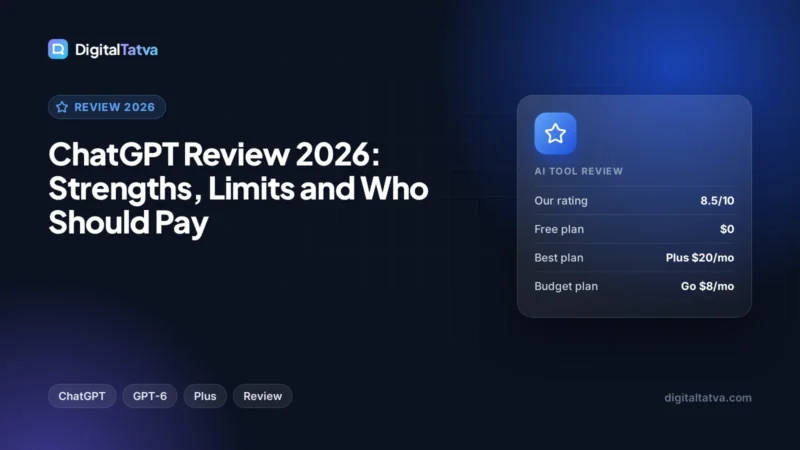
Claude Review 2026: The Best AI for Writing and Long Documents?
Our Claude review for 2026: writing quality, the 1M token context window, Opus 5.5 and Sonnet 5.5, pricing, five-hour usage limits and who should pay for Pro or Max.

On this page
- Key takeaways
- Our verdict
- What is Claude?
- Writing quality: why writers choose Claude
- Long documents and the 1M token context window
- Other key features
- Claude pricing and usage limits
- Pros and cons of Claude
- Who should use Claude?
- Claude alternatives
- Frequently asked questions
- Final verdict: is Claude the best AI for writing?
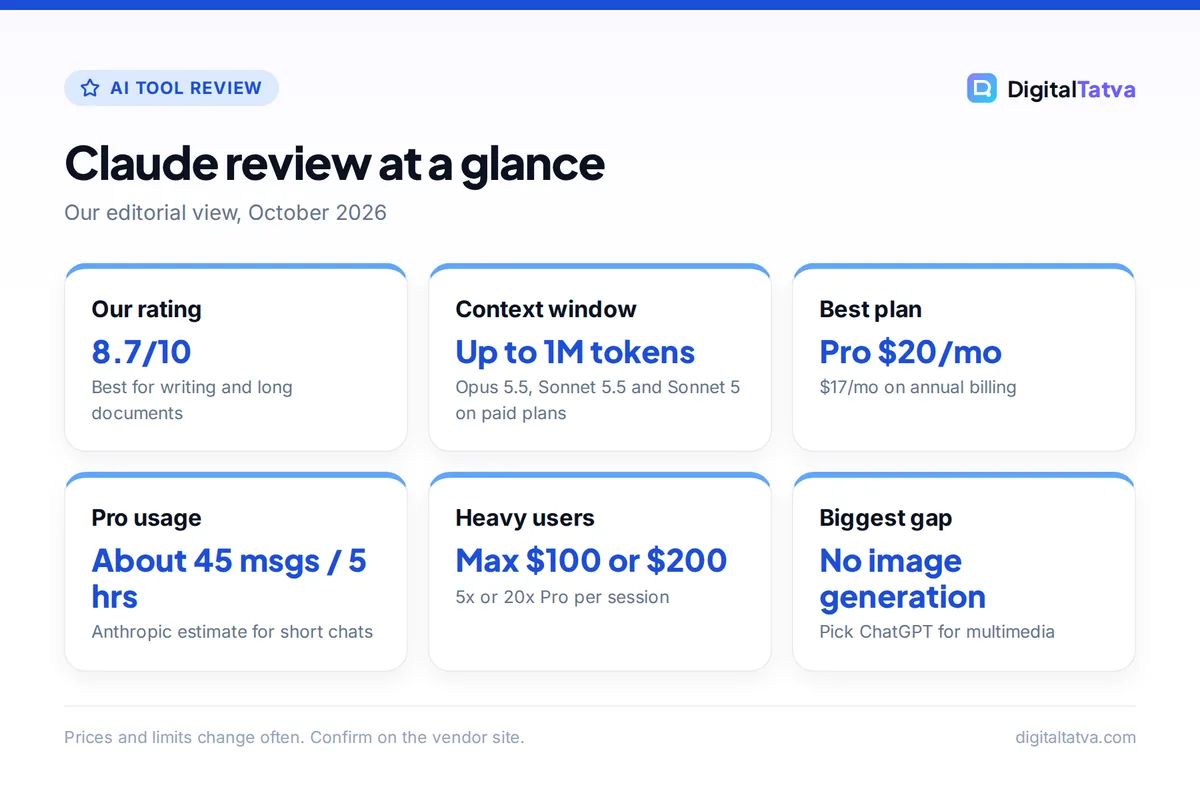
Yes, Claude is the best AI assistant for writing and long documents in 2026 for most people. Its drafts read naturally, it follows a brief closely, and Opus 5.5 and Sonnet 5.5 can hold up to 1M tokens of context in a single chat, enough for several long reports at once. The trade-offs are tighter usage limits than many users expect and a narrower feature set than ChatGPT.
This review covers Claude’s models, features, pricing as of October 2026, usage limits, strengths and weaknesses, and who should pay for Pro, Max or Team.
Key takeaways
- Claude is our top pick for long-form writing, editing and working across large documents.
- Opus 5.5, Sonnet 5.5 and Sonnet 5 support 1M token context in chat on paid plans; the base context is 200K.
- Pro costs $20 per month ($17 on annual billing) and includes Opus models, Claude Code, Projects and task scheduling.
- Limits reset every five hours, with Anthropic estimating around 45 short messages per session on Pro, plus possible weekly caps.
- Our rating: 8.7/10. Choose ChatGPT instead if you need built-in image creation and the widest set of tools.
Our verdict
8.7/10
Claude is the AI we would hand to a writer, editor, consultant or developer who works with long material. Its writing needs fewer edits, its long-context handling is excellent, and Pro bundles Claude Code at no extra cost. It loses points for five-hour limits that can run out fast on Opus and a smaller feature set than ChatGPT.
What is Claude?
Claude is Anthropic’s AI assistant, available on the web, desktop and mobile, plus Claude Code for developers. The current lineup is Claude Opus 5.5 (Anthropic’s recommended starting point for most work), Sonnet 5.5 (fast and capable), Haiku 4.5 (the lightweight model) and Fable 5.1 (a premium-priced model, available on Pro through usage credits).
Free users get Sonnet and Haiku. Paying unlocks Opus, more usage and the productivity features. If you are deciding between models for a specific job, our guide on picking the cheapest AI model for each task explains when a smaller model is enough.
Writing quality: why writers choose Claude
Writing is where Claude stands out. In everyday use, its long drafts read more naturally than most rivals, keep a consistent voice across thousands of words, and need fewer rounds of cleanup. It is also good at the unglamorous parts of writing: tightening a draft without rewriting your meaning, matching a style sample, and flagging where an argument is weak.
Editing and rewriting
Paste in a draft and ask Claude to cut 20 percent, and it usually trims filler rather than replacing your sentences with its own. That makes it a strong editor for blog posts, reports, sales pages and newsletters. Our library of Claude prompts for writing and editing has ready-made instructions for common jobs.
Blog and SEO content
For content marketers, Claude is good at structured long-form work: outlines, first drafts, FAQ sections and rewrites for clarity. It still needs your facts, examples and opinions to produce something that ranks. Our walkthrough on writing a blog post with AI that actually ranks shows a workflow that keeps you in control.
Tip: Give Claude one or two paragraphs you wrote yourself and a short list of words to avoid. It follows concrete examples far better than instructions like “sound human”.
Long documents and the 1M token context window
A context window is how much text an AI can hold in mind at once, measured in tokens (roughly three quarters of an English word each). On paid Claude plans, the default chat context is 200K tokens. The newest models go much further, according to Anthropic’s context window help article:
| Model | Context in Claude chat (paid plans) |
|---|---|
| Fable 5.1, Opus 5.5, Opus 5 | 1M tokens |
| Sonnet 5.5, Sonnet 5 | 1M tokens |
| Fable 5, Opus 4.8, 4.7, 4.6, Sonnet 4.6 | 500K tokens |
| Other models | 200K tokens (default) |
In practice, 1M tokens is roughly 750,000 English words, so you can load a long contract, a full research report and its appendices, or a sizable codebase and ask questions across all of it. When a conversation approaches the limit and code execution is turned on, Claude summarizes earlier messages to make room. Our plain-English context window explainer covers what that means for accuracy and cost.
Watch out: A huge context also burns through your usage allowance faster, because Claude processes everything in the chat on each turn. Load only the documents you need.
Other key features
- Projects: group chats, instructions and reference files around one client or topic (Pro and above). Files in projects are cached and count less against your limits when reused. See how to use Claude Projects.
- Artifacts: interactive documents, code and mini apps Claude builds beside the chat, available even on Free.
- Claude Code: Anthropic’s coding agent for the terminal and IDE, included on Pro, Max, Team and Enterprise. It shares one usage pool with chat.
- Web search, memory and connectors: available on all plans, including Free.
- Claude Design, Slides and Docs, and Claude Science: included from Pro upward.
- Task scheduling and browser extensions: Pro adds scheduled tasks and the Chrome and Microsoft 365 extensions.
Image generation is not among the features Anthropic lists on its plans, which is the biggest gap against ChatGPT and Gemini.
Claude pricing and usage limits
| Plan | Price | Usage | Key extras |
|---|---|---|---|
| Free | $0 | Lowest | Sonnet and Haiku, web search, Artifacts |
| Pro | $20/month or $17/month annual | About 45 short messages per 5 hours | Opus, Claude Code, Projects |
| Max 5x | $100/month | 5x Pro per session | Priority at peak, higher output limits |
| Max 20x | $200/month | 20x Pro per session | Same as Max 5x |
| Team Standard | $25/seat ($20 annual) | 1.25x Pro per session | Admin controls, 2 to 150 seats |
| Team Premium | $125/seat ($100 annual) | 6.25x Pro per session | For heavy users on a team |
Prices come from the official Claude pricing page. Enterprise is $20 per seat per month billed annually plus usage at API rates. In India, press reports say rupee pricing arrived in July 2026, with Pro at about Rs 2,000 per month including GST and Max from Rs 11,999, though the official page showed USD when we checked. Our full Claude pricing guide breaks down every tier.
How the limits feel in practice
Pro limits reset every five hours. Anthropic says Pro offers “at least five times the usage per session compared to our free service” and estimates around 45 messages per session for short conversations, often more depending on capacity. Long chats, big files, Opus and Research use more. Max and Team seats add a weekly limit on top, and Anthropic says it may apply weekly or monthly caps to Pro too. Paid users can watch progress bars under Settings, then Usage. For tactics that stretch your allowance, read our guide to Claude usage limits and how to make them last, and if you keep hitting the wall, compare Claude Pro vs Max.
Pros and cons of Claude
Pros
- Most natural long-form writing and editing we have used
- Up to 1M tokens of context on Opus 5.5, Sonnet 5.5 and Sonnet 5
- Claude Code included from Pro upward
- Real annual discount on Pro ($17 per month)
- Generous Free plan features, including Artifacts and web search
Cons
- Five-hour limits can run out quickly with Opus or long files
- Chat and Claude Code share one pool
- No image generation listed on any plan
- No cheap budget tier between Free and $20
- No individual student discount
Who should use Claude?
| You are… | Best plan | Why |
|---|---|---|
| A writer, editor or content marketer | Pro (annual) | Best drafts and edits, Projects for each client |
| A consultant or analyst with long reports | Pro | 1M token context on Opus 5.5 and Sonnet 5.5 |
| A developer coding a few hours a week | Pro | Claude Code included |
| A full-time Claude Code user | Max 5x or Max 20x | 5x or 20x per-session usage |
| A small agency | Team Standard | Shared Projects, admin controls, $20 per seat annual |
Who should skip Claude: people who want one app for images, voice-first use and custom assistants, and budget users who need more than Free but cannot spend $20. ChatGPT’s $8 Go plan or Gemini’s $4.99 AI Plus plan fit those needs better.
Claude alternatives
- ChatGPT: the broader all-rounder with images, voice, custom GPTs and Codex on every plan. Read our ChatGPT review or the head-to-head ChatGPT vs Claude comparison.
- Gemini: best for Google Workspace users, with a 1M token context window on Google AI Pro at $19.99 per month. See Claude vs Gemini for writing, coding and research.
- Dedicated writing tools: for team brand voice and marketing workflows, see our list of the best AI writing tools.
Frequently asked questions
Is Claude better than ChatGPT for writing?
For most long-form writing and editing, yes. Claude’s drafts tend to read more naturally, hold a consistent voice and need fewer edits, and it is good at tightening a draft without rewriting your meaning. ChatGPT is quicker at producing many short variations and has more tools, such as image creation. Many writers test both on the free plans first.
Is Claude Pro worth $20 a month?
If you write, research or code with AI most days, yes. Pro adds Opus models, Claude Code, Projects, task scheduling and far more usage than Free, with the 1M token context on Opus 5.5 and Sonnet 5.5. On annual billing it costs $17 per month. If you only use Claude occasionally, the Free plan with Sonnet is enough.
Is there a free version of Claude?
Yes. Claude Free includes Sonnet and Haiku, web search, file creation, code execution, memory, connectors and Artifacts. It does not include Opus, Claude Code or Projects, and its usage is lower: Anthropic says Pro offers at least five times the per-session usage of Free during peak hours. It is a good way to judge Claude’s writing before paying.
How long a document can Claude read?
On paid plans, the default chat context is 200K tokens, and Opus 5.5, Sonnet 5.5, Sonnet 5, Opus 5 and Fable 5.1 support 1M tokens. One million tokens is roughly 750,000 English words. Large files also use more of your usage allowance, so upload only the sections you need when you are close to a limit.
Does Claude have a student discount?
Not for individuals. Anthropic sells Claude for Education to universities and colleges through its education sales team, so check whether your institution has a license. Otherwise, students can use the Free plan, which includes Sonnet, web search and Artifacts. Our guide to AI student discounts lists cheaper options from other vendors.
Final verdict: is Claude the best AI for writing?
Claude earns an 8.7 out of 10 and is our first choice for writing, editing and long-document work in 2026. Pro on annual billing, at $17 per month, gives you Opus 5.5, Claude Code, Projects and 1M token context on the newest models, which is excellent value for writers, consultants and developers. Pick ChatGPT instead if you want image creation and the widest feature set in one app. Anthropic changes plans and limits often, so confirm current prices on the official Claude pricing page before you subscribe.
Related reading: AI tool student discounts and 12 ways to save money on AI subscriptions.
Pricing and features are checked at the time of writing and can change. Some links may be affiliate links, which never affect our verdicts.