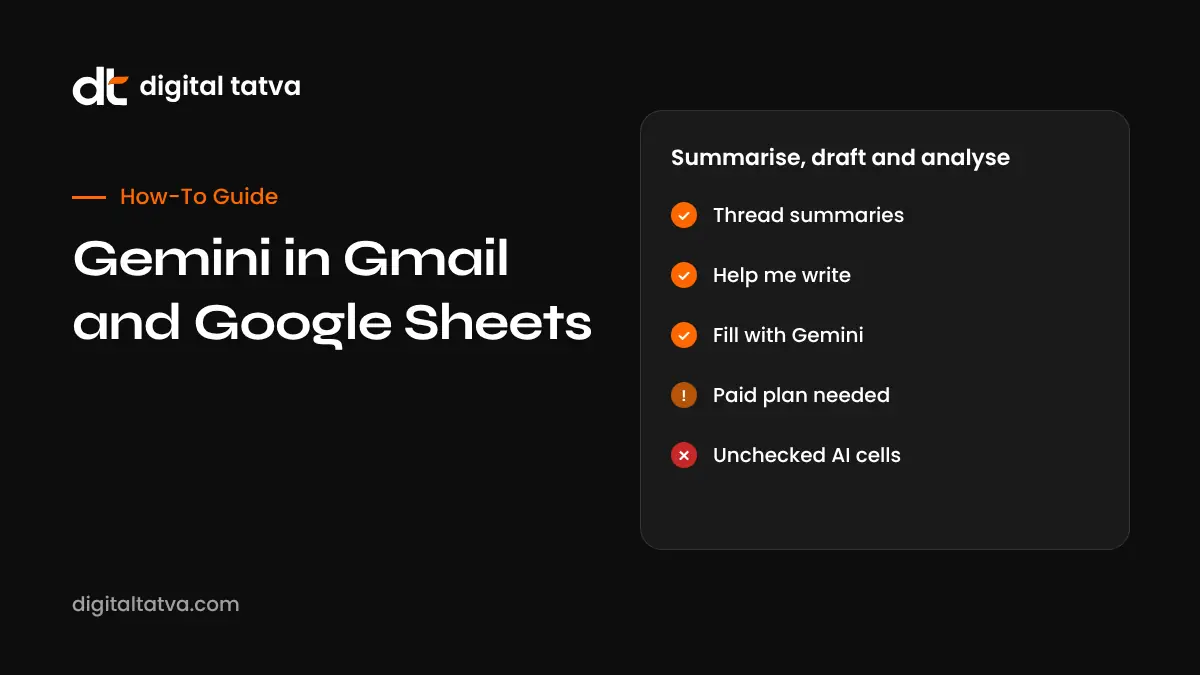
How to Use Gemini in Gmail and Google Sheets (2026 Guide)
Step-by-step guide to Gemini in Gmail and Sheets with prompts to copy.
On this page
- Key takeaways
- Who can use Gemini in Gmail and Sheets?
- Gemini in Gmail: what it can do
- Gemini in Google Sheets: what it can do
- Useful prompts to copy
- Gemini in Sheets vs Copilot in Excel
- Limitations to know
- Privacy and security
- Illustrative example: a D2C founder’s weekly routine
- Checklist for using Gemini in Gmail and Sheets
- How Digital Tatva can help
- Frequently asked questions
Last updated: 17 November 2026
Quick answer: Gemini in Gmail can summarise long threads, draft and refine emails with “Help me write”, suggest contextual replies and answer questions about your inbox from the side panel. Gemini in Google Sheets can build a formatted sheet from a prompt, generate formulas and charts, analyse data, and fill a column with “Fill with Gemini” or the AI function, including pulling real-time information from Google Search. Most features need a Google Workspace business plan or a Google AI Pro or Ultra subscription. Always check Gemini’s numbers and formulas before you rely on them.
Key takeaways
- Gmail: summarise, draft, reply and search your inbox in plain language.
- Sheets: create tables, write formulas, analyse data and fill columns with AI.
- Google’s March 2026 update let Sheets pull data from Gmail, Chat and Drive into a new spreadsheet with one prompt.
- Features are available with Workspace business plans and Google AI Pro or Ultra for personal accounts, mostly in English first.
- Your business data in Workspace is not used to train Google’s models, according to Google’s Workspace terms.
Who can use Gemini in Gmail and Sheets?
| Account | Access |
|---|---|
| Free personal Gmail | Limited Gemini features; the full side panel and Sheets AI usually need a paid plan |
| Google AI Pro or AI Ultra | Gemini in Gmail, Docs, Sheets, Slides and Drive for personal accounts |
| Google Workspace Business and Enterprise | Gemini included in most current plans, controlled by admins |
| Workspace for Education | Depends on the institution’s settings |
Google changes packaging regularly, so check your plan in Google’s help centre. Indian users can see local prices for Google AI Pro, and some phones and telecom offers include trials. See free AI pro plans in India.
Gemini in Gmail: what it can do
1. Summarise long threads
Open a long email thread and click “Summarise this email” or open the Gemini side panel. You get key points, decisions and open questions. On mobile, summary cards can appear at the top of long threads.
2. Help me write
Click the pencil icon in a new email and describe what you want, such as “Polite reminder to a client that invoice 214 is 15 days overdue, offer a call”. Then refine with Formalise, Elaborate, Shorten or a custom instruction. Personalised drafts can match your usual tone when that feature is enabled.
3. Contextual smart replies
Gemini can suggest full replies based on the thread’s content, which you can edit before sending.
4. Ask your inbox questions
In the side panel, ask “What did Ravi say about the delivery date?” or “Show emails from the GST consultant this month”. Gemini searches your mail and answers with references to the messages.
5. Inbox cleanup and organisation
Ask Gemini to find promotional emails from a sender or list unread emails needing action. Google has added more inbox management features over time, but review before deleting anything.
6. Add to calendar and tasks
Gemini can spot meeting requests and suggest adding events or tasks.
Gemini in Google Sheets: what it can do
1. Create a sheet from a prompt
Click “Help me create a table” or ask in the side panel: “Create a content calendar for November with columns for date, topic, channel, owner and status”. Since Google’s March 2026 update, a single prompt can also pull information from your Gmail, Chat and Drive to build a formatted spreadsheet.
2. Fill with Gemini and the AI function
Select a column and use “Fill with Gemini” to generate text, categorise items, summarise feedback or pull real-time facts from Google Search. The AI function lets you write prompts inside a cell, such as classifying customer reviews as positive, neutral or negative. Check a sample of results; AI can misclassify or invent details.
3. Formulas explained and generated
Ask “Write a formula that sums column D where column B is ‘Online’ and the date is in October” and Gemini returns a formula, often with an explanation. Paste it into a test cell first.
4. Analyse data and create charts
Ask “What are the top three products by revenue growth?” or “Create a chart of monthly sales by region”. Gemini can generate pivot-style summaries, charts and insights.
5. Clean and format data
Ask Gemini to split full names, standardise dates, remove duplicates or apply conditional formatting.
Useful prompts to copy
| App | Prompt |
|---|---|
| Gmail | Summarise this thread and list the action items with owners and dates |
| Gmail | Draft a short, friendly reply accepting the meeting and proposing Thursday 3 pm instead |
| Gmail | Find all emails from vendors about price changes in the last 60 days |
| Sheets | Create a lead tracker with name, company, source, stage, value and next follow-up date |
| Sheets | Classify each review in column C as positive, neutral or negative |
| Sheets | Explain why this VLOOKUP returns #N/A and fix it |
| Sheets | Create a bar chart of total sales by month from this data |
For more prompt ideas, read our guide to using Gemini in Google Workspace.
Gemini in Sheets vs Copilot in Excel
| Area | Gemini in Sheets | Copilot in Excel |
|---|---|---|
| Strength | Collaboration, Google Search grounding, quick tables | Complex models, Agent Mode, desktop power |
| In-cell AI | AI function and Fill with Gemini | COPILOT function |
| Data sources | Gmail, Drive, Chat, Search | Work files, Microsoft Graph |
| Best for | Teams already in Google Workspace | Finance and analytics teams in Microsoft 365 |
See Copilot in Excel and best AI tools for Excel for the Microsoft side.
Limitations to know
- Gemini can misread numbers or make up details when filling cells.
- Very large sheets may be slow or partly analysed.
- Some features launch in English and in the US first.
- Admins can turn features off for business accounts.
- Summaries can miss nuance, especially in sensitive negotiations.
Privacy and security
For Workspace business accounts, Google says your content is not used to train its models and stays under your organisation’s data controls. For personal accounts, review Gemini Apps Activity settings. Avoid pasting highly sensitive data such as Aadhaar or bank numbers into prompts. Read AI data privacy for business for policy guidance.
Illustrative example: a D2C founder’s weekly routine
This is an illustrative scenario, not a client story.
The founder of a skincare brand in Mumbai starts Monday by asking Gemini in Gmail to summarise supplier and marketplace emails from the past week and list what needs a reply. She uses Help me write for a firm but polite message to a late courier partner. In Sheets, she asks Gemini to build a weekly sales dashboard from an exported orders file, classify customer reviews by theme with Fill with Gemini, and chart returns by product. She spot-checks twenty classified reviews and the chart totals against the raw export before sharing the sheet with her team.
Checklist for using Gemini in Gmail and Sheets
- Confirm your plan includes Gemini in Workspace apps.
- Set up the side panel and try thread summaries first.
- Write prompts with clear goals, columns and formats.
- Test formulas in a copy of the sheet.
- Spot-check AI-filled cells.
- Keep sensitive identifiers out of prompts.
- Review emails before sending.
How Digital Tatva can help
Digital Tatva helps businesses use AI tools productively and builds the content that makes them visible in Gemini, Google AI Mode and other assistants. See our AEO services.
How does Gemini describe your business? Request an AEO audit or try the free AI visibility checker.
Frequently asked questions
How do I use Gemini in Gmail?
Open Gmail on a supported plan, click the Gemini icon to open the side panel, or use Summarise this email and Help me write inside messages.
Is Gemini in Gmail free?
Basic features may appear for some free users, but the full experience usually needs a Google AI Pro or Ultra plan or a Workspace business plan.
How do I use Gemini in Google Sheets?
Open a sheet, click Ask Gemini or Help me create a table, and describe what you want. Use Fill with Gemini or the AI function for column-level tasks.
What is Fill with Gemini?
It fills a column using AI, such as generating text, categorising data, summarising or pulling real-time information from Google Search.
Can Gemini write Google Sheets formulas?
Yes. Describe the result you want and Gemini suggests a formula with an explanation. Test it before relying on it.
Does Google use my Gmail to train Gemini?
For Workspace business accounts, Google says customer data is not used to train its models. Personal account settings are controlled through Gemini Apps Activity.
Can Gemini create charts in Sheets?
Yes. Ask for a chart type and data range, and Gemini can generate it.
Is Gemini in Sheets available in India?
Yes, for supported plans, mainly in English. Some features roll out later outside the US.
Is Gemini better than Copilot for spreadsheets?
Gemini suits Google Workspace teams and quick, collaborative sheets. Copilot in Excel is stronger for complex models and desktop Excel work.
Can Gemini send emails for me?
Gemini drafts emails, but you review and send them. Always check names, dates and figures.
Product details, prices and features are checked at the time of writing and can change. Sources are linked in the text so you can check them yourself.
How does your brand appear in AI answers?
We test the questions your buyers ask across the major AI assistants and search engines, then show you what to fix first.
Get an AI Visibility Audit