Bing AI Mode: What Changes as It Replaces Copilot Search
Bing's Copilot Search tab is being renamed AI Mode. Here is what changed, what stays the same, how Bing AI answers choose sources and how businesses can stay visible.
On this page
- Key takeaways
- What is Bing AI Mode?
- Timeline: from Copilot Search to AI Mode
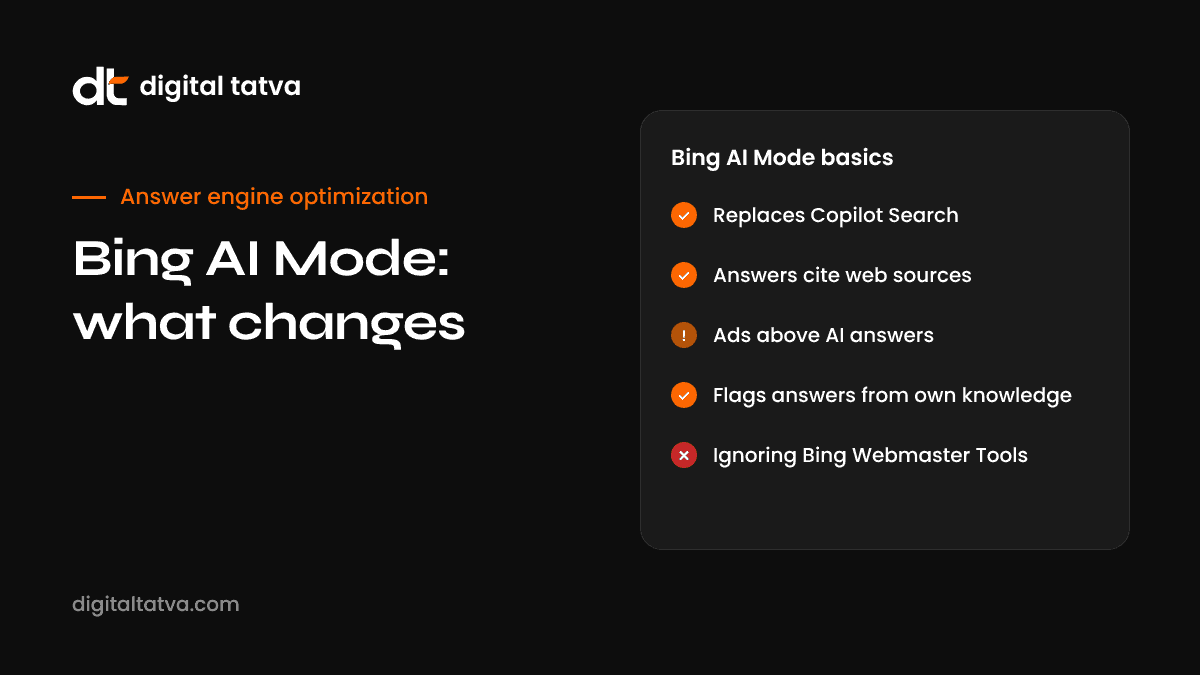
- What changes and what stays the same
- Why Bing AI Mode matters even with a small market share
- How Bing AI Mode chooses sources
- How to get cited in Bing AI Mode
- How to measure Bing AI Mode visibility
- Bing AI Mode vs Google AI Mode
- Can users turn off Bing AI Mode?
- A quick Bing AI Mode checklist
- How Digital Tatva can help
- Frequently asked questions
Last updated: 12 November 2026
Quick answer: Bing AI Mode is the new name for Bing’s AI search tab, which was previously called Copilot Search. Microsoft started testing the rename in September 2026, and by mid-October users reported the AI Mode tab showing consistently across browsers. The underlying experience is Bing’s generative AI search, which writes an answer and cites web pages, much like Google’s AI Mode. Microsoft has not published an official announcement. For businesses, the work is the same as for Copilot: make your pages easy for Bing to crawl and quote, keep facts fresh and structured, and measure citations in the AI Performance report in Bing Webmaster Tools.
Key takeaways
- AI Mode replaces the Copilot Search tab name in Bing’s search menu. It is a rename of the AI search experience, not a new engine.
- The change was first seen as a test in September 2026 and appeared fully rolled out for many users by October 2026, based on user reports.
- Bing’s AI answers rely on grounding: they pull from Bing’s index and cite pages, favouring fresh, structured and quotable content.
- Bing Webmaster Tools has an AI Performance report that shows citations and grounding queries, which Google Search Console does not show for its AI features in the same way.
- Bing powers more than Bing.com. Its index feeds Copilot and other AI products, so Bing visibility matters beyond Bing’s own market share.
What is Bing AI Mode?
Bing AI Mode is a tab in Bing search that switches from the classic list of links to an AI-written answer. You ask a question, Bing searches its index, and an AI model writes a response with citations to the pages it used. You can ask follow-up questions in the same thread.
If that sounds familiar, it is. Microsoft launched this experience as Copilot Search in Bing on 4 April 2025, available globally except in Russia and China. The 2026 change is mainly a rename. “AI Mode” is the name Google uses for its own AI search experience, and Microsoft appears to be aligning with a term searchers already recognise.
Timeline: from Copilot Search to AI Mode
| Date | Event |
|---|---|
| February 2025 | Bing tests an AI search page that replaces blue links, similar to Google AI Mode |
| 4 April 2025 | Copilot Search in Bing goes live widely |
| 10 February 2026 | AI Performance report launches in public preview in Bing Webmaster Tools |
| 23 March 2026 | Bing adds mapping of grounding queries to the specific pages cited |
| 6 May 2026 | Bing explains that AI grounding favours freshness, structured signals and citation suitability |
| 5 June 2026 | Microsoft ships a preview extension that lets users turn AI features in Bing on or off |
| 2026 (test) | Bing tests naming its top-of-page AI answers “AI Overviews” instead of Copilot |
| 25 September 2026 | Search Engine Roundtable reports Bing testing “AI Mode” in place of the Copilot Search tab |
| 13 October 2026 | Update: a user reports the AI Mode tab appears fully rolled out across browsers |
The rename was first reported by Sachin Patel on X and covered by Search Engine Roundtable. The October rollout observation came from a user, not from Microsoft, so it may vary by market and account.
What changes and what stays the same
| Area | Before | Now |
|---|---|---|
| Tab name | Copilot Search (or Copilot) | AI Mode |
| Answer style | AI-written answer with citations | Same |
| Source of information | Bing index through grounding | Same |
| Follow-up questions | Supported | Supported |
| Measurement for site owners | Bing Webmaster Tools AI Performance | Same |
| User controls | “-ai” operator and preview extension | Same |
In short, a business that was visible in Copilot Search should not expect to lose that visibility because of the name change. The more meaningful shift is behavioural: a familiar “AI Mode” label may encourage more searchers to try the AI tab, which would increase the importance of being cited there.
Why Bing AI Mode matters even with a small market share
Bing’s share of search is small compared with Google’s. Datos data for Q1 2026 put Bing’s US share at between 3.2% and 3.8% in early 2026, after a peak of 5.33% in December 2025. It would be easy to dismiss Bing AI Mode on that basis. That would be a mistake, for three reasons:
- Bing’s index feeds other AI products. Microsoft Copilot across Windows, Edge and Microsoft 365 uses Bing grounding. Several other AI assistants have used Bing for web results.
- Bing’s users skew towards work. Many business buyers search on Edge and Windows with Bing as the default, which makes Bing valuable for B2B brands.
- Bing gives you better AI data. The AI Performance report shows citations and grounding queries, which makes Bing the easiest place to learn how AI engines use your content.
Microsoft’s search and news advertising revenue reached $13.9 billion in fiscal year 2025, up 21% year on year, which shows how much commercial activity still runs through Bing.
How Bing AI Mode chooses sources
Bing calls the process of fetching web content for AI answers “grounding”. When someone asks a question in AI Mode, Bing runs one or more searches, retrieves relevant pages and passes passages to the model, which writes the answer and cites the pages it used.
In a May 2026 post, Bing’s team explained that AI grounding indexing prioritises three things over raw link authority:
- Freshness. Recently updated, accurate pages are preferred, especially for topics that change.
- Structured signals. Clear headings, tables, lists and structured data make content easier to extract.
- Citation suitability. Passages that answer a question directly and stand on their own are easier to quote.
Bing also published guidance in August 2025 describing sitemaps as infrastructure for AI-powered search. Accurate sitemaps with correct last-modified dates help Bing find fresh content quickly.
How to get cited in Bing AI Mode
1. Make sure Bing can crawl and index you
Verify your site in Bing Webmaster Tools, submit your XML sitemap and check for crawl errors. Make sure Bingbot is not blocked in robots.txt or by a firewall. Use IndexNow, which Bing supports, to notify Bing when pages change so fresh content is picked up faster. Our technical AEO checklist covers the full set of checks.
2. Write answer-first passages
Start key sections with a direct, complete answer in one to three sentences, then expand. This is the single most useful change for AI citations. See our answer-first content guide.
3. Use structure that machines can read
Use descriptive headings, short paragraphs, comparison tables, numbered steps and FAQ sections. Add schema such as Organization, Product, Article and FAQPage where it fits.
4. Keep facts fresh
Update prices, specifications, dates and statistics regularly and show a visible “last updated” date. Make sure your sitemap’s last-modified dates reflect real changes.
5. Build entity clarity
Bing, like other AI systems, needs to understand who you are. Keep your brand name, description and key facts consistent across your site, LinkedIn, directories and review platforms. Our guide to entity SEO for AEO explains how.
6. Earn mentions on trusted sources
AI answers often cite third-party pages such as reviews, comparisons and industry publications. Being present and accurately described on those pages increases the chance you are mentioned, even when your own site is not the cited source.
For a Microsoft-specific playbook, read our full guide to Copilot SEO.
How to measure Bing AI Mode visibility
The AI Performance report in Bing Webmaster Tools is one of the most useful AI visibility tools available to site owners. It reports:
- Total citations of your pages in Bing and Copilot AI answers.
- Average cited pages per day.
- Grounding queries, meaning the searches Bing ran when it used your content.
- Page-level activity, including which grounding queries led to which cited pages (added in March 2026).
Use it to answer practical questions: which pages are AI engines using, for which topics, and are those the pages you want them to use? If your best commercial page is never cited while an old blog post is, that tells you where to focus.
Combine it with GA4 referral data from bing.com and copilot.microsoft.com to see whether citations turn into visits. Our guide on tracking AI traffic in GA4 shows how to set this up, and AI share of voice explains how to compare your visibility with competitors.
Bing AI Mode vs Google AI Mode
| Feature | Bing AI Mode | Google AI Mode |
|---|---|---|
| Index used | Bing index via grounding | Google index |
| Citations shown | Yes | Yes |
| Follow-up questions | Yes | Yes |
| Site owner reporting | AI Performance report with citations and grounding queries | Search Console Performance data including AI features |
| User opt-out | “-ai” operator and preview extension | Separate web results filter |
| Wider ecosystem | Copilot in Windows, Edge and Microsoft 365 | Gemini app and Google surfaces |
The optimisation principles are largely shared: crawlability, clear answers, structure, freshness and authority. The main practical difference is that Bing gives you more direct data about AI citations, so it is a good place to test what works before applying lessons to Google. Our comparison of Google AI Mode vs AI Overviews covers the Google side.
Can users turn off Bing AI Mode?
Yes. In June 2026, Microsoft released a preview browser extension called Microsoft Bing AI Search Choice, with a single toggle to enable or disable AI features in Bing results. Microsoft’s Jordi Ribas also pointed out that adding “-ai” to a query removes AI summaries for that search. These controls mean some users will see only classic results, so traditional Bing SEO still matters alongside AI visibility.
A quick Bing AI Mode checklist
- Verify your site in Bing Webmaster Tools.
- Submit an accurate XML sitemap and enable IndexNow.
- Check that Bingbot is allowed through robots.txt and your firewall.
- Open the AI Performance report and note your top cited pages and grounding queries.
- Rewrite key commercial pages with answer-first sections, tables and FAQs.
- Refresh outdated facts and show updated dates.
- Track AI referrals from Bing and Copilot in GA4 every month.
How Digital Tatva can help
We help businesses become easier for AI search engines to find, understand and cite, including Bing AI Mode, Copilot, Google AI Mode, ChatGPT and Perplexity. That includes technical setup in Bing Webmaster Tools, analysis of your AI Performance data, content restructuring and ongoing monitoring. We do not promise placement in any AI answer, because no one controls these systems, but we can make sure nothing on your side is holding you back.
Want to see how AI search engines treat your site? Request an AEO audit for a full review across Bing, Copilot, Google and ChatGPT, or try our free AI visibility checker to test AI crawler access now.
Frequently asked questions
What is Bing AI Mode?
Bing AI Mode is the AI search tab in Bing that gives a written answer with citations instead of a list of links. It is the new name for what Microsoft previously called Copilot Search.
Has Bing AI Mode replaced Copilot Search?
The AI Mode tab name has replaced the Copilot Search tab in Bing’s search menu for many users. It was tested from September 2026 and reported as fully rolled out for some users in October 2026. Microsoft has not issued an official announcement.
Is Bing AI Mode the same as Google AI Mode?
No. They are separate products from different companies with different indexes. They work in a similar way and now share a similar name.
How do I get my website cited in Bing AI Mode?
Make sure Bing can crawl your site, write clear answer-first content with good structure, keep information fresh and build consistent brand signals across trusted sources. Measure progress in the Bing Webmaster Tools AI Performance report.
Where can I see Bing AI citations for my site?
In Bing Webmaster Tools, under the AI Performance report. It shows citations, grounding queries and which pages were cited.
Does Bing AI Mode matter if few people use Bing?
Yes. Bing’s index supports Microsoft Copilot across Windows, Edge and Microsoft 365, and Bing is popular with business users. Its reporting also gives useful insight into how AI engines use your content.
Can I stop Bing AI Mode from using my content?
Bing offers controls such as robots meta directives to limit how content is used in answers, but blocking Bing also removes you from visibility. For most businesses, the better choice is to be accurately represented.
Can Digital Tatva help with Bing and Copilot visibility?
Yes. Bing and Copilot are part of our answer engine optimization service, starting with an AI visibility audit.
Product details, prices and features are checked at the time of writing and can change. Sources are linked in the text so you can check them yourself.
How does your brand appear in AI answers?
We test the questions your buyers ask across the major AI assistants and search engines, then show you what to fix first.
Get an AI Visibility Audit