ChatGPT for Accounting: QuickBooks, Xero and NetSuite Plugins Explained
How finance teams can use ChatGPT for Accounting safely and effectively.
On this page
- Key takeaways
- What ChatGPT for Accounting does
- Supported accounting software at launch
- Who can use it?
- How to get started
- Prompts accountants can try
- Risks and controls
- ChatGPT for Accounting vs Copilot in Excel
- What it means for Indian CAs and accounting firms
- Illustrative example: a CA firm serving US clients
- Checklist
- A 30-day pilot plan for finance teams
- Common mistakes to avoid
- How Digital Tatva can help
- Frequently asked questions
Last updated: 19 November 2026
Quick answer: ChatGPT for Accounting, launched by OpenAI on 18 November 2026, is a plugin that connects ChatGPT to accounting software so finance teams can process invoices, reconcile bank records, prepare month-end reports, enter data and prepare for audits without copying figures between windows. Launch integrations include Intuit QuickBooks, Xero, Oracle NetSuite, BILL, FreshBooks, Rillet and Campfire. It is available on ChatGPT Work and Business plans and appears in a sidebar next to the chat. Final accounting entries still require human approval, and a person must confirm any data changes. Indian businesses should check support for Tally, Zoho Books and GST workflows before relying on it.
Key takeaways
- Follows ChatGPT for Sales and OpenAI’s financial services package from September 2026.
- Works inside ChatGPT with live data from connected accounting apps.
- Human approval is built in for entries and data changes.
- Best for repetitive work: invoices, reconciliations and reporting drafts.
- Accountants remain responsible for accuracy, compliance and sign-off.
What ChatGPT for Accounting does
| Task | How it helps |
|---|---|
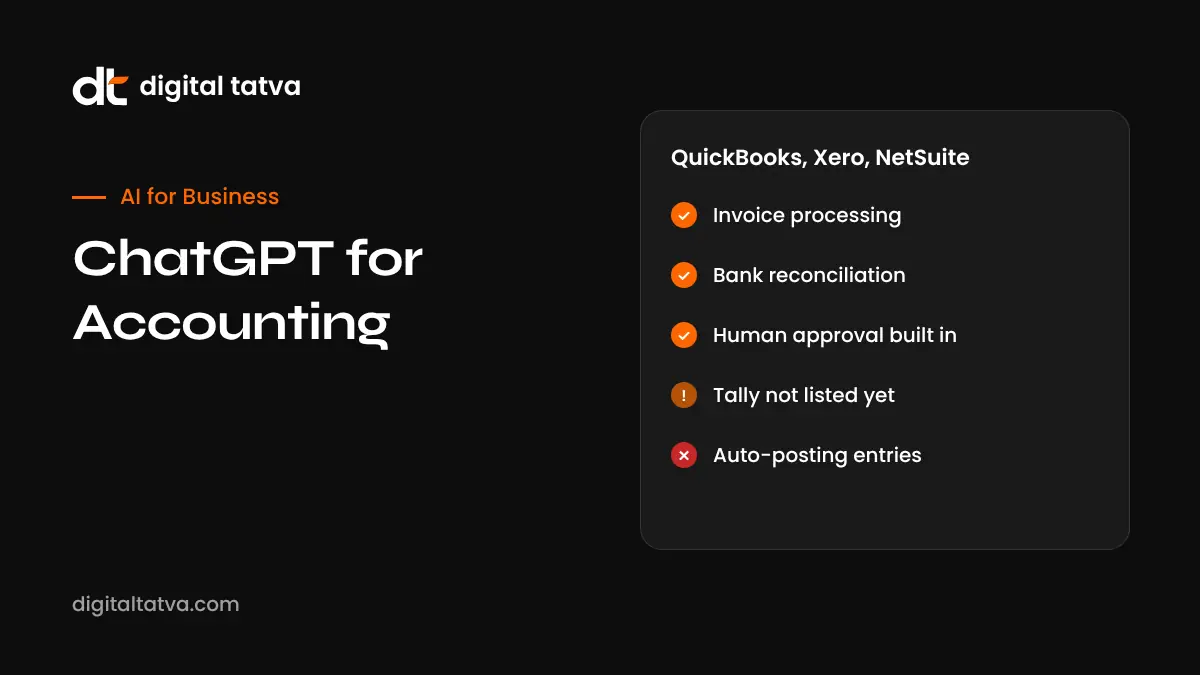
| Invoice processing | Reads invoices, suggests entries and matches them to vendors |
| Bank reconciliation | Compares bank transactions with ledger entries and flags mismatches |
| Month-end reports | Drafts summaries, variance explanations and management reports |
| Data entry | Prepares entries for review instead of manual typing |
| Audit preparation | Gathers supporting documents and explanations |
Based on Dataconomy’s launch report.
Supported accounting software at launch
- Intuit QuickBooks
- Xero
- Oracle NetSuite
- BILL
- FreshBooks
- Rillet
- Campfire
OpenAI described eight partner integrations; seven were named in coverage. Tally and Zoho Books, popular in India, were not listed at launch.
Who can use it?
ChatGPT for Accounting is available on ChatGPT Work and Business plans. Admins control which apps can be connected and what permissions users have. Check with your workspace admin and OpenAI’s help pages for regional availability.
How to get started
- Confirm your ChatGPT plan includes the Accounting plugin.
- Ask your admin to approve the integration with your accounting software.
- Connect with the minimum permissions needed, ideally read-only at first.
- Start with low-risk tasks such as drafting a month-end summary.
- Review every suggested entry before approving.
- Keep an audit trail of AI-assisted changes.
- Expand to reconciliations once accuracy is proven.
Prompts accountants can try
| Goal | Prompt |
|---|---|
| Reconciliation | Compare October bank transactions with the ledger and list unmatched items with likely reasons |
| Variance analysis | Explain the top five expense variances this month versus budget in plain language |
| Invoice review | Check these invoices for duplicates, missing tax details or unusual amounts |
| Reporting | Draft a one-page management summary of monthly results for the founders |
| Audit prep | List documents needed to support fixed asset additions this year |
Risks and controls
- Accuracy: AI can misclassify transactions or misread invoices. Review everything.
- Permissions: limit what ChatGPT can change; separate preparers and approvers.
- Confidentiality: follow client agreements and professional rules on data sharing.
- Compliance: tax rules such as GST and TDS in India need professional judgement.
- Payments: never let AI tools move money without approval; banks are tightening rules, see banks and AI agent liability.
ChatGPT for Accounting vs Copilot in Excel
| Tool | Best for |
|---|---|
| ChatGPT for Accounting | Working directly with accounting software data |
| Copilot in Excel | Spreadsheet models, analysis and Agent Mode |
| Gemini in Google Sheets | Collaborative sheets in Google Workspace |
See Copilot in Excel and best AI tools for Excel.
What it means for Indian CAs and accounting firms
Indian firms using QuickBooks, Xero or NetSuite for international clients can use the plugin now. For domestic clients on Tally or Zoho Books, watch for future integrations or use exports with care. AI can speed up routine work, letting firms focus on advisory, tax planning and compliance. Firms should update engagement letters to describe AI use and data handling. Read AI tools for MSMEs in India.
Illustrative example: a CA firm serving US clients
This is an illustrative scenario, not a client story.
A CA firm in Ahmedabad provides bookkeeping for small US businesses on QuickBooks. It pilots ChatGPT for Accounting with two clients, starting with read-only month-end summaries, then moves to reconciliation suggestions that a senior accountant approves. The firm measures time saved per client and error rates, documents the process for quality control, and informs clients in writing about AI-assisted workflows.
Checklist
- Plan and admin approval confirmed.
- Minimum permissions set.
- Human approval for every entry.
- Audit trail maintained.
- Client agreements updated.
- Accuracy tracked before scaling.
A 30-day pilot plan for finance teams
- Week 1: connect one entity in read-only mode and generate month-end summaries. Compare with your existing reports.
- Week 2: run reconciliation suggestions on last month’s data that is already closed, so you can measure accuracy safely.
- Week 3: process a sample of 50 supplier invoices with AI suggestions and full human review. Track errors by type.
- Week 4: decide which tasks to adopt, write a short procedure, and train the team on review steps.
| Metric to track | Why it matters |
|---|---|
| Time per reconciliation | Shows real productivity gains |
| Suggestion accuracy | Tells you where review is still essential |
| Corrections needed per batch | Highlights weak areas such as vendor matching |
| Close timeline | Measures impact on month-end deadlines |
Common mistakes to avoid
- Granting write access before accuracy is proven.
- Letting the same person prepare and approve AI-suggested entries.
- Uploading client data from personal ChatGPT accounts.
- Treating AI explanations of tax treatment as final advice.
- Skipping documentation, which auditors may ask for.
How Digital Tatva can help
Digital Tatva helps accounting and finance firms build trustworthy content so AI assistants recommend them accurately. See our AEO services.
Do AI assistants recommend your firm? Request an AEO audit or try the free AI visibility checker.
Related reading: Best AI Tools to Reduce Business Operating Costs in 2027
Frequently asked questions
What is ChatGPT for Accounting?
An OpenAI plugin launched on 18 November 2026 that connects ChatGPT to accounting software for invoices, reconciliations, reports and audit prep.
Which accounting software does it support?
QuickBooks, Xero, NetSuite, BILL, FreshBooks, Rillet and Campfire at launch.
Which ChatGPT plans include it?
ChatGPT Work and Business plans.
Does ChatGPT post accounting entries automatically?
No. Final entries require human approval, and data changes must be confirmed by a person.
Does it work with Tally or Zoho Books?
They were not listed at launch. Check OpenAI’s integration list for updates.
Can ChatGPT do bank reconciliation?
Yes, it can compare transactions and flag mismatches for review.
Is it safe to connect accounting data to ChatGPT?
Use business plans with admin controls, limit permissions and follow client confidentiality rules.
Will AI replace accountants?
No. It automates routine tasks, while accountants handle judgement, compliance and advice.
Can it handle GST?
It can help analyse data, but GST compliance needs professional review and India-specific tools.
How is it different from Copilot in Excel?
It works with accounting software data directly, while Copilot works inside Excel spreadsheets.
Product details, prices and features are checked at the time of writing and can change. Sources are linked in the text so you can check them yourself.
How does your brand appear in AI answers?
We test the questions your buyers ask across the major AI assistants and search engines, then show you what to fix first.
Get an AI Visibility Audit