AI Overviews Are Replacing Knowledge Panels on Brand Searches: What to Do
Google is showing AI-written brand summaries where knowledge panels used to be. What changed and how to keep your brand facts accurate.
On this page
- Key takeaways
- What changed on Google brand searches
- What Google has said
- Why it matters for brands
- How to check what Google shows for your brand
- How to influence the AI summary of your brand
- What if the AI Overview gets your brand wrong?
- Wider context: AI on the brand search page
- Does this affect paid brand search?
- Illustrative example: a mismatch on a brand search
- A monthly brand search checklist
- How Digital Tatva can help
- Frequently asked questions
Last updated: 16 November 2026
Quick answer: Since late October 2026, Google has been showing AI Overviews in the right-hand column of desktop results for many brand-name searches, in the spot where the knowledge panel used to appear. The brand’s own website moves back to the top of the main results, while an AI-written summary of the company, with fact rows like founders, CEO and contact details, sits beside it. Google has not announced or explained the change. For brands, it means the description people see for your name is now partly written by AI from many sources, so accurate, consistent brand information across the web matters more than ever.
Key takeaways
- The change was first spotted on 31 October 2026 and widely reported on 2 November 2026.
- It has been reported on desktop, in US results, for many but not all brand searches.
- The right-column AI Overview includes a company summary, fact rows and sometimes shopping details like delivery, returns and payment options.
- At least one reported example showed conflicting facts between the AI text and the fact rows.
- Google has not said whether this is a test or permanent. Brands should audit and align their facts now.
What changed on Google brand searches
When you search a brand name on Google desktop, the results page traditionally shows the brand’s website at the top of the main column and a knowledge panel on the right with a description, logo, social links and key facts. AI Overviews, when they appeared, usually sat at the top or middle of the main results.
Starting around 31 October 2026, search marketers began seeing a new layout for many brand searches. David McSweeney posted about it on 31 October, Chris Long of Nectiv posted on 2 November, and Barry Schwartz reported it on Search Engine Roundtable the same day. In the new layout:
- The main column opens with the brand’s official website and sitelinks.
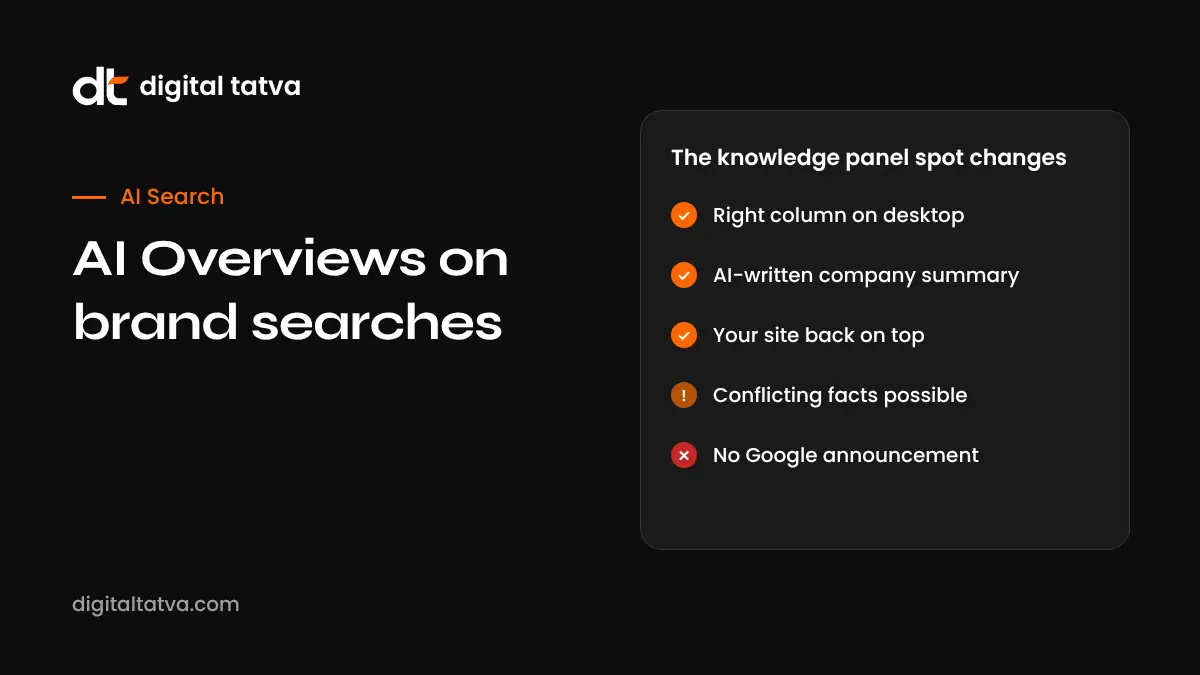
- The right column shows an “AI Overview” panel instead of a classic knowledge panel.
- That panel includes an AI-written company summary, fact rows such as founders, CEO and contact details, and an expandable description.
- Some panels add commerce details. In one reported example for Apple, the panel showed store ratings, delivery and return terms and payment options.
- Some panels include Follow buttons.
McSweeney also reported variations, including AI Overviews moving further down the page instead of to the side. Examples cited include searches for apple, zillow, coca cola, google and search engine roundtable.
What Google has said
Nothing, as of mid-November 2026. Google has not announced the layout, updated help documentation or commented publicly. It has not said whether the change is a test or permanent, or which countries and devices it covers. All reported examples are US desktop results. Keep that in mind before assuming your brand is affected the same way in India or elsewhere.
Why it matters for brands
The AI now describes you, not only your website
Knowledge panels drew from structured sources such as Google’s Knowledge Graph, Wikipedia and verified profiles. An AI Overview summarises information from many sources and writes its own description. That description may draw on Wikipedia, news, directories or review sites rather than your own website. If those sources are outdated or inconsistent, the AI summary can reflect that.
Errors are possible and visible
In the Zillow example reported by Search Engine Roundtable, the AI text and a fact row gave different founding years, 2006 and 2004. When a summary sits next to your name on your own brand search, an error like that is seen by people who are actively looking for you.
Your website gets the top spot back
On the positive side, in reported examples the brand’s own site returns to the top of the main column, where AI Overviews previously sometimes pushed it down. Barry Schwartz welcomed the layout for that reason, while questioning whether AI should be describing brands instead of the brands themselves.
Click impact is unknown
Google publishes no click data for AI Overviews by placement, and Search Console does not separate it. You will not see a “right column AI Overview” filter. Watch branded click-through rates in Search Console for changes, but expect noise.
Before this change, AI Overviews were already common on brand searches
Ahrefs found AI Overviews on 63 of 100 brand queries in September 2026, before the move. So the question is not whether AI describes brands on Google, but where and how.
How to check what Google shows for your brand
- Search your brand name on Google desktop in a private window.
- Search variations: brand plus “company”, brand plus “reviews”, brand plus your city, and your founder’s name.
- Screenshot the right column. Note whether you see a knowledge panel or an AI Overview.
- Read every fact: founding year, founders, CEO, address, phone, categories, services and any shopping details.
- Click the sources listed and note where each fact appears to come from.
- Repeat monthly, and after major changes to your business.
If your audience is in the US, use a US location setting or a rank tracking tool that checks US results, since the reported layout is US-based.
How to influence the AI summary of your brand
No one can directly edit an AI Overview. You can improve the sources it draws from. These steps help both the AI summary and the classic knowledge panel.
| Action | Why it helps |
|---|---|
| Write one canonical brand description and use it everywhere | Gives AI a consistent story to repeat |
| Publish a company facts page | Provides a clear, quotable source for founders, dates, locations and services |
| Add Organization schema with sameAs links | Connects your site to your official profiles |
| Align Google Business Profile, LinkedIn, Crunchbase and directories | Removes conflicting facts |
| Correct outdated third-party pages | Old articles and listings often cause errors |
| Keep policies and contact details clear | Feeds commerce details like returns and delivery |
| Claim your knowledge panel if available | Lets you suggest edits through Google |
| Earn reputable coverage | Gives AI trustworthy sources about you |
Our guides on the Google knowledge panel for business and fixing wrong AI answers about your brand go deeper. Our own company facts page is an example of a factual reference page.
What if the AI Overview gets your brand wrong?
- Find the source of the error. Check the linked sources and search for the wrong fact to see where it appears.
- Fix what you control. Update your website, schema and profiles.
- Request corrections elsewhere. Contact directories, publications or data providers with outdated information.
- Use Google’s feedback options. AI Overviews include a feedback control, and claimed knowledge panels allow suggested edits.
- Re-check after a few weeks. Changes can take time to appear.
Wider context: AI on the brand search page
This change fits a broader pattern of AI systems describing businesses directly. ChatGPT now lets businesses claim a profile and see mentions through the ChatGPT Business Hub. Google’s AI Mode upgraded to Gemini 4 Hydrogen on 12 November. In each case, the AI describes your business based on what it can find. The brands that control their facts across the web are best placed.
Does this affect paid brand search?
Reported examples did not show ads, so it is unclear how brand ads interact with the right-column AI Overview. Some industry commentators have linked the change to broader questions about brand search budgets. If you run brand campaigns, watch impression share and click-through rates closely over the coming weeks.
Illustrative example: a mismatch on a brand search
This is an illustrative scenario, not a real company.
Imagine a software company founded in 2015 that moved its headquarters from Pune to Bengaluru in 2022. Its website says Bengaluru, but an old Crunchbase profile, a 2019 news article and a directory listing still say Pune. When the right-column AI Overview appears for the company’s name, the summary says the company is “based in Pune”, while a fact row shows Bengaluru. Prospective customers and candidates see the contradiction immediately.
The fix starts with the sources. The company updates Crunchbase and the directory, asks the publication to add a note to the old article where possible, adds Organization schema with the correct address and sameAs links, and publishes a short company facts page with its history and current location. It also uses the feedback option on the AI Overview. Over the following weeks, the team re-checks the brand search monthly.
A monthly brand search checklist
- Search your brand name, brand plus “company”, brand plus “reviews” and your founder’s name.
- Record what appears in the right column and main results.
- Check every fact against your company facts page.
- Note new sources being cited.
- Log errors, fix what you control and request third-party corrections.
- Compare branded click-through rates in Search Console month on month.
How Digital Tatva can help
Digital Tatva audits how Google, ChatGPT, Gemini and Perplexity describe your brand, finds conflicting or outdated facts, and fixes the sources: your website, schema, profiles and third-party listings. This entity work is one of the five layers of our AEO method. See our entity SEO service and full AEO services.
What does Google’s AI say about your brand? Request an AEO audit or check quickly with the free AI visibility checker.
Related reading: monitoring brand sentiment in AI answers.
Related reading: knowledge graph optimization.
Frequently asked questions
Has Google replaced knowledge panels with AI Overviews?
For many brand searches on US desktop results, Google has been showing an AI Overview in the right column where the knowledge panel used to be. Google has not announced the change or said whether it is permanent.
When did Google start showing AI Overviews in the right column?
It was first spotted on 31 October 2026 and widely reported on 2 November 2026.
Does this happen on mobile?
The reported change is on desktop. Mobile was not mentioned in the reports.
Does it happen in India?
All reported examples were US results. Check your own brand searches regularly, since Google often expands changes over time.
What information does the brand AI Overview show?
Reported examples show a company summary, fact rows such as founders, CEO and contact details, an expandable description and sometimes shopping details like delivery, returns and payment options.
Can I edit the AI Overview for my brand?
Not directly. You can fix the sources it draws from, such as your website, schema, profiles and third-party listings, and use Google’s feedback tools.
Why does the AI Overview show wrong facts about my company?
Usually because outdated or inconsistent information exists somewhere online. Find the source, correct what you control and request corrections from third parties.
Will this reduce clicks to my website?
The impact is unknown. In reported examples your website returns to the top of the main column, but Google publishes no click data for this placement.
Does schema markup help?
Organization schema with sameAs links helps connect your website to your official profiles and supports consistent brand information, though it does not guarantee what the AI writes.
Is this related to the November core update?
No. The layout change was spotted in late October, before the November 2026 core update started on 10 November.
Does Wikipedia affect my brand AI Overview?
It can. AI Overviews may draw on Wikipedia and other third-party sources. If your company has a Wikipedia article, keep it accurate through proper editing processes.
How often should I check my brand search?
Monthly is a sensible routine, plus after major business changes such as a move, rebrand or leadership change.
Can a small business be affected?
Yes. Any business with an established brand search may see an AI Overview, though reported examples so far involve well-known brands.
Product details, prices and features are checked at the time of writing and can change. Sources are linked in the text so you can check them yourself.
How does your brand appear in AI answers?
We test the questions your buyers ask across the major AI assistants and search engines, then show you what to fix first.
Get an AI Visibility Audit