AEO for Webflow and Wix Sites: How to Get Cited by AI
What Webflow and Wix offer for AI search today and a practical checklist to make your site easier for AI assistants to cite.
On this page
- Key takeaways
- Why platform-specific AEO matters
- Webflow AEO: what is built in
- Wix AEO: what is built in
- Webflow vs Wix for AEO
- Common AEO problems on Webflow and Wix sites
- What still happens outside the platform
- Migrating platforms: protect your AI visibility
- Illustrative example: a Webflow agency site
- Quick technical checks for any Webflow or Wix site
- How Digital Tatva can help
- Frequently asked questions
Last updated: 17 November 2026
Quick answer: Both Webflow and Wix can rank well in AI answers, and both now ship native AEO features. Webflow offers llms.txt support, Markdown for agents, an AI-assisted SEO audit and, for Enterprise customers, Webflow AEO with prompt tracking, AI bot insights and agents that fix technical issues. Wix offers an AI Visibility Overview that tracks citations, sentiment and AI traffic, plus llms.txt for some eCommerce users. The fundamentals are the same on both: clean structure, answer-first content, schema, consistent brand facts, AI crawler access and mentions on trusted sources.
Key takeaways
- Platform choice matters less than how you structure content and build authority.
- Webflow gives fine control over HTML, schema and CMS structure, and now has Enterprise AEO tools.
- Wix includes an AI Visibility Overview inside its SEO tools, making monitoring easy for small businesses.
- On both, check that important content is in the page HTML, not hidden in interactions or images.
- Native tools help, but entity work, reviews and third-party mentions still happen outside the platform.
Why platform-specific AEO matters
We already cover AEO for WordPress and AEO for Shopify. Webflow and Wix power a large share of business, agency and startup websites, and each has its own strengths, limits and new AI features. This guide covers what to configure on each, and what still needs to happen beyond the platform.
Webflow AEO: what is built in
| Feature | What it does | Availability |
|---|---|---|
| llms.txt support | Lets you publish an llms.txt file describing your site for AI systems | Available |
| Markdown for agents | Serves cleaner content versions for AI agents | Available |
| AI-assisted SEO audit | Flags technical SEO issues | Available |
| Webflow AEO analytics | Prompt insights (brand mentions and citations, ChatGPT at launch), AI bot insights from hosting logs, discovery-to-conversion view | Enterprise, with the latest Analyze |
| Webflow AEO agents | Audit pages, CMS items and images; flag missing schema, long meta descriptions, missing alt text and broken links; suggest fixes for bulk review | Enterprise Site plans; uses AI credits |
Webflow introduced Webflow AEO in spring 2026, describing it as a closed-loop system for measurement, recommendations and execution. Its roadmap includes content optimisation agents, more AI engines beyond ChatGPT and sentiment insights. Check Webflow’s site for the latest availability.
Webflow AEO checklist
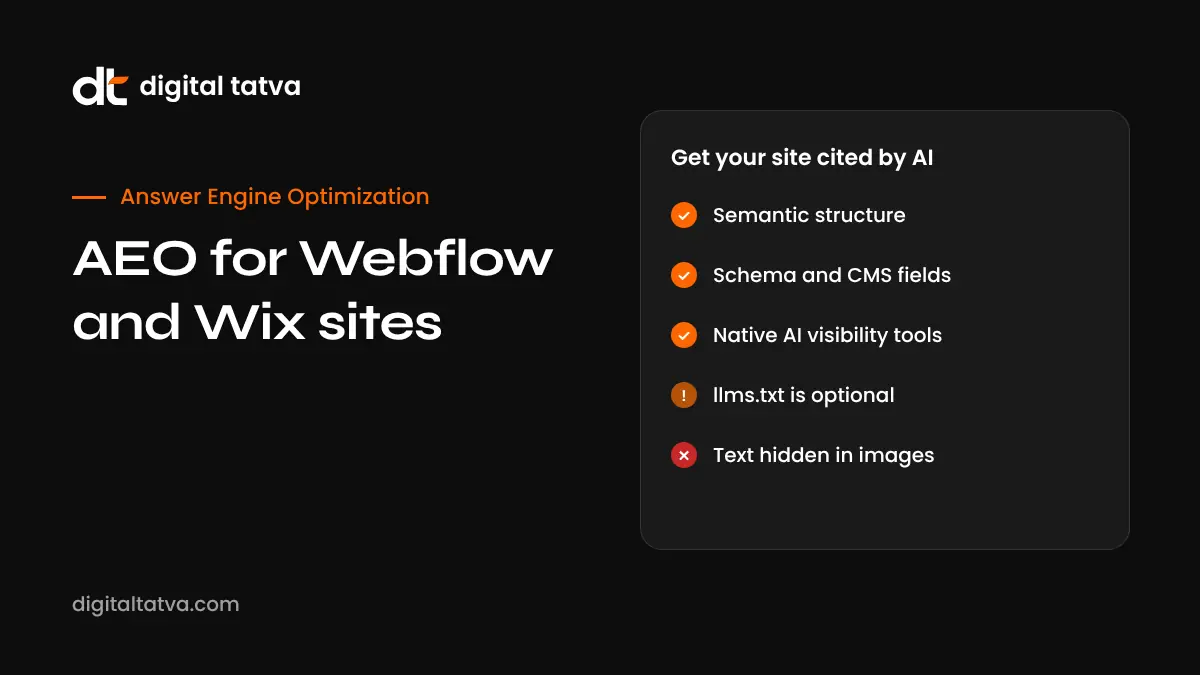
- Use semantic structure. One H1 per page, logical H2 and H3 headings, real lists and tables rather than styled divs.
- Keep content in HTML. Avoid hiding key text inside interactions, tabs that load late or images. Check the published source.
- Use CMS fields for facts. Store price, location, service area and FAQs in CMS fields so they render consistently and can feed schema.
- Add schema with custom code. Organization, Service, Product, FAQPage, Article and BreadcrumbList via page or CMS template embeds. See schema markup for AEO.
- Write answer-first pages. Open service and collection pages with a direct answer.
- Set up llms.txt as a helpful extra, not a strategy. See llms.txt for AEO.
- Check robots settings. Make sure AI search crawlers are not blocked. See robots.txt for AI crawlers.
- Optimise images and speed. Compress assets, use alt text and avoid heavy animations on key pages.
- Use clean slugs and internal links. Link related CMS items and services.
- Track AI traffic in GA4 or Webflow Analyze. See tracking AI traffic in GA4.
Wix AEO: what is built in
| Feature | What it does | Availability |
|---|---|---|
| AI Visibility Overview | Tracks how often you are cited for chosen questions, brand sentiment, competitor benchmarking, AI-driven traffic and query volume across tools like ChatGPT, Gemini, Perplexity and Claude | Launched July 2025 in the SEO and Analytics dashboards; rolled out first to English Business Manager users |
| llms.txt | Lets some eCommerce sites manage an llms.txt file | Some premium eCommerce users |
| Wix SEO tools | Meta tags, structured data, sitemaps, redirects | All plans |
Wix describes itself as the first CMS to offer AI visibility tracking natively. It is a convenient starting point for small businesses that want to monitor AI mentions without separate tools.
Wix AEO checklist
- Review AI Visibility Overview. Add the questions your customers ask and note competitor citations.
- Use proper headings in the editor, not just bigger text.
- Write answer-first service pages with clear facts and FAQs.
- Add structured data through Wix’s SEO settings and custom markup where needed.
- Keep business info consistent across Wix, Google Business Profile and directories.
- Avoid text inside images and heavy galleries for important information.
- Use Wix Blog for helpful articles that answer customer questions.
- Check page speed and remove unused apps.
- Manage llms.txt if available on your plan.
- Collect reviews on Google and relevant platforms.
Webflow vs Wix for AEO
| Factor | Webflow | Wix |
|---|---|---|
| HTML and structure control | High | Moderate |
| Custom schema | Flexible via embeds and CMS | Built-in options plus custom markup |
| Native AI visibility tracking | Enterprise AEO analytics | AI Visibility Overview in SEO tools |
| AI fix agents | Enterprise AEO agents | Not described in the same way |
| llms.txt | Supported | Some eCommerce users |
| Best for | Agencies, startups, design-led brands, content-heavy CMS sites | Small businesses wanting simplicity and built-in monitoring |
Neither platform guarantees AI visibility. The work that matters most, such as clear content, entity consistency, reviews and third-party mentions, happens the same way on both.
Common AEO problems on Webflow and Wix sites
- Design over substance: beautiful hero sections with vague slogans and no clear statement of what the business does.
- Text in images or animations that crawlers cannot read reliably.
- Thin service pages with a heading and two lines.
- Missing schema beyond basic metadata.
- Duplicate or templated location pages.
- Too many apps and scripts slowing pages down.
- No FAQs answering real customer questions.
What still happens outside the platform
- Brand entity consistency across Google, LinkedIn, directories and press. See entity SEO.
- Reviews on Google and industry platforms.
- Mentions in the publications, roundups and communities AI cites.
- Prompt tracking across engines your platform does not cover yet.
Migrating platforms: protect your AI visibility
If you are moving between WordPress, Webflow and Wix, plan redirects carefully, keep URLs where possible, carry over schema and content, and re-check AI answers after the move. Losing pages AI used to cite can reduce visibility for months.
Illustrative example: a Webflow agency site
This is an illustrative scenario, not a client story.
A design agency’s Webflow site looks impressive, but AI assistants never name it for “Webflow agency for SaaS startups”. The audit finds the homepage hero says only “We craft digital experiences”, service pages are short, case studies are image carousels without text, and there is no schema beyond defaults.
The agency rewrites its homepage to say plainly what it does, for whom and where; turns each case study into a CMS item with a written summary of the client, problem, approach and measured results shared with permission; adds Organization, Service and FAQPage schema through embeds; publishes a guide on choosing a Webflow agency; and gets listed on the directories AI cites for agency searches. It then tracks mentions monthly across ChatGPT, Gemini and Google AI Mode.
Quick technical checks for any Webflow or Wix site
- View the page source and confirm your main headings and paragraphs are present as text.
- Check one heading level 1 per page and logical subheadings.
- Test structured data with Google’s Rich Results Test.
- Confirm robots settings do not block search or AI crawlers.
- Run PageSpeed Insights on key pages, especially mobile.
- Check that each service and location has a unique, useful page.
- Make sure your business name, address and phone match your Google Business Profile.
How Digital Tatva can help
Digital Tatva works with Webflow, Wix, WordPress and Shopify sites. We audit structure, content, schema and crawler access, set up AI visibility tracking, and handle the off-site work that platforms cannot do for you. We never promise placement in AI answers. See our technical AEO service and full AEO services.
Built on Webflow or Wix? Check how AI sees your site with the free AI visibility checker or request an AEO audit.
Related reading: Core Web Vitals 2026.
Frequently asked questions
Is Webflow good for AEO?
Yes. Webflow gives strong control over HTML, CMS structure and schema, supports llms.txt, and offers Webflow AEO analytics and agents for Enterprise customers.
Is Wix good for AEO?
Yes, especially for small businesses. Wix includes an AI Visibility Overview that tracks citations, sentiment and AI traffic, alongside standard SEO tools.
What is Webflow AEO?
Webflow AEO is Webflow’s Enterprise system for AI search visibility, combining prompt and AI bot analytics with agents that audit and fix technical issues across your site.
What is Wix AI Visibility Overview?
It is a Wix tool that shows how often your site is cited by AI assistants, how your brand is perceived, how you compare with competitors and how much traffic comes from AI platforms.
Does llms.txt improve AI rankings?
It can help AI systems understand your site, but it is an optional extra. Content quality, structure, entity clarity and mentions matter more.
Which is better for AEO, Webflow or Wix?
Webflow suits teams that want fine control and advanced features. Wix suits small businesses that want simplicity and built-in monitoring. Both can perform well.
How do I add schema in Webflow?
Add JSON-LD through custom code embeds on pages or CMS templates, using CMS fields to fill values dynamically.
Can AI crawlers read Webflow interactions?
Important content should be present in the HTML without relying on interactions to load it. Check your published page source.
Do I need an agency for Webflow or Wix AEO?
Not always. Many basics can be done in-house. An agency helps with audits, schema, content strategy and off-site authority.
Does Digital Tatva work with Webflow sites?
Yes. We work with Webflow, Wix, WordPress and Shopify sites on technical AEO, content and AI visibility tracking.
Product details, prices and features are checked at the time of writing and can change. Sources are linked in the text so you can check them yourself.
How does your brand appear in AI answers?
We test the questions your buyers ask across the major AI assistants and search engines, then show you what to fix first.
Get an AI Visibility Audit