Amazon Rufus Optimization: How to Get Your Products Recommended by Amazon AI (2026)
How Amazon's AI shopping assistant chooses products and a practical checklist for getting your listings recommended.
On this page
- Key takeaways
- What is Amazon Rufus?
- How Rufus decides what to recommend
- Rufus optimisation checklist
- Rufus vs classic Amazon SEO
- How to test what Rufus says about your products
- Common mistakes
- Illustrative example: rewriting a listing for Rufus
- Rufus readiness checklist
- How Digital Tatva can help
- Frequently asked questions
Last updated: 17 November 2026
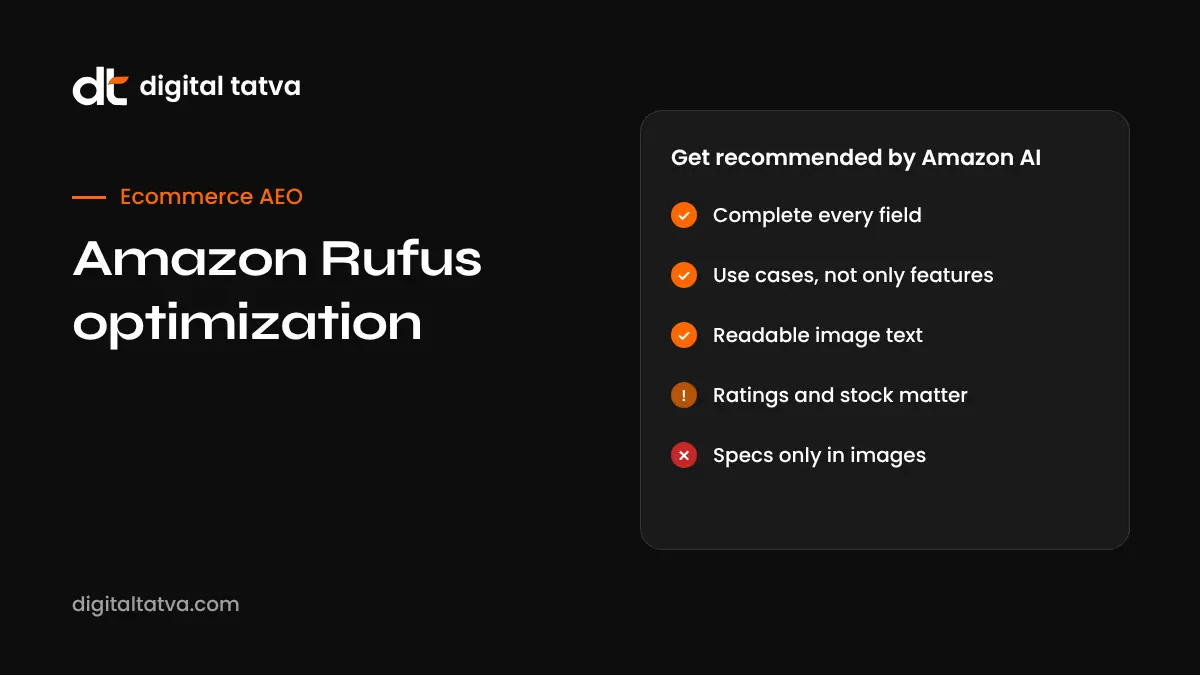
Quick answer: Amazon Rufus is Amazon’s AI shopping assistant. In the US it has been called Alexa for Shopping since May 2026, while some countries still use the Rufus name. It answers shopper questions using your listing title, bullets, description, specifications, A+ Content, text on images, reviews and customer Q&A, plus some web sources. To get recommended, complete every listing field, describe use cases and problems solved rather than only features, make image and A+ text readable, show certifications in text, keep ratings and stock healthy, and build brand signals beyond Amazon.
Key takeaways
- Rufus interprets shopper questions and writes its own searches, so exact-match keywords matter less than clear, complete product information.
- Reviews and Q&A feed directly into answers, including summaries of strengths and common complaints.
- Text on images and A+ Content can be read and used.
- One analysis of more than 1,300 Rufus-recommended products found none rated below 4.0 stars and 98.4% in stock.
- Amazon says Rufus helped more than 300 million customers in 2025.
What is Amazon Rufus?
Rufus is an AI assistant built into Amazon’s shopping experience. Shoppers can ask questions like “what’s the best running shoe for flat feet?” or “is this blender good for smoothies with frozen fruit?” and get a conversational answer with product suggestions. It appears in the search bar, on search results pages through AI overviews and “Customers ask” modules, on product detail pages and in the cart.
Rufus launched in beta in the US in February 2024 and expanded to Germany, France, Italy and Spain in October 2024. In the US, Amazon merged it with Alexa+ and renamed it Alexa for Shopping on 13 May 2026, according to seller guides. Availability and naming vary by marketplace, so check your own Amazon store, including Amazon.in, to see how it appears for your customers.
For AI shopping beyond Amazon, see ChatGPT shopping optimization and AEO for ecommerce.
How Rufus decides what to recommend
Rufus uses a large language model with retrieval: it interprets the shopper’s question, generates its own searches, pulls relevant product data and then writes an answer. According to seller analyses, it draws on:
| Source | What Rufus uses |
|---|---|
| Listing content | Title, bullet points, description, specifications, variants, price, delivery |
| A+ Content | Text-rich modules and comparison charts |
| Images | Readable text overlays on images and infographics |
| Reviews | Summaries of strengths and frequent criticisms |
| Customer Q&A | Answers to common questions |
| Shopper context | Past purchases, browsing, wishlist and chat history |
| Web sources | Mainly for complex, high-value, safety-critical or niche products |
Rufus optimisation checklist
1. Complete every listing field
Fill in title, bullets, description, all relevant attributes and specifications. Missing attributes leave Rufus unable to match your product to specific questions such as “waterproof”, “BPA free” or “fits a 15-inch laptop”.
2. Write for use cases, not just features
Shoppers ask about situations: “for a small kitchen”, “for long flights”, “for sensitive skin”. Bullets that say who the product suits and what problem it solves give Rufus the language to match those questions.
3. Make A+ Content and images readable
Use clear text in infographics and A+ modules: dimensions, materials, compatibility, comparisons. Avoid tiny fonts and decorative text that cannot be read reliably.
4. State certifications and test results in text
If your product is BIS certified, dermatologically tested, food grade or has a warranty, say so in attributes and bullets, not only in an image badge.
5. Use reviews as product research
Rufus summarises what customers praise and complain about. Read your reviews, fix recurring problems, update listings to set accurate expectations, and request reviews through Amazon’s approved tools. Never incentivise or fake reviews.
6. Answer customer questions
Monitor Q&A and the “Customers ask” and “Researched by AI” modules to see what shoppers want to know, then answer clearly and add those answers to your listing.
7. Keep ratings and stock healthy
In one analysis of more than 1,300 recommended products in the US, none had a rating below 4.0 stars and 98.4% were in stock. Low ratings and stock-outs appear to reduce your chances.
8. Build brand signals beyond Amazon
For complex or high-value products, Rufus may use web sources. Reviews on publications, YouTube demos and a clear brand website help. See AEO for D2C brands.
9. Consider Sponsored Prompts
Amazon offers ad formats that appear within AI shopping experiences. Amazon reports that shoppers who click a Sponsored Prompt buy 48% more often and spend 21% more on average in US data. Treat these as Amazon’s own figures and test for your products.
Rufus vs classic Amazon SEO
| Classic Amazon SEO | Rufus optimisation |
|---|---|
| Exact keywords in title and backend terms | Natural language describing use cases |
| Ranking for a search term | Being chosen as the answer to a question |
| Images for conversion | Images as readable information |
| Reviews as social proof | Reviews as summarised evidence |
| Amazon-only signals | Some external brand and web signals |
Classic keyword work still matters, because Rufus generates searches that use Amazon’s search systems. The change is that clarity and completeness now matter more than keyword density.
How to test what Rufus says about your products
- List 20 questions shoppers ask in your category.
- Ask Rufus or Alexa for Shopping each question on your Amazon marketplace.
- Note which products are recommended and why.
- Ask about your own product directly: “Is [product] good for [use]?”
- Check whether strengths and complaints match reality.
- Fix listing gaps and re-test monthly.
Common mistakes
- Keyword-stuffed titles that read badly.
- Specifications only inside images.
- Ignoring recurring complaints in reviews.
- Different product names on Amazon and your own website.
- Letting popular variants go out of stock.
Illustrative example: rewriting a listing for Rufus
This is an illustrative scenario, not a client story.
A brand sells a stainless steel water bottle. The original title is “Premium Steel Bottle 1L Leakproof BPA Free Best Gift Gym Office School”. Bullets repeat “premium quality” and “best design”. Capacity, insulation hours and dishwasher safety appear only in an image.
A Rufus-friendly rewrite keeps the important keywords but reads naturally: “Insulated Stainless Steel Water Bottle, 1 Litre, Keeps Drinks Cold 24 Hours and Hot 12 Hours, Leakproof Lid”. Bullets then cover specific situations: commuting and office use, gym and sports, children’s school bags with a note on weight, cleaning and dishwasher guidance, and the material and food-grade certification in text. The A+ Content adds a clear comparison chart of sizes and insulation times. The seller answers common questions about car cup holders and carbonated drinks, and asks recent buyers for reviews through Amazon’s approved tools.
When a shopper asks Rufus “which water bottle keeps water cold all day for office use?”, the listing now contains the exact facts needed to answer.
Rufus readiness checklist
- Every attribute field relevant to your category is filled.
- Bullets describe who it is for and which problems it solves.
- Key specs appear in text, not only in images.
- A+ Content includes a readable comparison chart or FAQ module.
- Certifications and warranty are stated in text.
- Top five customer questions are answered.
- Recurring complaints in reviews have been addressed in the product or listing.
- Popular variants stay in stock.
- Product names and facts match your own website.
How Digital Tatva can help
Digital Tatva helps brands get recommended by AI shopping assistants on Amazon, ChatGPT, Google and beyond. We audit listings, product data and reviews, align your Amazon and website content, and build the brand signals AI relies on. We never promise placement. See our AEO services for ecommerce.
Are AI shopping assistants recommending your products? Request an AEO audit or try the free AI visibility checker.
Frequently asked questions
What is Amazon Rufus?
Rufus is Amazon’s AI shopping assistant that answers shopper questions and recommends products. In the US it has been called Alexa for Shopping since May 2026.
How does Rufus choose products?
It interprets the question, runs its own searches and uses listing content, A+ Content, image text, reviews, Q&A, shopper context and sometimes web sources to form an answer.
Does Rufus read product images?
Seller analyses report that Rufus can use readable text in images and infographics, so clear image text helps.
Do reviews affect Rufus recommendations?
Yes. Rufus summarises review strengths and complaints, and recommended products in one analysis all had ratings of 4.0 stars or more.
Is Rufus available in India?
Availability and naming vary by marketplace. Check Amazon.in directly to see which AI shopping features appear for your customers.
Do I still need Amazon keyword research?
Yes. Rufus uses Amazon’s search systems, so relevant keywords still matter, but clear use-case language matters more than stuffing.
What are Sponsored Prompts?
They are Amazon ad placements within AI shopping experiences. Amazon reports higher purchase rates for shoppers who click them in US data.
How long does Rufus optimisation take?
Listing changes can be reflected fairly quickly, but review and rating improvements take longer. Re-test monthly.
Can I see what Rufus says about my product?
Yes. Ask Rufus directly about your product and category, and review the “Customers ask” and AI summary modules on your listing.
Does my website matter for Amazon Rufus?
It can, especially for complex or high-value products where Rufus may use web sources, and it helps your overall brand credibility.
Product details, prices and features are checked at the time of writing and can change. Sources are linked in the text so you can check them yourself.
How does your brand appear in AI answers?
We test the questions your buyers ask across the major AI assistants and search engines, then show you what to fix first.
Get an AI Visibility Audit