Meta Advantage+ Explained: How to Use Meta’s AI Ads
Meta Advantage+ explained: how Meta's AI sets audience, placements, budget and creative, how to set up an Advantage+ campaign and the mistakes to avoid.

On this page
Last updated: 22 October 2026
Quick answer: Meta Advantage+ is the AI automation built into Meta Ads Manager that sets your audience, placements, budget split and creative variations for Facebook and Instagram ads. You get it by choosing the Sales, Leads or App Promotion objective and leaving Advantage+ settings on. It costs nothing extra, and Meta says Advantage+ sales campaigns improved return on ad spend by 22% on average in 2025.
Meta has moved almost all of its ad buying toward Advantage+. In May 2026 it stopped creating legacy Advantage+ Shopping and App campaigns, and every new Sales, Leads or App campaign now starts with Advantage+ audience, placements and campaign budget switched on. Knowing which settings to keep and which to override is now a core skill for anyone running Facebook or Instagram ads.
This guide explains what Meta Advantage+ is, how to set up an Advantage+ campaign step by step, the generative AI creative tools, and the mistakes that waste budget.
Key takeaways
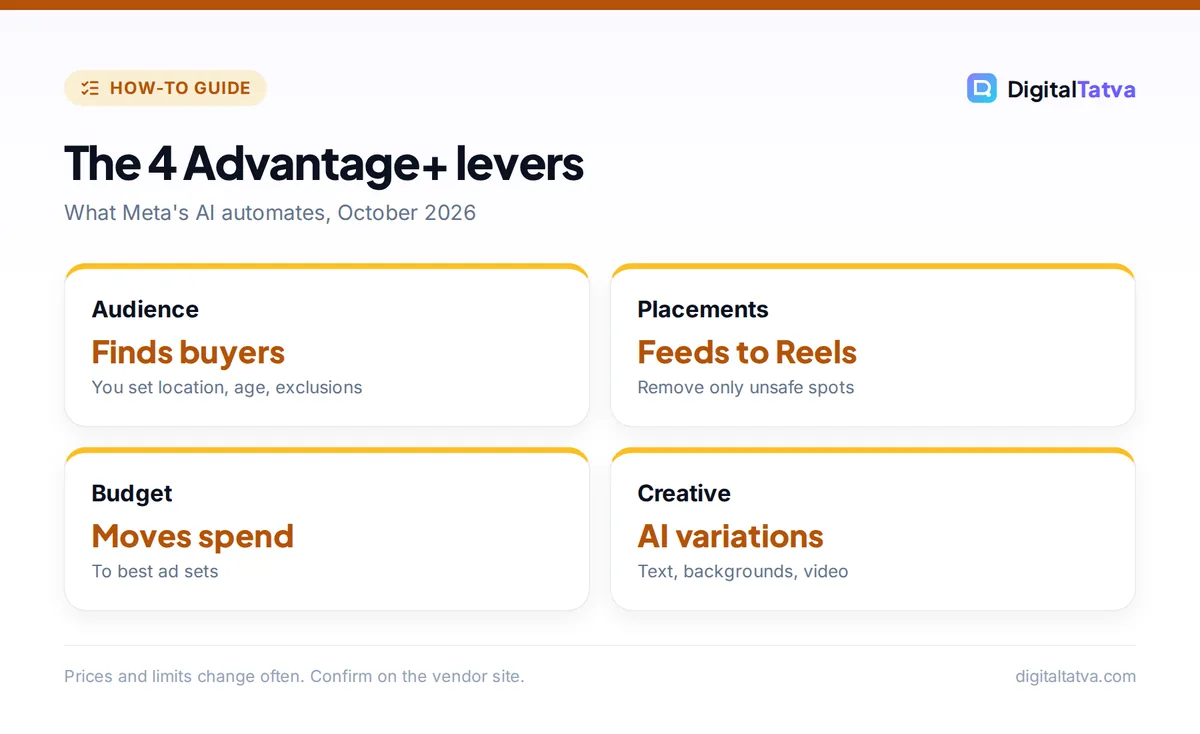
- Advantage+ automates four levers: audience, placements, budget and creative.
- It is available on the Sales, Leads and App Promotion objectives and is on by default.
- Meta reported a 22% average ROAS improvement for Advantage+ sales campaigns in 2025.
- Advantage+ creative can generate text, backgrounds, expanded images, animation and video variations, and Meta labels ads made with its AI tools.
- Audience controls (location, minimum age, exclusions, language) still let you set hard limits.
What is Meta Advantage+?
Meta Advantage+ is a set of AI-powered automation features in Meta Ads Manager that decide who sees your Facebook and Instagram ads, where they appear, how budget moves between ad sets and how your creative is adapted. You give Meta your goal, budget, creative and conversion data; its AI finds the buyers.
| Key fact | Detail |
|---|---|
| Company | Meta Platforms |
| Where | Meta Ads Manager (Facebook, Instagram, Messenger, Audience Network, Threads) |
| Objectives | Sales, Leads, App Promotion |
| Cost | No extra fee; media spend only |
| Reported result | 22% average ROAS improvement for Advantage+ sales campaigns in 2025 (Meta) |
| Recent change | Legacy Advantage+ Shopping and App campaigns stopped 19 May 2026 |
| New in 2026 | “Describe Your Audience”, AI business assistant, Muse Image in Advantage+ creative |
Meta’s ad business is growing quickly on the back of this automation: Meta reported $58.1 billion in fourth-quarter 2025 advertising revenue, up 24% year over year, and said its video generation tools reached a $10 billion combined annual revenue run rate, according to its January 2026 earnings. For Meta’s consumer AI products, see how to use Meta AI and our look at Meta’s Muse models.
How does Advantage+ work?
Advantage+ works by replacing manual choices with machine learning across four levers, each of which you can keep automated or restrict. A campaign counts as Advantage+ when budget, audience and placements are all left on Meta’s recommended settings.
| Lever | What Meta automates | What you can still control |
|---|---|---|
| Advantage+ audience | Finds buyers beyond your targeting, using your suggestions as hints | Locations, minimum age, custom audience exclusions, languages |
| Advantage+ placements | Spreads ads across Feeds, Stories, Reels and more | Devices, platforms, specific placements, brand safety |
| Advantage+ campaign budget | Moves budget to the best-performing ad sets | Total budget, schedule, bid strategy |
| Advantage+ creative | Adjusts and generates variations of your ads | Which enhancements are on, brand assets |
If you change budget, audience or placements in a way that restricts delivery, Meta tells you that Advantage+ has been turned off for that campaign. Some edits, such as removing Threads or limiting to one ad set with its own budget, keep Advantage+ on.
How do you set up an Advantage+ campaign?
You set up an Advantage+ campaign by creating a new campaign in Ads Manager with the Sales, Leads or App Promotion objective and keeping the default Advantage+ settings, while adding only the hard limits your business needs. The whole setup takes about 15 minutes once your pixel is working.
- Fix tracking first. Install the Meta Pixel and Conversions API. Since May 2026 Meta offers AI-assisted Pixel setup and one-click Conversions API setup for common platforms.
- Create a campaign. In Ads Manager click Create and choose Sales, Leads or App Promotion.
- Keep Advantage+ campaign budget. Set a daily or lifetime budget at campaign level.
- Set audience controls. Add country or city, minimum age, languages and exclusions such as existing customers. Add optional suggestions (customer lists, lookalikes, interests) as hints, not limits.
- Leave placements on Advantage+. Only remove placements that break your brand rules.
- Upload creative. Add 3 to 6 strong ads per ad set: Meta allows up to 50, but recommends no more than six. Include vertical video for Reels and Stories.
- Choose creative enhancements. Review each Advantage+ creative option and switch off any that could misrepresent your product.
- Publish and wait. Leave the campaign alone for about a week of learning before editing.
Tip: Exclude your existing customer list in audience controls if you want new buyers only. Advantage+ otherwise happily sells to people who already bought.
What can Advantage+ creative generate?
Advantage+ creative is Meta’s generative AI toolkit inside Ads Manager that creates variations of your ads automatically. Meta has added features steadily since 2024, and availability varies by account and region.
- Text variations: alternative primary text and headlines based on your original copy.
- Background generation and image expansion: new backgrounds for product shots and wider images that fit Reels and Stories.
- Image animation and image-to-video: motion added to still images, so you can run Reels without shooting video.
- Video expansion: wider or taller video frames for each placement.
- Brand assets: upload logos, fonts and colors so variations stay on brand.
- Virtual try-on and AI video highlights: in testing for apparel and long videos, as reported in July 2025.
- Muse Image: Meta’s image model rolling into creative variations in 2026.
Meta adds an “AI info” label to ads created or significantly edited with its generative tools, shown in the “About this ad” section since June 2026. For more creative options outside Meta, see our list of best AI ad generators and the best AI UGC video generators.
Watch out: Generated backgrounds can change how a product looks (color, size, setting). Preview every enhancement and turn off any that could mislead buyers.
Is Meta Advantage+ worth it?
Meta Advantage+ is worth it for most ecommerce and lead-generation advertisers with working conversion tracking, because Meta’s AI usually finds buyers more efficiently than manual interest targeting. It is weaker for brand-new pixels with no conversion history, very small budgets, or products with strict audience rules.
Pros
- No extra cost and fast setup
- Strong results reported by Meta (22% average ROAS lift in 2025)
- Automatic creative sizing for every placement
- Less manual audience testing
Cons
- Less visibility into who converts
- Can spend on existing customers unless excluded
- Generated creative needs review
- Needs enough conversions to learn
Meta’s 22% figure is an average from Meta’s own data. Online stores should also read AI for ecommerce for the wider toolkit. Run a split test against your best manual campaign before moving your whole budget, and compare cost per acquisition, not just ROAS. Our guide to measuring AI ROI shows how to compare fairly.
Common Advantage+ mistakes to avoid
The most common Advantage+ mistakes are weak tracking, too few creatives, editing during learning and forgetting exclusions. Each one makes Meta’s AI optimize toward the wrong people.
- Optimizing for clicks or add to cart when you really want purchases or qualified leads.
- Uploading one creative. The AI needs a few distinct angles: product demo, testimonial-style explainer, offer.
- Daily edits. Every big change resets learning.
- No customer exclusions when your goal is new buyers.
- Fake social proof. Never present AI actors or AI-written reviews as real customers; the US FTC bans fake testimonials, including AI-generated ones.
Pair your ads with strong Reels and captions: see AI tools for Instagram Reels and our Instagram caption prompts. If leads arrive on WhatsApp, read WhatsApp AI for business, and for Google’s equivalent automation see Google Ads AI Max.
Frequently asked questions
Is Meta Advantage+ free?
Yes. Advantage+ features are built into Meta Ads Manager at no extra charge. You pay only for your ad spend. Generative creative tools such as background generation and image animation are also included, although availability can vary by account, region and ad format.
Can I turn off Advantage+?
Yes. You can restrict the audience, choose manual placements or switch to ad set budgets, and Meta will tell you when the campaign is no longer Advantage+. You can also switch off individual Advantage+ creative enhancements while keeping automated audience and placements.
Does Advantage+ work in India?
Yes. Advantage+ campaigns are available to advertisers in India through Meta Ads Manager, with budgets in rupees. Some generative creative features roll out gradually by region and language, so check which enhancements appear in your account when you create an ad.
What happened to Advantage+ Shopping campaigns?
Meta stopped creating and updating legacy Advantage+ Shopping and App campaigns on 19 May 2026. Advertisers now use the standard Sales or App Promotion objective, where Advantage+ audience, placements and budget are on by default, which delivers the same automation in a single setup.
How many creatives should an Advantage+ campaign have?
Around three to six per ad set. Meta allows up to 50 ads per ad set but recommends no more than six. Use clearly different concepts, such as a product demo, an explainer and an offer, in both square and vertical formats so Meta can match each placement.
Next steps
Check your Pixel and Conversions API, build one Sales or Leads campaign with Advantage+ on, add only the audience controls you truly need, and give Meta three to six distinct creatives. Review results after a full learning week. Meta changes Advantage+ features often, so confirm current options in Meta’s Business Help Center before you launch.
Sources
- Gen AI transparency in Meta’s ads products, Meta Newsroom, updated 1 June 2026, checked 22 October 2026
- Meta’s ad business hits record $58B as AI drives conversion gains, PPC Land, 29 January 2026, checked 22 October 2026
- Advantage+ campaign creation: a complete guide, Jon Loomer Digital, June 2025, checked 22 October 2026
- Meta AI advertising updates, May 2026, Common Thread Collective, August 2026, checked 22 October 2026
- Meta introduces generative AI video advertising tools, Search Engine Land, October 2024, checked 22 October 2026
Pricing and features are checked at the time of writing and can change. Some links may be affiliate links, which never affect our verdicts.