10 Best AI Voice Changers for Creators and Calls
The 10 best AI voice changers in 2026 for streaming, calls, voiceovers and music: Voicemod, ElevenLabs, Voice.ai, Altered, Kits.ai and more, with prices, free limits and safe use.

On this page
- Key takeaways
- Quick picks: best AI voice changers compared
- Real-time vs post-production voice changers
- The 10 best AI voice changers in 2026
- How to choose the right AI voice changer
- Use AI voice changers responsibly
- Pricing notes and hidden costs
- Frequently asked questions
- Our verdict: the best AI voice changer for you
The best AI voice changer for most people in 2026 is Voicemod for live use in games, streams and calls, and ElevenLabs Voice Changer for realistic recorded voiceovers. Voice.ai is the best free real-time option, Altered Studio suits professional voice work, and Kits.ai is the pick for singers.
An AI voice changer converts your voice into a different voice while keeping your timing and emotion, either live (real-time, for Discord, Zoom or games) or from a recording (post-production, for videos and podcasts). Below we rank 10 tools by what they do best, list verified prices and free limits as of October 2026, and explain how to use voice changers responsibly.
Key takeaways
- Pick by use case first: real-time tools (Voicemod, Voice.ai, Dubbing AI, MorphVOX, Clownfish) for live audio; post-production tools (ElevenLabs, Altered, Murf, Kits.ai) for recordings.
- ElevenLabs Voice Changer handles files up to 5 minutes and bills 1,000 characters per minute of audio, so the free plan covers about 10 minutes a month.
- Voice.ai’s desktop voice changer is free with no credit card; Clownfish is completely free on Windows.
- Kits.ai (from $10 a month) and Altered Studio (from $30 a month billed annually) target musicians and professionals.
- Only change your voice into voices you have the rights to use; never use a voice changer to impersonate a real person or deceive anyone.
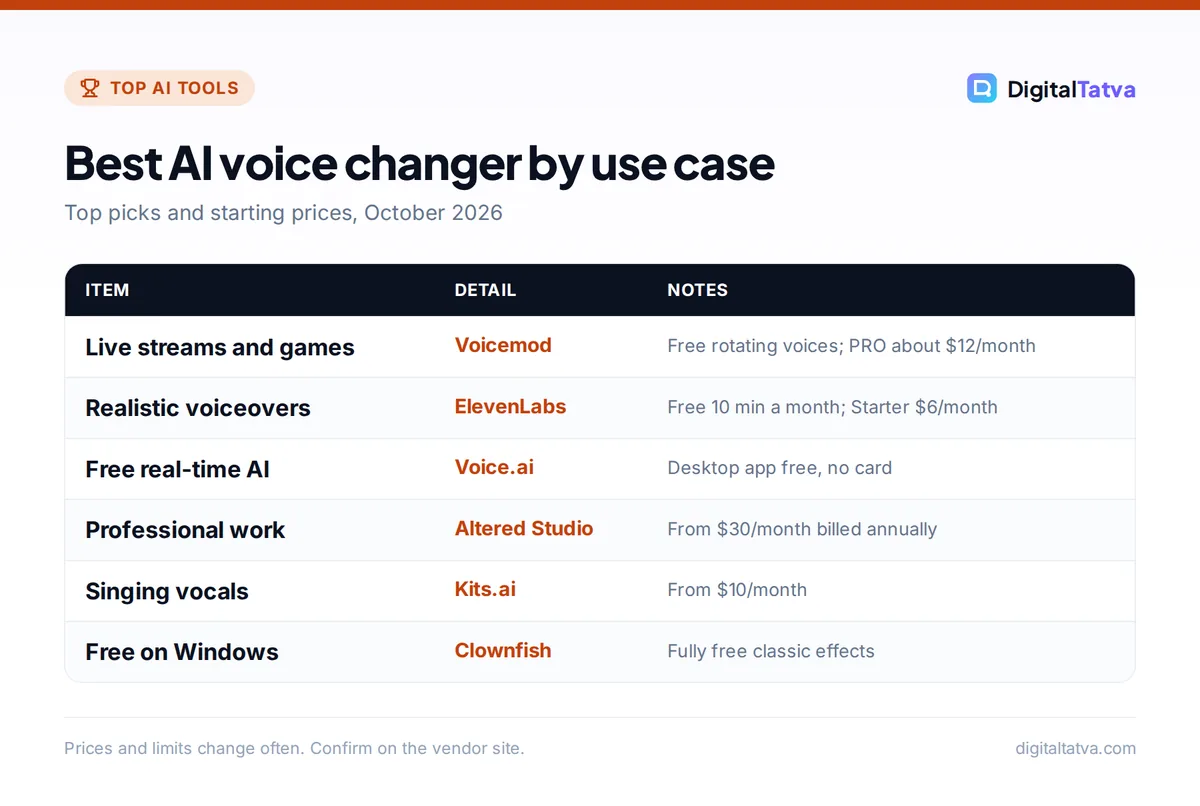
Best AI voice changer by use case
Top picks and starting prices, October 2026
| Item | Detail | Notes |
|---|---|---|
| Live streams and games | Voicemod | Free rotating voices; PRO about $12/month |
| Realistic voiceovers | ElevenLabs | Free 10 min a month; Starter $6/month |
| Free real-time AI | Voice.ai | Desktop app free, no card |
| Professional work | Altered Studio | From $30/month billed annually |
| Singing vocals | Kits.ai | From $10/month |
| Free on Windows | Clownfish | Fully free classic effects |
Prices and limits change often. Confirm on the vendor site.
Quick picks: best AI voice changers compared
| Tool | Best for | Type | Starting price | Free plan |
|---|---|---|---|---|
| Voicemod | Gamers and streamers | Real-time | PRO about $12/month (third-party) | Yes, rotating voices |
| ElevenLabs Voice Changer | Realistic voiceovers | Post-production | $6/month (Starter) | Yes, 10,000 credits/month |
| Voice.ai | Free real-time AI voices | Real-time and online | $5/month (online Starter) | Yes, desktop app free |
| Altered Studio | Professional voice work | Post-production | $30/month billed annually | Yes, 3 min/month |
| Kits.ai | Singers and producers | Post-production | $10/month | Yes, 15 conversion min (no downloads) |
| Murf Voice Changer | Polished narration | Post-production | Paid plans on Murf | Yes, 10 min generation |
| Dubbing AI | Gamers on a budget | Real-time | Subscription (price in app) | Yes, daily and weekly free voices |
| MorphVOX Pro | One-time purchase | Real-time | $39.99 | Free Windows trial |
| Clownfish Voice Changer | Free classic effects | Real-time | Free | Fully free (Windows) |
| RVC (open source) | Private, local conversion | Both, with add-ons | Free | Open source |
Real-time vs post-production voice changers
This is the most important choice, because tools are built for one or the other.
- Real-time voice changers install a virtual microphone on your computer. You select it as your mic in Discord, Zoom, OBS or a game, and your voice changes live with minimal delay. Quality is good enough for fun and streaming, but rarely studio-grade.
- Post-production voice changers take a recording, process it in the cloud and return a new audio file. They are slower but far more realistic, which makes them the right choice for YouTube voiceovers, ads, audiobooks and character voices.
If you do not need your own performance at all and just want a voice to read a script, a text-to-speech tool is simpler; see our list of the best AI voice generators.
The 10 best AI voice changers in 2026
1. Voicemod: Best for gamers, streamers and live calls
- Starting price: PRO about $12/month, about $4.50/month annual or about $39.99 lifetime (third-party)
- Free plan: Yes, rotating selection of voices
- Type: Real-time, desktop and mobile
- Best for: Discord, Twitch, OBS, Zoom and games
Voicemod is the best-known real-time voice changer. The free version includes “a rotation of voice changing options,” a soundboard and a clean mic effect. PRO unlocks the full voice roster, Voicelab for building custom voices, unlimited soundboards and cloud storage. Voicemod says its AI voices are “trained with pro voice actors” and uses “Fairly Trained certified models,” which is reassuring if you care about how the voices were made.
It works with Discord, OBS, Steam, Twitch, Zoom, Google Meet and most popular games. Voicemod shows prices only inside its app, so the figures above come from a May 2026 third-party roundup; check the in-app price for your region. Skip it if you need broadcast-quality voiceovers rather than live fun.
2. ElevenLabs Voice Changer: Best for realistic voiceovers
- Starting price: Starter $6/month (Creator $22, first month $11)
- Free plan: Yes, 10,000 credits/month, no commercial license
- Type: Post-production (upload or record)
- Best for: YouTube narration, ads, character voices
ElevenLabs Voice Changer (formerly Speech to Speech) converts your recording into another voice while “preserving the tone and delivery of the original.” You upload a file or record in the browser, pick a voice and generate, with an option to remove background noise. Each file can be up to 5 minutes and 50 MB on every plan, according to the official Voice Changer docs, and the cost is “solely duration-based at 1000 characters per minute,” so the Free plan’s 10,000 monthly credits cover about 10 minutes of conversion. The multilingual model supports 29 languages.
The quality is the most natural we know of in this list, especially with a professional voice from the library or your own clone. Paid plans from Starter include a commercial license. Read our ElevenLabs review, the full ElevenLabs pricing guide and our guide to cloning your own voice safely. Skip it if you need live voice changing.
3. Voice.ai: Best free real-time AI voice changer
- Starting price: Free desktop app; online plans from $5/month
- Free plan: Yes, “free, no credit card”
- Type: Real-time desktop (PC and Mac) plus online tools
- Best for: free AI voices in games and chats
Voice.ai offers a real-time AI voice changer for PC and Mac that it describes as “completely free,” with thousands of community and AI voices. It works with Zoom, Discord, WhatsApp, Google Meet, OBS and many games. Separately, its web platform has an online voice changer and audio tools: the Free plan includes 5,000 credits and a 5-minute limit per conversion, Starter costs $5 a month and Launch $24 a month ($12 for the first month), with yearly billing giving “2 months free.”
Community voices vary a lot in quality, and some imitate famous people, which you should avoid using publicly. Skip it if you want a curated, consistent voice library.
4. Altered Studio: Best for professional voice actors and studios
- Starting price: Creator $30/month billed annually
- Free plan: Yes, 3 minutes of voice morphing per month; one-week Creator trial with no card
- Type: Post-production desktop and web, plus a separate real-time product
- Best for: game studios, dubbing, audio drama
Altered calls its voice changing “voice morphing,” and its official pricing page lists prices billed annually. The Creator plan ($30 a month billed annually) gives 60 minutes of morphing a month with accent and speaking-style morphing; Professional ($90 a month billed annually) gives 180 minutes, 48 kHz output and unlimited local morphing. Enterprise adds custom voice models and API access. It is built for people who perform voices for a living and want control over delivery, not for casual fun.
Skip it if you only need a few minutes a month; the free 3 minutes or ElevenLabs will be cheaper.
5. Kits.ai: Best for singers and music producers
- Starting price: Starter $10/month (annual up to 47% off)
- Free plan: Yes, 15 conversion minutes, no downloads
- Type: Post-production, singing and speech
- Best for: vocal demos, harmonies, genre experiments
Kits.ai focuses on music. You convert a sung vocal into another voice, design new voices, and use tools such as a vocal remover, stem splitter and vocal repair. On the Kits.ai pricing page, Starter ($10 a month) gives unlimited conversions with 15 download minutes, Producer ($30) 60 download minutes and Professional ($60) unlimited downloads under fair use. Higher tiers add voice cloning of your own voice. Pair it with one of the best AI music generators for full demos.
Skip it if you need live voice changing for calls or games.
6. Murf Voice Changer: Best for turning rough recordings into polished narration
- Starting price: Murf paid plans (prices not shown on the page)
- Free plan: Yes, 10 minutes of voice generation; no-signup trial for files under 3 minutes
- Type: Post-production
- Best for: e-learning and explainer voiceovers
Murf’s voice changer lets you upload or record audio (MP3, WAV, MP4 and more), choose an AI voice and download the result. You can try it without signing up for files under 3 minutes, and the free plan includes 10 minutes of voice generation. Murf lists 20+ languages and a large voice library. It is ideal if you can write and pace a script well but do not like the sound of your own voice. Compare it with ElevenLabs in our ElevenLabs vs Murf comparison.
Skip it if you need many voice changer minutes each month without checking Murf’s current plan limits.
7. Dubbing AI: Best for gamers who want free rotating voices
- Starting price: Subscription to unlock all voices (price shown in app; about $9.99/month per third-party)
- Free plan: Yes, 5 voices in daily boxes plus 15 weekly rotating voices
- Type: Real-time, Windows and macOS
- Best for: Discord, Valorant, Fortnite, Among Us
Dubbing AI gives free users a daily set of voices and a weekly rotation, and a subscription unlocks the full catalog. You select the “Dubbing Virtual Device” as your microphone in Discord, Zoom, OBS or a game, and use headphones to avoid echo. It is a good free alternative to Voicemod if you enjoy trying new voices every day.
Skip it if you want a fixed voice you can rely on every stream without paying.
8. MorphVOX Pro: Best one-time purchase
- Starting price: $39.99
- Free plan: Free Windows trial
- Type: Real-time, Windows (separate Mac product)
- Best for: people who dislike subscriptions
MorphVOX Pro from Screaming Bee is a long-running voice changer with free voice and sound packs, vocal tract filters for fine tuning, and Quick Voices hotkeys to switch voices with one keystroke. It is less “AI” than the newer tools, but it is predictable, light on resources and avoids monthly fees. Try the free Windows trial first, as Screaming Bee itself suggests.
Skip it if you want realistic AI voices rather than effect-style voices.
9. Clownfish Voice Changer: Best completely free option for Windows
- Starting price: Free
- Free plan: Fully free
- Type: Real-time, Windows 10 and 11
- Best for: simple effects on a tight budget
Clownfish is a free system-wide voice changer for Windows with classic effects (pitch, echo, chorus and more), VST plugin support, AI noise suppression and a “VC Client” option that connects to an external open-source AI voice changer. It will not sound like a different real person, but for jokes, privacy on game chat or character effects it costs nothing. See our list of the best free AI tools for more no-cost picks.
Skip it if you are on a Mac or need realistic AI voices.
10. RVC (open source): Best for private, local voice conversion
- Starting price: Free
- Free plan: Open source
- Type: Local training and conversion; real time via the separate w-okada voice-changer project
- Best for: developers and tinkerers
Retrieval-based Voice Conversion (RVC) is the open-source project behind many community voice models. Its documentation recommends at least about 10 minutes of low-noise speech to train a voice, and it can run on modest graphics cards. Because everything runs on your computer, your audio never leaves your machine. The downside is setup effort and the temptation to download models trained on other people’s voices without permission, which you should not use.
Skip it if you are not comfortable installing Python tools and GPU drivers.
How to choose the right AI voice changer
Match the tool to the job
| Your goal | Best pick | Runner-up |
|---|---|---|
| Funny voices on Discord or in games | Voicemod | Dubbing AI or Voice.ai |
| Free and simple on Windows | Clownfish | Voice.ai |
| YouTube or Reels voiceover | ElevenLabs Voice Changer | Murf |
| Professional character or dubbing work | Altered Studio | ElevenLabs Creator or Pro |
| Vocals and music demos | Kits.ai | RVC |
| No subscription | MorphVOX Pro | Clownfish |
Check these before you pay
- Latency: for live use, test with your real headset; a delay that is fine in a game can be awkward in a meeting.
- Minutes, not plan names: post-production tools bill by minutes or credits. Estimate your monthly minutes first.
- Commercial license: ElevenLabs Free, Kits.ai Free and many free voices are not licensed for monetized content. Check before publishing on a channel that earns money.
- Privacy: cloud tools process your voice on their servers. For business use, read our AI data privacy guide.
Tip: For voiceovers, record in a quiet room with a decent USB mic. Every post-production voice changer copies your timing and emotion, so a clear, well-paced performance matters more than the tool you choose.
Use AI voice changers responsibly
Voice changers are great for fun, privacy, accessibility and creative work, but the same technology powers voice scams. Follow these rules:
- Get consent. Only clone or convert into a voice you own or have written permission to use. ElevenLabs, for example, asks you to confirm you have “the right and consent to clone the voice” and blocks cloning of celebrity and other high-risk voices.
- Never impersonate real people. Do not sound like a specific person, such as a boss, relative, celebrity or politician, to mislead anyone, even as a “prank”.
- No fraud or harassment. Using a changed voice to trick people into paying, sharing passwords or bypassing voice verification is fraud in most countries, including India and the US.
- Disclose when it matters. Label AI voices in published content where platforms require it, and tell participants on business calls if your voice is altered.
- Set team rules. If your company uses voice tools, add them to your AI usage policy.
Watch out: If you receive an urgent call asking for money in a familiar voice, hang up and call the person back on a number you already know. Cloned and changed voices are now convincing enough to fool family members.
Pricing notes and hidden costs
- Credits run out fast for long content. ElevenLabs bills voice changing at 1,000 characters per minute, so a 10-minute video uses about 10,000 credits, the whole Free allowance.
- Download limits: Kits.ai counts download minutes separately from conversions, and the Free plan has none.
- Annual-only prices: Altered shows prices billed annually; monthly billing costs more.
- In-app pricing: Voicemod and Dubbing AI show prices inside their apps, and prices vary by region and store.
- Video workflows: if you also need editing and captions, a video editor with built-in AI voice may replace a separate tool; see the best AI video editors and our list of AI tools for YouTubers.
Frequently asked questions
What is the best free AI voice changer?
For real-time use, Voice.ai’s desktop app is free with no credit card and offers thousands of voices on PC and Mac, while Clownfish is fully free on Windows with classic effects. Voicemod and Dubbing AI have free rotating voices. For recorded voiceovers, ElevenLabs Free gives 10,000 credits a month, about 10 minutes of voice changing, without a commercial license.
Can I use an AI voice changer on Discord and Zoom?
Yes. Real-time voice changers such as Voicemod, Voice.ai, Dubbing AI, MorphVOX Pro and Clownfish install a virtual microphone. Select that device as your input in Discord, Zoom, Google Meet or OBS, and your voice changes live. Use headphones to prevent echo, and tell people on work calls if your voice is altered.
Is using an AI voice changer legal?
Changing your own voice for fun, privacy, gaming or creative content is generally legal. It becomes illegal when used for fraud, impersonating a real person to deceive others, harassment or bypassing voice-based security. Using someone else’s voice without consent can also break platform rules and personality rights laws. This is general information, not legal advice.
Which AI voice changer sounds most realistic?
Post-production tools sound more realistic than live ones. ElevenLabs Voice Changer is the most natural option in this list for speech, keeping your emotion and timing while swapping the voice. Altered Studio gives professionals more control over accents and delivery, and Kits.ai is the best choice for converting singing vocals.
Can I use AI voice changer audio on YouTube?
Yes, if you have the rights. Use a paid plan that includes a commercial license (ElevenLabs Starter and above, for example), only use voices you own or have permission for, and label realistic synthetic audio where YouTube requires it. Avoid community voices that imitate celebrities, which can trigger copyright or impersonation claims.
Our verdict: the best AI voice changer for you
Choose Voicemod if you want live voices for streaming, gaming and calls, and ElevenLabs Voice Changer if you make videos or podcasts and want voices that sound genuinely human. On a zero budget, start with Voice.ai or Clownfish; for music, Kits.ai; for professional character work, Altered Studio. Whatever you pick, use only voices you have the right to use and never use them to deceive. Prices and free limits change often, so confirm the current terms on each vendor’s site before you subscribe.
Pricing and features are checked at the time of writing and can change. Some links may be affiliate links, which never affect our verdicts.